

Beacon Cafe menu website template
Beacon is for the all-day neighbourhood place: a café, a bakery or a small shop. The menu is the centrepiece, with each item's name, a one-line description and its price, in sections you can rename.

Who Beacon is for
Built for these, and tested against them.
- Cafés, bakeries and all-day kitchens with a menu that moves
- Salons, barbers and studios with a service price list
- Small clinics and practices that need hours, address and a phone number
- Any local business whose visitors arrive on a phone, looking for today
What’s included
Everything below ships with the template, already filled in.
- Pages
- 1 page, written and laid out
- Grows with you
- 16 menu-item entries at /menu/ — add one and its index and detail page both update
- Enquiries
- Email and phone links, no form to maintain
- Fonts
- Young Serif and Nunito · light theme
- Everywhere
- Built and checked at phone, tablet and desktop widths
- Yours to change
- Every colour, word and photograph — in the editor or by asking an AI agent
Build Beacon by asking your AI agent
No editor required. The agent writes your copy, swaps the photos and publishes the site.
- 1Connect Sitelas to Claude, ChatGPT or another AI agent that supports MCP. How to connect
- 2Ask for it in plain words: “Build a website for a neighborhood cafe using the Beacon template.”
- 3Open the preview link it sends back, ask for changes, and publish when it reads right.
Then keep changing it from the same chat
- Rewrite the copy“Rewrite every page in a warmer, friendlier voice.”
- Change the design“Make the colours earthier and use a serif for headings.”
- Add or remove pages“Add a Pricing page and remove the Blog.”
- Rearrange sections“Move the testimonials higher and add an FAQ.”
- Swap the photos“Replace the photos with ones that fit my business.”
- Run the site“Show me this week's form messages, then publish.”
Everything here can also be done by hand in the visual editor.
About the Beacon template
Built for neighbourhood cafés and bakeries
A neighbourhood café's customers mostly want to know what's on the menu, what it costs and whether you're open now. Beacon answers those in one scroll, in warm colours that suit a place people come back to.
What's on the page
- The menu, in sections you can rename
- Opening hours and a map link
- Reviews and a photo gallery
- Tap-to-call and email links
Keeping it current
Menu items are a collection, so you reprice a dish in the editor, or ask your AI agent, without touching the layout. There is no form by default; add one if you want messages in your Sitelas inbox.
When to pick something else
Beacon is the wrong template for these. Where there is a better one, it is linked.
- Fine dining — try Juniper or Midnight Creative
- Tasting menu
- Ecommerce
- Blog
Free to use · No credit card required
- 1Opens in the editor with the starter content in place
- 2Change the words and pictures to yours
- 3Publish to a sitelas.com address, or your own domain
Key Highlights
Questions about Beacon
Can I change prices without redoing the layout?
Yes. Menu items are a collection, so you reprice a dish in the editor, or ask your AI agent to.
Does it show my opening hours and location?
Yes. Hours, a map link, tap-to-call and email links are built in, along with reviews and a gallery.
Who is Beacon for?
Beacon is built for a neighborhood cafe, a bakery and a small gym. Not built for fine dining — try Juniper or Midnight Creative instead.
What pages come with Beacon?
Beacon is a single page with every section already written and laid out. Add more pages whenever you need them.
Can Claude or ChatGPT build my site from Beacon?
Yes. Connect Sitelas to your AI agent and ask for a site that uses Beacon. It fills in your details, sends you a preview link, and publishes when you approve. The same chat can keep running the site afterwards.
Can I change Beacon without code?
Yes. Click any text, photo or colour to change it in the visual editor, or ask your AI agent to make the change. Nothing is locked.
What does it cost?
Nothing to start, with no trial clock. A free site runs on a sitelas.com address; Pro is $16 a month per site ($160 a year) for your own domain, analytics and more room.
Can I use my own domain?
Yes, on Pro. Point your domain at the site and the SSL certificate is issued and renewed for you.
Make Beacon yours
It opens in the editor with every page already written. Change what you want, publish when it reads like you.
Free to use · No credit card required
Related templates
All restaurants & cafés templates →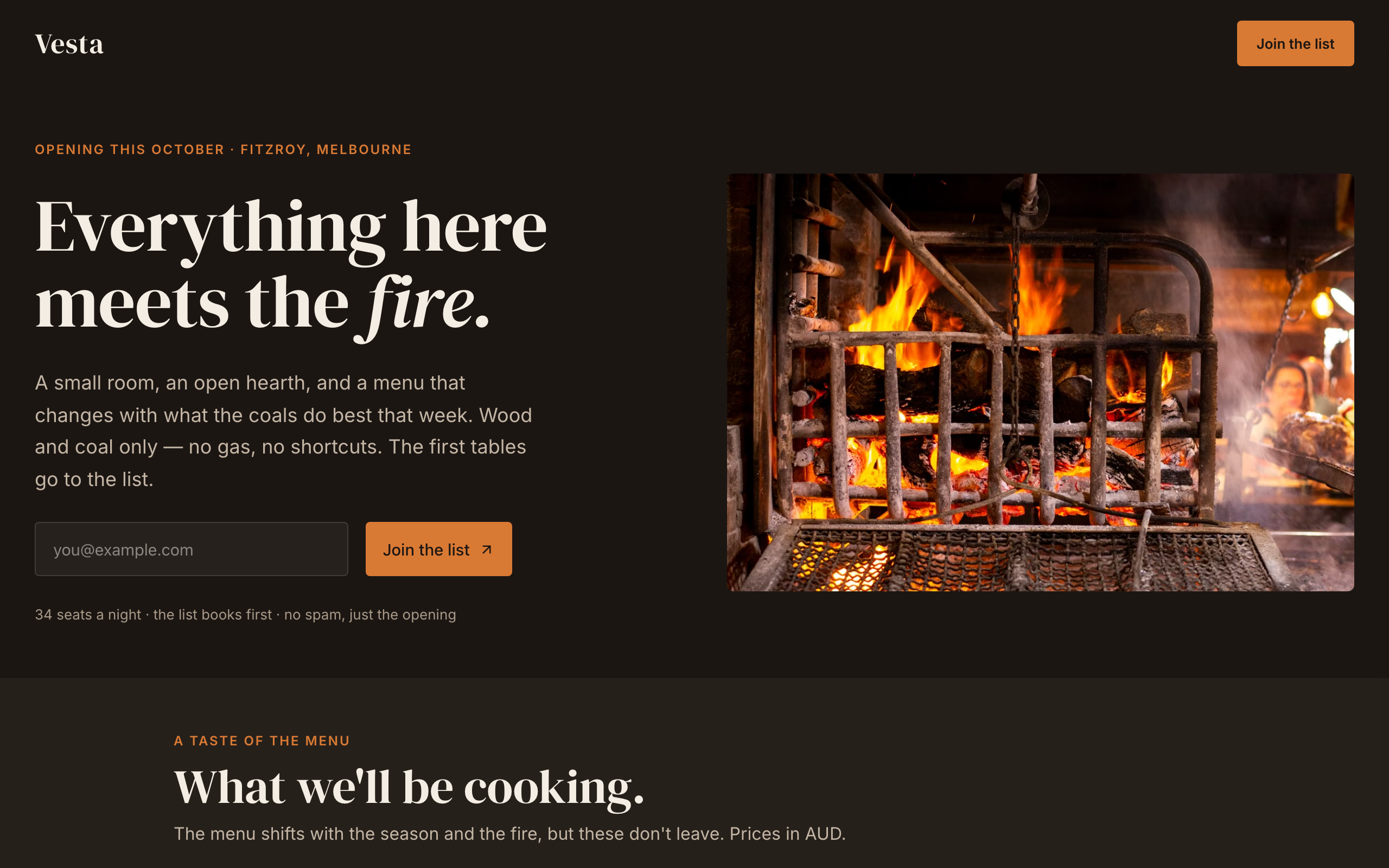
Hearth
An opening-soon page for a new restaurant or bar: the date, a menu preview, the chef and a list signup.
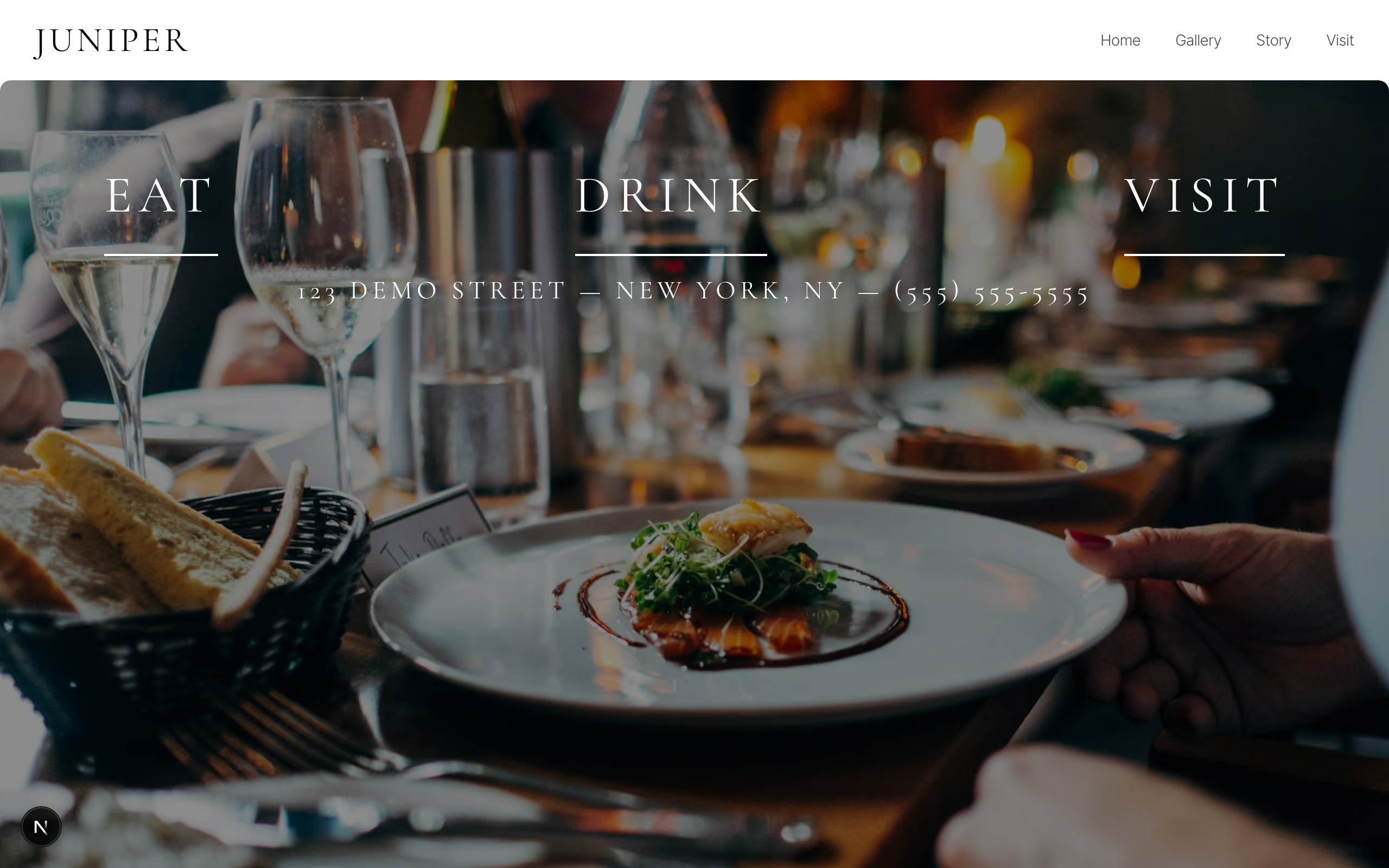
Juniper
A black-and-white site for fine dining rooms and wine bars: food, drink, gallery, story and reservations.
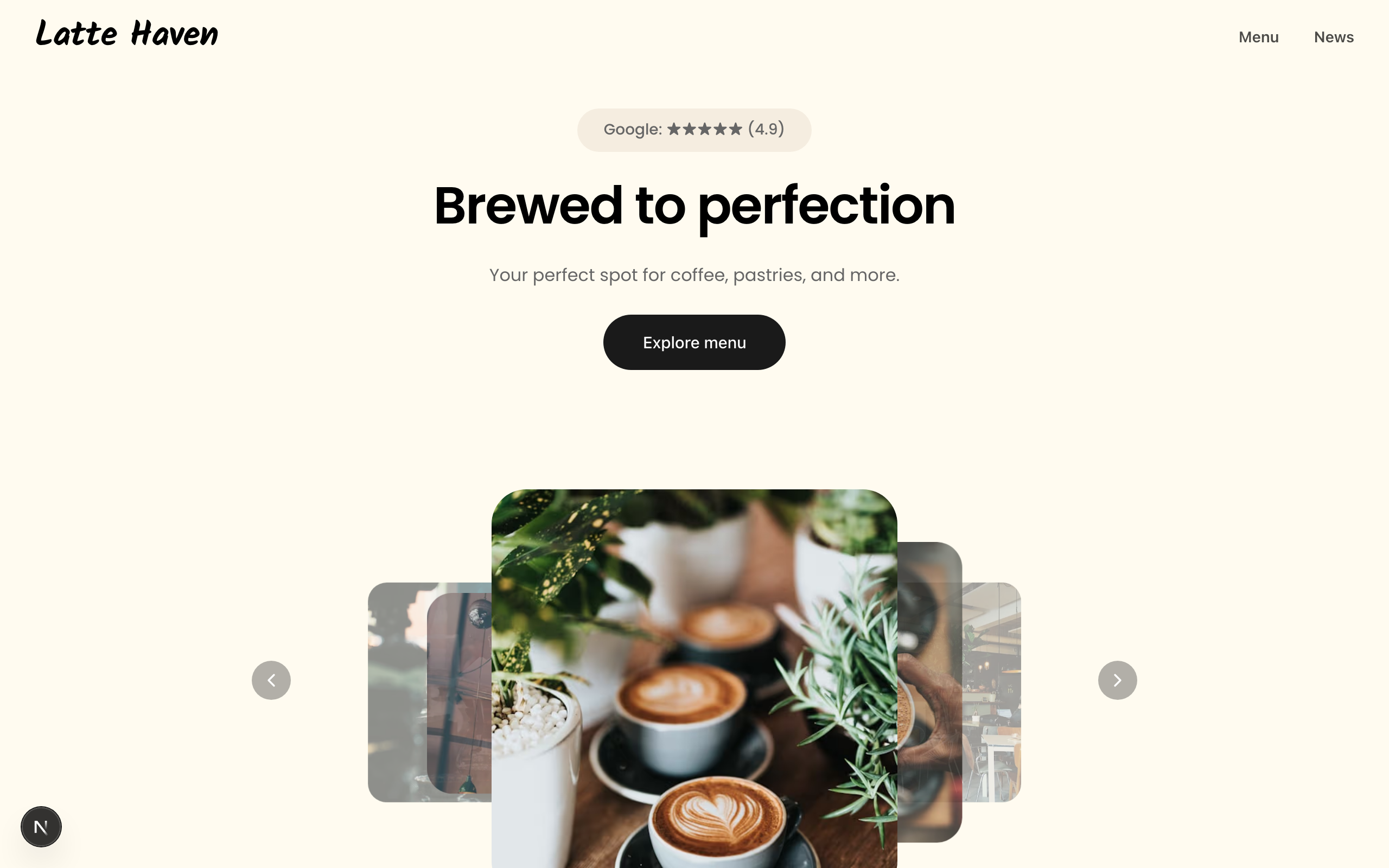
Latte
A warm site for coffee shops and bakeries: a picture-led menu, a journal, hours and directions.
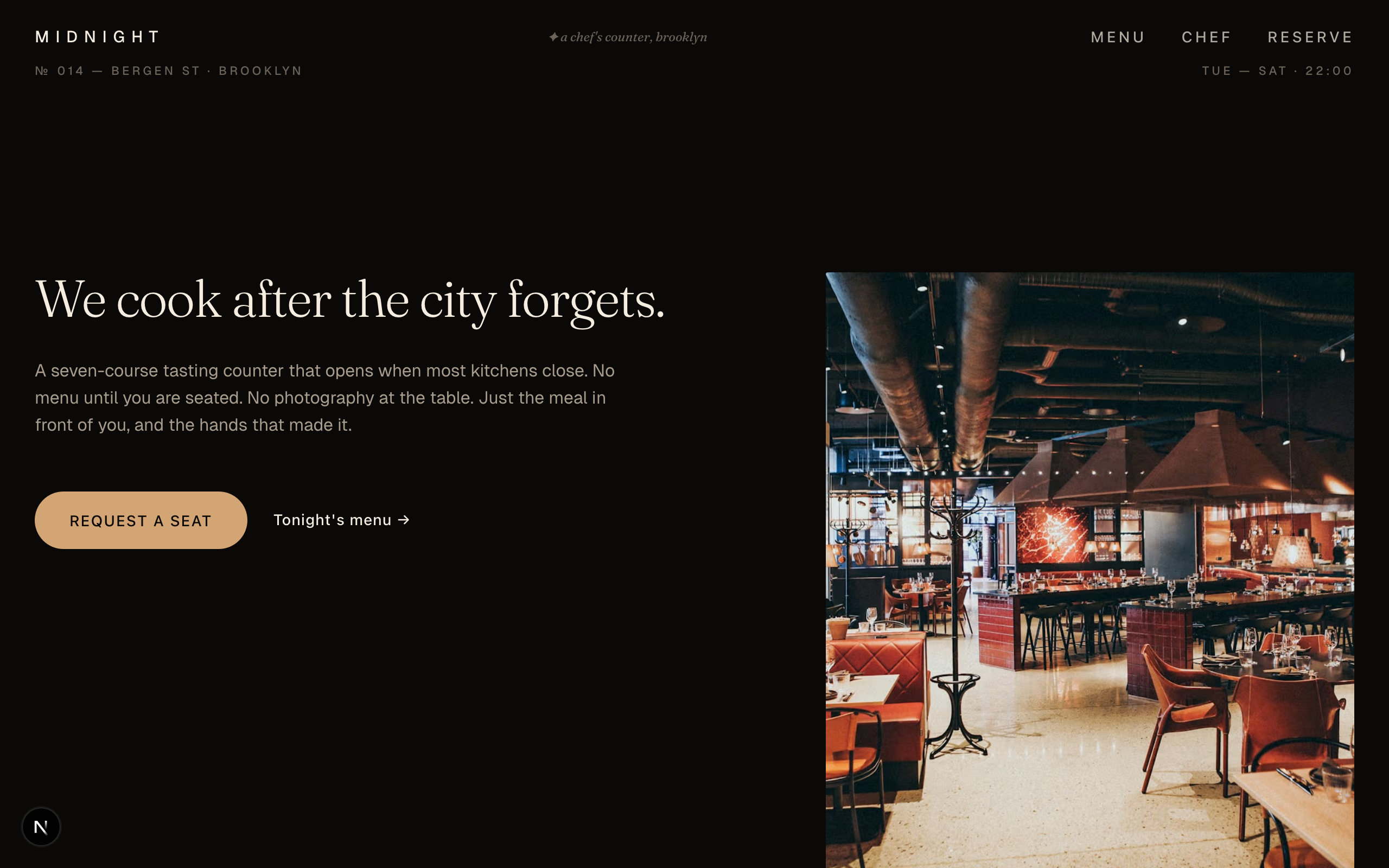
Midnight Creative
A dark, magazine-style site for tasting-menu and chef's counter restaurants, with courses and press.
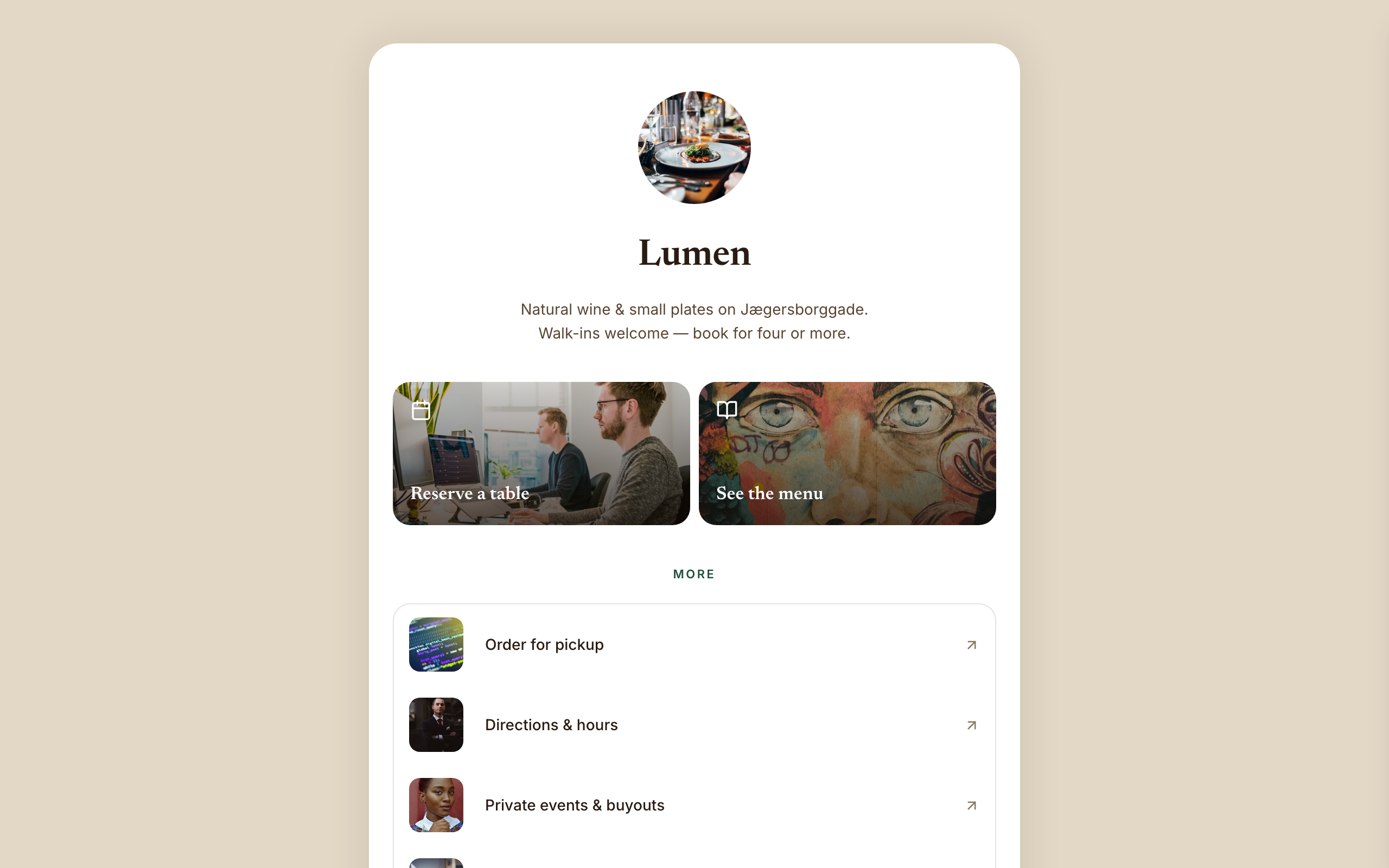
Amber
A link-in-bio page for restaurants and wine bars: reserve and menu tiles, tap-to-call and gift cards.
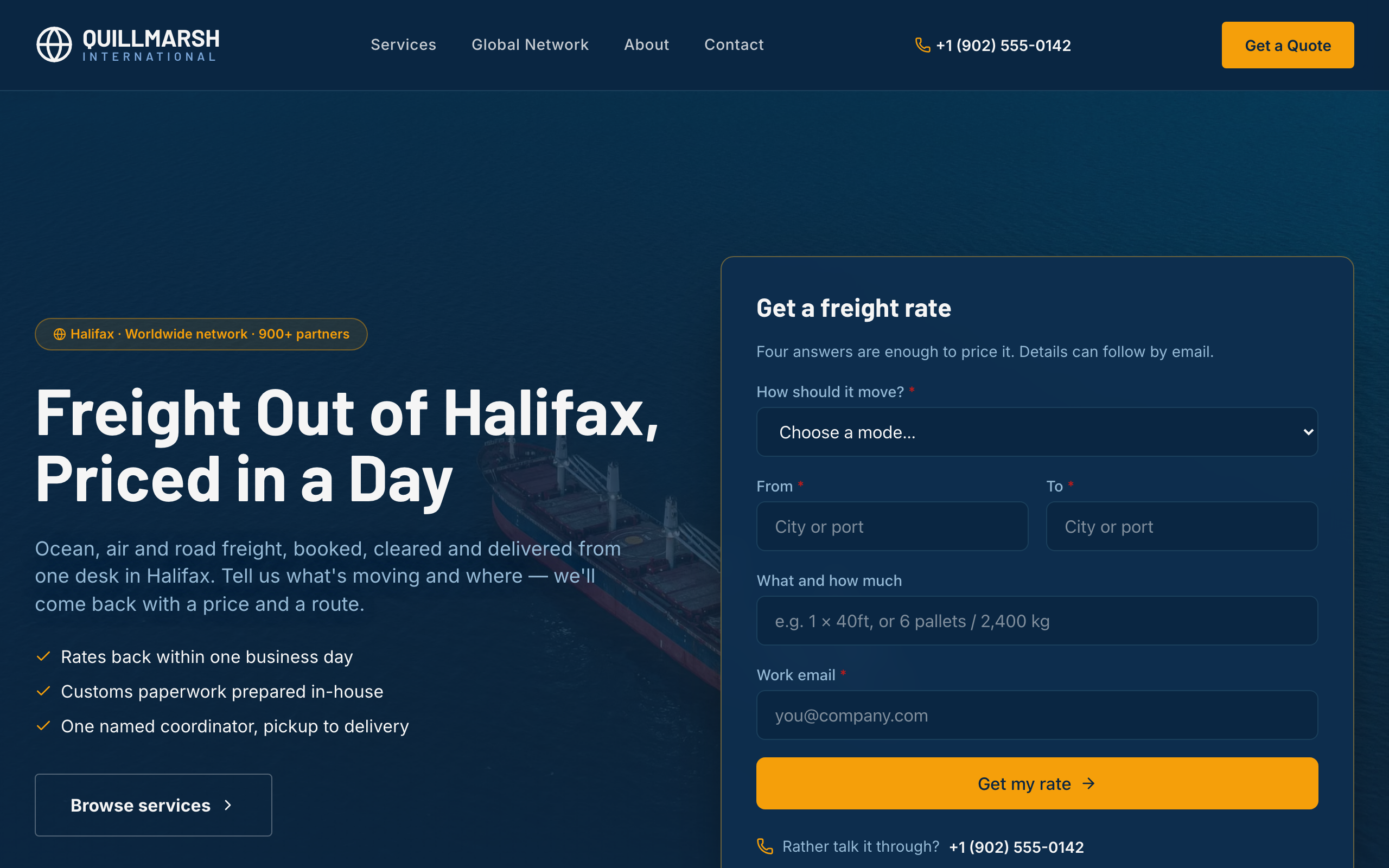
Bollard
For freight forwarders and logistics firms: a rate form up front, lanes and transit times, and service pages.