How to Build a Website With ChatGPT (One That's Actually Live)
Three ways to build a website with ChatGPT: ask for code, use ChatGPT Sites, or add a website app. A real café site built, changed and previewed from a ChatGPT chat, on the free plan.

Usman Haider
Ask ChatGPT for a website and you usually get a wall of code. Then the real work starts. Where do you put it? Who changes it next month?
This guide shows how to build a website with ChatGPT that is actually live, with a real address. It also covers how to keep it up to date afterwards, which is the part most guides skip.
Three ways to build a website with ChatGPT
There are three routes today. They suit different people.
1. Ask for the code. ChatGPT writes the code for a page. You find a host, upload it and connect a domain. It's free, but every change means doing it again. This suits people who already know what "hosting" means.
2. ChatGPT Sites. OpenAI's own builder writes the code and hosts the site. You edit it by chat and can add your own domain. As of October 2026 it's in beta on paid plans only: Plus, Pro and work accounts, not Free or Go.
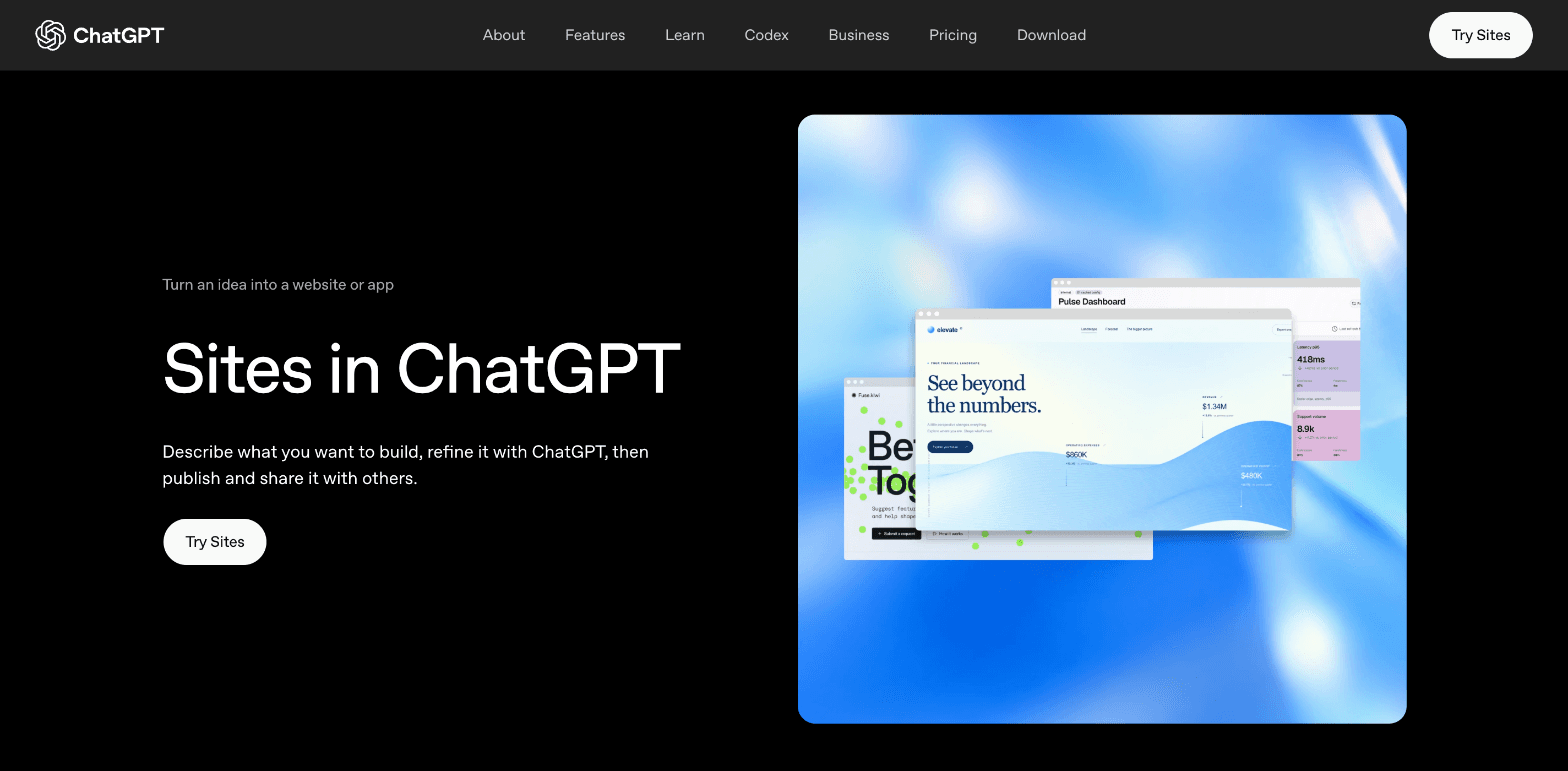
OpenAI's ChatGPT Sites page, as of October 2026.
3. A website app inside ChatGPT. Apps like Sitelas add a website builder to the chat you already use. ChatGPT starts from a template made by a designer, fills in your details and gives you a private preview. We tested it on ChatGPT's free plan. (We make Sitelas, so weigh what follows with that in mind.)
| Ask for code | ChatGPT Sites | Sitelas in ChatGPT | |
|---|---|---|---|
| ChatGPT plan needed | Any | Plus, Pro or work plans | Any, including Free |
| Hosting and web address | You set it up | Included | Included |
| Starts from | A blank page | Code ChatGPT writes | A designer template |
| Contact form messages | You set it up | Depends on what ChatGPT builds | Inbox, plus an email to you |
| Change it later | Edit the code again | Ask in chat | Ask in chat, or click to edit |
| Also works in Claude | — | No | Yes |
ChatGPT Sites details checked on OpenAI's help page, October 2026.
The rest of this guide follows route 3, step by step, with real screenshots.
Step 1: Add Sitelas to ChatGPT
Open Sitelas in ChatGPT and add it. Adding it signs you in to Sitelas, and creates your account if you don't have one.
Step 2: Describe your business in one message
Start your message with "Sitelas:" so ChatGPT knows which app to use. Then say what the business is, where it is, and what the site needs.
We asked for a site for a made-up café in Edinburgh, Fig & Ferry:
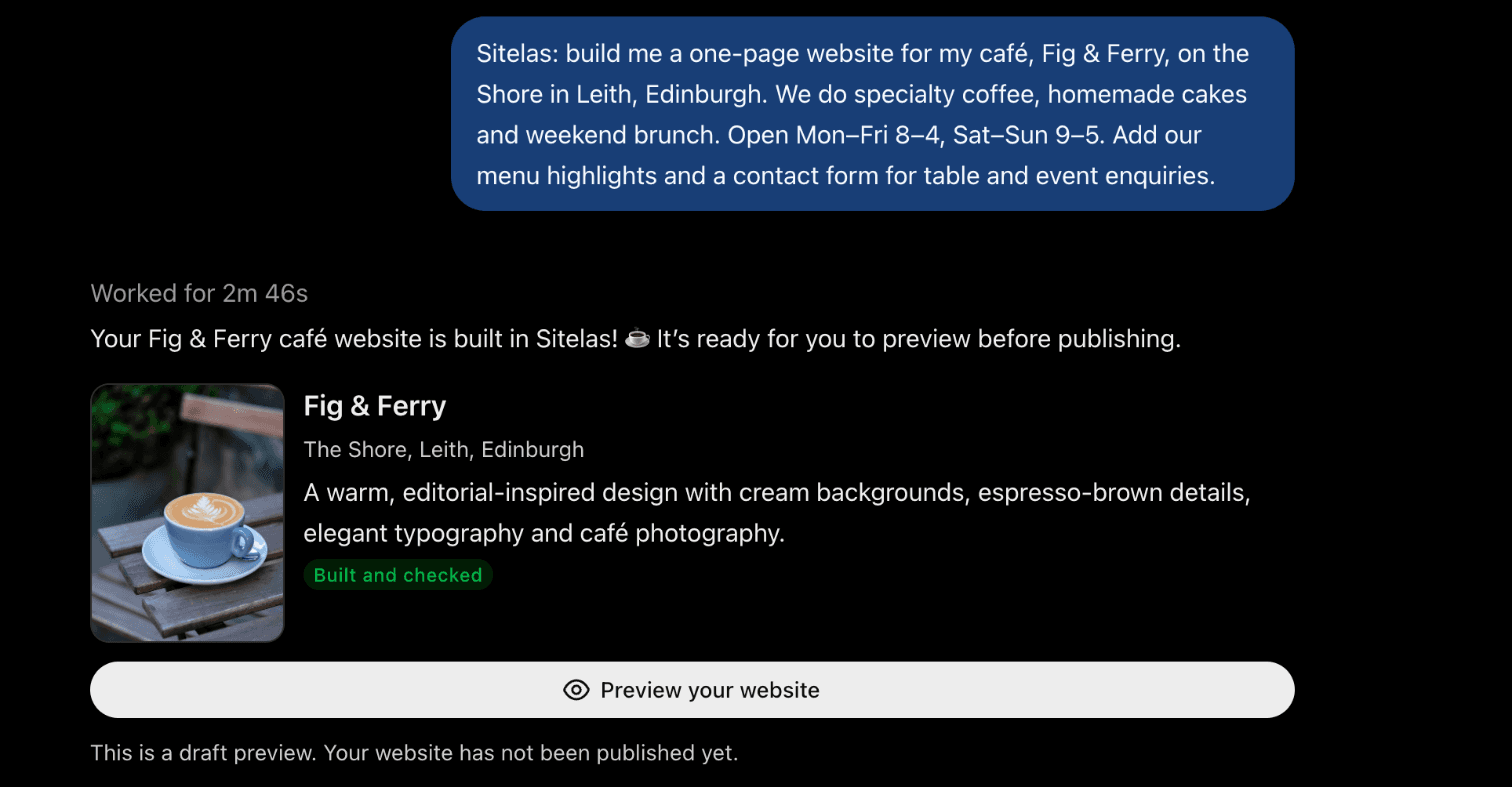
It took 2 minutes and 46 seconds. Note the line under the button: nothing is public yet.
Step 3: Open the preview and check it
The preview is a private web address only you have. This is the page ChatGPT built:
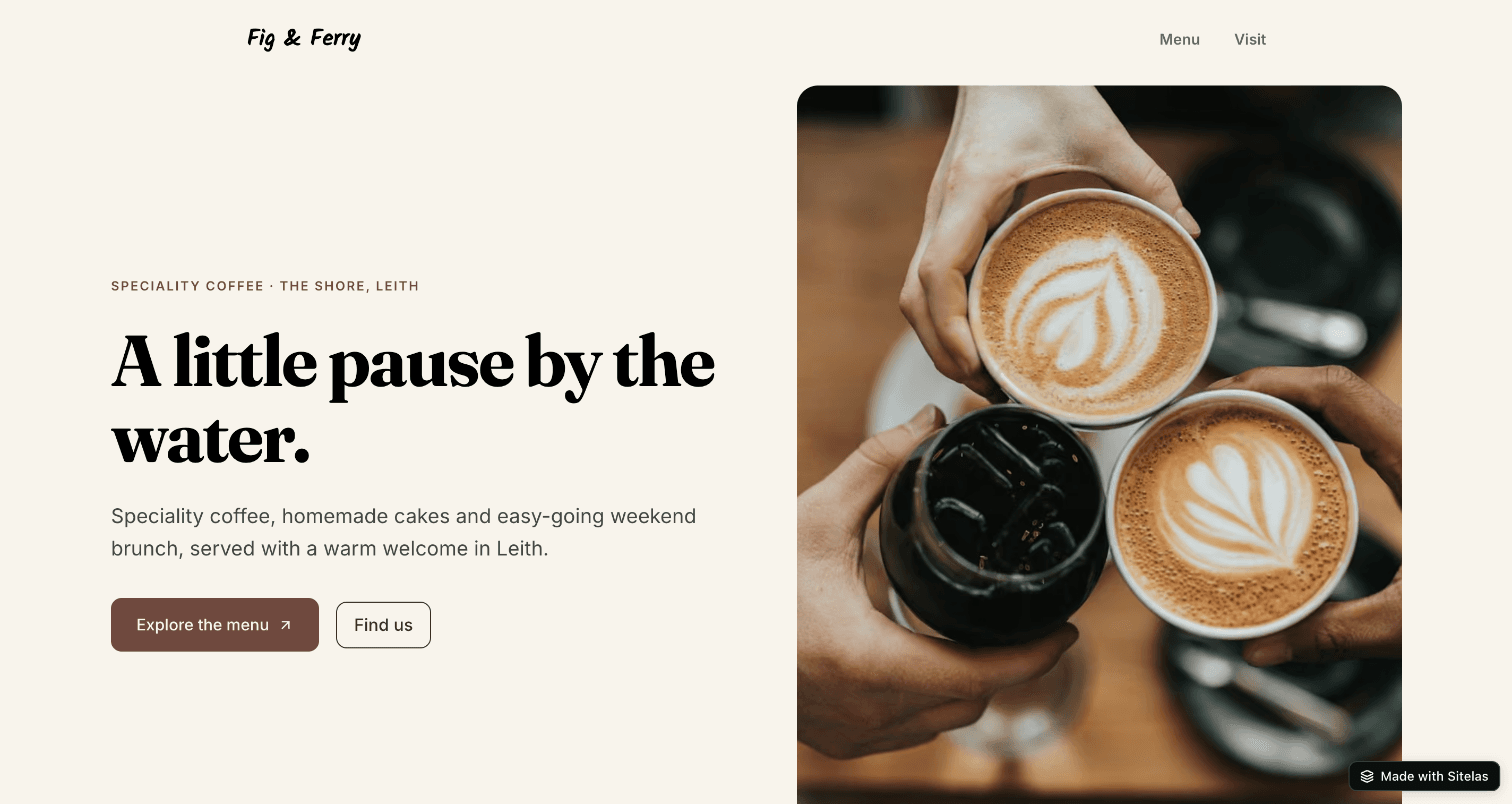
Further down are the menu, the opening hours and a form for table and event enquiries:
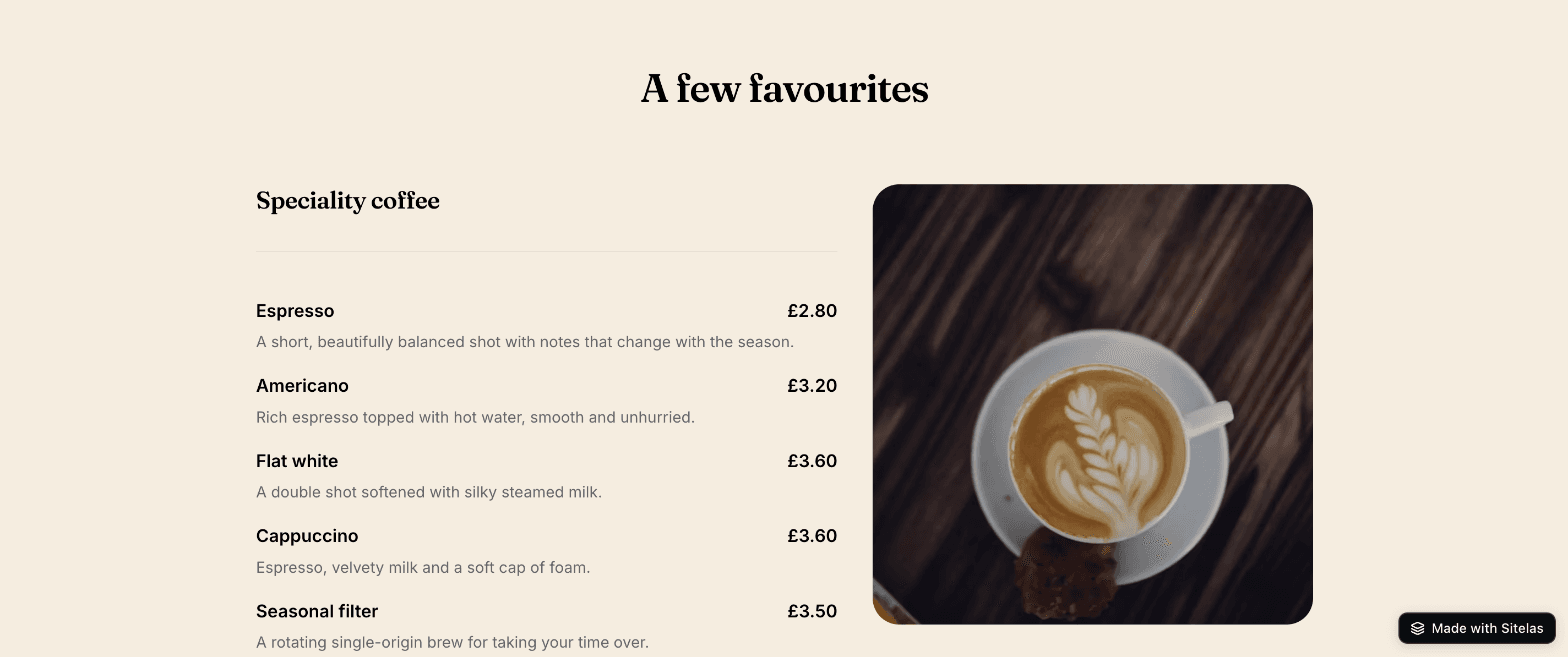
ChatGPT was upfront about one thing. We never gave it a menu, so it wrote sample dishes and prices, and told us so:
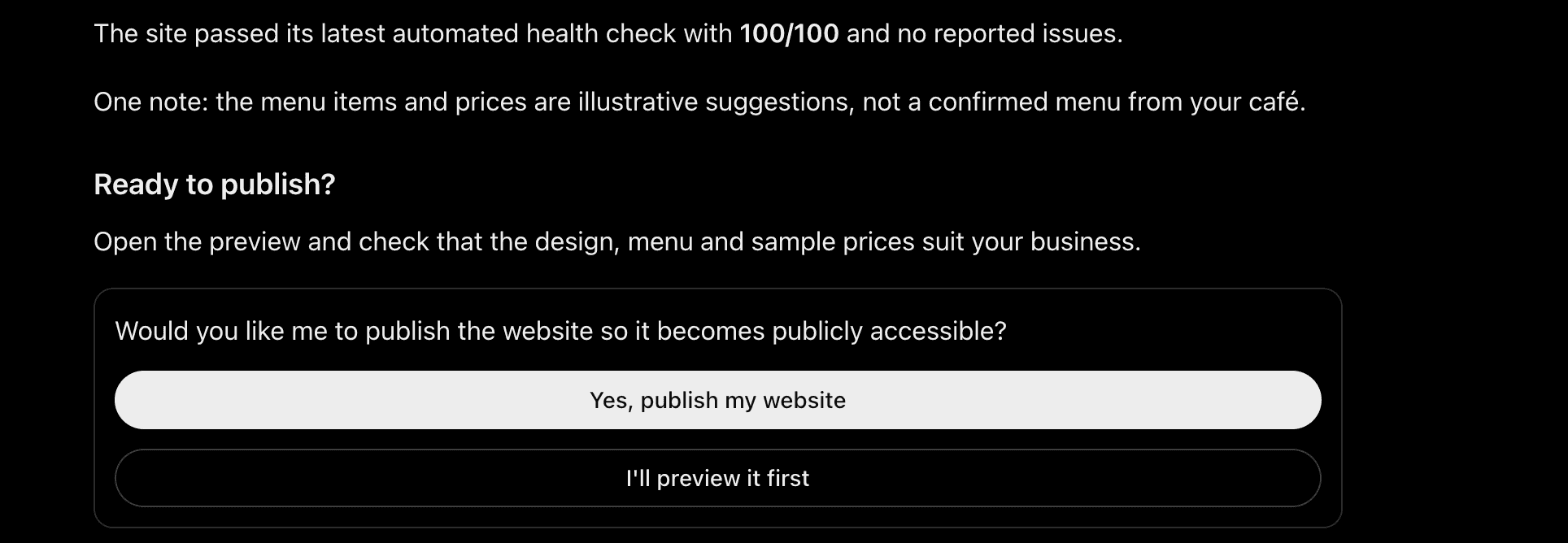
So read every line before you publish. Swap in your real menu, prices and photos. You can do that by asking, as below.
Step 4: Change anything in one sentence
Prices go up. New cakes arrive. You just tell ChatGPT:
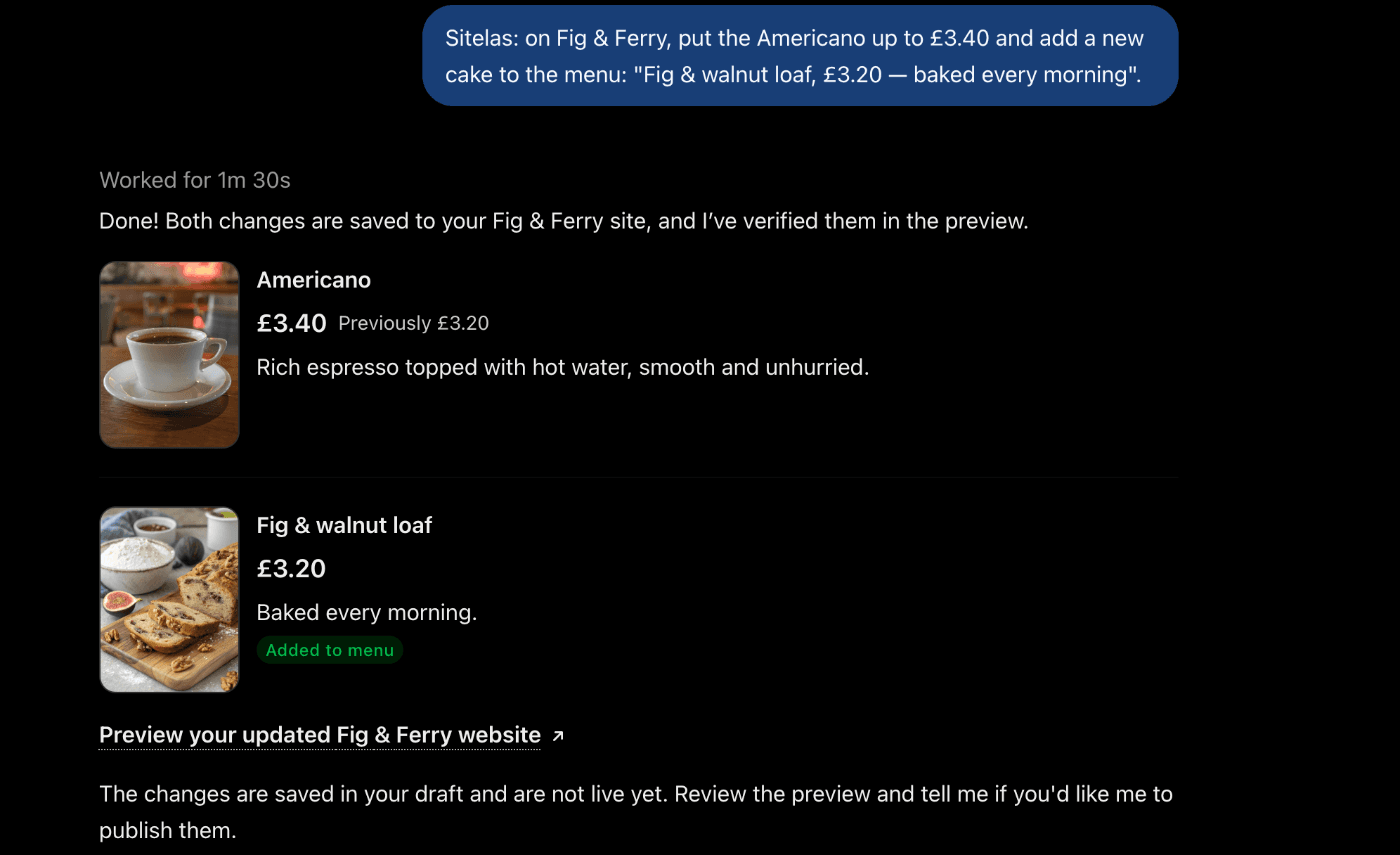
Each change lands on the preview first. Your live site stays as it was until you say so.
Always check the preview, though. In our test, one change didn't go to plan. We asked ChatGPT to close the café on Mondays. It rewrote the opening hours and dropped the Sunday line by mistake. One more sentence put it back. That's exactly why nothing goes live until you've looked. (What to check before you publish.)
If you'd rather fix something by hand, every site also opens in a visual editor. Click a heading and type.
Step 5: Say "publish"
When the preview looks right, tell ChatGPT to publish. The site goes live at its own web address. Later changes work the same way: preview first, then publish.
Form messages land in your Sitelas inbox, and each one is emailed to you (where form messages go). You can also ask ChatGPT, "Any table enquiries this week?"
To use your own domain, like figandferry.co.uk, you need the Pro plan. ChatGPT tells you exactly which records to add at your domain provider. (Custom domains and SEO.)
One thing to know about ChatGPT's free plan. After a few turns, ChatGPT paused our chat. Free accounts have a daily limit on chats that include images, and the site previews count. A new text-only chat carried on with the same site. Paid plans have higher limits.
What to put on a small business website
Whichever route you take, put these in your first message. You'll get a better first draft.
- What you do and where, in the first line. "Speciality coffee on the Shore in Leith" beats "Welcome to our website".
- Opening hours, kept current.
- One way to get in touch: a phone number, an email or a form.
- Real prices or a real menu, if you have one. Visitors look for these first.
- Real photos and a street address.
What this can't do
A website app makes websites, not apps. There are no visitor log-ins and no multi-item checkout. You can sell single items with a payment link, and take bookings through your own Calendly page. For a full online shop, use a store platform like Shopify.
If you need an app with accounts and a database, ChatGPT Sites or an app builder fits better.
Questions people ask
Can ChatGPT create a website for free? Yes. ChatGPT will write a page's code on any plan, but you host it yourself. With a website app like Sitelas, ChatGPT's free plan can build and publish a hosted site. On Sitelas, one published site is free; Pro is $9 a month, or $90 a year, per site.
Does ChatGPT build good websites? It depends where it starts. From a blank page, results vary a lot; a designer template gives a more polished site. Either way, check the details, because ChatGPT can drop a line by mistake.
How long does it take ChatGPT to create a website? Our café site took under three minutes to build. A change, like a new price, took about a minute and a half.
Can I use my own domain? Yes. ChatGPT Sites supports custom domains, and so does Sitelas on Pro. You need to own the domain already.
Do I need to know how to code? No. You describe what you want in plain words, and you change it the same way.
New to the idea? What is a chat-native website builder? explains why a site you run from chat stays current. Prefer Claude? Build a website from a Claude chat is the same walkthrough there.
Try it
Copy this into a new ChatGPT chat after adding Sitelas. Swap in your own details first.
Sitelas: build me a one-page website for my [type of business], [business name], in [town].
We do [your main services]. Open [your hours]. Add a contact form for [what people ask about].
- Add to ChatGPT: Sitelas in ChatGPT
- Add to Claude: Sitelas in Claude's connector directory
- See the design we used: the Latte template for cafés
- Run a local trade instead? The Mainstay template puts your phone number at the top.
Or start at sitelas.com.
Templates to start from
Build this with a ready-made design, then change anything.
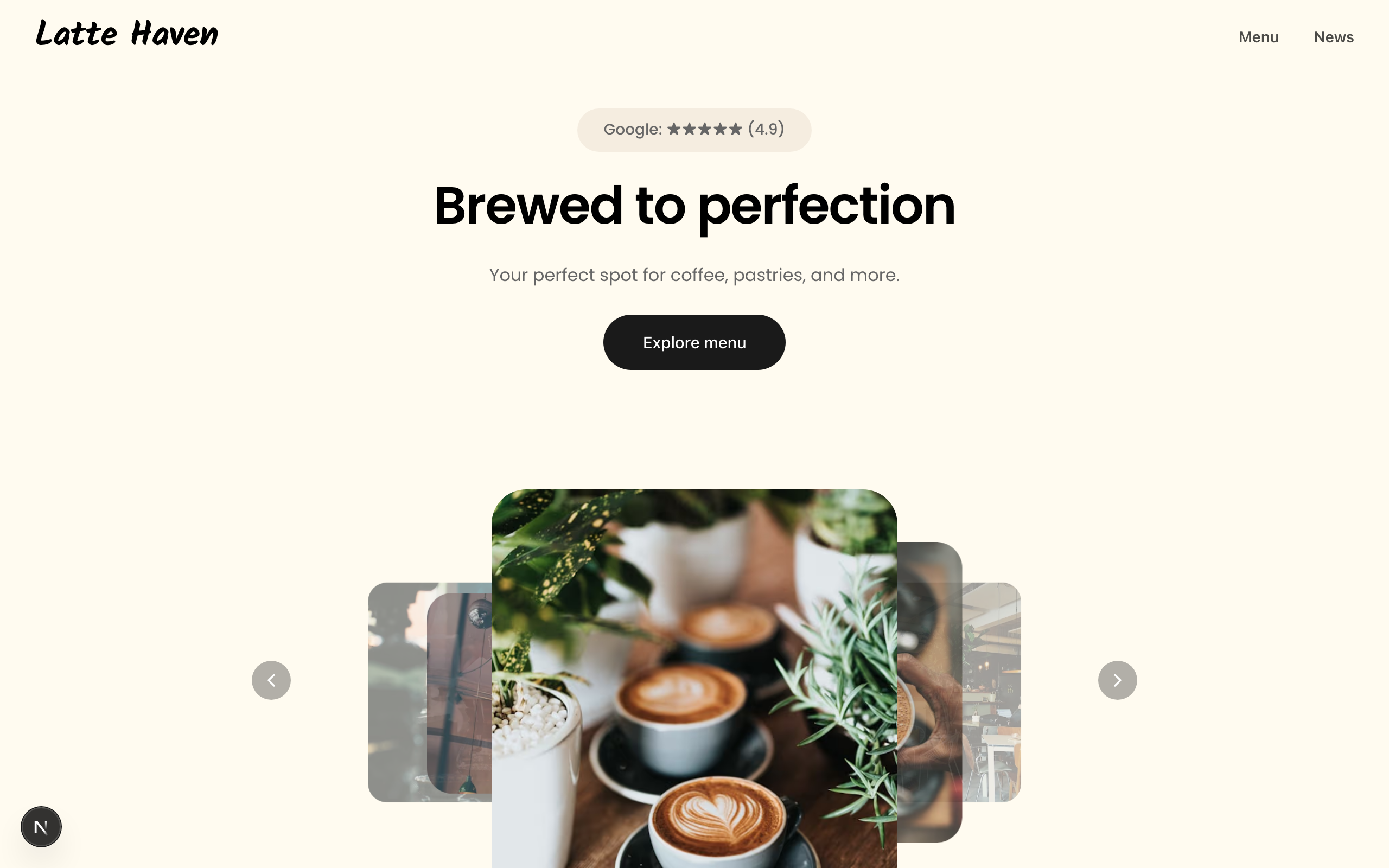
Latte
A warm site for coffee shops and bakeries: a picture-led menu, a journal, hours and directions.

Beacon
A one-page site for a neighbourhood café or bakery, with a proper menu, hours, reviews and a map.
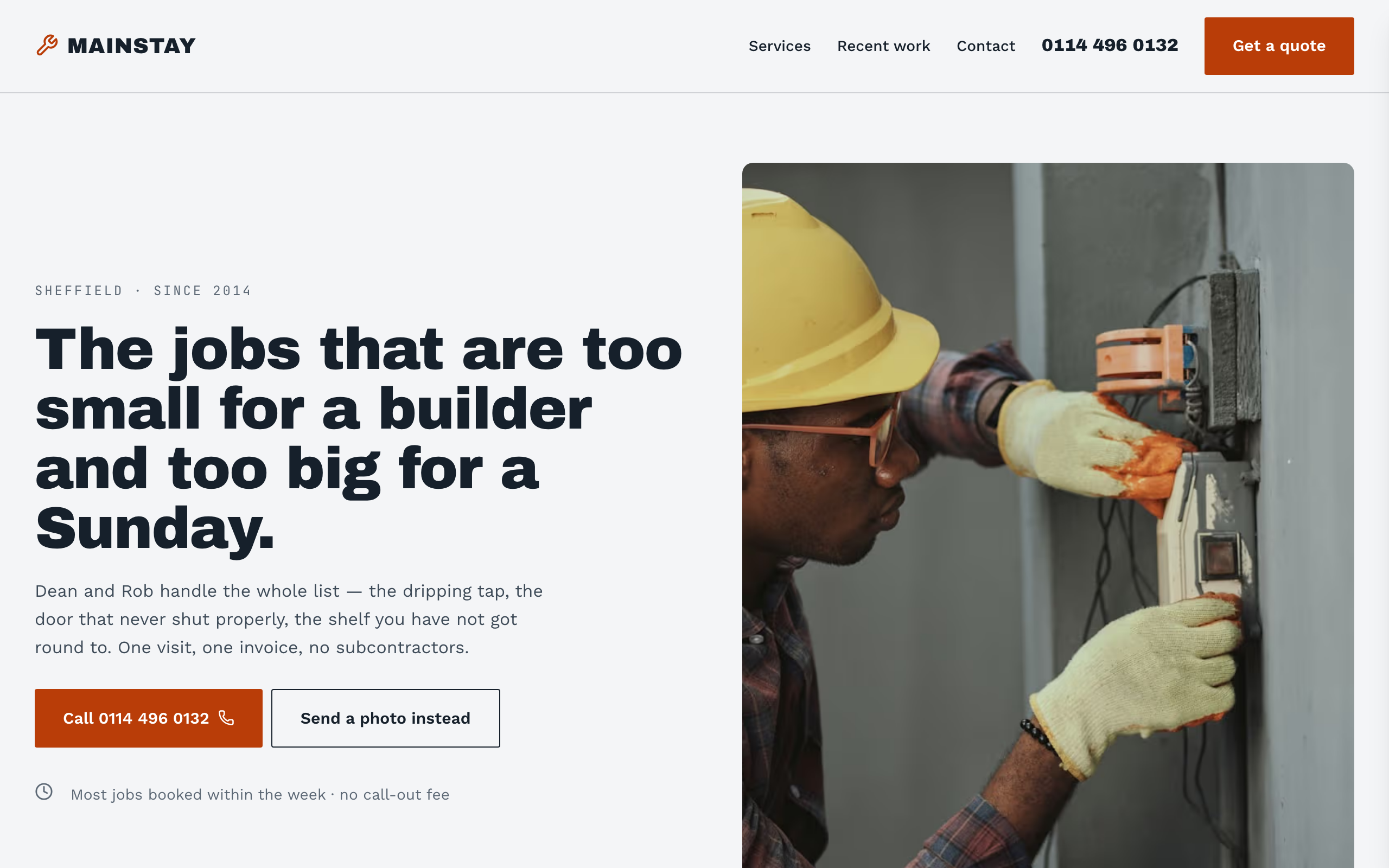
Mainstay
For handymen and local trades: tap-to-call everywhere, a service area, real job prices and a quote form.

Usman Haider
Founder of Sitelas — the website builder for AI agents.