

Where Your Form Submissions Go
Every form on a Sitelas site saves to your inbox with no setup. Here's where each submission goes, how to send it to other tools, and what happens to file uploads.

Usman Haider
A form is only useful if you see what people send. On Sitelas, every form works the moment it's on the page: contact forms, signup forms, quote requests and job applications alike. Here's exactly what happens when someone presses submit.
1. It lands in your inbox
Every submission is saved to the site's inbox. Open a site in your dashboard and choose Submissions to read them.
- Filter by form or by unread.
- Export everything as a CSV file.
- Turn on Email me new submissions to get an email for each one. It's on by default, and replying to that email goes straight to the person who filled in the form.
Nothing is ever dropped. A submission is always saved, whatever plan the site is on.
2. It becomes a contact
If the form asks for an email address, the person also becomes a contact. Someone who fills in two different forms is one contact with two entries in their history, so you can see everything they've sent in one place.
3. Your AI agent can read it
If you've added Sitelas to Claude or another AI agent, you can simply ask:
Any new messages this week? Draft a reply to the one about pricing.
The agent reads the same inbox, summarises what came in and drafts replies. You don't export anything or open a dashboard. Run Your Website From a Claude Chat shows this in action.
Send submissions to your other tools
Each form has a Forward to webhook setting in the editor. Paste a webhook address and every new submission is sent there as it arrives. That covers Zapier, Make, n8n, Slack or your own system.
Want each submission as a row in a Google Sheet? Point the webhook at Zapier or Make and add a Google Sheets step. Send Form Submissions to Google Sheets walks through it. If you use Claude, its own Google Sheets connector can also copy your submissions into a sheet when you ask.
File uploads
If a form has a file field, such as a résumé or a brief, Sitelas stores the file privately. You get a secure download link in the inbox, and the webhook sends the same link, so the file reaches your other tools too. There's no Google Drive or extra account involved.
How many you can read
Every submission is always saved and forwarded. On the Free plan you can read the first 25 in full. Later ones stay in the inbox, showing when they arrived, and unlock the moment you upgrade to Pro. Pro sites never lock submissions. See pricing for the details.
Try it
Add a form to any page in the editor, or ask your agent to add one. Then submit it yourself once and check your inbox. Add Sitelas to Claude in one click if you haven't yet, or start at sitelas.com.
Templates to start from
Build this with a ready-made design, then change anything.

Brushline
For painters and decorators: a project mosaic, a clear process, the named crew and a free-quote form.
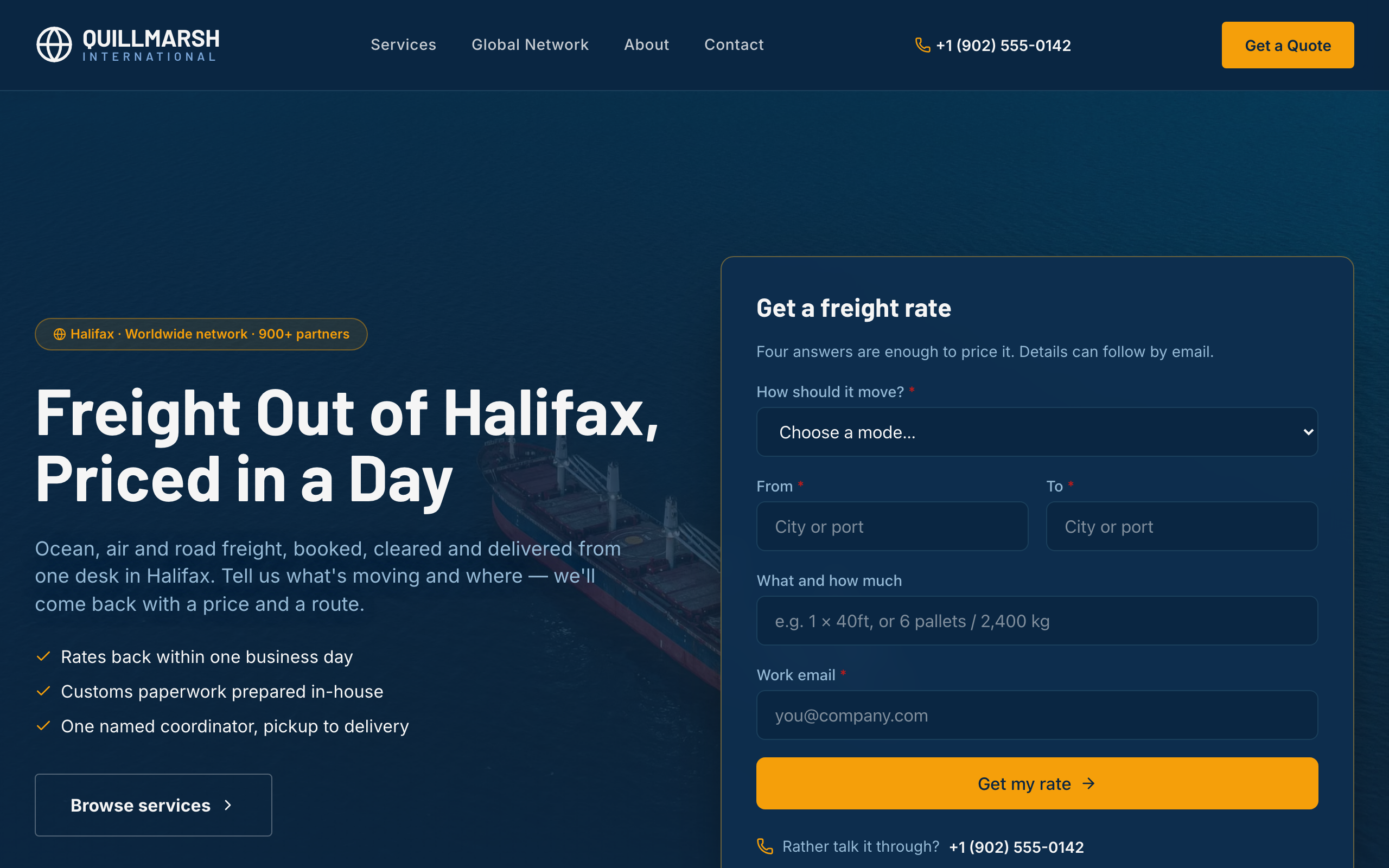
Bollard
For freight forwarders and logistics firms: a rate form up front, lanes and transit times, and service pages.
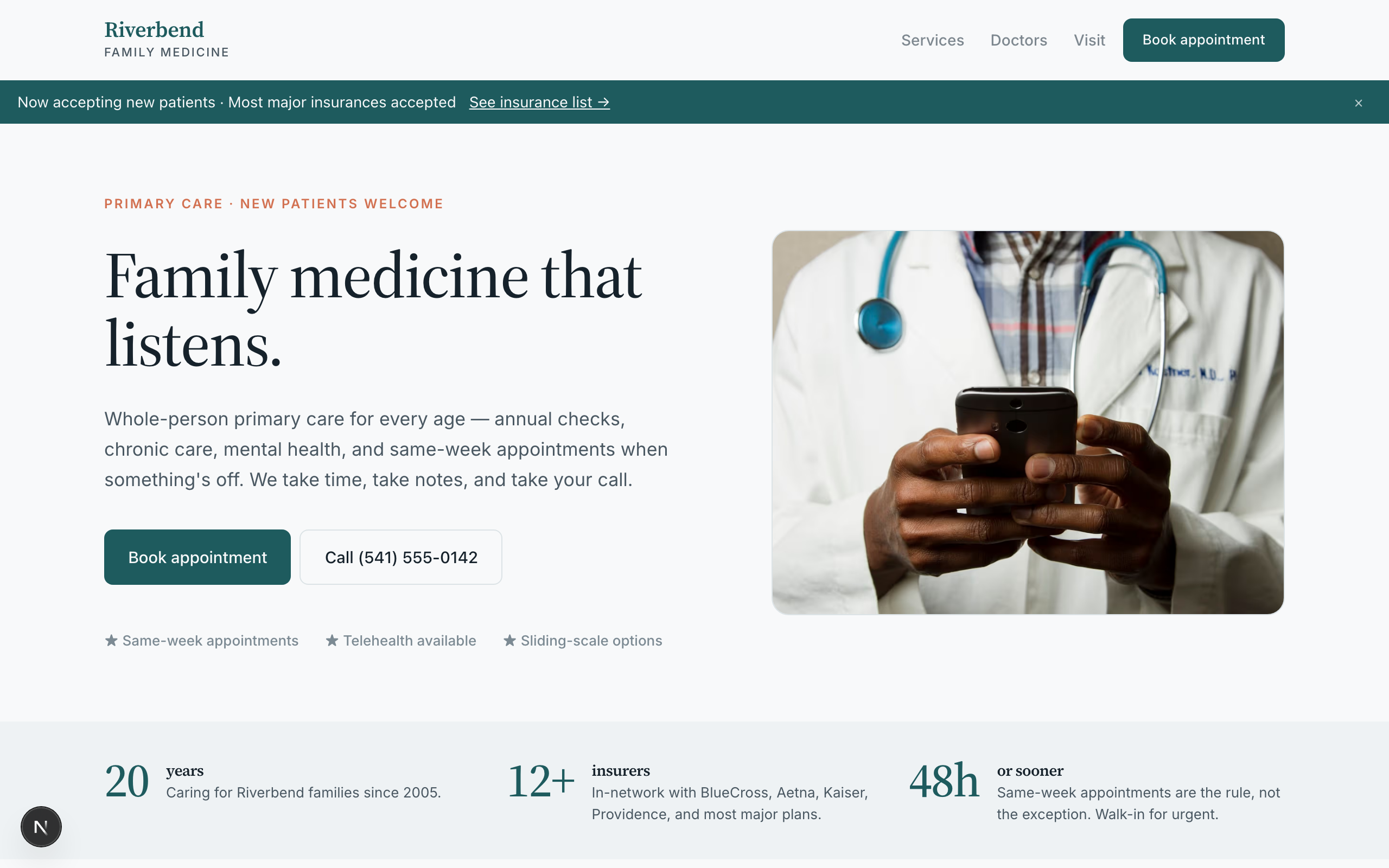
Riverbend
For family practices and small clinics: appointment requests, your care team, services and visit info.

Usman Haider
Founder of Sitelas — the website builder for AI agents.