

Run Your Website From the Same Chat That Built It
Everyone can generate a website now. The harder part is running it on day 2 — the leads, the replies, the edits. A Sitelas site is built and run by an AI agent, so the same chat that built it also runs it: read submissions, draft replies, and edit the page, all by asking.

Usman Haider

Everyone can generate a website now. Type a prompt, get a decent page — that part is a commodity. The question nobody's answering is what happens on day two. Leads start arriving, a line of copy needs a tweak and someone asks for a section you forgot. That's when a website stops being a design project and becomes something you have to run. Most tools hand you yet another dashboard to log into.
Sitelas makes a different bet. A Sitelas site is run through a connector, so the same chat that built the site also runs it. You don't open an admin panel to see who filled out your form, write back or change the page. You just ask.
Here's what "running your site from a chat" actually looks like.
First, the 30-second why
Claude connects to outside tools through MCP connectors — you already use the ones for Gmail, Calendar, and Drive. Sitelas has one too. Add it once from Claude's connector directory; it takes one click. Then Claude can do things with your site, not just talk about it: publish it, read its submissions and restyle it. Your site becomes an automation endpoint sitting next to your other connectors — the thing a Webflow or Squarespace site can't be. (New here? Start with How to Build a Website From a Claude Chat.)
"Did anyone fill out my form today?"
That single question is the whole idea. The conversation at the top of this post shows it. You ask, and Claude reads your site's submissions and finds the new lead, Maya, a bakery owner. It drafts a warm reply in your voice and adds her to your leads sheet. One message, no tabs.
It works because every form on a Sitelas site captures submissions to your Submissions inbox automatically — no integration required. You can open that inbox in the dashboard anytime:
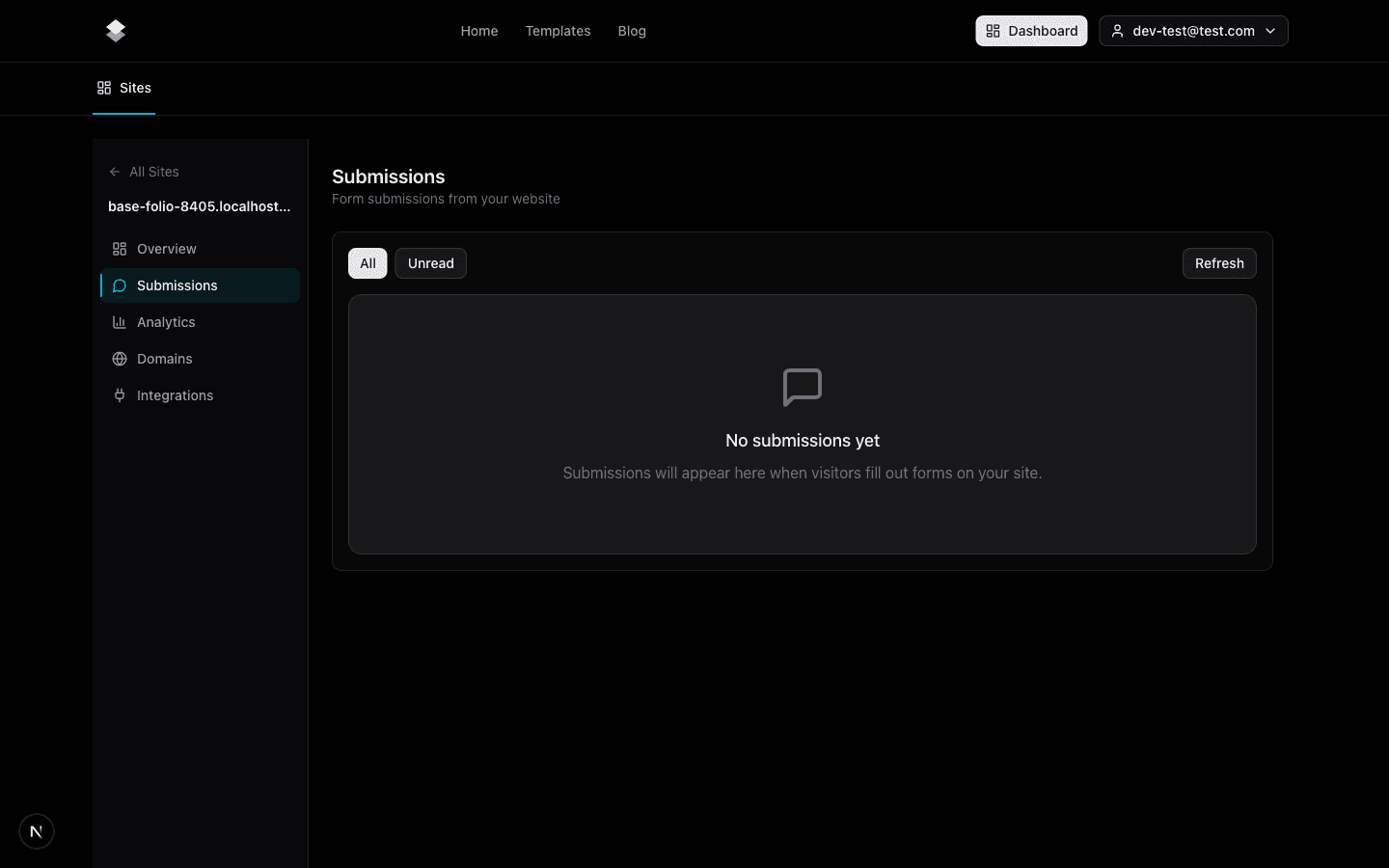
…but running your site from a chat means you rarely need to. Claude reads those same submissions straight from your site. So "who wrote in today, and what do they want?" gets answered in the chat you're already in, not in a panel you have to remember to check.
Sending leads to a spreadsheet
Say you want every lead in a Google Sheet you can sort and share.
Here's the thing: you don't wire anything up. Claude already reads your Sitelas submissions. And if you've added Claude's own Google Sheets connector, it can already write to your Drive. So you just ask:
"Put this week's leads in a Google Sheet."
Claude pulls the submissions from your site, creates the Sheet in your Drive, and fills in the rows. No OAuth screen on our side. No third-party automation service. Nothing to maintain. Two connectors already sitting in the same chat, doing the boring part between them.
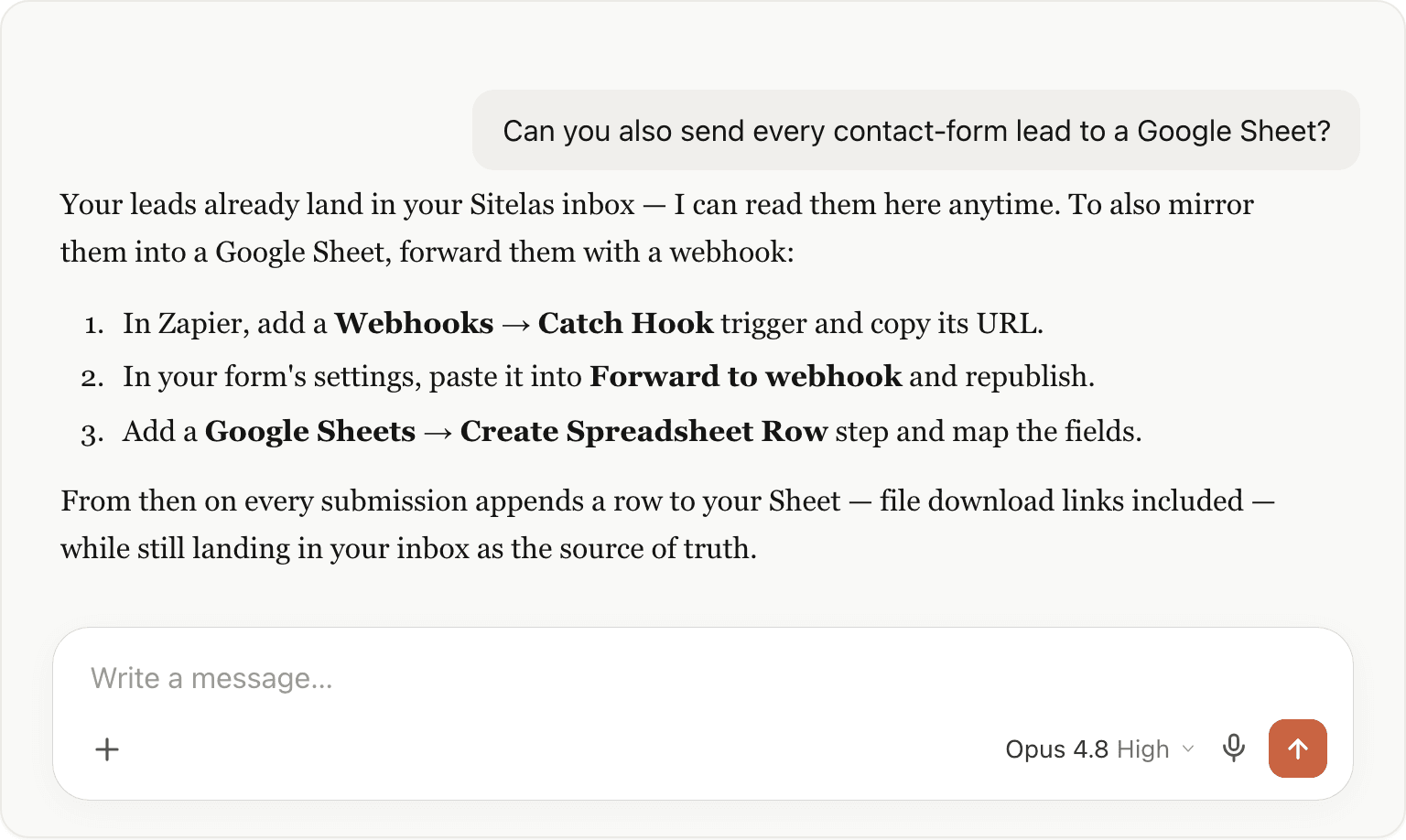
Want it automatic, without asking? Add a webhook address to the form's settings and every submission is sent on the moment it arrives. It can go to Zapier, which adds a row to a sheet, or straight to Slack or your CRM. Your Sitelas inbox stays the source of truth either way. (How to Build a Form and Send Its Submissions to Google Sheets has the step-by-step.)
Changing the site itself — still just a chat
Running a site isn't only inbox work; it's the site too. "Add an FAQ section." "Make the top section warmer." You say it and Claude edits. But it shows a preview first, so your live page never changes until you approve it:
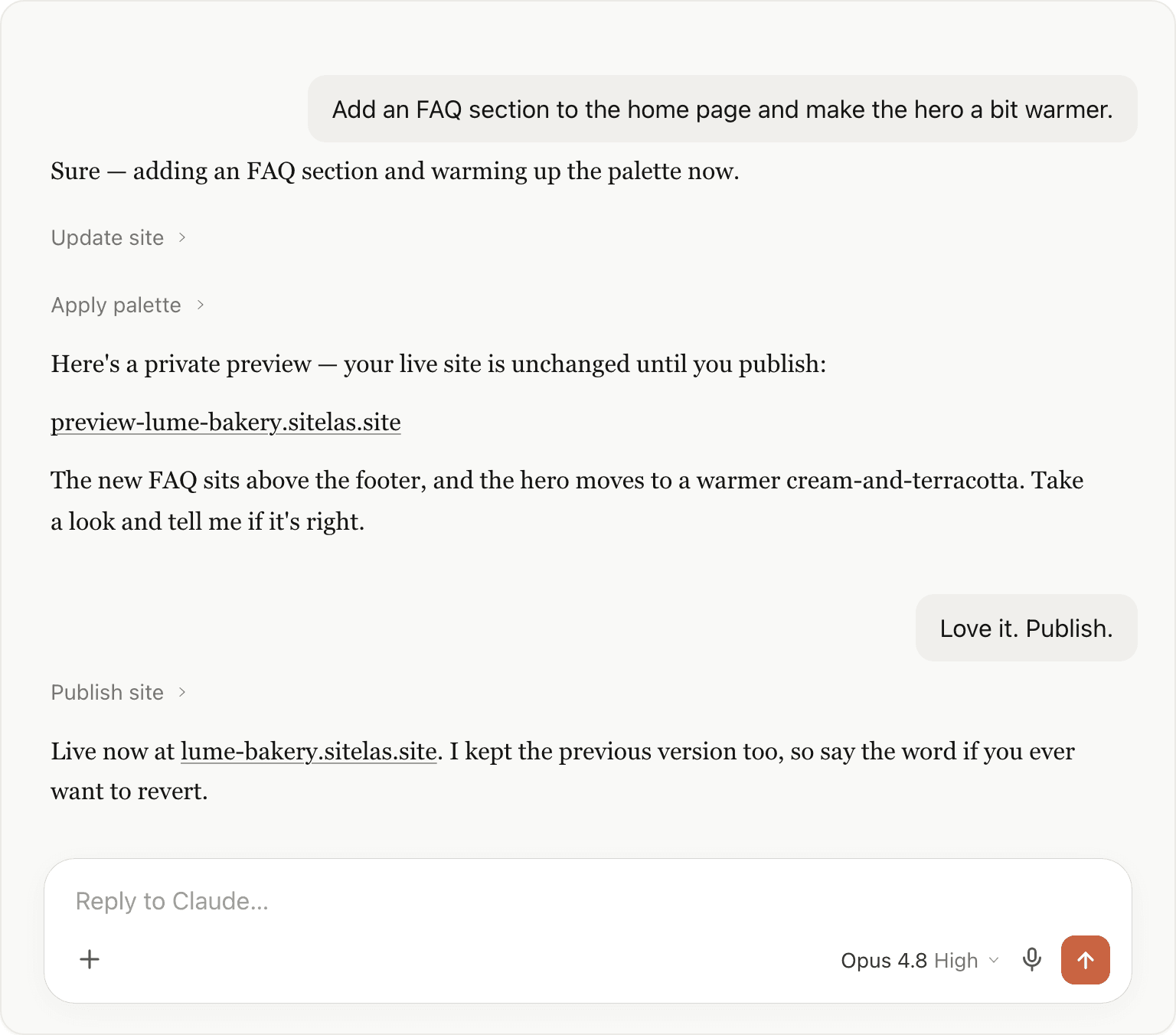
This part is worth underlining. Claude shows you a preview link, and the live site keeps the old version until you say "publish". Edits collect in the preview, and nothing goes public by surprise. When it looks right, one word, "publish", puts it live. You can always undo one step if you change your mind.
The whole loop, in one window
You: "Anyone fill out my contact form today?" → Claude reads your submissions, surfaces the lead. You: "Draft a warm reply and log her to my leads sheet." → Claude drafts the reply and appends her to your Sheet. You: "Add an FAQ section and warm up the palette." → Claude edits, shows a preview. You: "Publish." → it goes live.
No dashboard-hopping, no export-sort-reimport, no glue code. The context never resets. The chat that knows who wrote in is the same one that drafts her reply and adds the new section.
The honest caveat
This is a conversational way to run a site, not an enterprise ops suite. There's no built-in CRM, no bulk email sender and no built-in bookings. Claude drafts individual replies through your own Gmail, which suits a small stream of leads, not a mass mailing. Selling is one item at a time: a Buy button per product through a Stripe Payment Link you add. There's no cart or stock system. When your funnel outgrows a chat, bring dedicated tools. For the day-to-day of a small site, such as reading leads, replying and keeping the page fresh, this is the loop. And it lives where you already work.
Why this is different
| The usual patchwork (builder + form tool + sheet + dashboard) | Claude + the Sitelas connector | |
|---|---|---|
| Where you read submissions | A separate dashboard you log into | In the chat |
| Replying to a lead | Copy to email, switch tabs | Drafted in the chat |
| Sending leads to a spreadsheet | Zapier / manual export | Ask once → your Drive |
| Editing the live page | Another tool, another login | Ask; preview; publish |
| Context across all of it | In your head, across four tabs | One thread, never resets |
That's the difference. Your site isn't a place you have to visit to manage. It's something you run from the chat, next to every other tool you use in Claude.
Prefer not to leave for claude.ai? There's an editor too
Everything above runs from a chat — but you don't have to. Every Sitelas site also opens in a visual editor with AI built in. Describe an edit in plain words and it happens on the page, or click anything and change it by hand. To see this pushed further, with signups ranked and invites drafted, read I Launched a Waitlist and Ran It From One Claude Chat.
Try it
Add Sitelas from Claude's connector directory, publish a site, then just start asking. Who filled out the form? Draft them a reply. Add a section. Set up an account at sitelas.com, connect it to Claude, and run your site from the chat you're already in.
Templates to start from
Build this with a ready-made design, then change anything.
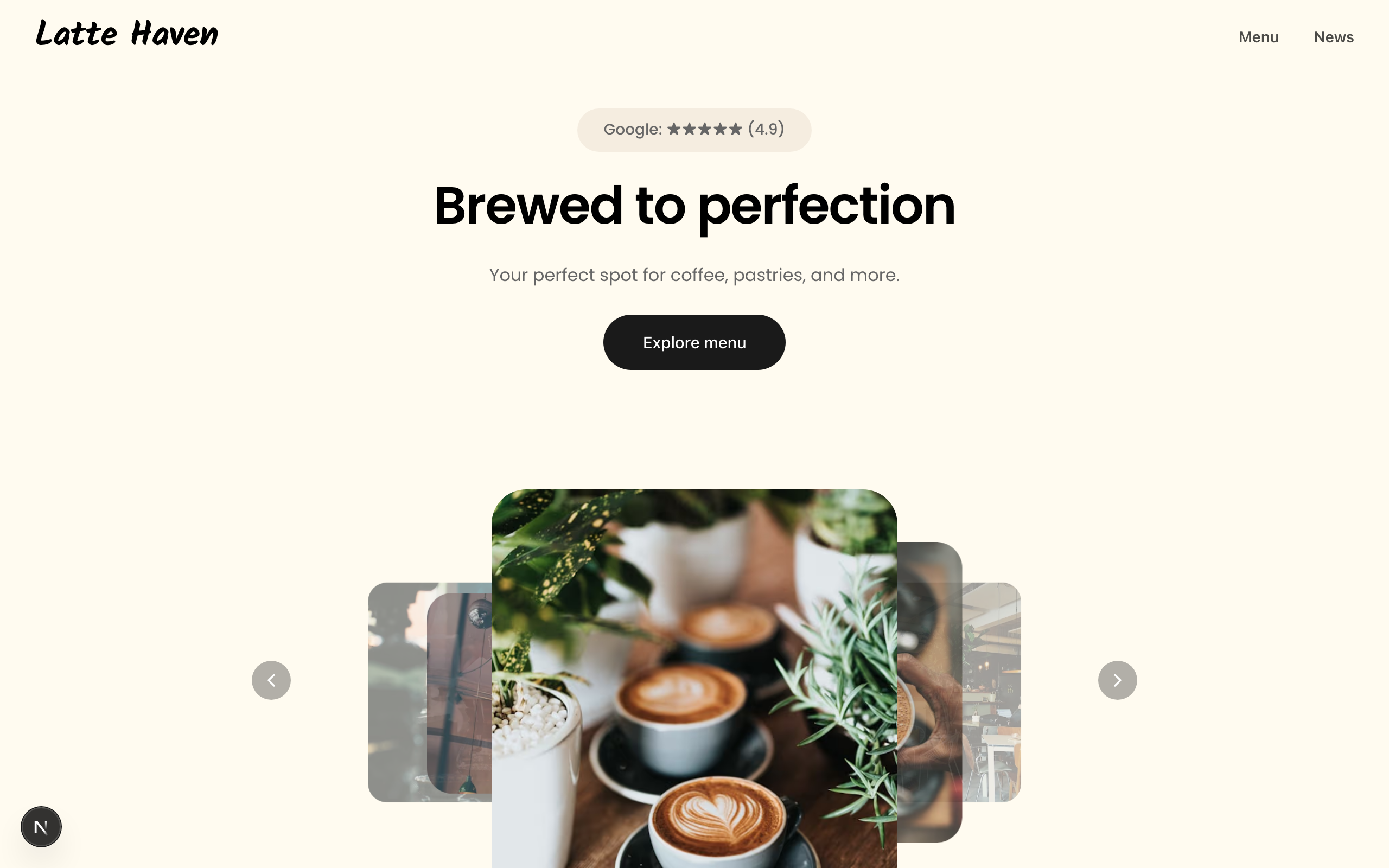
Latte
A warm site for coffee shops and bakeries: a picture-led menu, a journal, hours and directions.

Beacon
A one-page site for a neighbourhood café or bakery, with a proper menu, hours, reviews and a map.
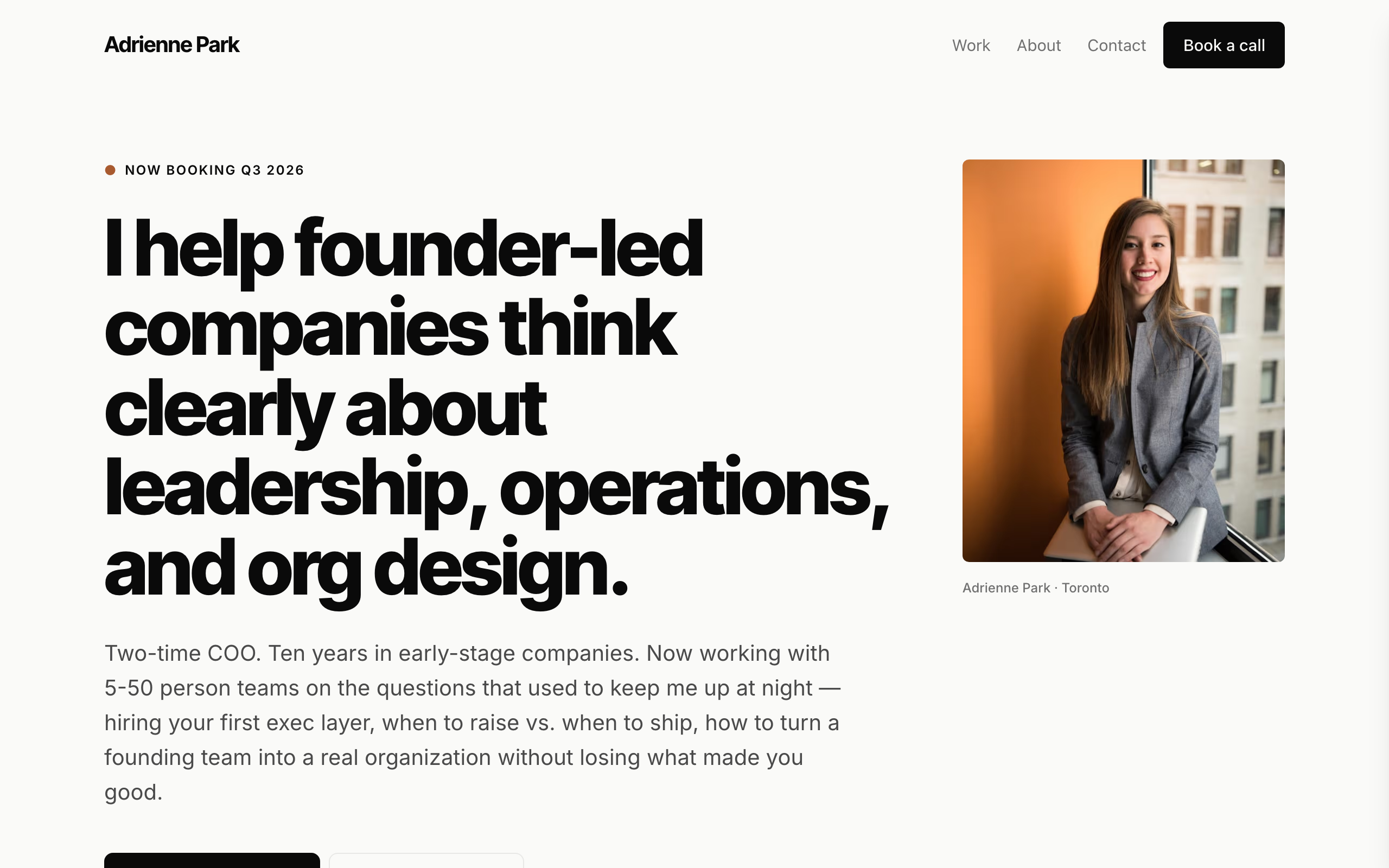
Park
A modern, minimal site for coaches and solo advisors, with case studies and a discovery-call form.

Usman Haider
Founder of Sitelas — the website builder for AI agents.