What Is a Chat-Native Website Builder?
Most small business websites go out of date because every change means logging in somewhere. A chat-native website builder is one you run by talking to Claude or ChatGPT: it builds the site, and makes every change after that when you ask.

Usman Haider
Most small business websites go out of date. Nobody plans for that. It happens because every change means logging in somewhere.
The prices change, and the site still shows last year's. The opening hours change, and the site gets them wrong. A new service starts, and it never makes it onto the page. The website was easy to build. Keeping it current is the part nobody has time for.
A chat-native website builder is built around that second part.
The short definition
A chat-native website builder is one you run by talking to an AI assistant. The assistant builds the site and publishes it when you say so. After that, it makes every change you ask for, in plain words, in the chat you already use.
You don't learn a tool. You don't hunt for the right panel. You say "change Saturday to 9 till 1" and it's done.
Three kinds of website builder
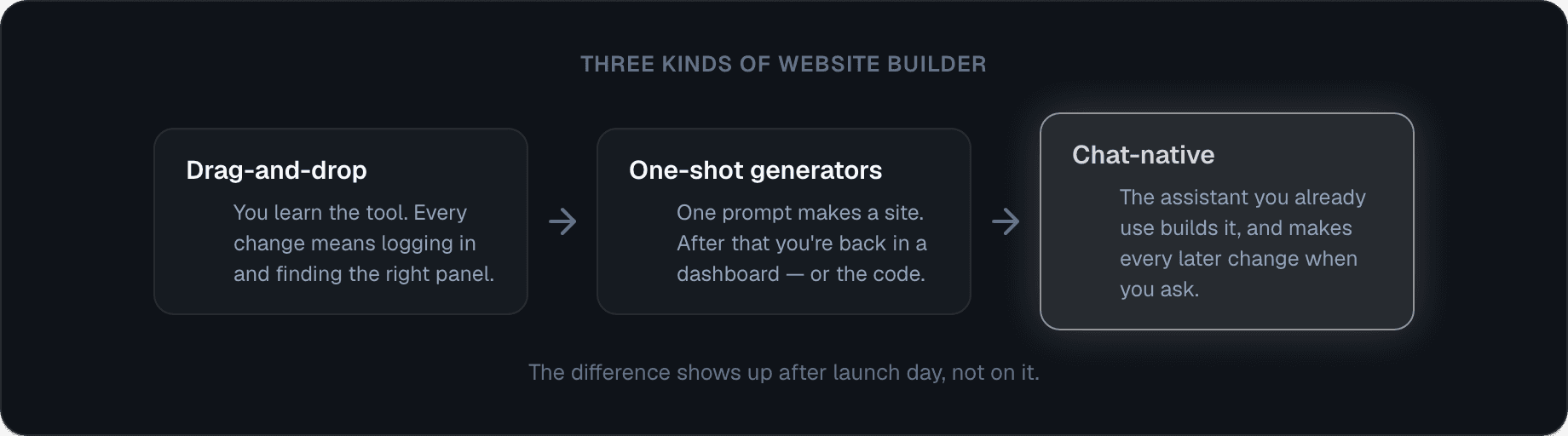
Drag-and-drop builders come first. You pick a template and drag boxes around. They're powerful, but every change means logging in and remembering how the editor works.
One-shot generators came next. You type a prompt and get a page in seconds. That part feels like magic. But the day after, you're back in a dashboard, or looking at code you didn't write.
Chat-native builders keep the conversation going after launch. The same chat that built the site can change it next week, read its messages and publish an update. The difference doesn't show on day one. It shows on day thirty.
Building a website with Claude: a real example
Here's a real conversation. We asked Claude for a site for a made-up Bristol plumber, Marlow & Sons.
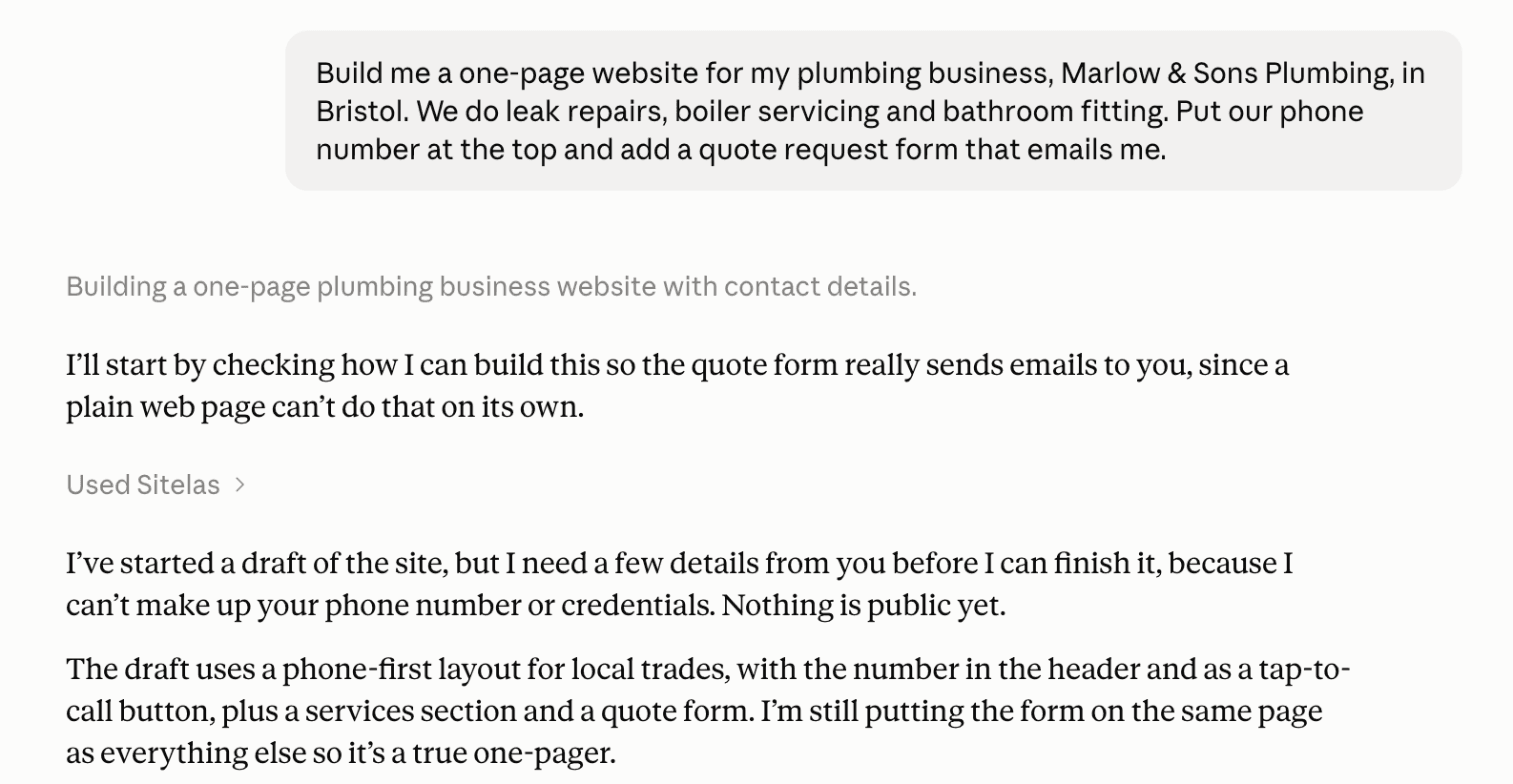
Two things stand out. Claude started from a design made for local trades, with the phone number up top. And it asked for the real phone number instead of inventing one. A good assistant won't make up your details.
A couple of minutes later, the site was ready to look at:
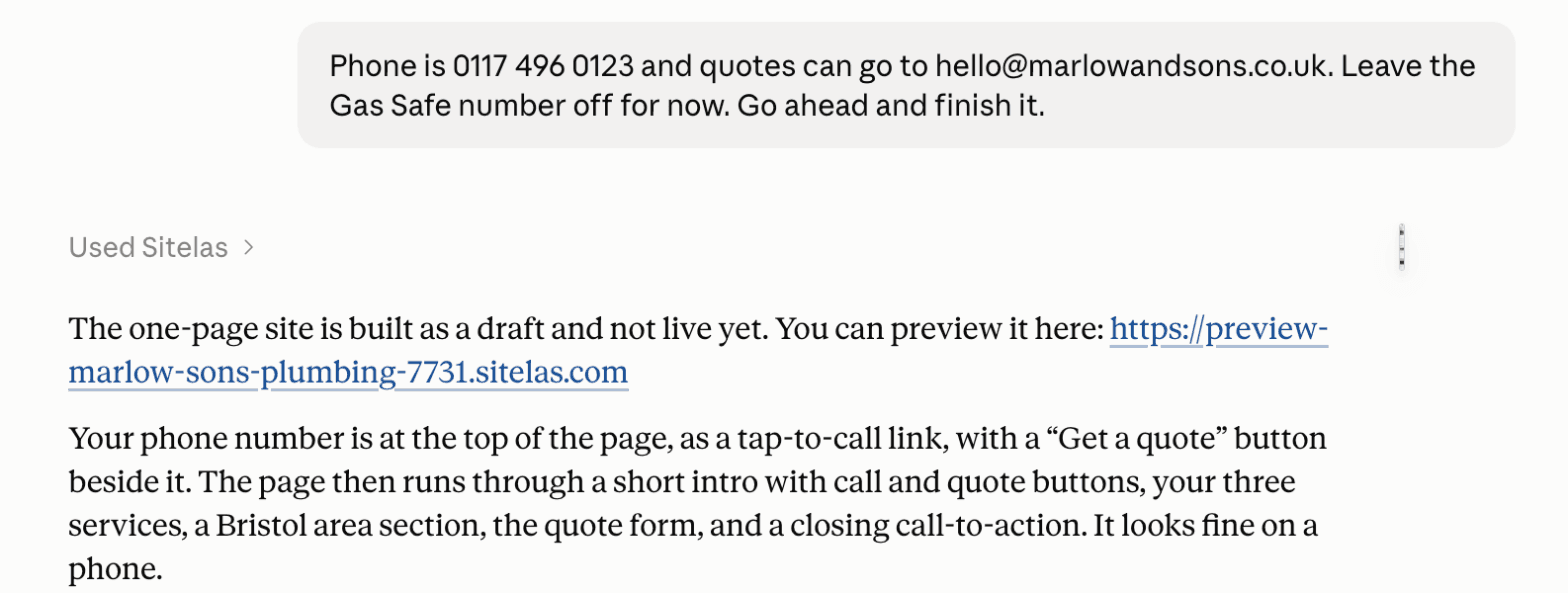
And this is the page it built:
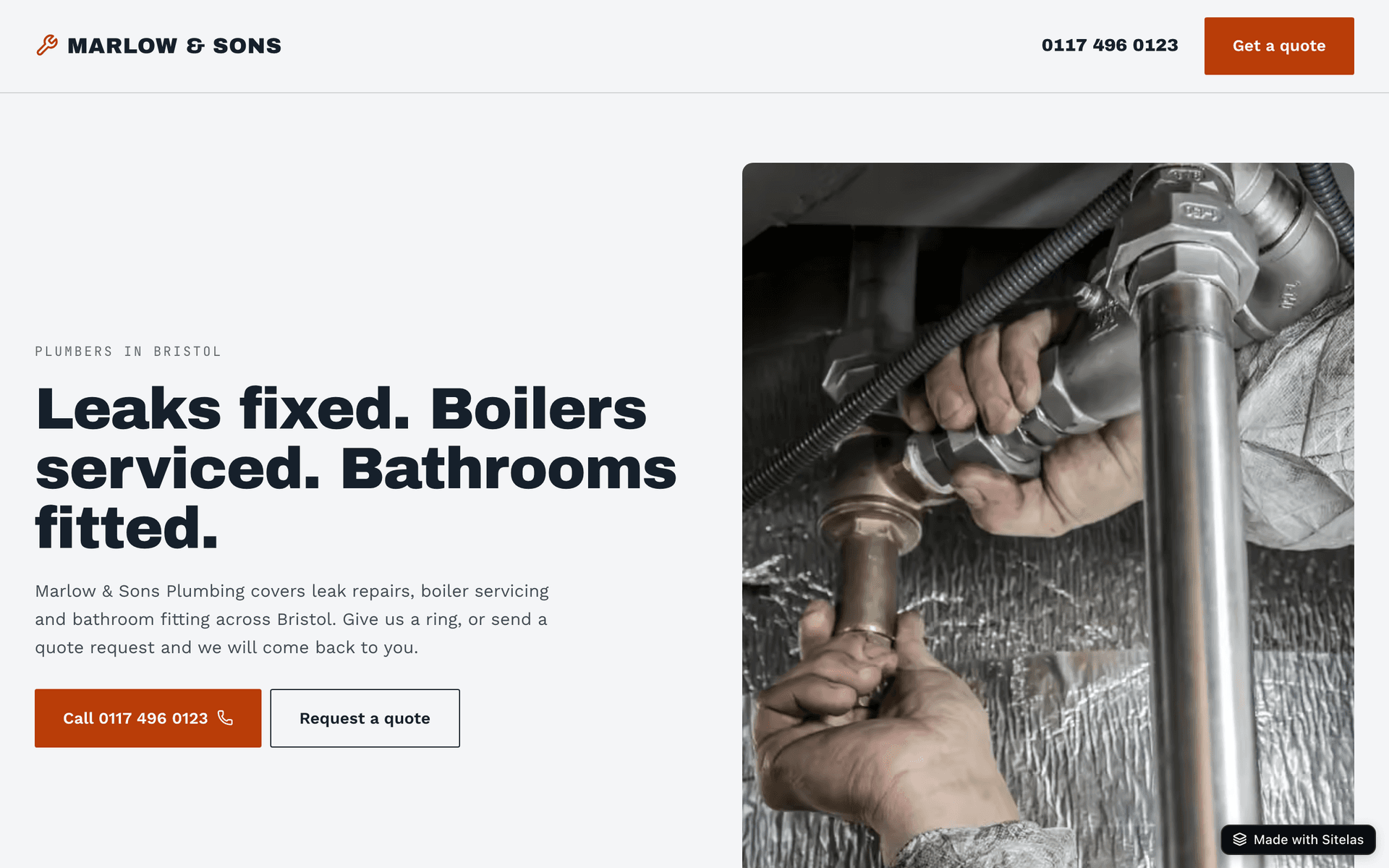
Notice the word "preview". Nothing was public yet. That's on purpose.
You can also have Claude ask before each change. Then you see exactly what will change before you say yes. Here, the owner asked for a new search description:
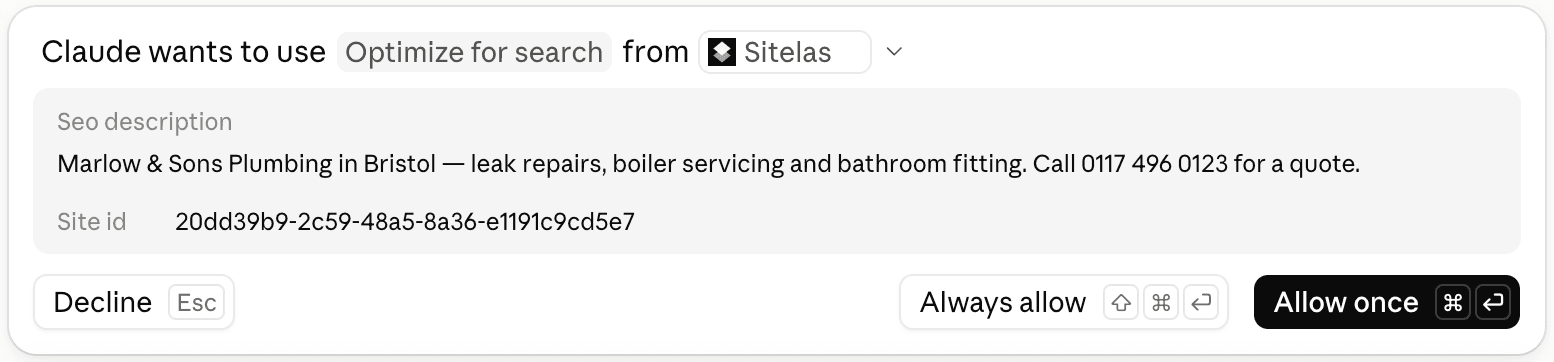
Updating your website with ChatGPT: one sentence
This is where chat-native earns its name. Say that a week later, the owner wants to add a line about emergency call-outs. They don't open an editor. This time they ask ChatGPT, and it changes the same site:
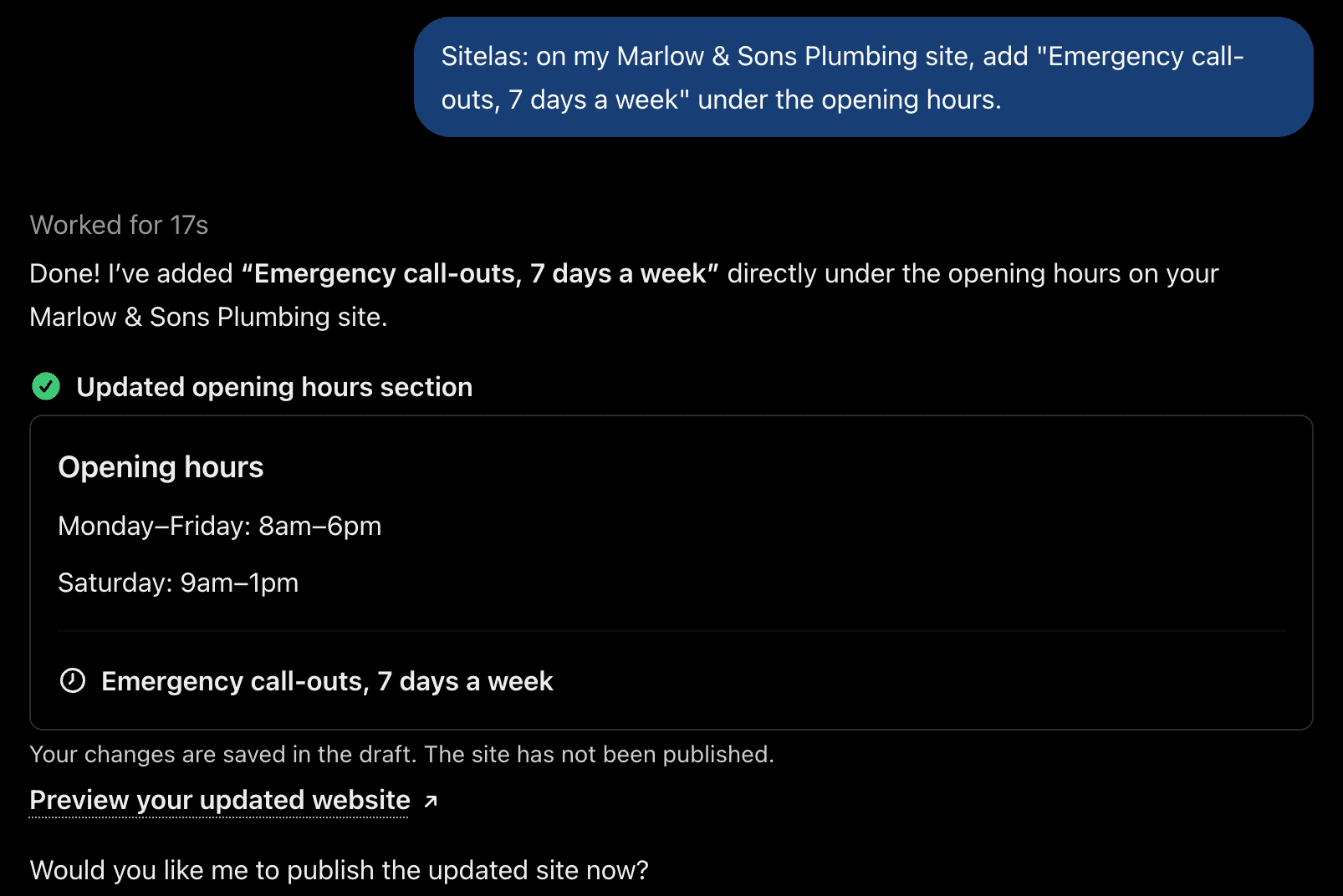
Seventeen seconds later, the page had the new line:

Same site. A different assistant. One sentence each time.
What makes a builder chat-native
A chatbot that writes HTML isn't enough. These are the parts that matter.
1. It starts from a real design. The assistant picks a template made by a designer for your kind of business. Then it fills in your words, your photos and your colours. You don't get a random layout that changes every time you ask.
2. You see a preview before anything goes public. Every change lands on a private preview link first. Your live site stays as it was until you say "publish". If you don't like a change, you just ask for a different one.
3. The site keeps working after launch. Forms land in your inbox, and each new message is emailed to you (where form messages go). The assistant can read them too. Ask "did anyone fill out the quote form this week?" and it tells you. It can draft the replies as well. (How the same chat runs your site goes deeper.)
4. It works in the assistant you already use. Claude and ChatGPT both work, on the same site. You don't move your work to a new app. The website comes to where you already are.
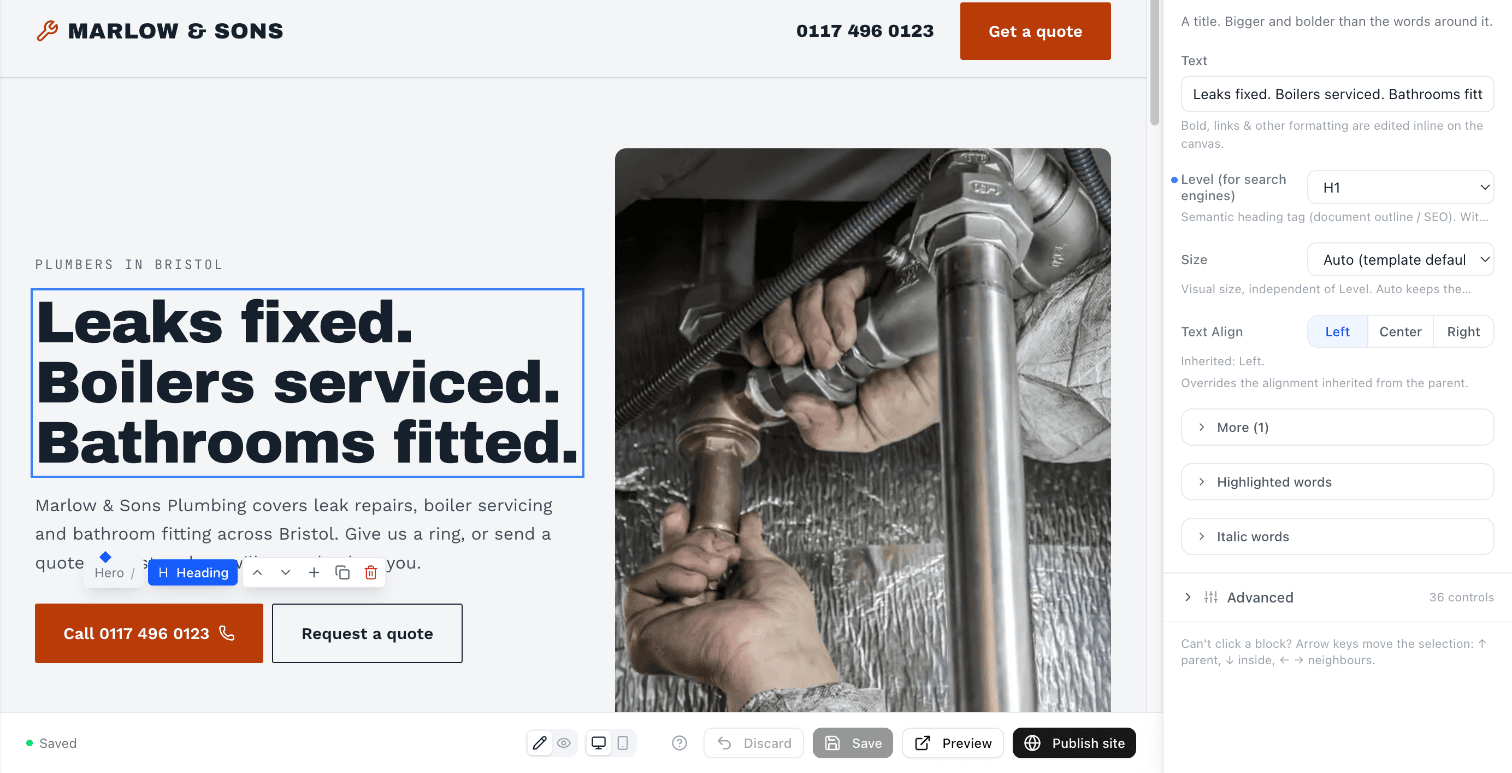
5. You can still click when you want to. Some changes are faster by hand. Every site also opens in a visual editor. Click any heading and change it, then save.
Who it's for
It suits people with a business to run and no time to manage a website.
- Trades and local services — plumbers, electricians, cleaners, cafés, salons. Update prices and hours with one message.
- Freelancers and creatives — add a new project to your portfolio in one sentence.
- Founders — put up a waitlist this weekend, then ask who signed up.
- Small teams — anyone who can type can update the site. No training needed.
What it isn't
Honesty helps here. A chat-native website builder makes websites, not apps.
There are no visitor log-ins, no multi-item checkout and no live dashboards. You can sell single items with a payment link, and take bookings through your own Calendly page. For a full online shop, use a store platform like Shopify.
If you need an app, use an app builder. If you need a website you'll actually keep up to date, this is the kind of tool to look at.
Questions people ask
Can ChatGPT build a website? Yes, in two ways. OpenAI's own ChatGPT Sites (in beta for paid plans, as of October 2026) writes a site's code for you. Apps like Sitelas work inside ChatGPT too, including on the free plan we tested: ChatGPT builds from a designer template, and the site comes with a forms inbox and a visual editor.
Do I need to know how to code? No. You describe what you want in plain words. The assistant builds it, and you change it the same way.
How much does it cost? With Sitelas you can build and publish one site for free. Pro is $9 a month, or $90 a year, per site. It adds your own domain and removes the Sitelas badge.
Can I use my own domain? Yes, on Pro. You add a couple of records at your domain provider, and the assistant tells you exactly what to enter. (Custom domains and SEO.)
What if I don't like the design? Ask for a different one. The assistant can rebuild the site on another template, and you see it as a preview before anything changes. Or it can just change the colours and fonts.
Try it
Getting started takes three steps:
- Add Sitelas to Claude or ChatGPT. This also creates your free account. (How to add Sitelas to Claude.)
- Paste the prompt below into a new chat. Swap in your own details first.
- Check the preview, then say "publish". Your site goes live.
Build me a one-page website for my [type of business], [business name], in [town].
We do [your main services]. Put our phone number at the top and add a contact form.
- Add to Claude: Sitelas in Claude's connector directory
- Add to ChatGPT: Sitelas in ChatGPT
- See the design we used: the Mainstay template for trades
- Run a plumbing business? The Flange template is made for plumbing companies, with service pages, an emergency-service section and a get-a-quote page.
New to this? How to build a website from a Claude chat walks through it step by step. Or start at sitelas.com.
Templates to start from
Build this with a ready-made design, then change anything.
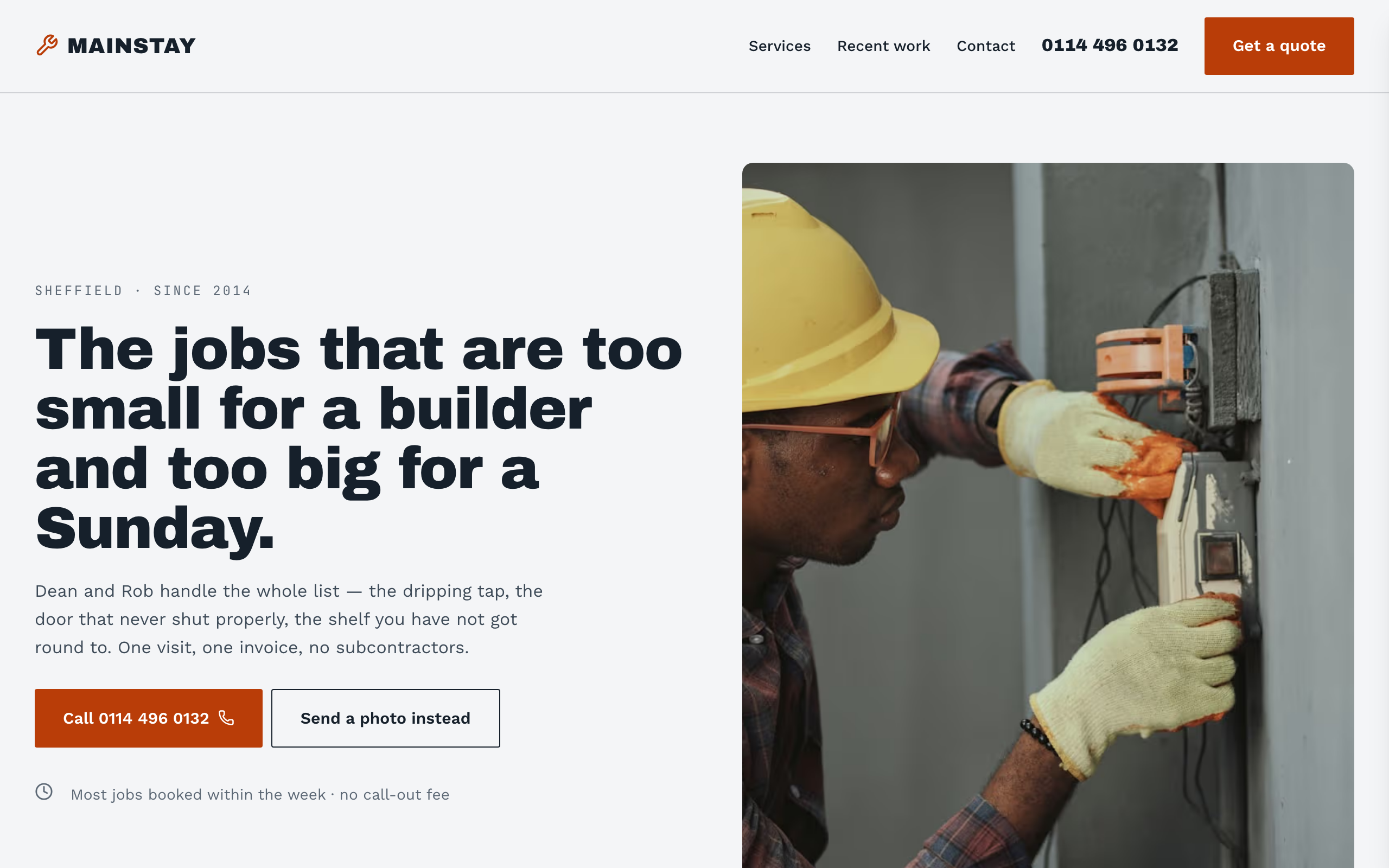
Mainstay
For handymen and local trades: tap-to-call everywhere, a service area, real job prices and a quote form.
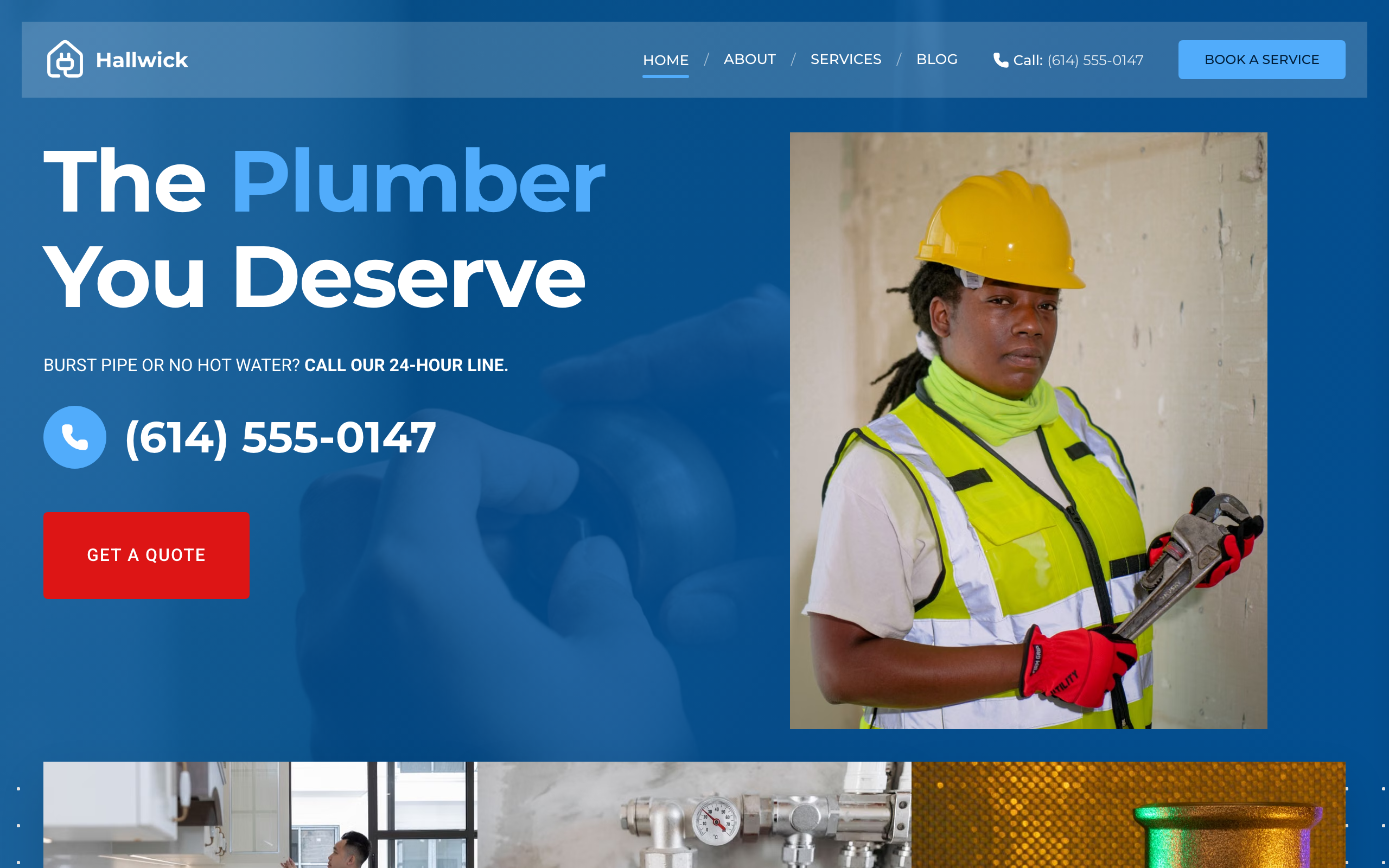
Flange
For plumbing companies with a crew: a price calculator, a page per service, special offers and your number on each page.
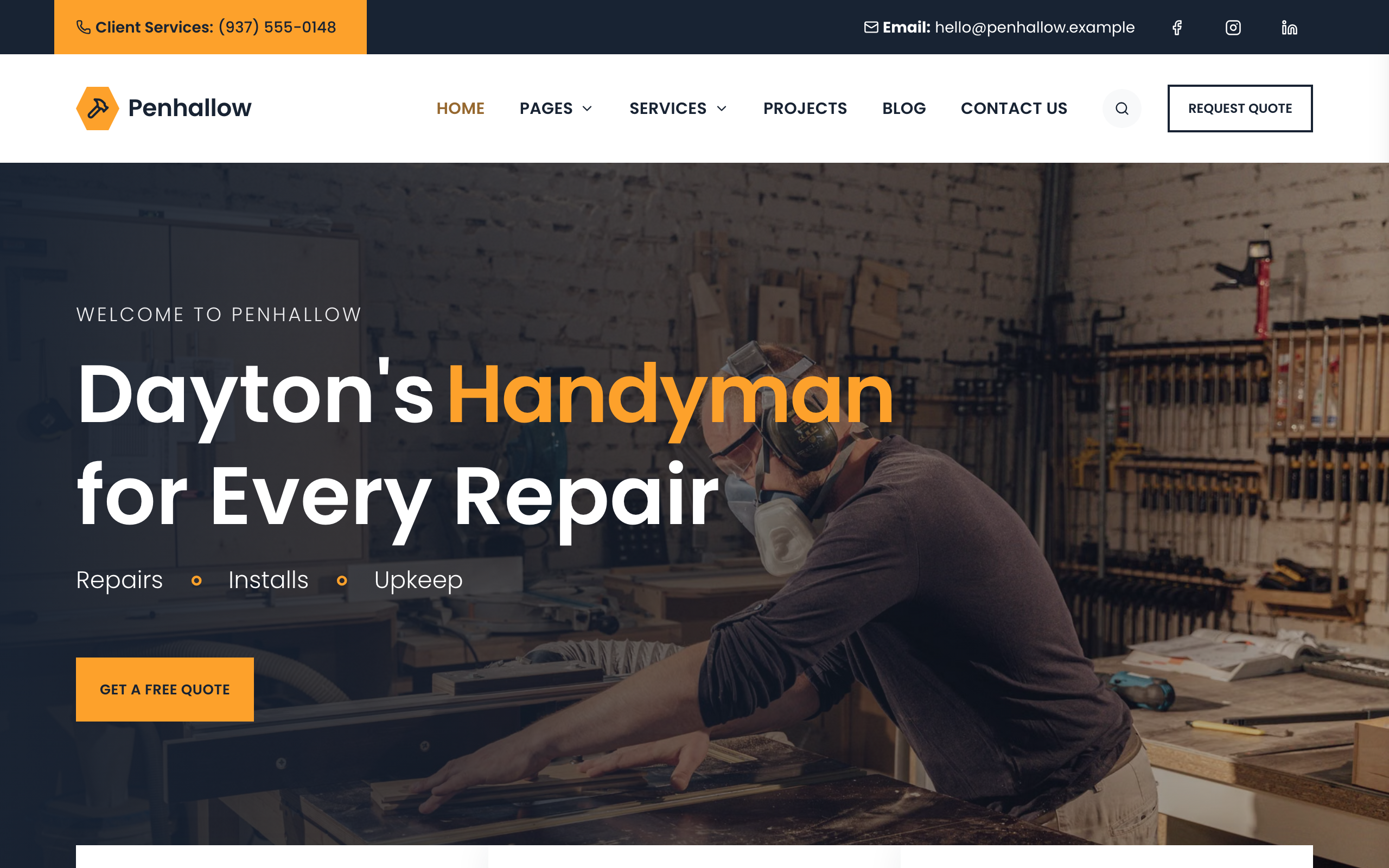
Spanner
For home repair companies with a crew: a page per trade, projects filtered by trade, the team and a quote form.

Usman Haider
Founder of Sitelas — the website builder for AI agents.