How to Build a Website With AI: From a Claude or ChatGPT Chat to a Live Site
How to build a website with AI that actually goes live: the three routes, what to tell the AI first, and real builds in Claude and ChatGPT, then running the site from the same chat.

Usman Haider
Most guides on how to build a website with AI end with a pile of code, or a demo that never goes live. You still need hosting, a web address and someone to change it next month.
This guide ends with a real website. It shows the three ways to create a website with AI and what to tell the AI first. Then come two short builds, one in Claude and one in ChatGPT. Last comes the part that matters after launch: keeping the site up to date by asking.
Three ways to create a website with AI
1. The AI step inside a website builder. Wix, Squarespace and others now ask a few questions and draft a site for you. Then you finish it in their editor, by hand, like any other site.
2. AI that writes code. ChatGPT or Claude can write a page's code, and app builders like Lovable or Base44 build whole apps. This is the right route for an app with log-ins. For a small business website it leaves you with code to host and maintain.
3. Your AI assistant with a website connector. You add a website tool to the chat you already use. The AI builds the site, hosts it and keeps changing it when you ask. Sitelas works this way, in Claude and in ChatGPT. (We make Sitelas, so weigh what follows with that in mind.)
The rest of this guide follows route 3. The chat you already use builds the site, then keeps running it.
What to tell the AI first
The AI can only use what you give it. Anything you leave out, it has to invent, and invented details are what you end up fixing. Before you start, jot down:
- What you do and where: "a bakery in Portland, Oregon".
- What you sell, with prices: even three or four items help.
- Hours, phone, email and address.
- The pages you want: a menu, an about page, a contact or order form.
- The feel: "warm and simple", "bright and friendly".
One message with those five things gets you most of the way.
How to build a website with AI in Claude
Step 1: Add Sitelas to Claude
Sitelas is in Claude's connector directory. Open the listing and choose Add. That one step also creates your Sitelas account.
Step 2: Describe your business in one message
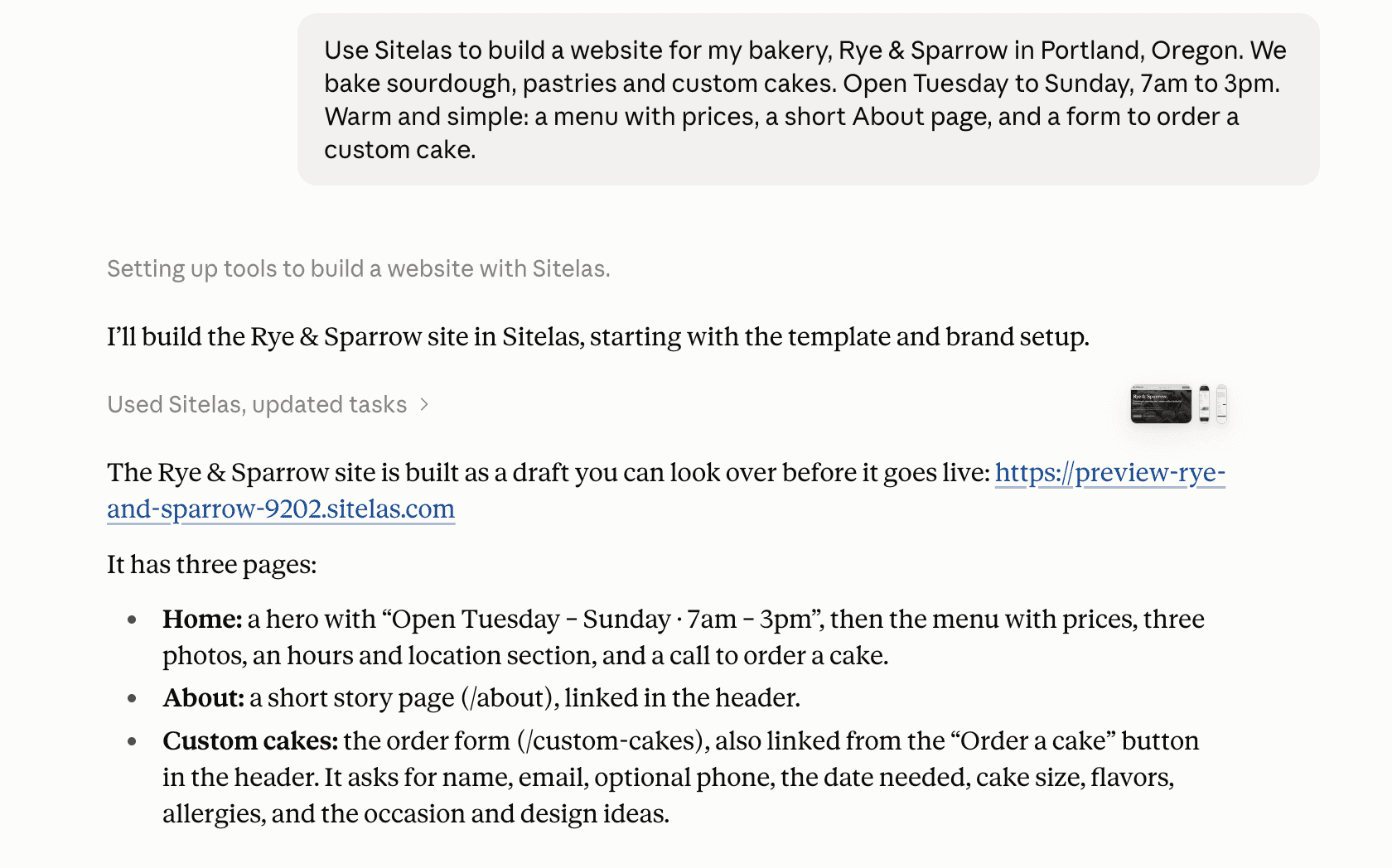
I made up a bakery, Rye & Sparrow in Portland, and sent Claude one message. Claude picked a café and bakery template, Beacon, rewrote it for the bakery and built three pages in about three minutes:
Step 3: Check what the AI made up
Nothing went live. Claude sent a private preview link and listed what it had invented to fill the gaps: menu prices, stock photos, a missing address. That list is your checklist.
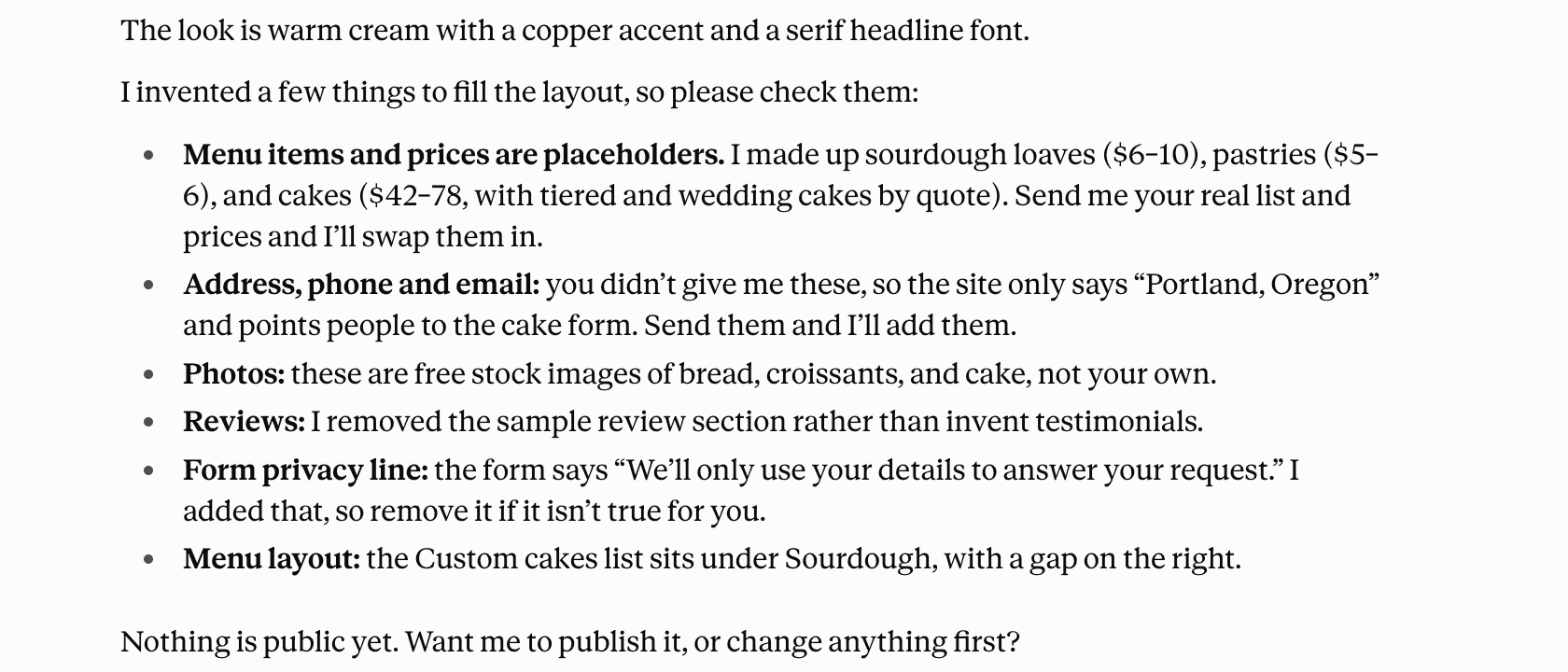
This is the step people skip. An AI fills every gap with something that looks right. So read the preview the way a customer would. Correct every made-up price, phone number and claim before you publish. What to check before you publish has the full list.
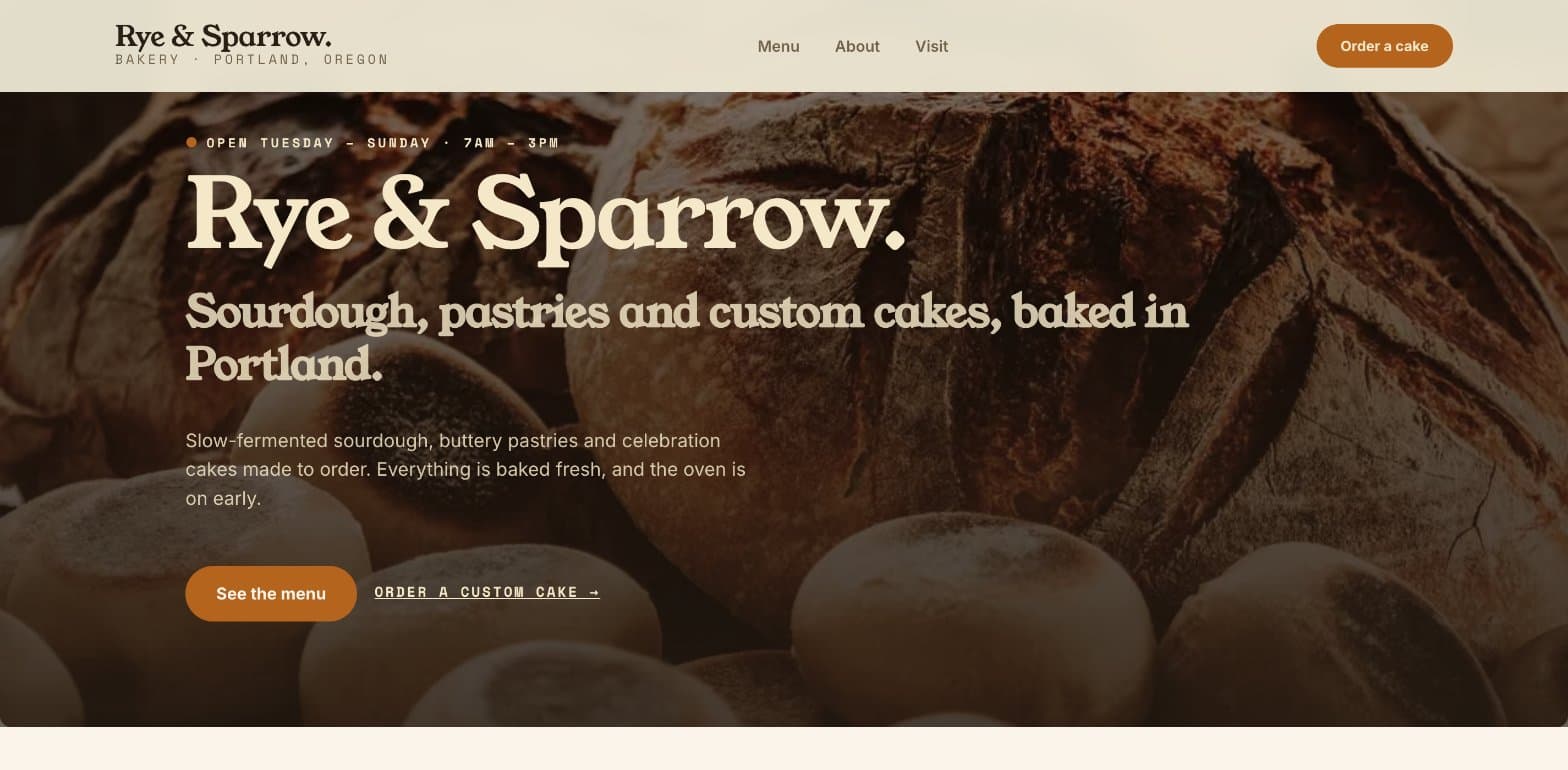
Here is the preview's first screen:
Step 4: Fix things in one sentence
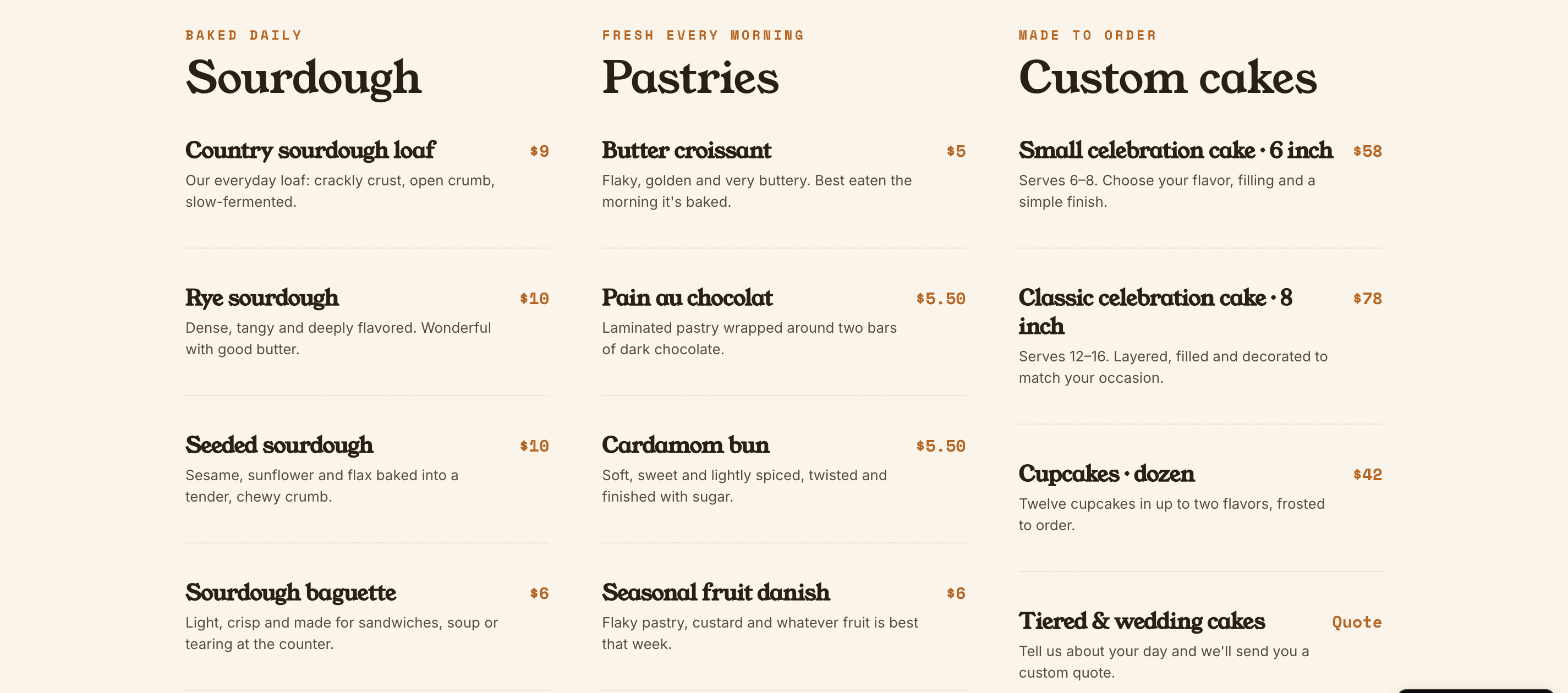
I sent the phone number and asked Claude to fix the menu gap it had pointed out. It did both in about a minute, and checked the result on a desktop and a phone screen:
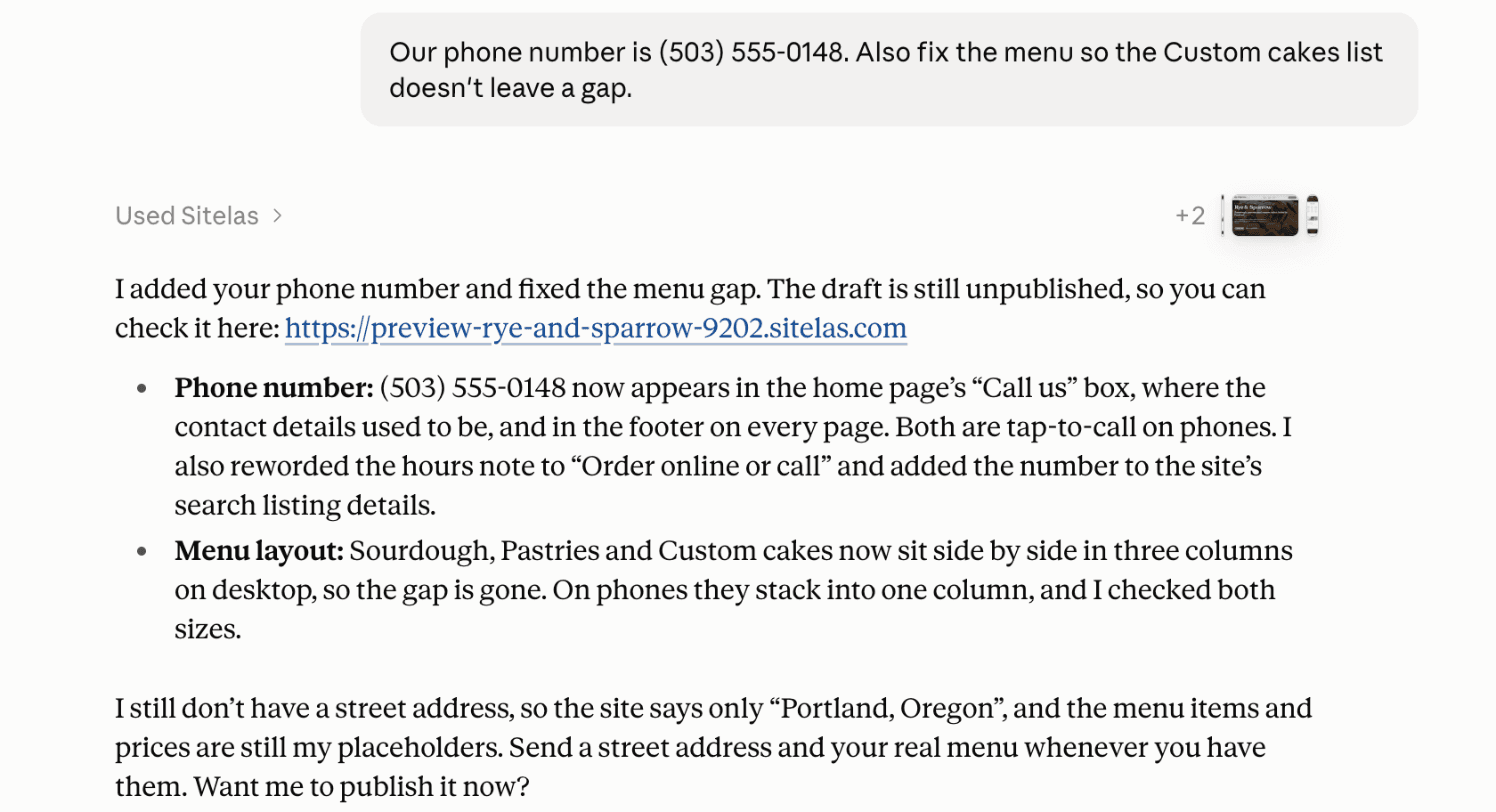
The menu now sits in three even columns:
Step 5: Say "publish"
When the preview is right, tell Claude "publish it". The site goes live on a sitelas.com address. Your own domain comes with Pro; see custom domains and SEO. The longer Claude walkthrough is in How to build a website from a Claude chat.
How to make a website with AI in ChatGPT
The same route works in ChatGPT, where Sitelas is a plugin. We tested it on ChatGPT Go.
Step 1: Install the Sitelas plugin
Open Sitelas in ChatGPT, choose Install plugin and sign in to Sitelas.
Step 2: Describe your business in one message
This time I made up a dog walker, Muddy Paws in Austin. ChatGPT built four pages in just over a minute: home, services, about and a contact form.
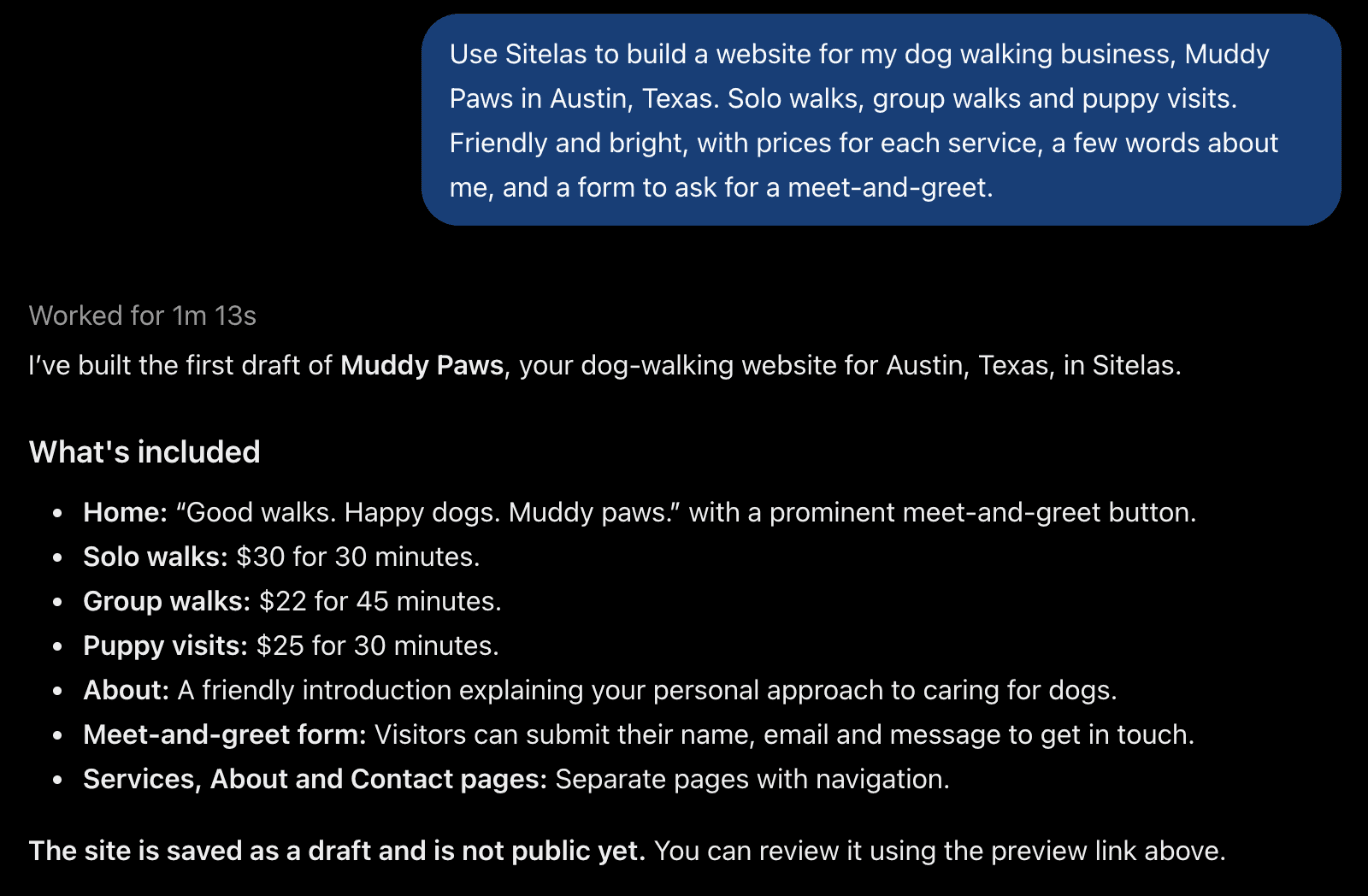
One thing to know first: a free Sitelas account keeps up to 10 unpublished drafts. Mine was full of old test sites, so the first try stopped with a clear message. Deleting a few old drafts fixed it.
Step 3: Ask for the preview, and ask what it made up
ChatGPT's reply mentioned a preview link, but none appeared in our chat. It also listed walk prices I had never given it. So I asked:
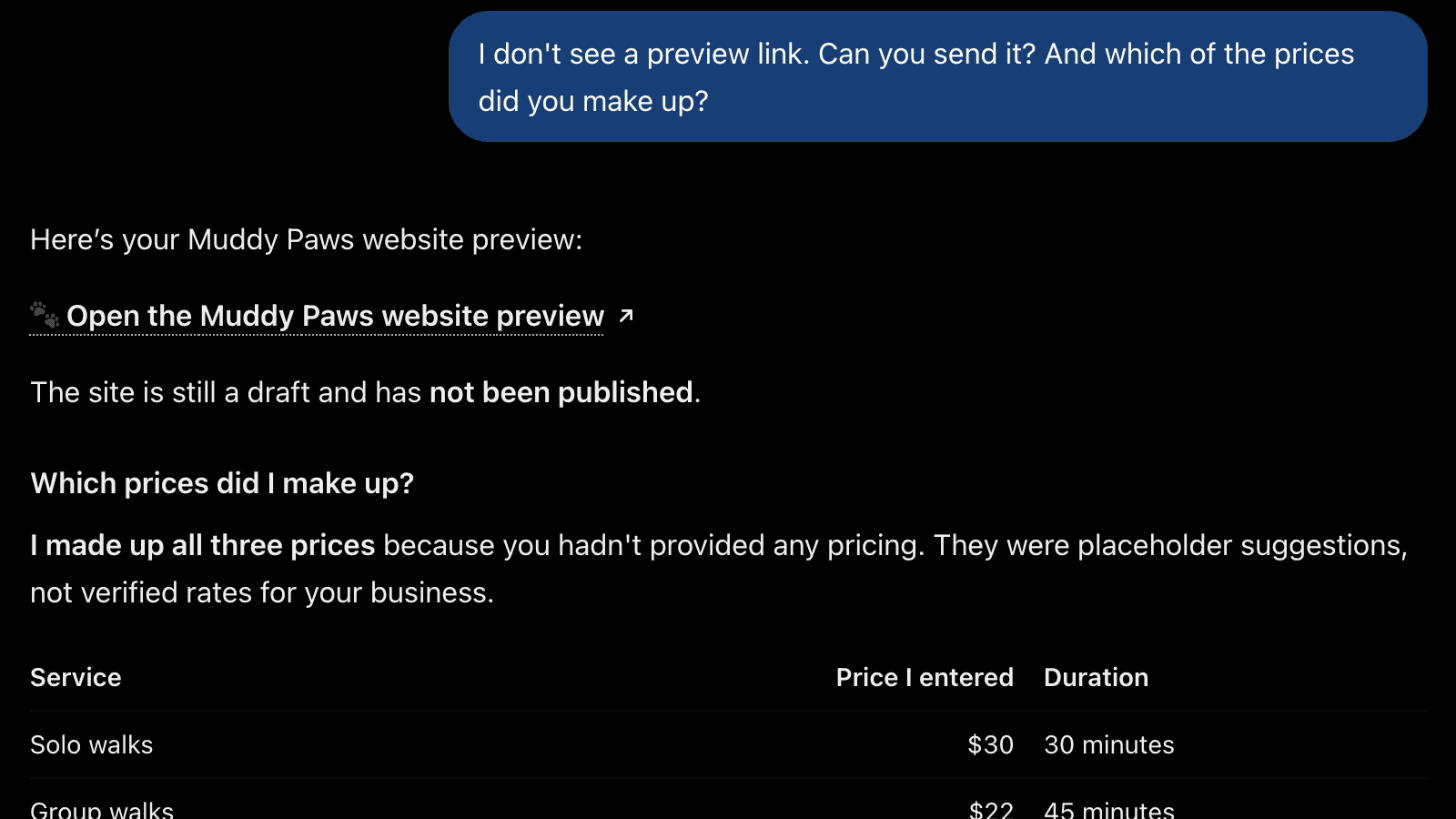
Claude listed its guesses on its own; ChatGPT said so only when asked. Ask "which details did you make up?" every time, whichever assistant you use.
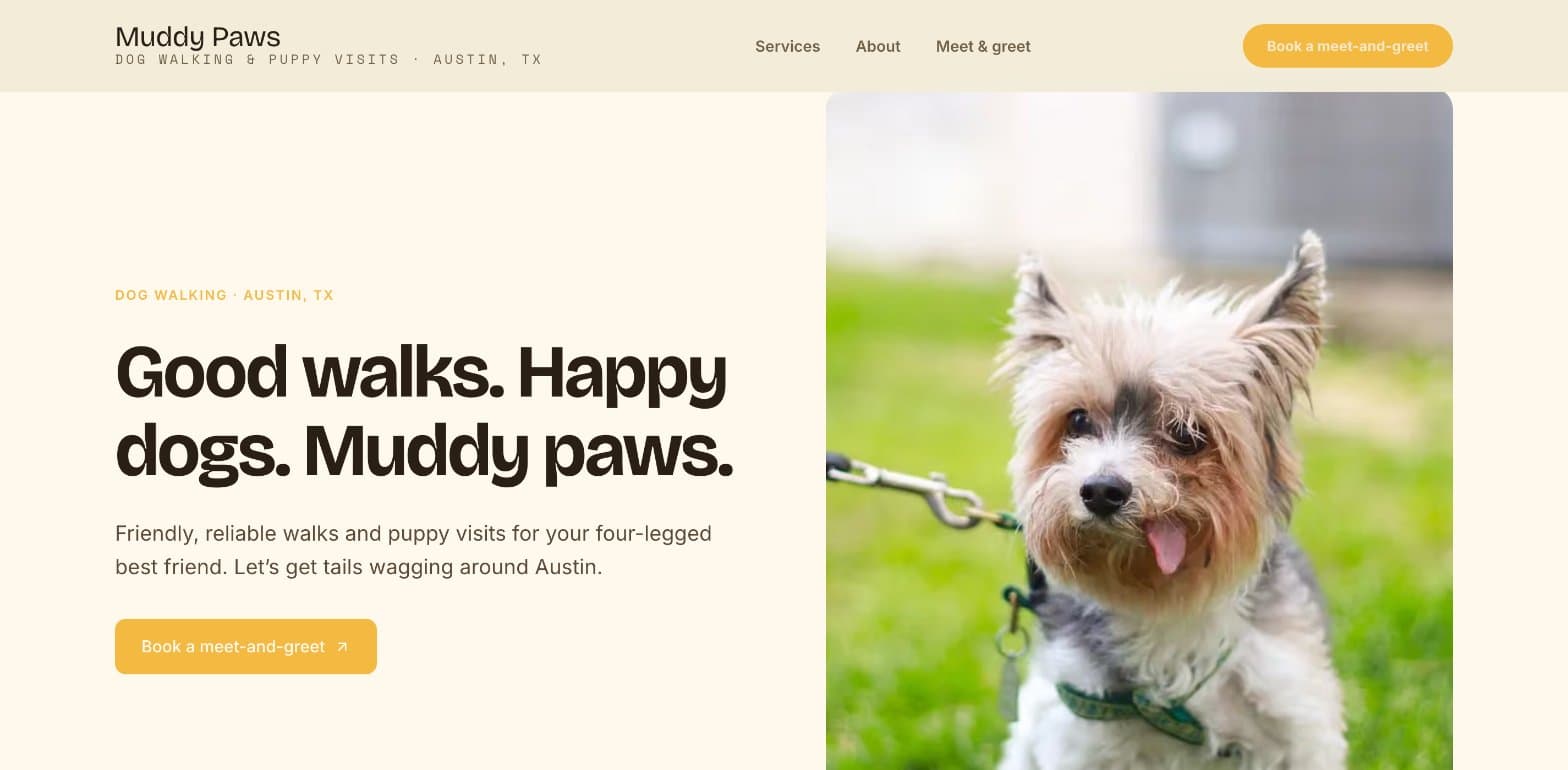
Here is the preview. Both sites started from the same café template, Beacon, and each assistant restyled it for its business:
From here it works as in Claude: fix things in a sentence, then say "publish". The full ChatGPT walkthrough, with a café, is in How to build a website with ChatGPT.
After launch: run the website from the same chat
Building is the easy part. Most small business sites go stale because every change means logging in somewhere. With a connector, the chat that built the site keeps running it:
- Edits: "Change our Saturday hours to 8am to 2pm." The change lands in the preview first, and goes live when you say so.
- Messages: "Any new cake orders?" Form messages land in your Sitelas inbox, and the AI can read them and draft replies.
- New pages: "Add a page for wedding cakes with three examples."
What is a chat-native website builder? explains why this keeps a site current.
What AI can't do for your website
- Know your facts. It invents what you don't tell it. Check every price, phone number and claim.
- Build an app. Sitelas builds marketing websites: pages, forms, menus, prices. Log-ins, a full online shop or a booking calendar need an app builder or a store platform.
- Take payments everywhere. In Claude, a site can show a payment button per item, linked to your own Stripe account. Sites built from ChatGPT don't get payment buttons.
- Promise rankings. A fast, clear site helps people find you, but nobody can promise a place on Google.
Questions people ask
Can AI build a website for me? Yes. Describe your business to Claude or ChatGPT with a website connector like Sitelas, and it builds the pages, hosts the site and gives you a private preview. You check it and publish when it's right.
Can ChatGPT build a website for me? Yes, in two ways. ChatGPT Sites is OpenAI's own builder, in beta on paid plans as of October 2026. Website apps like Sitelas work inside ChatGPT too. How to build a website with ChatGPT compares them.
What is the best AI to build a website? It depends on the job. For an app with log-ins, an app builder fits. For a business website you want to keep current, use the assistant you already talk to every day, with a website connector.
Can I build a website with AI for free? On Sitelas, one published site is free, on a sitelas.com address with a small Sitelas badge. Pro is $9 a month, or $90 a year, per site, and adds your own domain.
How long does it take? Our bakery site took about three minutes to build and one more minute to fix. Collecting your real prices, hours and photos takes longer than the build.
Try it
Copy this into Claude or ChatGPT after adding Sitelas. Fill in your own details first.
Use Sitelas to build a website for my [type of business], [name] in [town].
We offer [your main services, with prices]. Open [your hours].
Phone [number], email [address]. Pages: [the pages you want].
The feel: [two or three words].
- Add to Claude: Sitelas in Claude's connector directory
- Add to ChatGPT: Sitelas in ChatGPT
- See the design we used: the Beacon template for cafés and bakeries
- Browse every design: the template gallery
Templates to start from
Build this with a ready-made design, then change anything.


Usman Haider
Founder of Sitelas — the website builder for AI agents.