Dog Grooming Website: What a Grooming Salon Site Needs
What a dog grooming website needs to fill the book: prices by dog size, a booking request form, vaccination rules and the groomers by name. Plus how to build one by asking Claude.

Usman Haider
Someone's dog is matted again, and their old groomer has moved away. They open three dog grooming websites on their phone. One shows cute photos but no prices. One says "call for a quote". The one that gets the booking answers three questions fast. What will it cost? How do I get a slot? Can I trust you with my dog?
That is the job of a dog grooming website. This guide lists what it needs, page by page, whatever you build with. Then it shows how I built one for a made-up salon by asking Claude.
What dog owners look for first
Most owners arrive from a "groomer near me" search. They are comparing you with two or three other salons. So the first screen should say four things:
- What you do: full grooms, baths, nail trims, puppy grooms. Plain words, not "pampering experiences".
- Where you are: the town or neighborhood. Mobile groomers should name the areas they drive to.
- How to book: one button to request a groom, and your phone number.
- Why you: one plain line, such as "a photo text when your dog is ready".
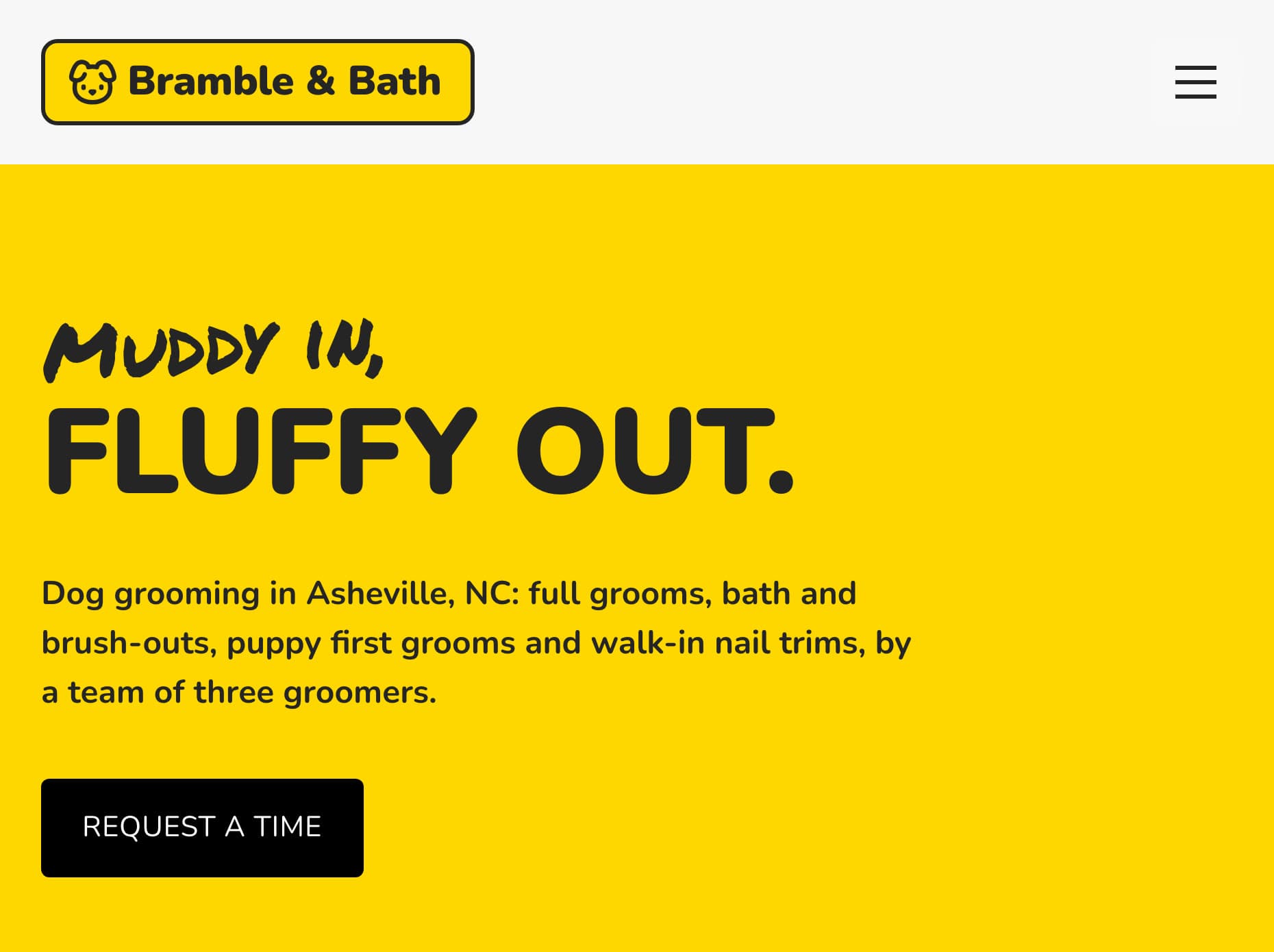
The demo salon built for this guide, on a phone. The first screen says what, where, and how to book.
What a dog grooming website needs, page by page
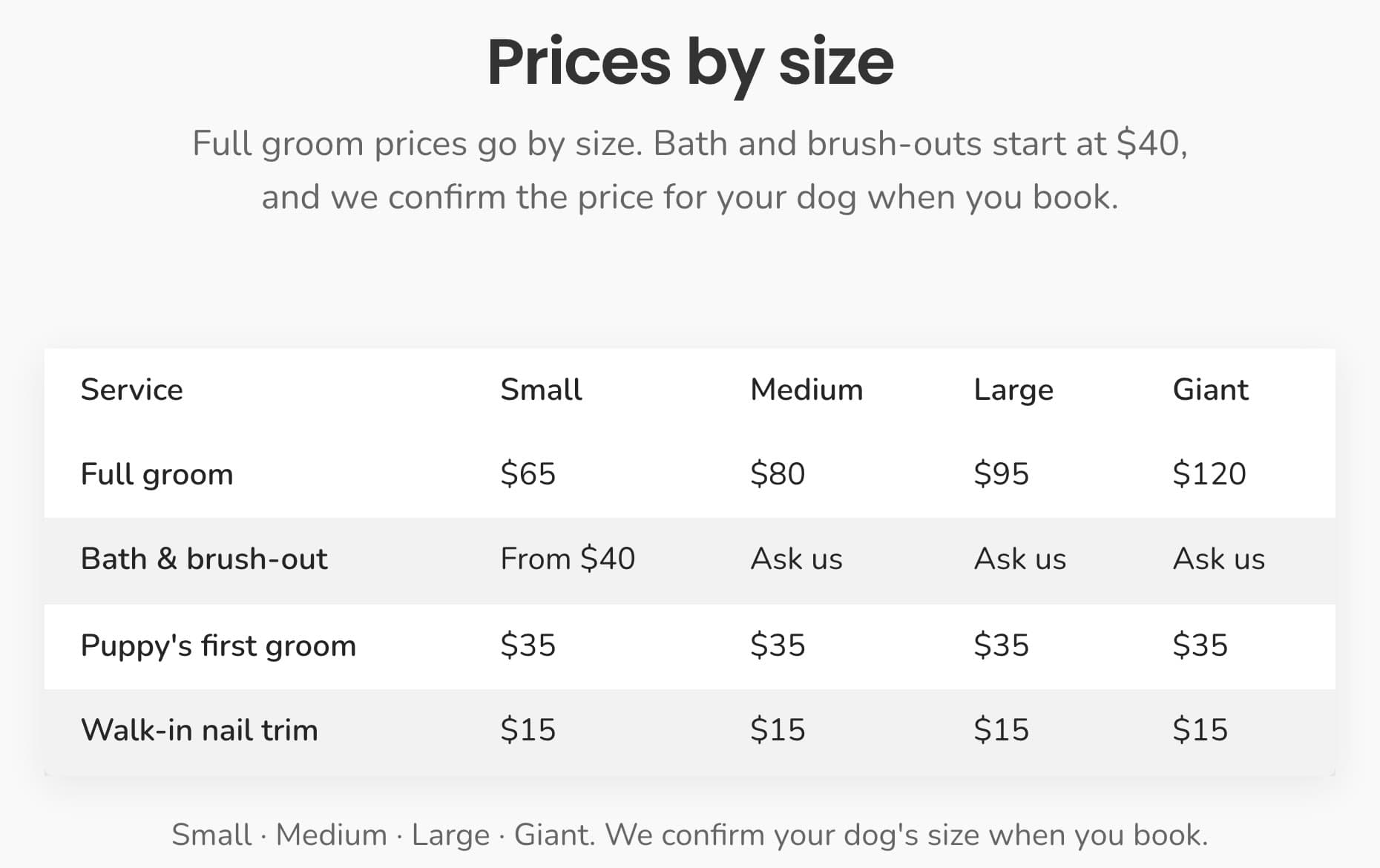
1. Prices by dog size
This is what owners look for first, and what most salons hide. Grooming is priced by size and coat, so one price is never right. A simple table works. Use four sizes, such as small (up to about 20 lb), medium, large and giant, with a row per service.
Say what changes the price, too. A matted coat or a nervous dog takes more time. "We always tell you the price before we start" saves an argument at pick-up.
2. One page per service
Full groom, bath and brush-out, puppy's first groom, nail trim: give each its own page. Say what is included, how long it takes and who it suits. List add-ons such as teeth brushing, de-shedding or a flea bath separately.
Separate pages also help search. "Puppy first groom in Asheville" is a search one page can win.
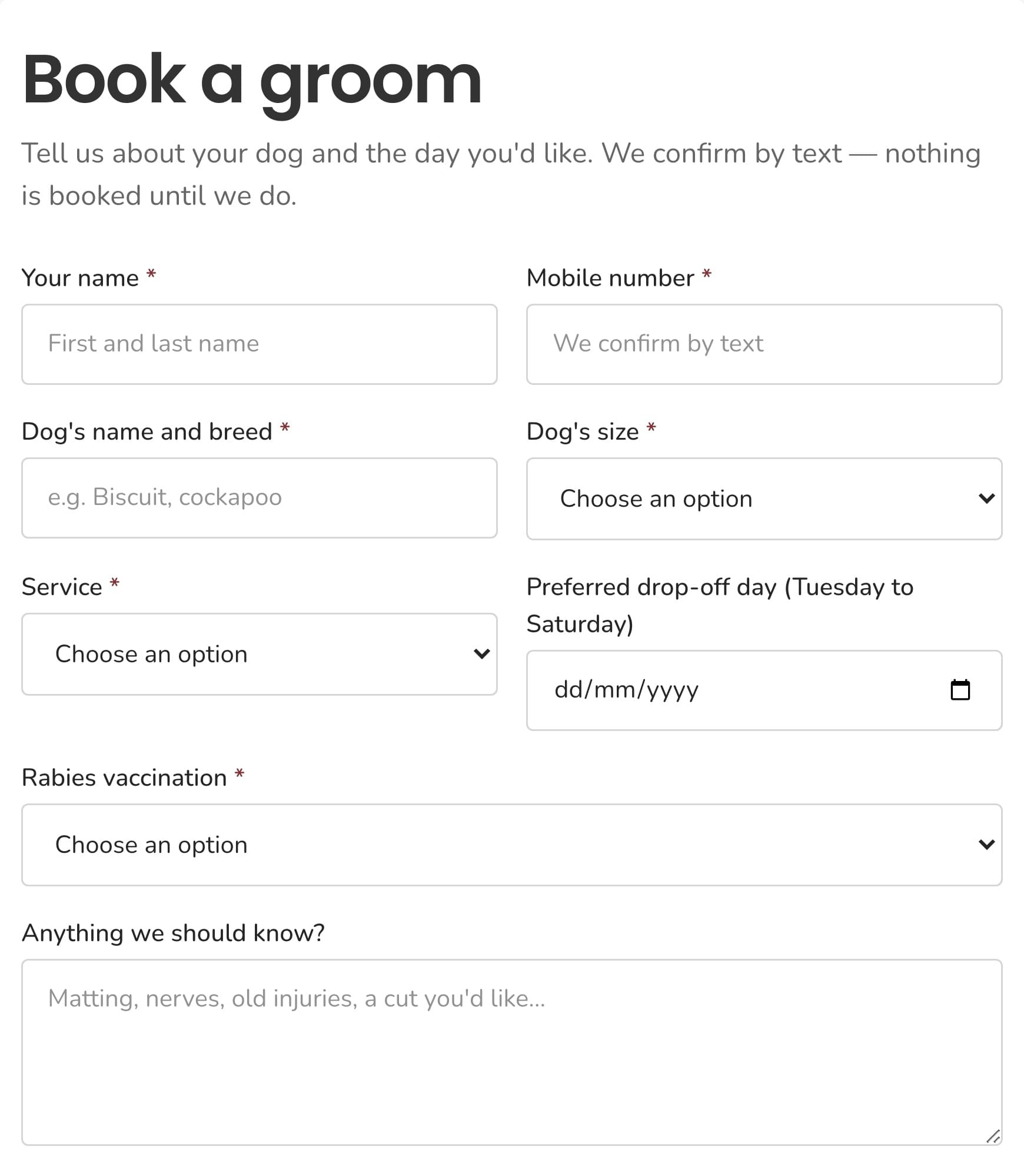
3. A booking request form
Most small salons confirm appointments by text or phone. A request form is enough. Ask for a name, a mobile number, the dog's breed and size, the service and a day. Say plainly that nothing is booked until you confirm.
If your grooming software already takes bookings online, such as MoeGo or Gingr, link to it instead.
4. Your rules, before they arrive
Owners would rather read your rules than be turned away at the door. Put them next to the booking form:
- Vaccinations: which ones you need, such as rabies, and how to show proof.
- Drop-off and pick-up: the times, and how you tell owners their dog is ready.
- Cancellations: how much notice you need.
- Matted coats: what you do, and what it may cost.
5. Your groomers, by name
Show each groomer with a photo, one line about them, any certifications and their years of experience. People are handing over a family member.
6. Real photos of real dogs
Before-and-after photos sell grooming better than words. Use your own, with the owners' permission. Stock photos of perfect show dogs look like every other salon.
7. Reviews, location and hours
Put real reviews on the home page, and ask happy customers to review you on Google. Show your address, parking and hours. Keep your phone number one tap away. Local SEO for contractors covers the Google Business Profile side, and most of it applies to a salon.
For mobile groomers
A mobile grooming website needs the same pages, with two changes. Show the towns or zip codes you serve near the top. And explain a visit: where the van parks, and whether you need power or water.
If you also train dogs, a dog training website needs a few different pages: your method, class dates and trainer credentials.
How to build a dog grooming website by asking Claude
You can build all of the above with any builder. Here is a faster way. Describe the salon to Claude, and let it build and run the site with Sitelas. It is an AI website builder for dog groomers that you talk to.
Sitelas is in Claude's connector directory. Adding it takes one click, and the same click creates your account. It also works in ChatGPT as a plugin; how to build a website with ChatGPT shows that route.
Step 1: Describe your salon in one message
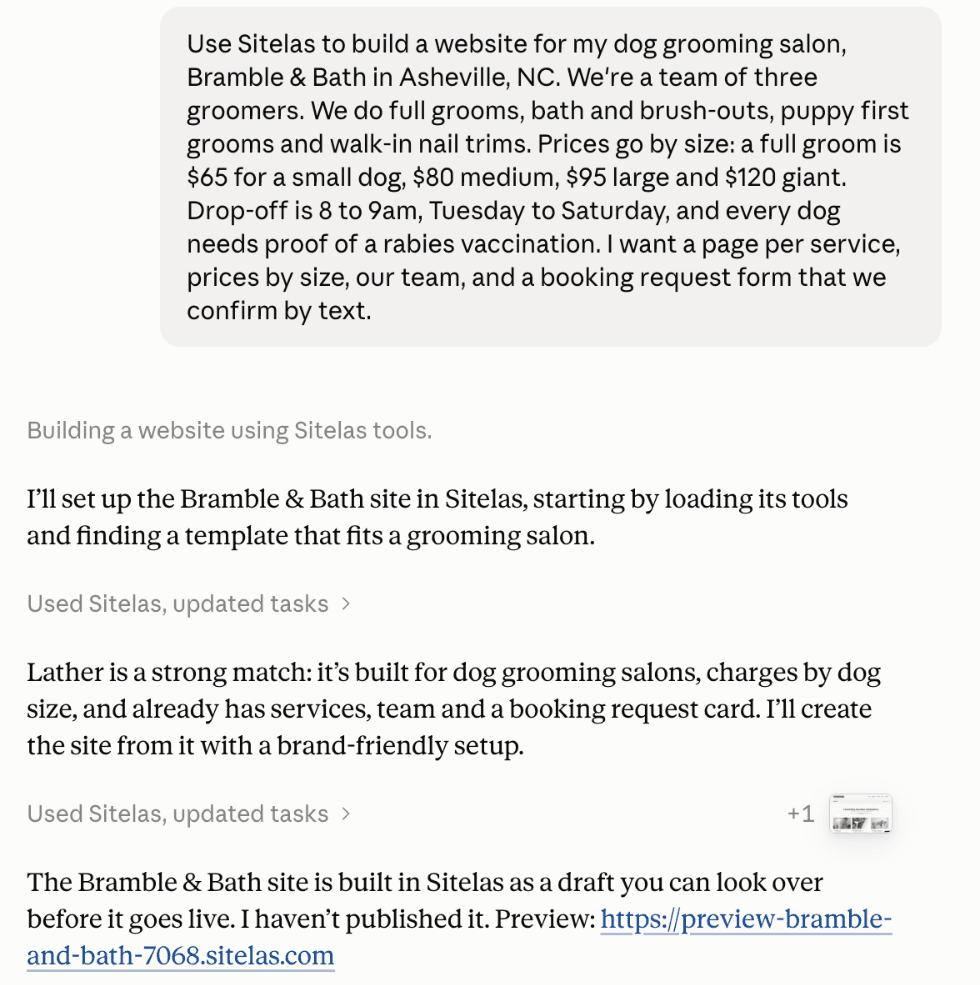
I made up a salon, Bramble & Bath in Asheville. Then I sent Claude one message with our services, prices, rules and the pages I wanted.
Claude picked Lather, Sitelas's pet grooming design, and rewrote it for Bramble & Bath. It took about six minutes.
Step 2: Check the preview
Nothing went live. Claude built a private preview and listed what it could not know:
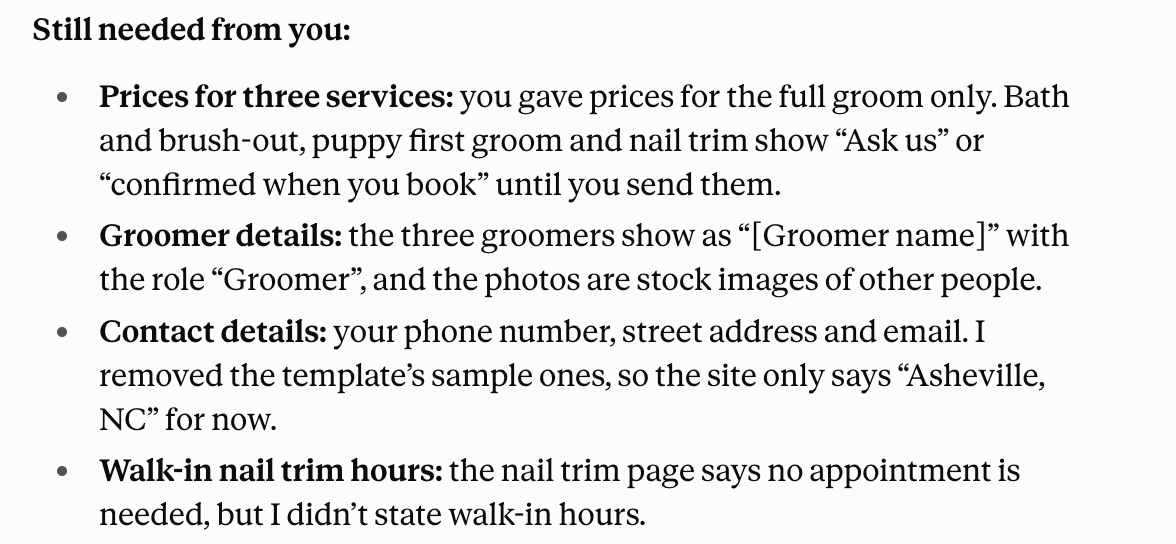
Booking requests land in your Sitelas inbox. You can read them from the same chat: "any new booking requests?"
Step 3: Fill in the details in one message
Then I sent the missing details:
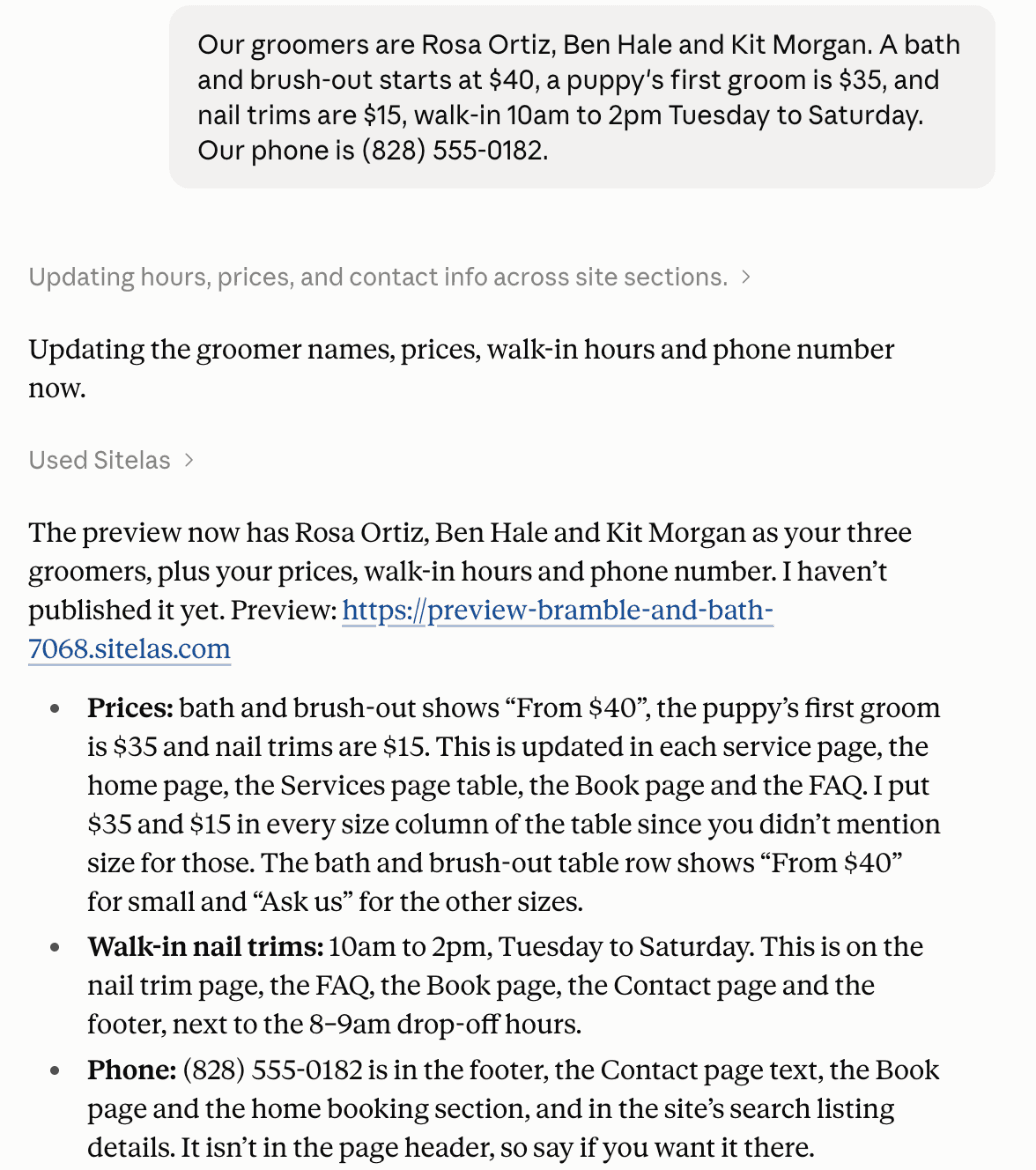
Claude updated the team page, every price and the footer. The live site stays as it was until you say "publish". A new groomer, a price rise or holiday hours is one message.
It wasn't flawless. The prices-by-size table on the Services page came out empty. I told Claude, and it fixed the table in one more message. It also said it should have caught that itself. Check the preview before you publish.
Step 4: Publish
When the preview looks right, say "publish it". The site goes live on a sitelas.com address. For your own domain, see custom domains and SEO.
What it can't do
Sitelas builds and runs the website. It does not put appointments in a calendar, take deposits or send reminder texts. There are no customer logins and no pet records. For instant online booking, link to your grooming software or embed a Calendly page.
Questions people ask
What should a dog grooming website include? Services, prices by dog size, a booking request form, your vaccination and drop-off rules, your groomers and real photos. Put your phone number and town at the top.
What is the best website builder for a dog grooming business? It depends on who keeps it current. Squarespace and Wix give you a design to edit yourself. Grooming software such as MoeGo includes online booking. Sitelas lets you build and update the site by asking Claude or ChatGPT.
How much does a dog grooming website cost? A designer usually charges a one-off fee, and most builders charge monthly. On Sitelas, one published site is free, on a sitelas.com address with a small Sitelas badge. Pro is $9 a month, or $90 a year, per site. It adds your own domain, and lets you read 500 booking requests a month instead of 5.
Can customers book a groom online? They can send a booking request, which lands in your inbox, and you confirm by text. Sitelas has no booking calendar, so for instant booking link to your grooming software.
Should I put my prices on my grooming website? Yes. Owners look for them first. Give starting prices, and say what makes a groom cost more.
New to building by chat? Build a website from a Claude chat covers the basics. Run your website from a Claude chat covers the updates after launch.
Try it
Copy this into a new Claude or ChatGPT chat after adding Sitelas. Swap in your own details first.
Use Sitelas to build a website for my dog grooming salon, [salon name] in [town].
We do [your services]. A full groom is [price] for a small dog, [price] medium,
[price] large. Drop-off is [times], and we need [vaccinations]. A page per
service, prices by size, our groomers, and a booking request form.
- Add to Claude: Sitelas in Claude's connector directory
- Add to ChatGPT: Sitelas in ChatGPT
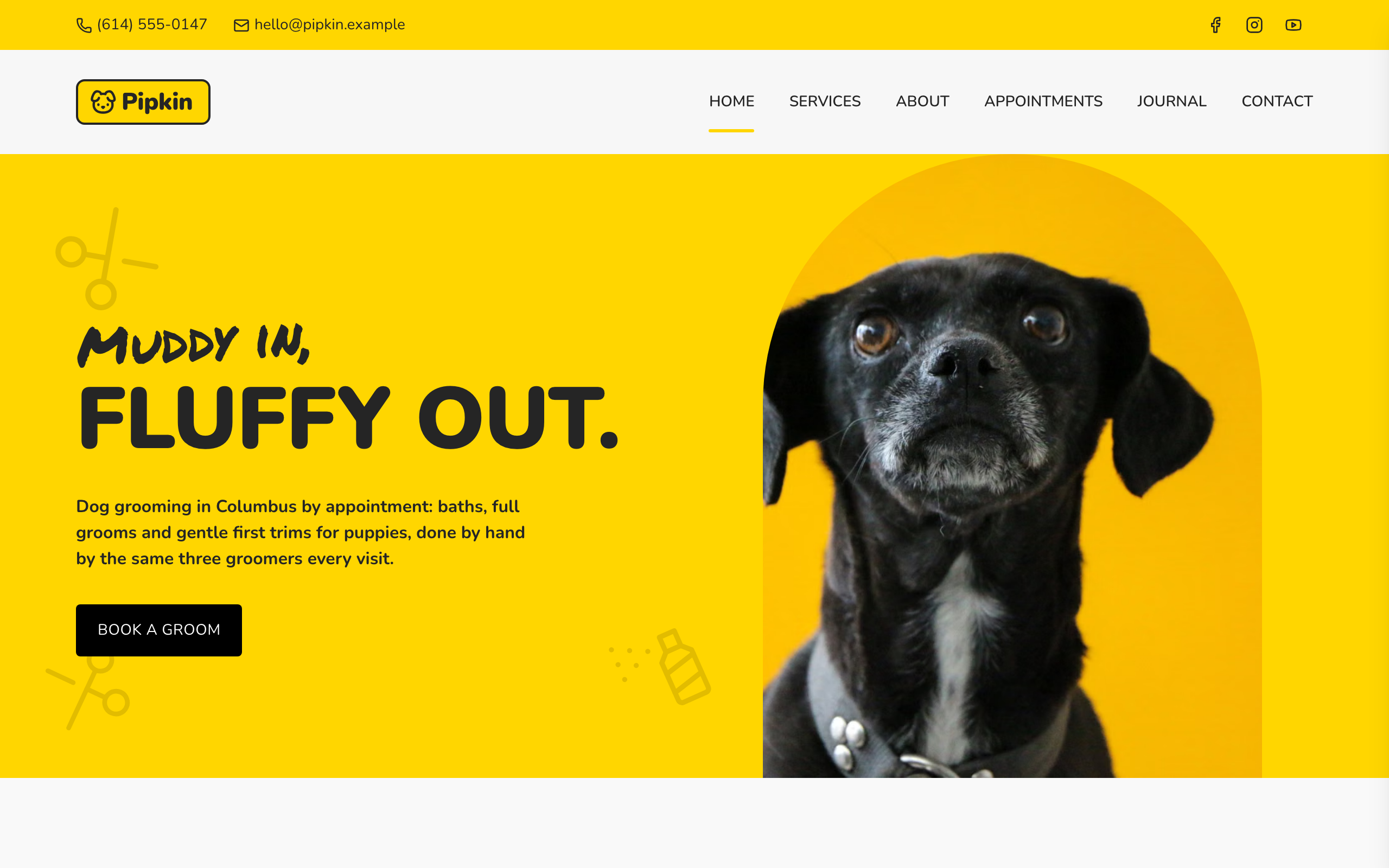
- See the design we used: the Lather pet grooming template
- Other local business designs: local business templates
Templates to start from
Build this with a ready-made design, then change anything.

Usman Haider
Founder of Sitelas — the website builder for AI agents.