Dog Training Website: What a Trainer's Site Needs
What a dog training website needs to win the enquiry: your method in plain words, a page per program, class dates, your trainers' credentials and your rules. Plus how to build one by asking Claude.

Usman Haider

A new puppy is chewing the stairs, or a rescue dog lunges at every bike. The owner searches for a trainer and opens three dog training websites. One talks about "pack leaders" and never says how. One has no dates. The one that gets the enquiry says how it trains, who trains, and when the next class starts.
That is the job of a dog training website. This guide covers what it needs, page by page, whatever you build with. Then it shows how I built one for a made-up training school by asking Claude.
What owners check before they enquire
Most owners arrive from a search like "puppy classes near me". In most of the US, anyone can call themselves a dog trainer. So owners look for signs of trust. The first screen should say:
- What you teach: puppy classes, basic manners, reactive dogs, private lessons.
- Where: your town, and whether you train at a hall or at home.
- How you train: one honest line about your method.
- The next step: one button to enquire or join a class.
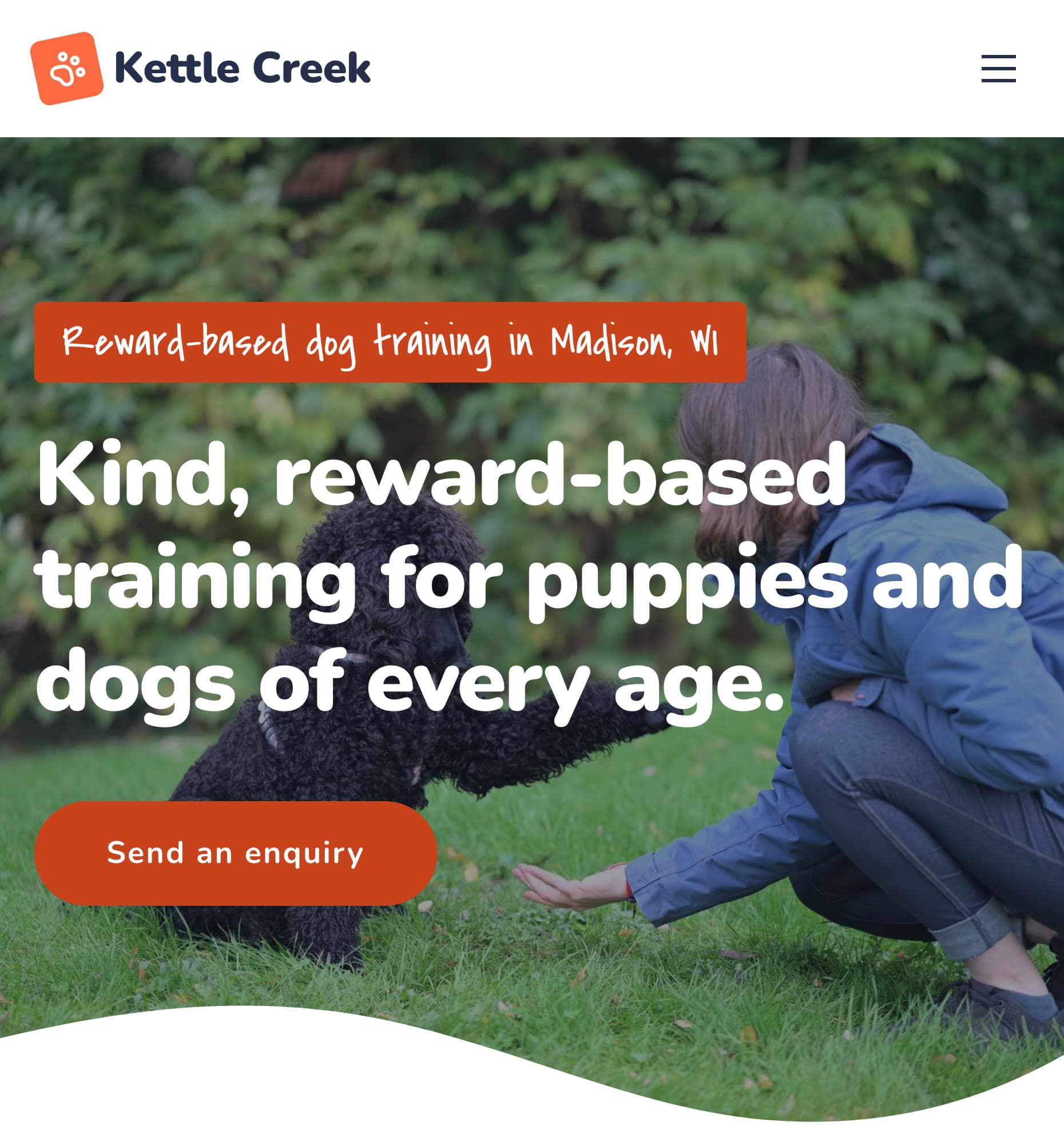
The demo training school built for this guide, on a phone. Method, town and next step, before any scrolling.
What a dog training website needs, page by page
1. Your training method, in plain words
Owners care about this most, and most sites dodge it. Say what you do and what you don't. "We use rewards: food, toys and play. We don't use prong, choke or shock collars." Owners who want that will choose you, and owners who don't will go elsewhere. Both save you a wasted call.
Vague words like "balanced" or "pack leader" make owners guess.
2. A page for each program
Puppy class, basic manners, reactive dog help and private lessons are different buyers. Give each one its own page:
- Who it's for: the age, the problem, the size of the group.
- What the dog will learn, week by week if it's a course.
- How long, where and how much. "$210 for six weeks" beats "contact us for pricing".
- What to bring: treats, a flat collar or harness, a mat.
Separate pages also help search. "Puppy classes in Madison" is a search one page can win.
3. Class dates and spaces
Group classes run in blocks, so the date matters. Show the next start date, the day and time, and how many spaces are left. An old schedule is worse than none. An owner who sees "Spring session" in October assumes you've closed.
You'll change this page most often: every new block, full class and holiday.
4. Your trainers and their credentials
Put a face and a name on every trainer, with their years of experience. Add credentials, such as the CPDT-KA certification. Say who handles what: an owner with a reactive dog wants the trainer who has done that work.
5. Your rules, before the first class
Answer the questions you get on every call:
- Vaccines: which ones puppies need before class, and how to show proof.
- Age limits: the youngest and oldest age for each class.
- Missed classes: is there a make-up?
- Aggression: whether a dog that has bitten can join a group, or needs private sessions first.
6. An enquiry form that asks the right things
Ask for the owner's contact details, the dog's age and breed, and the program. Add one box: "What would you like help with?" The answer tells you if it's a group or private case.
Say how fast you reply, and that nothing is booked until you confirm a place.
7. Proof from real owners
Reviews from owners with the same problem work best. "Our rescue used to bark at every dog" beats "great trainer". Add real photos of your classes, with permission. A short tips blog ("how to stop leash pulling") answers real searches too.
How to build a dog training website by asking Claude
You can build all of the above with any builder. Here is a faster way. Describe your school to Claude, and let it build and run the site with Sitelas. It is an AI website builder for dog trainers that you talk to.
Sitelas is in Claude's connector directory. Adding it takes one click, and the same click creates your account. It also works in ChatGPT as a plugin; how to build a website with ChatGPT shows that route.
Step 1: Describe your school in one message
I made up a training school, Kettle Creek Dog Training in Madison, Wisconsin. Then I sent Claude one message: our method, programs, prices, trainers, class days and the pages I wanted.
Claude picked Heel, Sitelas's dog training design, because it already has programs and trainers built in. About five minutes later it replied:
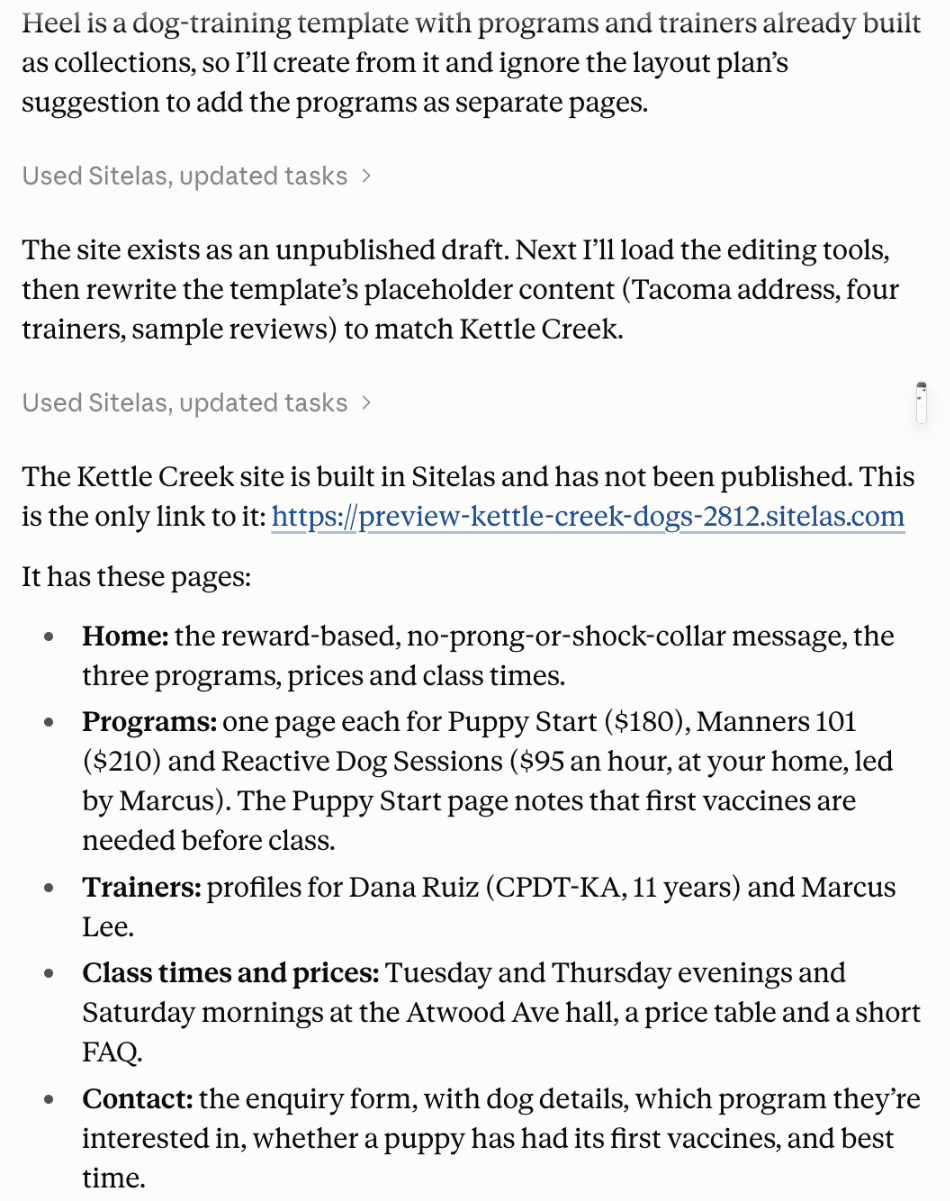
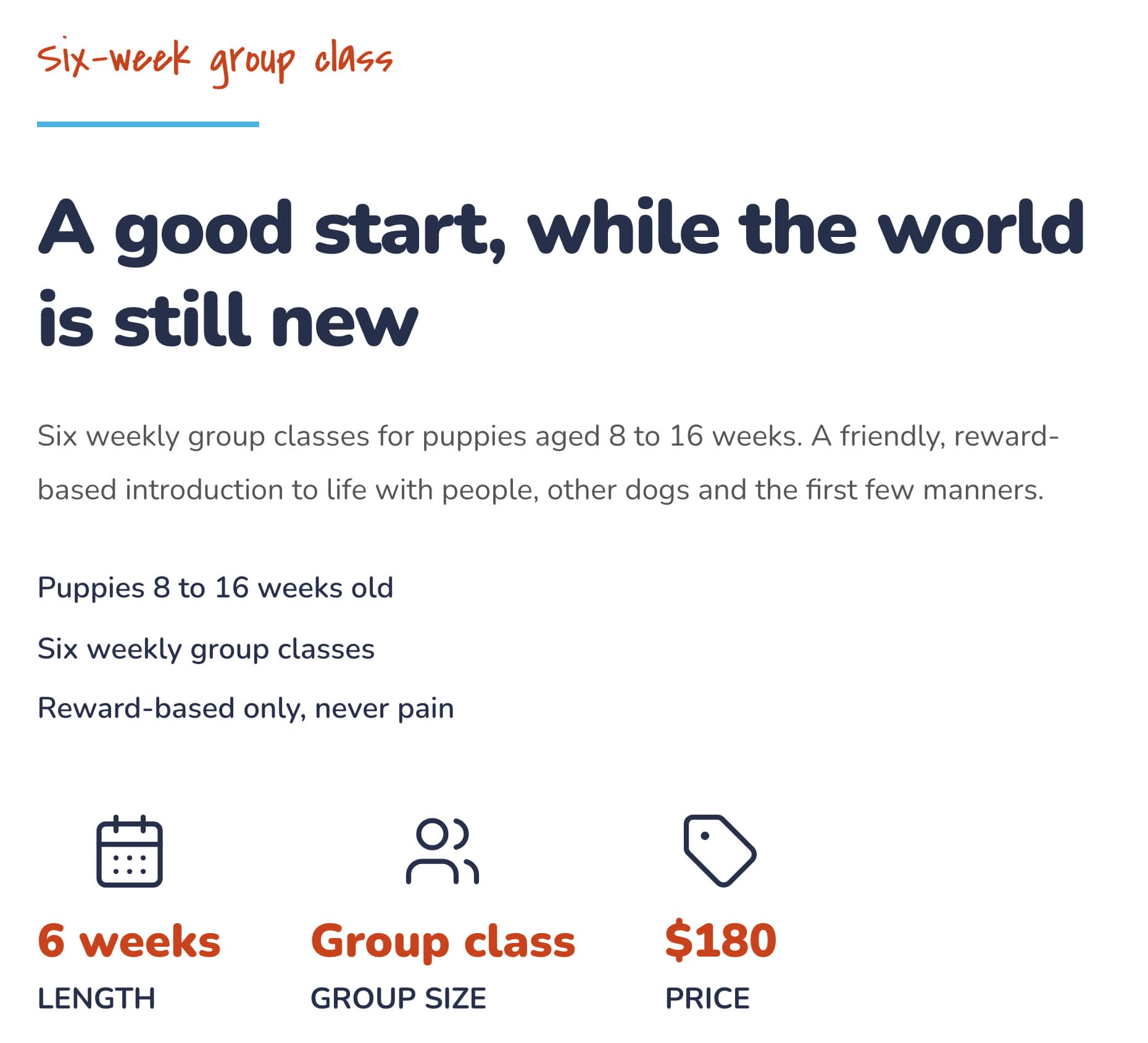
Each program got its own page, with the age, length and price at a glance:
Step 2: Check what it couldn't know
Nothing went live. Claude built a private preview and listed what was missing, such as a phone number and real trainer photos. It removed the template's sample reviews instead of inventing ours.
It also said it hadn't checked the site on a phone. I did, and every page was fine. Still, check the preview on your phone before you publish.
Enquiries land in your Sitelas inbox. You can read them from the same chat: "any new enquiries this week?"
Step 3: Add the next class dates
This is the update a trainer makes every few weeks, so I tried it:
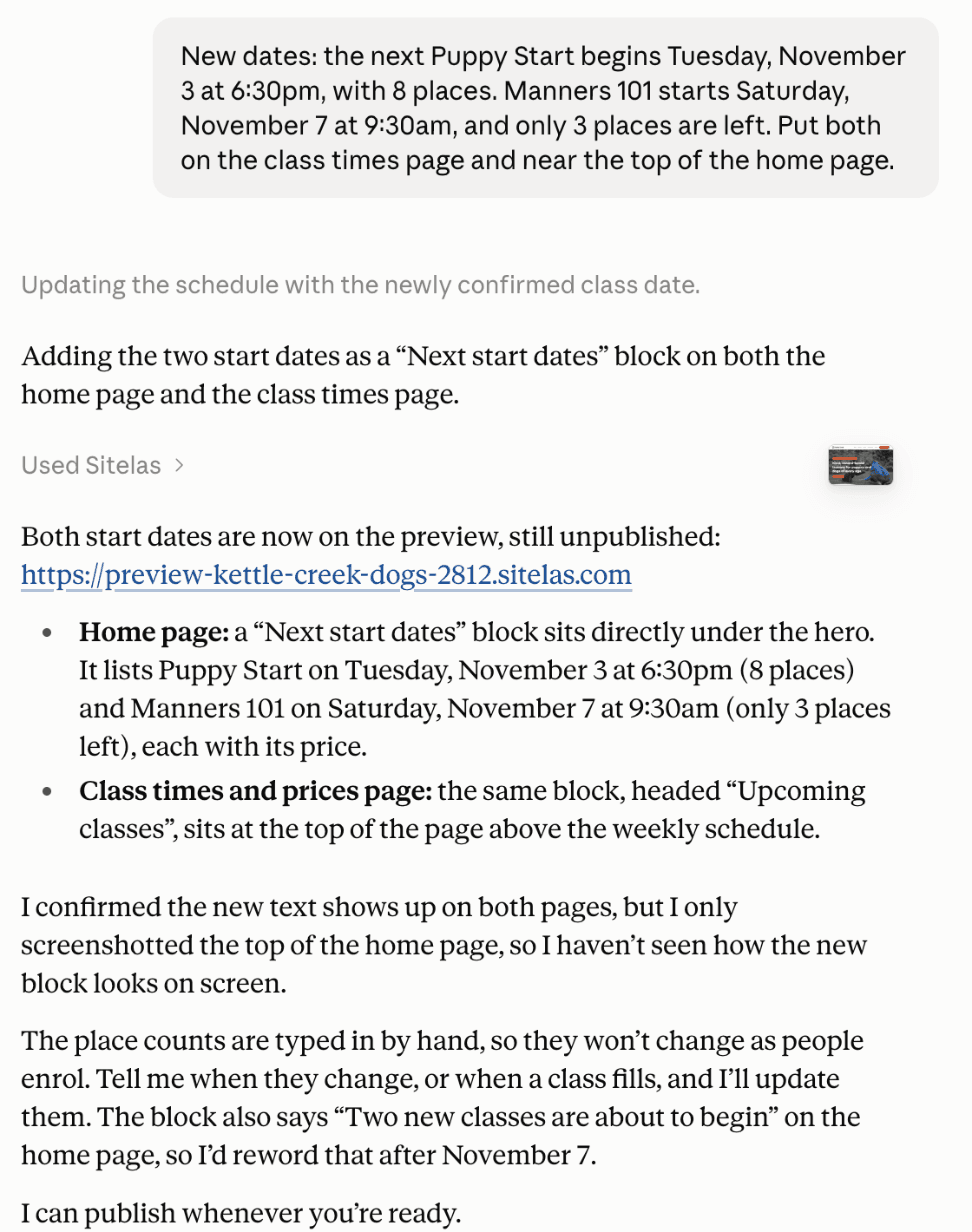
The new dates on the class times page:
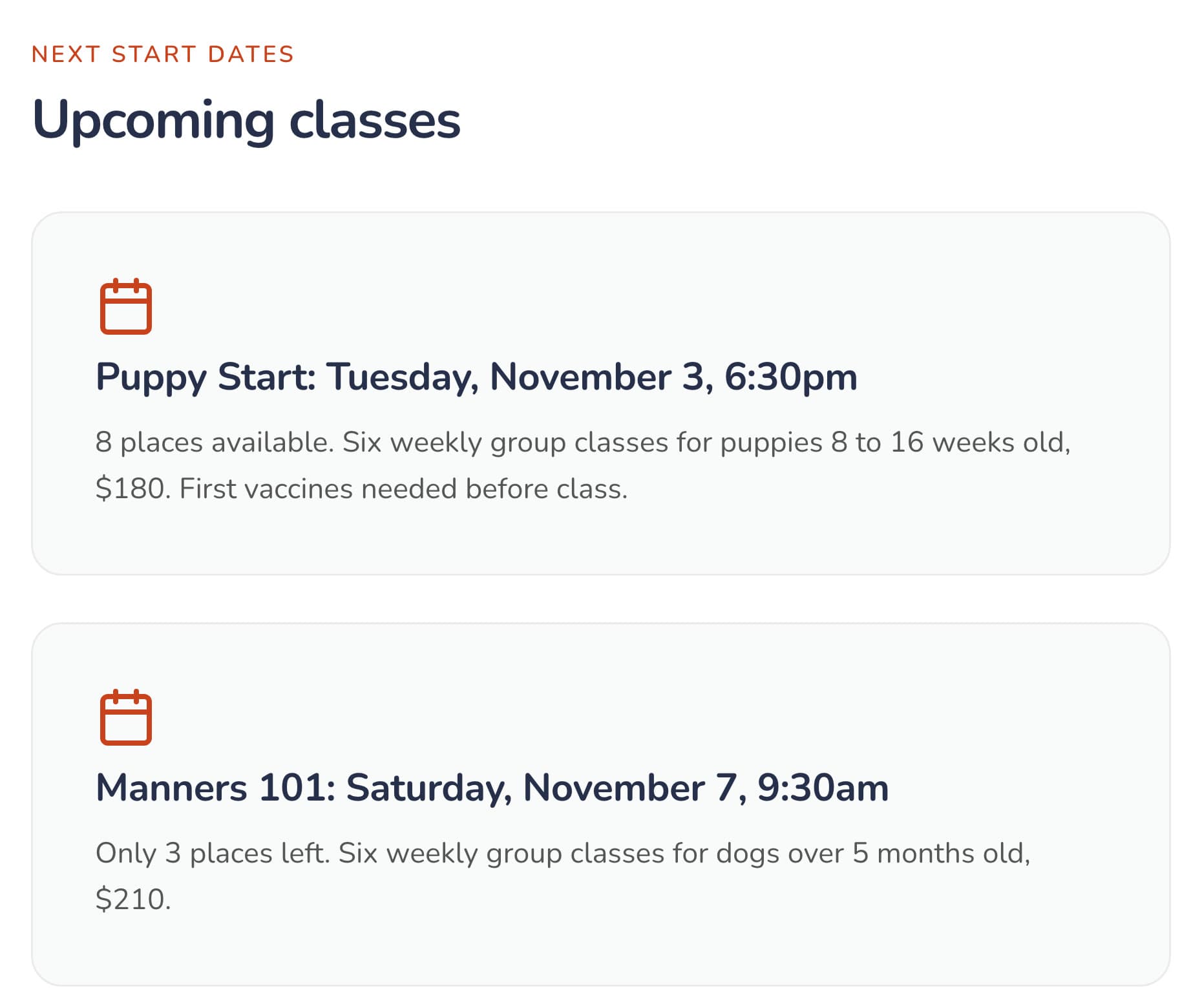
The place counts are typed in by hand, as Claude said. Tell it when a class fills, and it updates the page. The live site stays as it was until you say "publish".
Step 4: Publish
When the preview looks right, say "publish it". The site goes live on a sitelas.com address. For your own domain, see custom domains and SEO.
What it can't do
Sitelas builds and runs the website. It doesn't take class bookings or payments, keep a waiting list, or send reminders. There are no owner logins and no dog records. For instant booking or payment, link to your training software or embed a Calendly page.
Questions people ask
What should a dog training website include? Your method, a page per program with prices, class dates, your trainers, your vaccine and age rules, and an enquiry form. Put your town and the next step on the first screen.
What is the best website builder for dog trainers? It depends on who keeps it current. Wix and Squarespace give you a design to edit yourself. Training software often includes booking and payments. Sitelas lets you build and update the site by asking Claude or ChatGPT.
How much does a dog training website cost? On Sitelas, one published site is free, on a sitelas.com address with a small Sitelas badge. Pro is $9 a month, or $90 a year, per site. It adds your own domain, and lets you read 500 enquiries a month instead of 5.
Should dog trainers put prices on their website? Yes, at least for group classes. Owners compare trainers on price and leave sites that hide it. For private work, give a starting price per session.
Can owners book a class on the website? On Sitelas they send an enquiry, which lands in your inbox, and you confirm the place. For instant booking, link to your booking or training software.
Try it
Copy this into a new Claude or ChatGPT chat after adding Sitelas. Swap in your own details first.
Use Sitelas to build a website for my dog training school, [name] in [town].
We train with [your method]. Programs: [program, ages, length, price], ...
Trainers: [names and credentials]. Classes are [days and times] at [place].
A page per program, our trainers, class times and prices, and an enquiry form.
- Add to Claude: Sitelas in Claude's connector directory
- Add to ChatGPT: Sitelas in ChatGPT
- See the design we used: the Heel dog training template
- Other local business designs: local business templates
Templates to start from
Build this with a ready-made design, then change anything.

Usman Haider
Founder of Sitelas — the website builder for AI agents.