Small Law Firm Website: What to Put On It and How to Build One
What a small law firm website needs, page by page, the bar rules to check, and how to build one and add a practice area by asking Claude.

Usman Haider

Someone gets divorce papers, or loses a parent, and searches for a lawyer that night. They read two or three sites and call the one that answers their question. A small law firm website has one job: be that site. This guide lists the pages, the rules to check before you publish, and what it costs. Then I build one by asking Claude.
What makes a good law firm website?
It tells a worried stranger three things fast. You handle their problem, you work where they live, and here is how to reach you.
Home
One line on who you help and where, in plain words. "Family, estate and small business law in Columbus" beats "Excellence in advocacy." Put the phone number in the header, and make it a link a phone can tap.
A page for each practice area
This is the page that gets found. Someone searching "probate lawyer Columbus" lands here, not on your home page. On each one, list the matters you handle and what happens after they call. Add the questions clients ask in the first meeting, then a way to get in touch.
Attorney profiles
A real photo, the areas each attorney handles, where they are admitted, and a direct phone or email. People hire a person, not a firm name.
A consultation form
Ask only what you need to call back: name, phone, email, the area of law and a good time. Add a short notice: sending the form doesn't make you their lawyer, and they shouldn't send confidential details yet.
Proof, near the button
Bar memberships, years in practice and real client reviews, placed close to the consultation button. Quote a client only with their written permission, and only as your state's rules allow.
Articles that answer common questions
Optional, but they help people find you. Write one short article per question clients ask, like "Do I still need probate if there's a will?"
About, fees and contact
How the firm works and how you charge, even if only "fixed fees for wills, hourly for disputes." Then your address, hours and a map.
The rules that come with a law firm website
Bar rules treat your website as advertising. They differ by state and change over time. Read your own state bar's advertising rules before you publish. A few things come up in most of them:
- No misleading claims. Words like "best" or "expert" and promised outcomes can break the rules.
- Results and testimonials are limited in some states, or need a disclaimer next to them.
- Some states want more on the page, such as the firm's address and phone, or an "Attorney Advertising" label.
- Say the site is general information. Contacting you doesn't create an attorney-client relationship.
Never invent reviews or case results, even as sample text. That matters more on a law firm site than anywhere else.
Law firm website design: what matters more than looks
Most people will open your site on a phone, often in a hurry. The design that wins loads fast and keeps the phone number and consultation button within reach. Use real photos of your attorneys, not stock handshakes. Use the words your clients use: "custody", not "allocation of parental rights". If many of your clients speak another language, give them pages in it.
How to create a law firm website, step by step
- Pick a domain with the firm's name, and use it for email too. Connecting a custom domain shows the steps.
- List your practice areas and write one page for each.
- Get real headshots and a short bio for each attorney.
- Write the consultation form and its notice.
- Check your state bar's advertising rules against every page.
- Set up a Google Business Profile so you show on the map. This guide is written for trades, but the steps are the same.
- Plan updates: a new attorney, a new practice area, a changed fee.
Building one by asking Claude
I made up a firm, Calder & Wynn, four attorneys in Columbus, Ohio. I added Sitelas to Claude and sent one message:
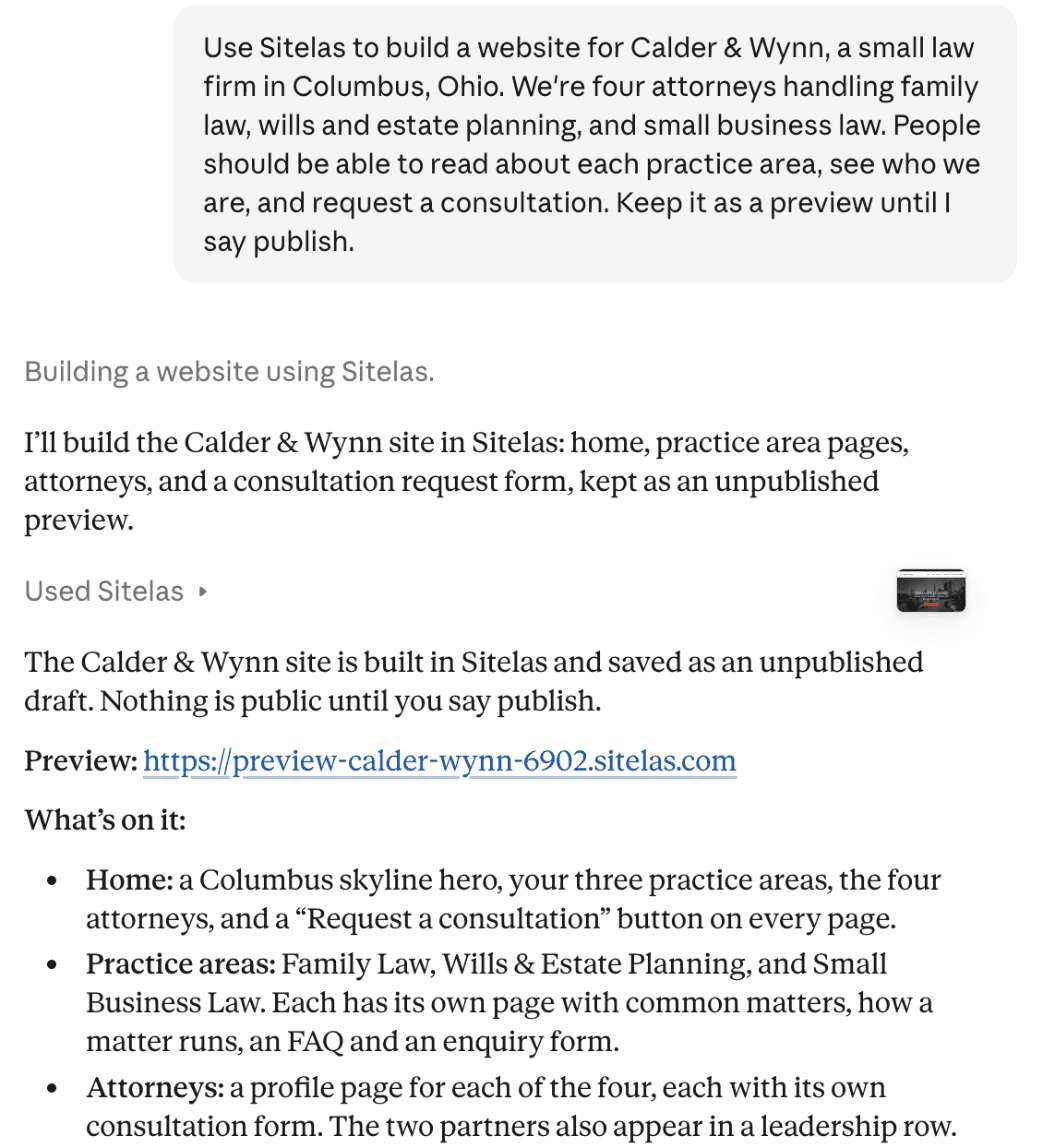
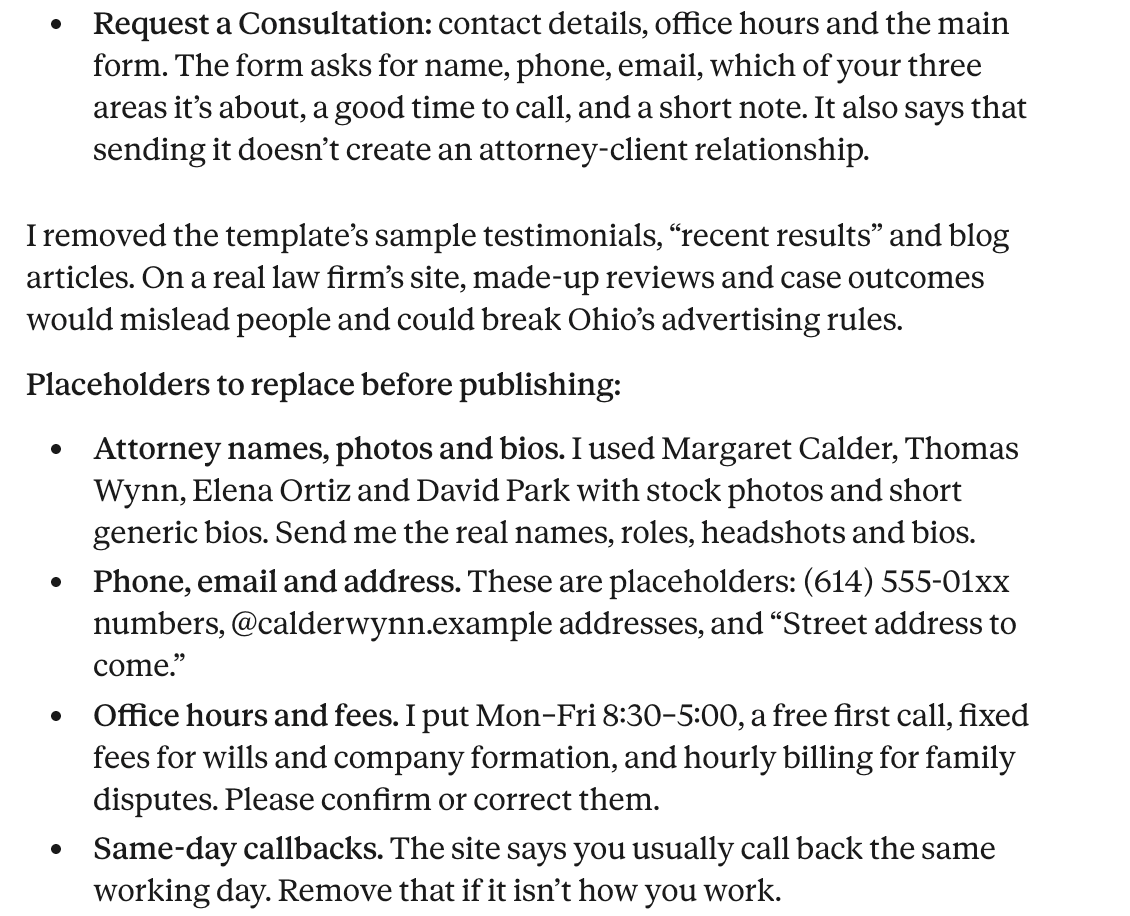
Claude built it from Sitelas's law firm template, Proviso, as a private preview. Without being asked, it removed the template's sample testimonials and "recent results". It said made-up reviews and case outcomes would mislead people. Then it listed what I had to replace:
The home page, on a phone:

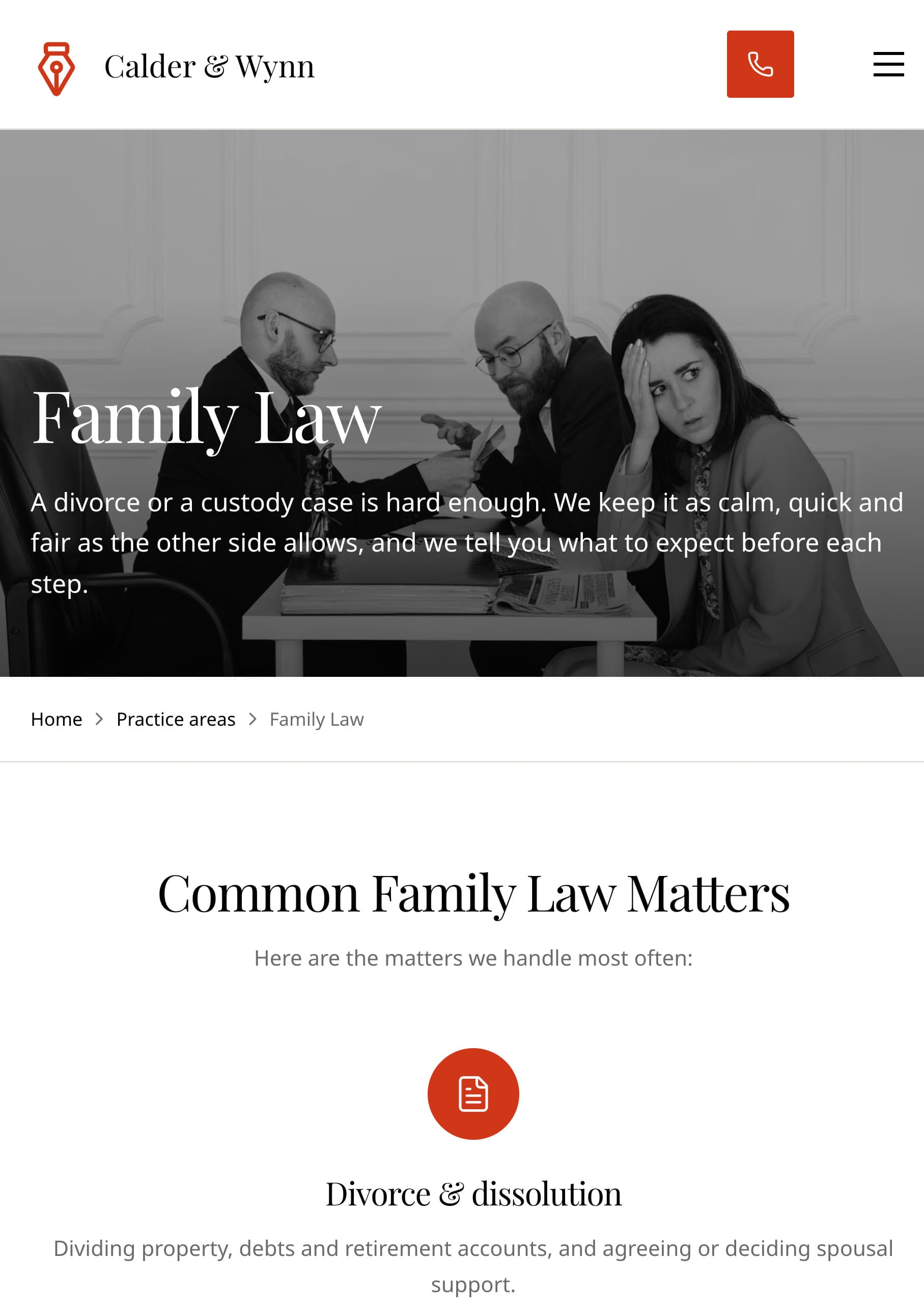
Each practice area has its own page, starting with the matters the firm handles:
Every practice page ends with a consultation form. The notice under it was already in the template:
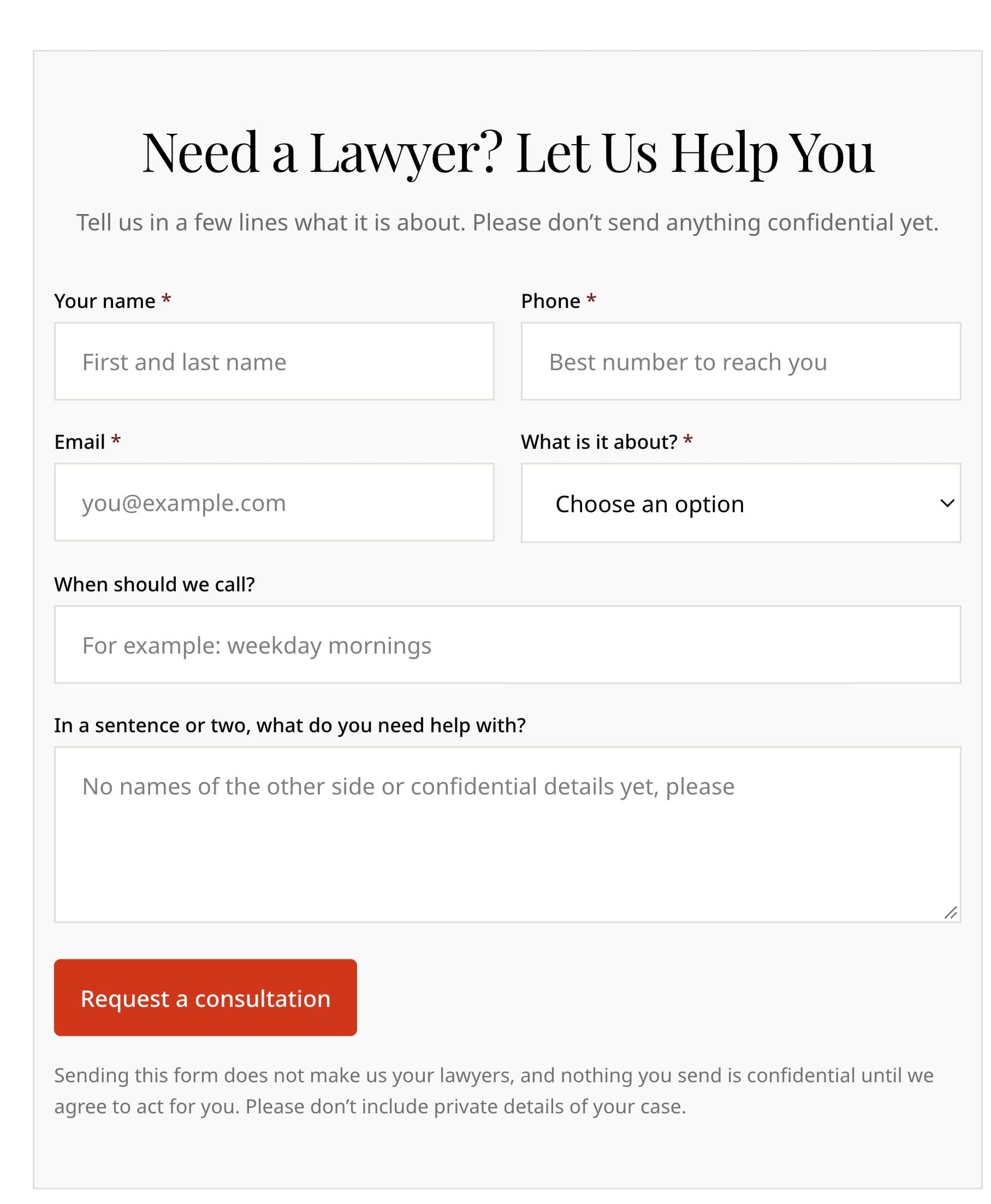
Requests land in the Sitelas inbox, where form messages go. Each attorney gets a profile with a direct line and their own form:

Adding a practice area in one sentence
Then I asked for a new page:
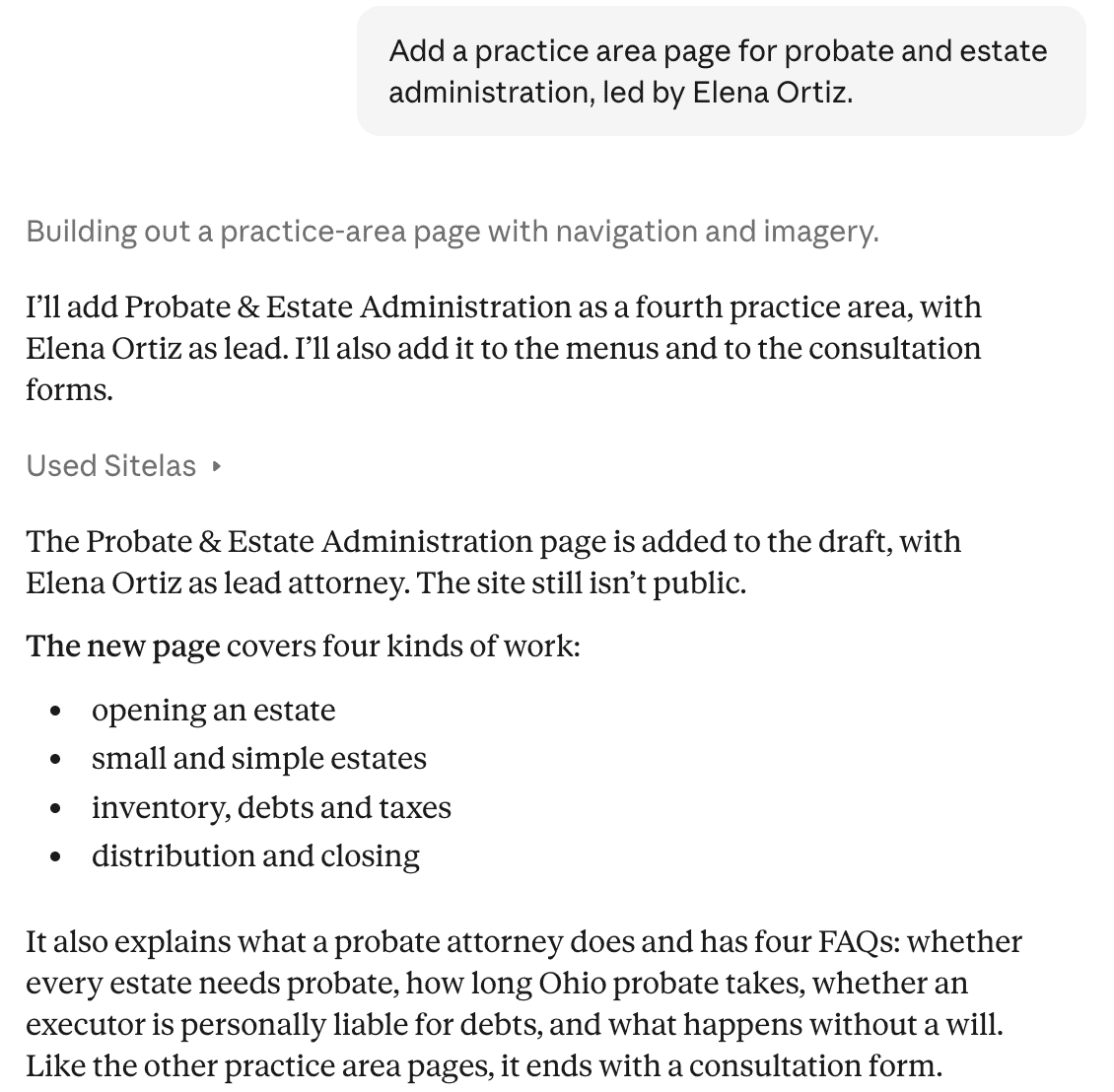
It also added the page to the menus and made probate an option on every consultation form. It updated Elena's title too. The live site stays as it was until you say "publish it".
Read every word Claude writes before that. It drafted answers like "how long does probate take in Ohio?" They sound right, but an attorney has to check each one. Your name is on it, not Claude's. To fix a sentence yourself, there's an editor where you click and type on the page.
One more thing to set up first. A Sitelas site has one owner account, with no separate logins per attorney. Create it under a firm email, like office@yourfirm.com, not a partner's own address.
What it can't do
Sitelas builds and runs the website. It has no client portal, no case management, no intake software and no e-signature. It doesn't take fee payments. To let people book a consultation time, embed your own Calendly page. Requests land in a Sitelas inbox. The Free plan reads 5 a month, which a busy practice will pass. Pro reads up to 500.
What a small law firm website costs
- The domain: usually about $10 to $20 a year.
- General builders: a monthly plan, plus your time to build and update it.
- Sitelas: Free has one published site with Sitelas branding. Pro is $9 a month per site, or $90 a year, with your own domain.
- A legal marketing agency: often thousands of dollars to build, then a monthly fee.
Questions people ask
What makes a good law firm website? It answers a worried visitor's questions fast. Say what you handle and where, and give each practice area its own page. Show who your attorneys are and offer an easy way to ask for a consultation.
How do I create a law firm website? Pick a domain and list your practice areas. Write a page for each, add attorney profiles and a consultation form, and check your state bar's advertising rules. A builder or a template does the design.
Do law firm websites have to follow advertising rules? Yes. State bars treat a firm's website as advertising, and the rules vary by state. Check yours before you publish, especially for testimonials and past results.
Can clients book a consultation on a Sitelas site? They can send a request through the form, and you call them back. For self-booking, embed your own Calendly page.
Try it
Copy this into a new Claude or ChatGPT chat after adding Sitelas. Swap in your own details first.
Use Sitelas to build a website for [firm name], a law firm in [city].
We're [number] attorneys handling [your practice areas].
People should be able to read about each practice area, see who
we are, and request a consultation. Keep it as a preview until I
say publish.
- Add to Claude: Sitelas in Claude's connector directory
- Add to ChatGPT: Sitelas in ChatGPT
- See the designs: the Proviso law firm template for a small firm, Docket for a solo trial lawyer, or every agency and professional services template
Already built? Running your website from a Claude chat covers the weekly routine. Running an injury practice? Personal injury lawyer marketing covers getting cases in.
Templates to start from
Build this with a ready-made design, then change anything.



Usman Haider
Founder of Sitelas — the website builder for AI agents.