How to Create a Nonprofit Website People Give Through
What a nonprofit website should include, page by page, the legal basics, the costs, and how to build one and keep its giving totals current by asking Claude.

Usman Haider
A donor hears about your coat drive and looks you up that evening. If the site shows last winter's appeal, or the donate button goes nowhere, the moment passes. This guide covers how to create a nonprofit website that turns a visit into a gift. It lists the pages, the legal basics and the costs. Then I build one by asking Claude.
What should a nonprofit website include?
Write for the person who has never heard of you. Your board already knows the story.
Home
Say what you do and who it helps in one line, in plain words. Then a photo of your real work, a donate button and a volunteer button. Put the donate button in the header too, on every page.
Programs
One page for each program. Say who it serves and what a gift pays for. If it has a goal this year, show how close you are. A number gives a donor a reason to give today.
Donate
How to give once and how to give monthly, with a few suggested amounts. Add other ways to give: by check, in kind, through an employer. Answer the questions donors ask, like whether a gift is tax-deductible.
Volunteer
The roles you need, when they happen and a short sign-up form. Ask only a name, an email, what they'd like to do and when they're free.
Events and news
Upcoming events with dates, times and places. Take past ones down. A few news posts a year show you are active and spending gifts well.
About
Your story, your board and staff with real photos, and proof you are accountable. Link an annual report or your latest Form 990, the yearly IRS return for US charities.
Contact
Address, phone, email and a form. Say who reads the messages.
The legal basics
- Your EIN in the footer. Donors and employers use it to check you are a registered charity.
- A privacy note. If forms collect names or emails, say what you collect and who sees it.
- Registering before you ask. Most US states require a charity to register before asking residents for donations. Check with your state's charity office.
How to create a nonprofit website, step by step
- Decide who will update it. Pick two people, so the site survives one of them leaving.
- Pick a platform those two can use. Options below.
- Get a domain, usually your name plus .org. Connecting a custom domain shows the steps. Google Ad Grants' website policy asks you to own your domain. A free subdomain won't do.
- Set up giving with a payment service such as Stripe, one link per amount. Then link the buttons to it.
- Write the pages above, in plain words.
- Use your own photos of real work, with people's permission.
- Check it on a phone. Many donors will open it on one.
- Plan updates: program totals monthly, events weekly, the rest each season.
Where to build it: the options
- General builders such as Wix and Squarespace: drag-and-drop editors with nonprofit templates. Wix also takes donations itself.
- Nonprofit platforms: donation and donor-management tools that include a website or a donation page.
- WordPress: the most flexible, and the most upkeep.
- A chat assistant: you describe the change in plain words and an AI assistant makes it. Sitelas works this way from Claude or ChatGPT. Wix now offers a chat route too, through its own Claude connector and ChatGPT app.
Ask of each one: could your least technical volunteer update a total without help?
Building one by asking Claude
I made up a food bank, Harbor Street Food Share in Toledo, Ohio. I added Sitelas to Claude and sent one message:
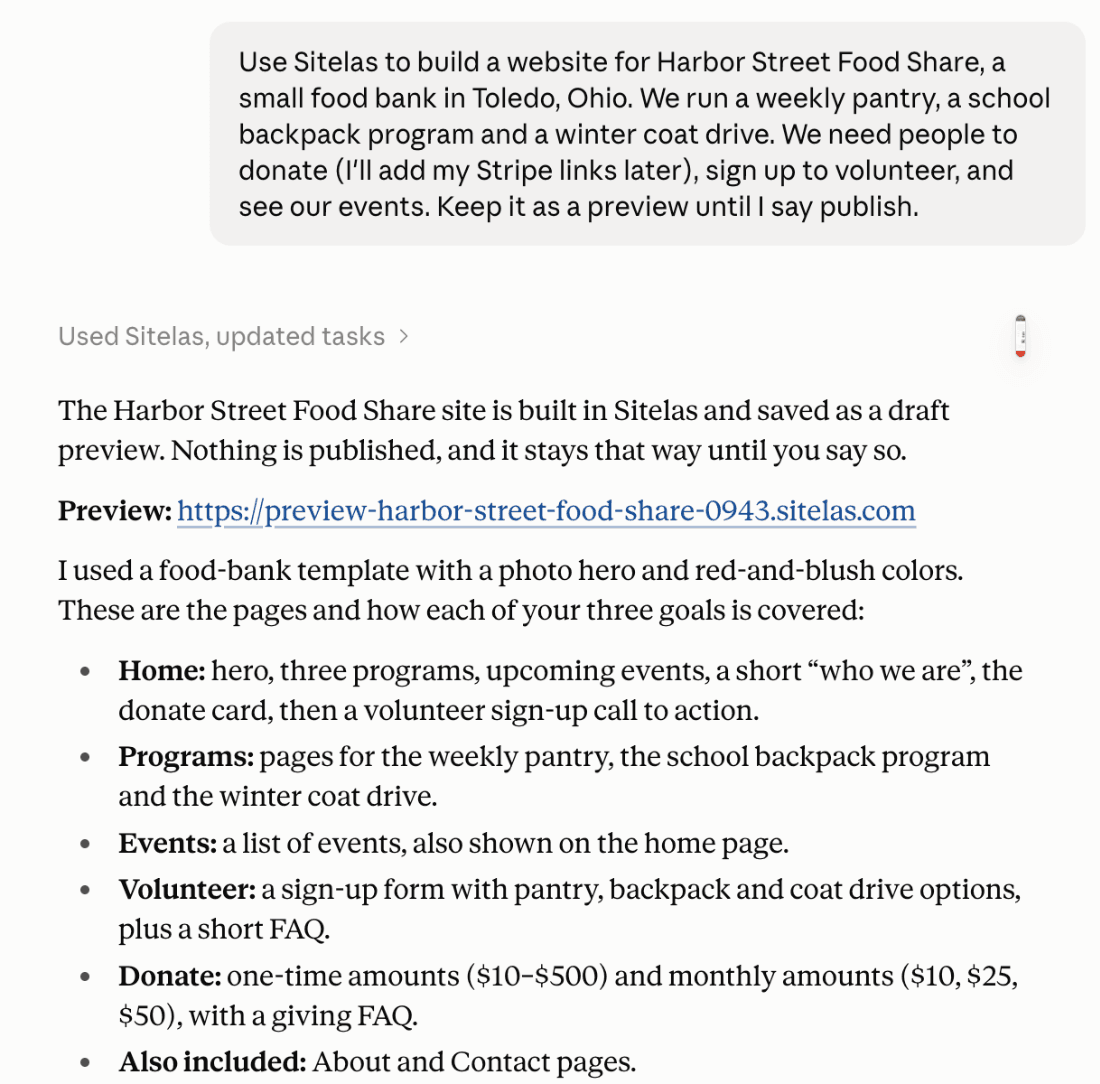
Claude built it from Sitelas's nonprofit template, Almoner, as a private preview. It removed the template's made-up staff and figures. Then it listed what I had to fill in: Stripe links, event dates and contact details.
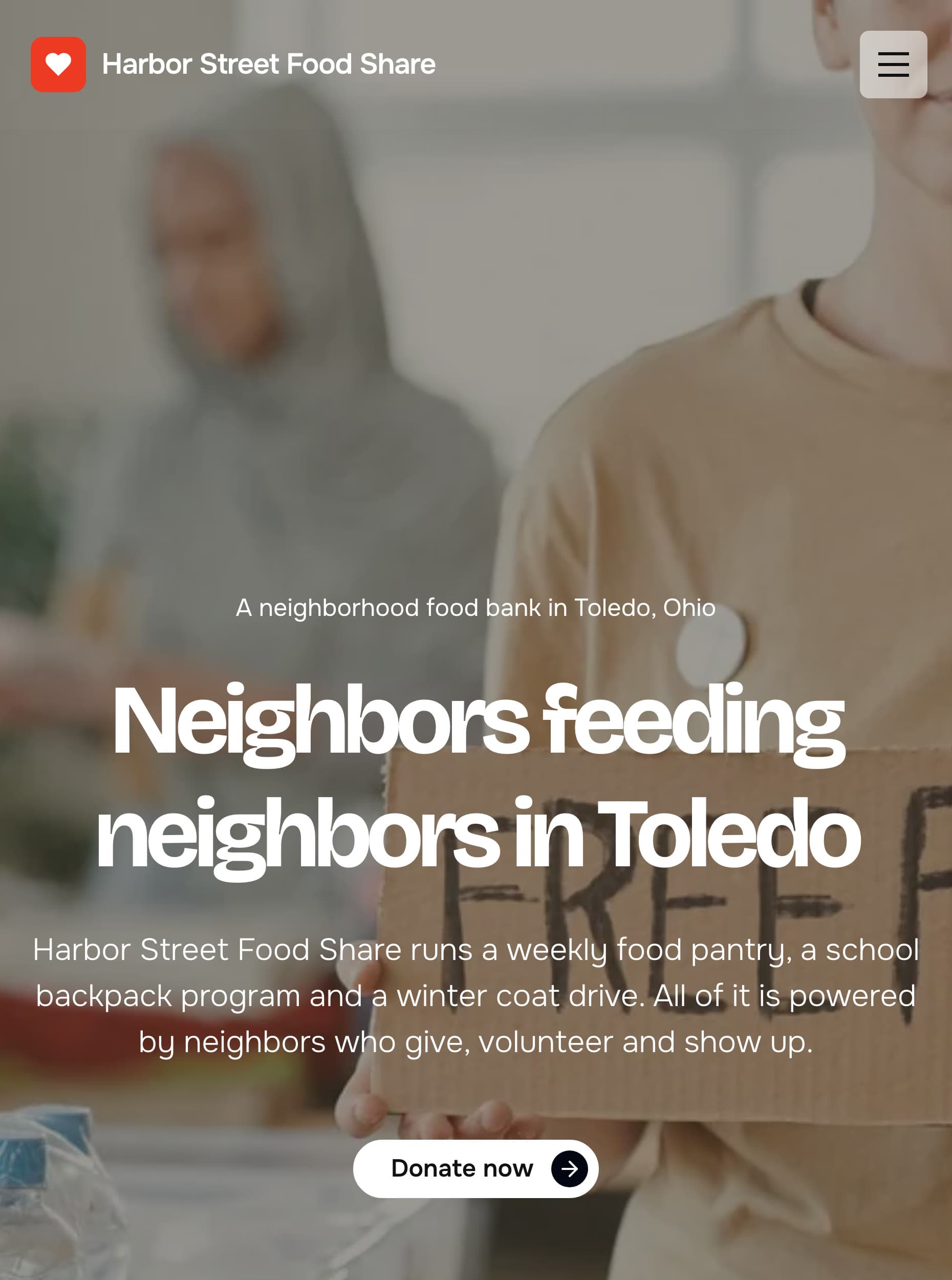
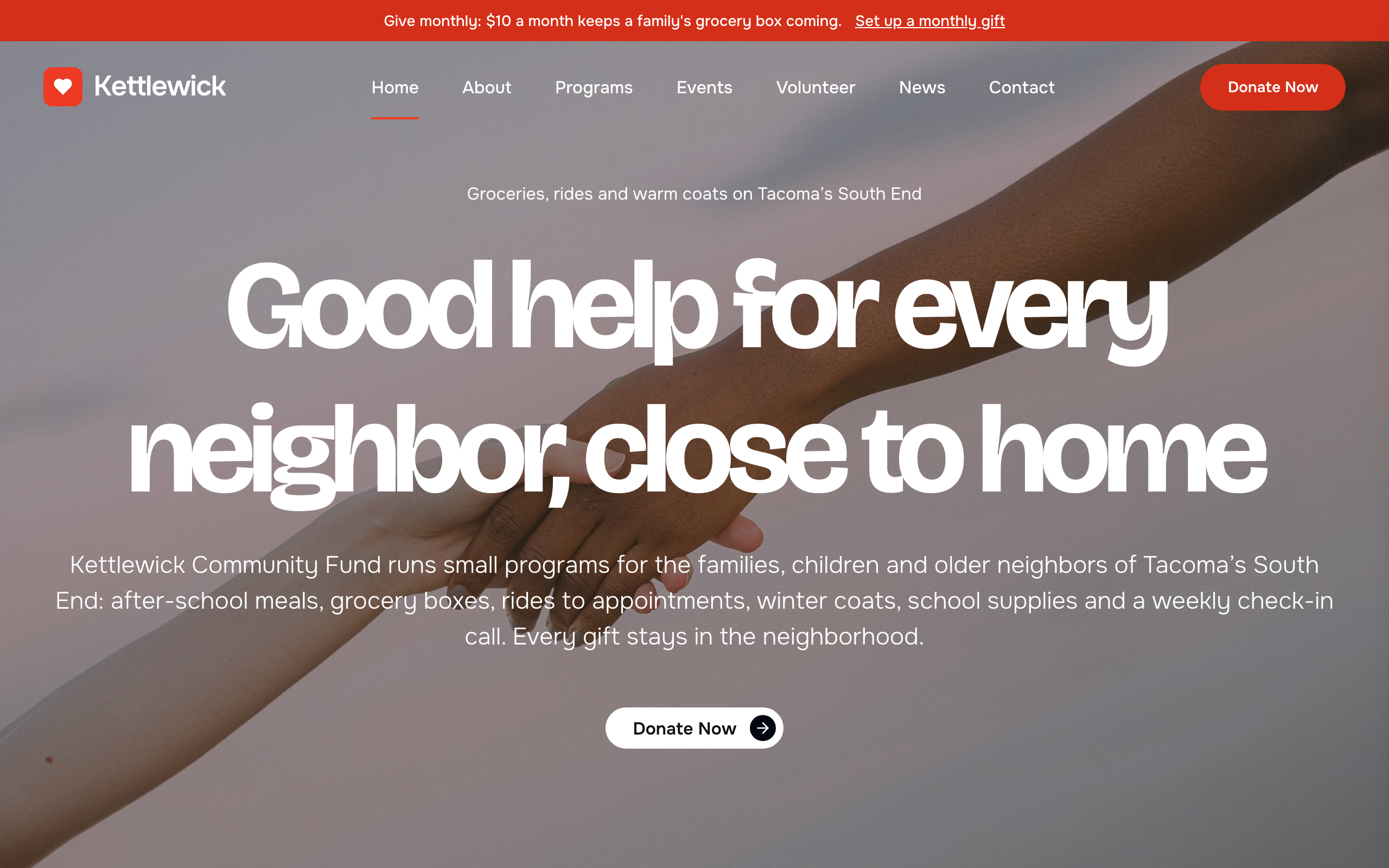
The first screen on a phone says what the food bank does, with one button:
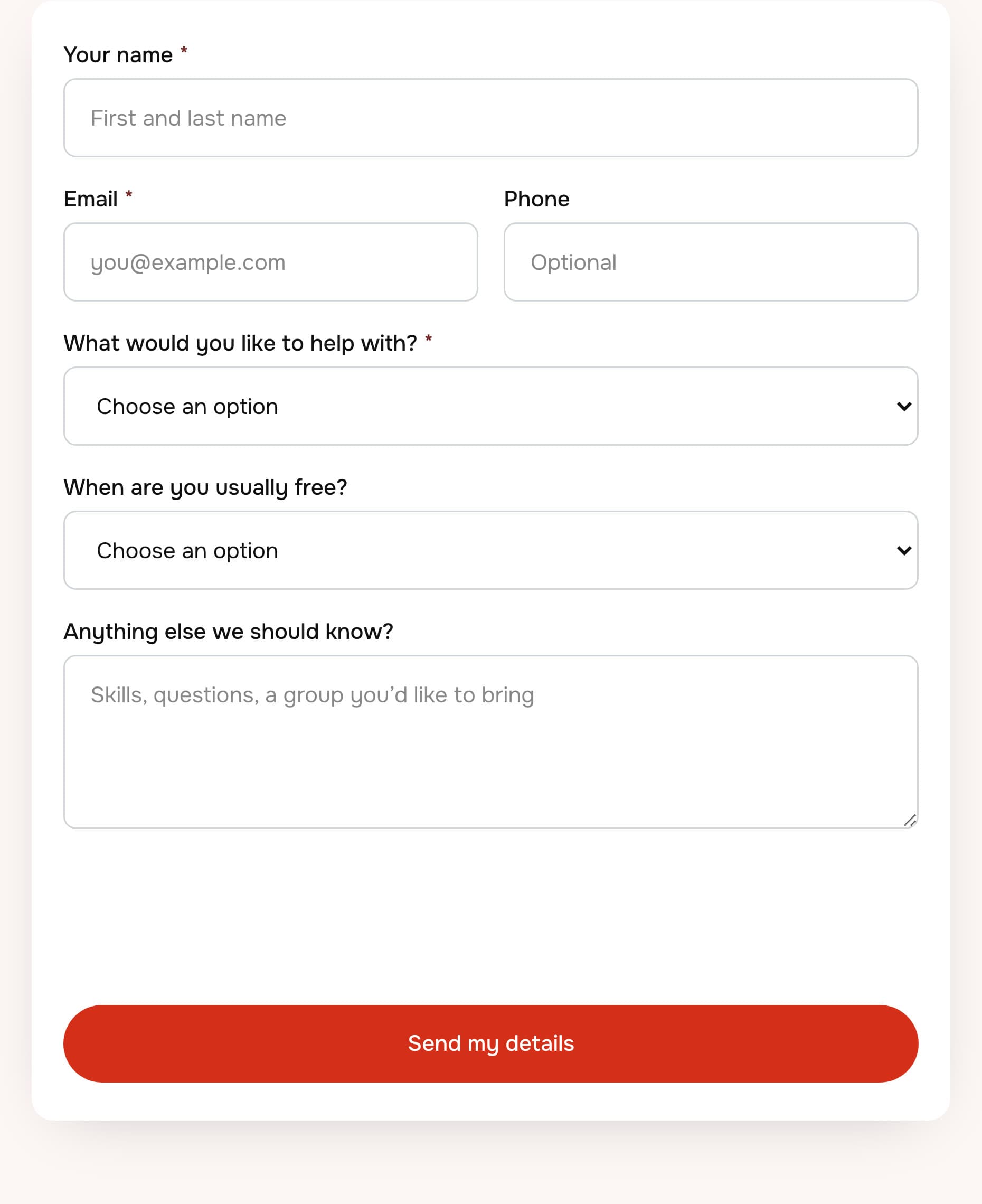
The volunteer page has a short sign-up form. Sign-ups land in the Sitelas inbox, where form messages go.
Updating the total in one sentence
Then I gave the coat drive a goal: $6,000, with $2,400 raised so far.
It wasn't flawless. Claude first typed a progress bar into the page's text, which I'd have had to edit by hand. The template has its own goal fields, shown only on programs with a goal. I asked it to use those, and it did. We've logged the mistake to fix.
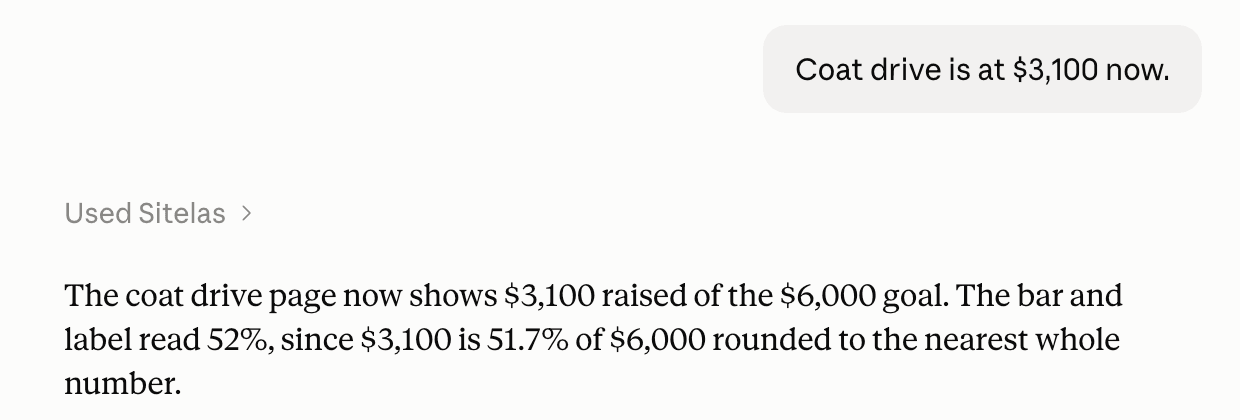
After that, an update is one sentence:
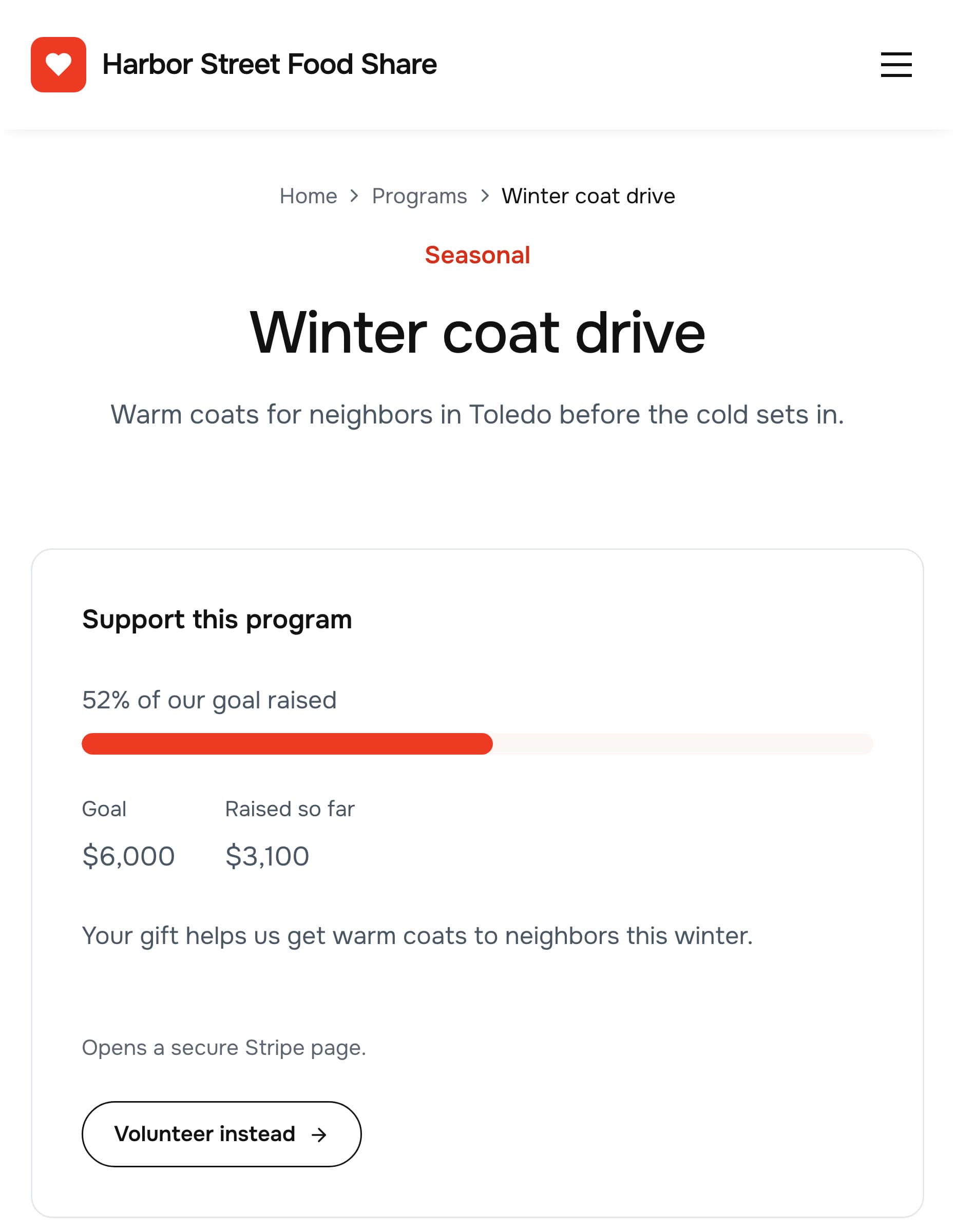
The coat drive page now shows the goal, the amount raised and the bar:
The total is a number you give Claude. It doesn't read your Stripe account, so it changes when you tell it to. The program's own give button stays hidden until you add its Stripe link. When it all looks right, you say "publish it".
Set one thing up first. A Sitelas site has one owner account, with no separate logins per editor. Create it under an organization email, like office@yourcharity.org. Then the site stays with the charity when people move on. To fix a word yourself, there's an editor where you click and type on the page.
What it can't do
Sitelas builds and runs the website. It doesn't handle money: each giving amount is a payment link from your own Stripe account. There are no donor logins, no donor database, no tax receipts and no event registration. It doesn't send newsletters, so link your email tool's sign-up form instead. Sign-ups and messages land in a Sitelas inbox. The Free plan reads 5 a month, which a busy season will pass. Pro reads up to 500.
How much a nonprofit website costs
- The domain: usually about $10 to $20 a year for a .org.
- General builders: from about $17 a month, by Wix's own guide (October 2026).
- Sitelas: Free has one published site with Sitelas branding. Pro is $9 a month per site, or $90 a year, with your own domain.
- Payment fees: your payment service takes a small cut of each gift. Ask Stripe about nonprofit rates.
- A designer: a few hundred to several thousand dollars, plus each later change.
Questions people ask
What should a nonprofit website include? What you do and who it helps, a page per program, and clear ways to donate and volunteer. Add events, your EIN, a privacy note and an annual report.
How do I create a nonprofit website for free? Most builders have a free plan with their branding and their address. You'll want your own domain later, especially to apply for Google Ad Grants.
Can people donate on a Sitelas site? Yes, through Stripe Payment Links you create, one per amount, once or monthly. Sitelas doesn't process or hold the money.
Can volunteers sign up on the site? Yes. Each sign-up goes to your Sitelas inbox, and you can forward them to your own tools.
Does a nonprofit website need a privacy policy? If your forms collect names or emails, say what you collect and who sees it. The legal rules depend on where you are, so check yours.
Try it
Copy this into a new Claude or ChatGPT chat after adding Sitelas. Swap in your own details first.
Use Sitelas to build a website for [name], a nonprofit in [town].
We run [your programs]. We need people to donate (I'll add my
Stripe links), sign up to volunteer, and see our events.
Keep it as a preview until I say publish.
- Add to Claude: Sitelas in Claude's connector directory
- Add to ChatGPT: Sitelas in ChatGPT
- See the design we used: the Almoner nonprofit template, or every nonprofit, church and campaign template
Running a church? How to build a church website covers the parts that differ. Already built? Running your website from a Claude chat covers the weekly routine.
Templates to start from
Build this with a ready-made design, then change anything.

Usman Haider
Founder of Sitelas — the website builder for AI agents.