How to Build a Church Website That Stays Current
What a church website needs, page by page, how to build one step by step, what it costs, and how to keep it current by typing a sentence.

Usman Haider
The Easter schedule is still on the home page in July. The volunteer who built the site moved away, and nobody has the password. This guide covers how to build a church website that stays current. It lists the pages, the steps and the costs. Then I build one for a made-up church by asking Claude, so you can see each step.
What a church website needs, page by page
Write for the visitor who has never been inside. Members already know their way around.
Home
Service times and the address on the first screen. Then a short welcome, a photo of your real people, and buttons to plan a visit, watch a sermon and give.
Plan your visit
This is the page newcomers read most closely. Answer the questions they're too shy to ask:
- where to park and which door to use;
- how long the service is and what happens in it;
- what to wear (say "come as you are" only if you mean it);
- what happens with children, and whether they need to be signed in;
- whether there's access for wheelchairs.
About
Your story, your beliefs in a few plain lines, and the pastor and staff with real photos.
Sermons
The latest sermon first, with the date, speaker and passage. If you already post on YouTube or as a podcast, put that player on the page.
Events and ministries
Upcoming events with dates, times and places. Take past ones down. Give each ministry a short entry and one name to contact.
Give
How to give online and what gifts pay for. A payment service such as Stripe, or a church giving platform, handles the money.
Contact and prayer requests
The address with a map, a phone number, an email and a form. If you take prayer requests, say who reads them.
A privacy note
If forms collect names, emails or prayer requests, say what you collect and who sees it. The rules vary by place, so check yours.
How to build a church website, step by step
- Decide who will update it. Pick two people, so the site survives one of them leaving.
- Pick a platform those two can use. Options below.
- Get a domain. Short and obvious: your church's name plus .org or .church. Connecting a custom domain shows the steps.
- Write the pages above. Plain words, written for a visitor.
- Use your own photos. People at a real service or event, with their permission.
- Set up giving with a payment service, and link it from the Give page.
- Check it on a phone. Most visitors will open it on one.
- Claim your Google Business Profile, the free Google Maps listing that links to your site.
- Put updates on the calendar. Events and sermons weekly, the rest each season.
Where to build it: the options
- General builders such as Wix and Squarespace: drag-and-drop editors with templates you can adapt for a church.
- Church platforms such as Tithely and The Church Co: the website bundled with giving, an app or member records.
- WordPress: the most flexible, and the most upkeep.
- A chat assistant: you describe the change in plain words and an AI assistant makes it. Sitelas works this way from Claude or ChatGPT. Wix now offers a chat route too.
The question to ask of each one: could your least technical volunteer change the Sunday times without help?
Building one by asking Claude
I built a site for a made-up church, Cedar Row Fellowship in Dayton, Ohio. I added Sitelas to Claude and sent one message:
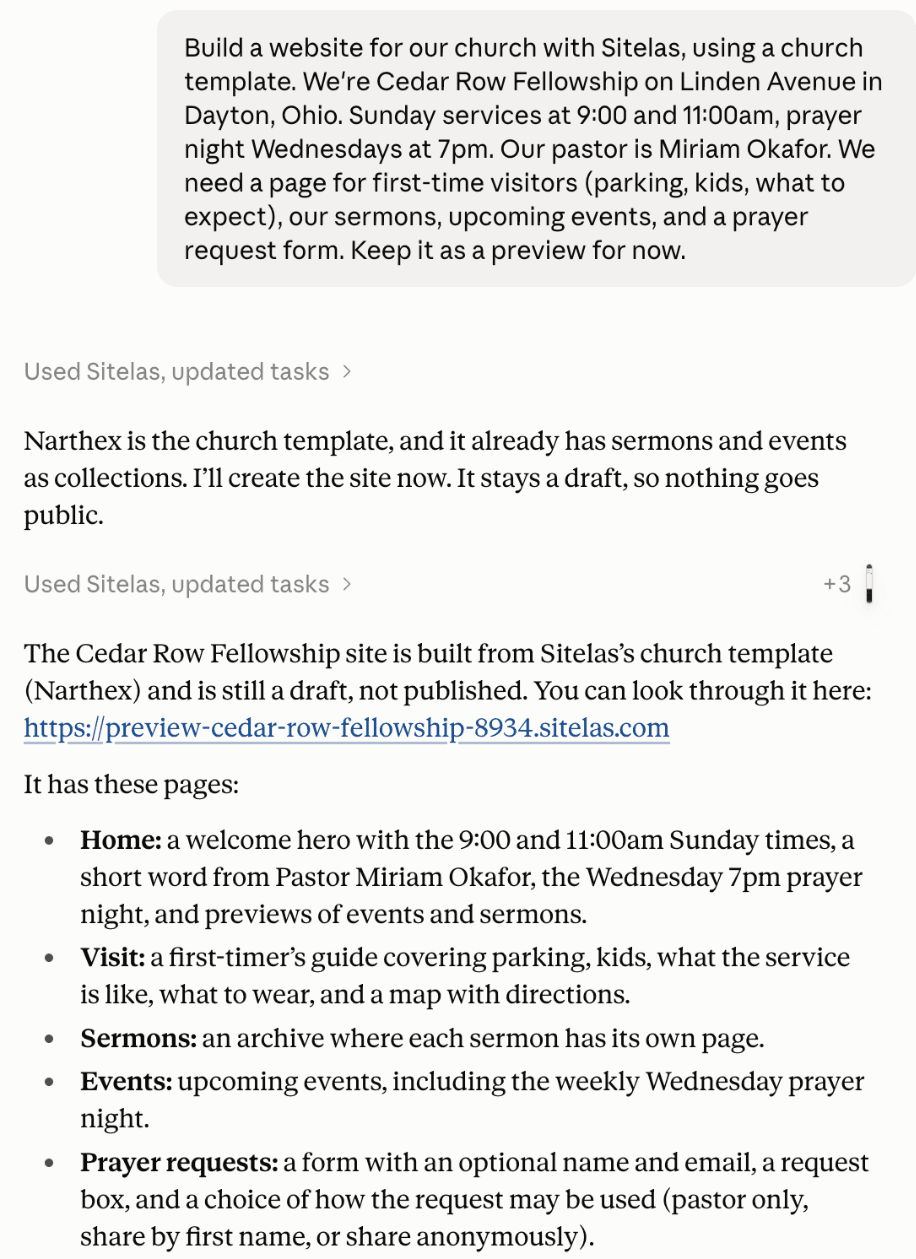
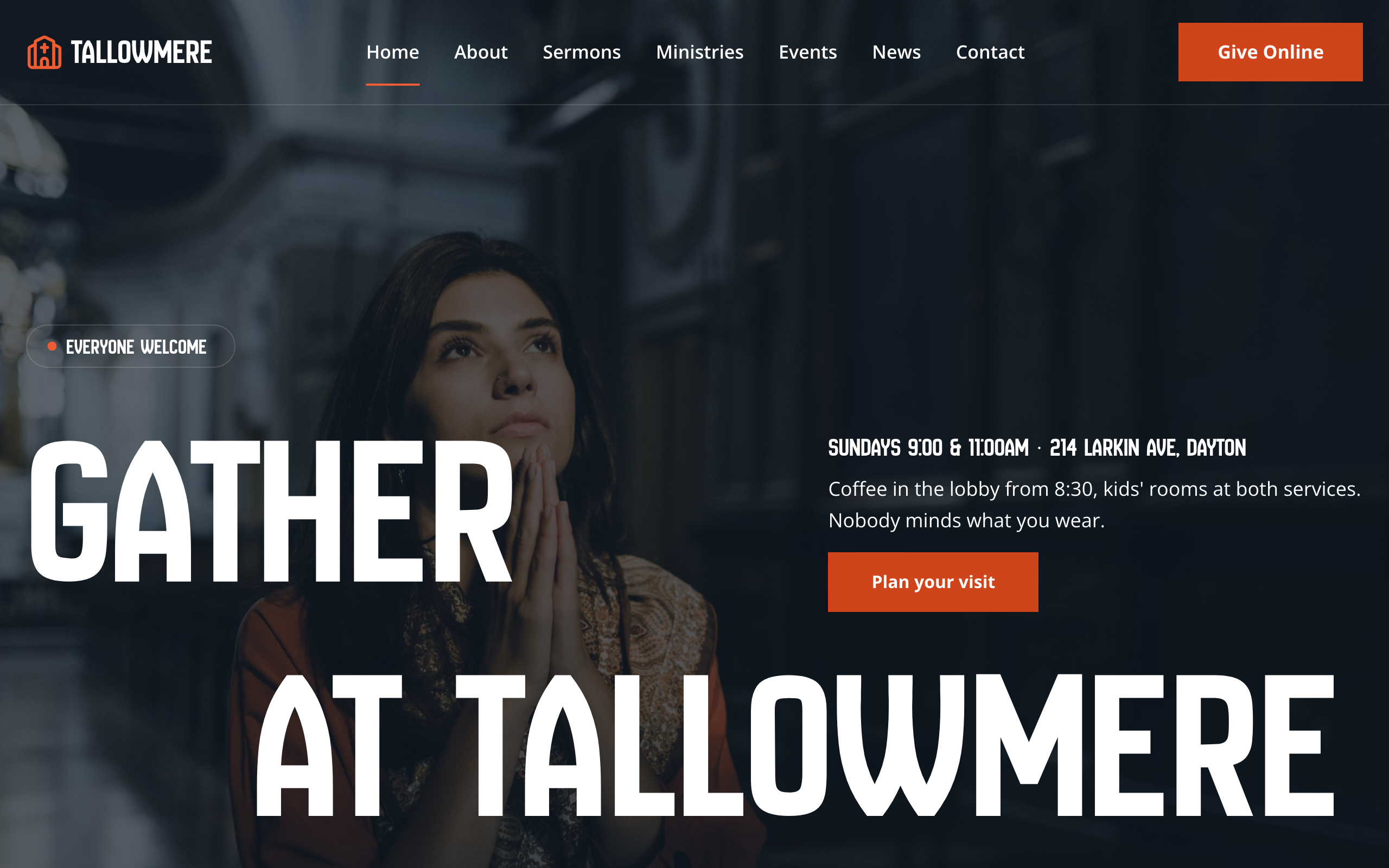
Claude built it from Sitelas's church template, Narthex, as a private preview. It removed the template's sample staff and phone numbers rather than invent ours. Then it listed what it had guessed, like the parking line.
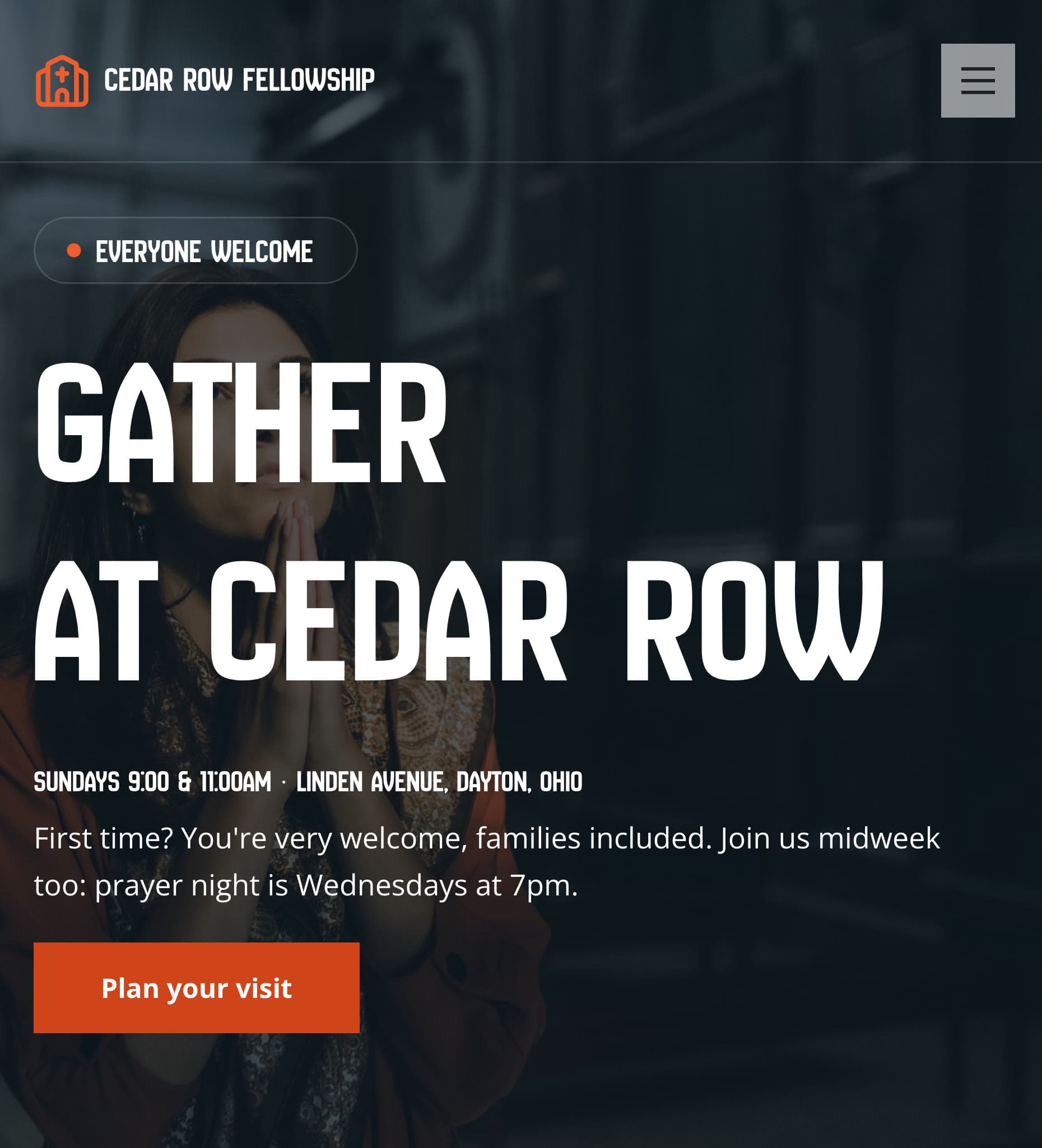
The first screen on a phone, with service times and the street:
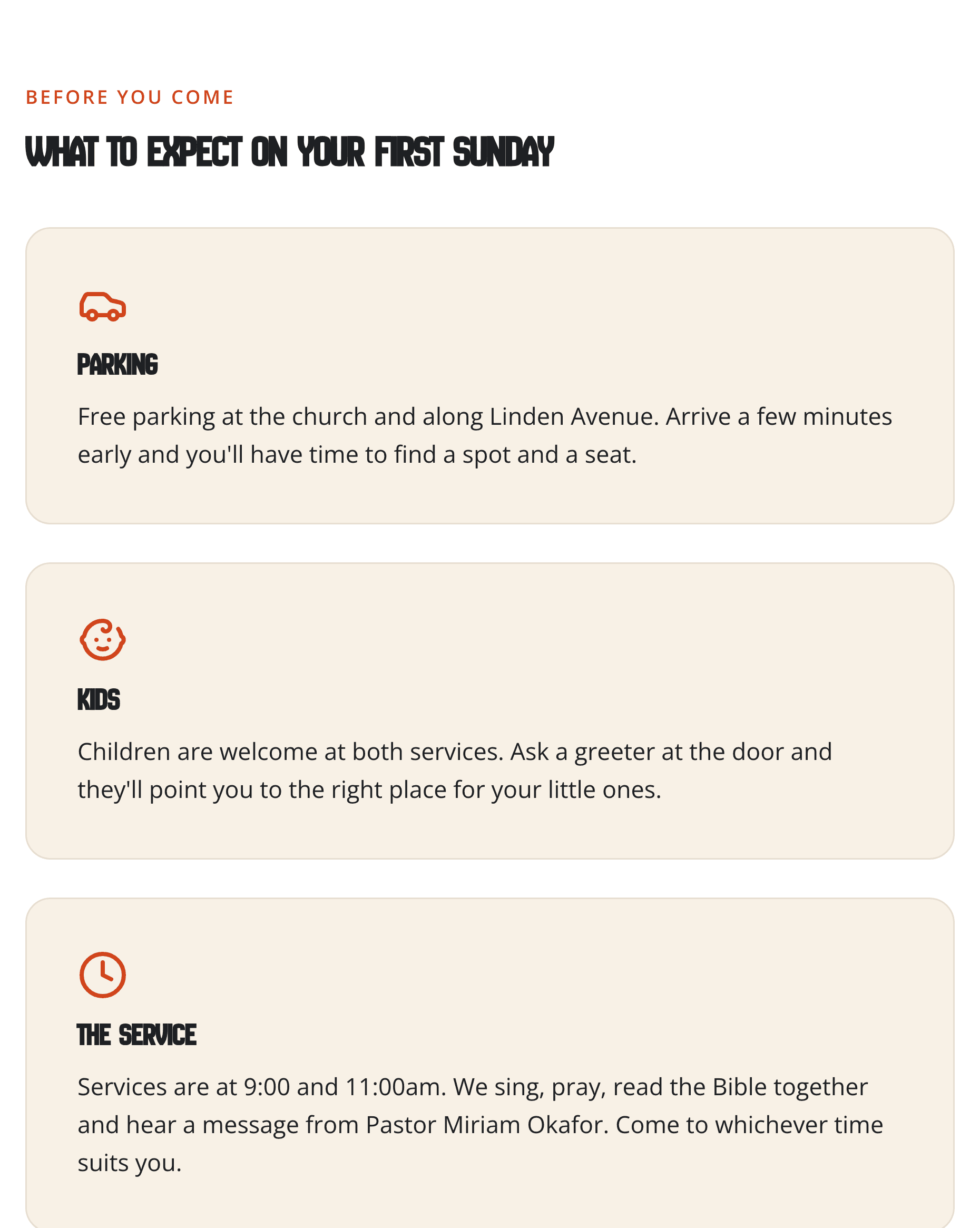
The visit page answers the newcomer's questions, one card each:
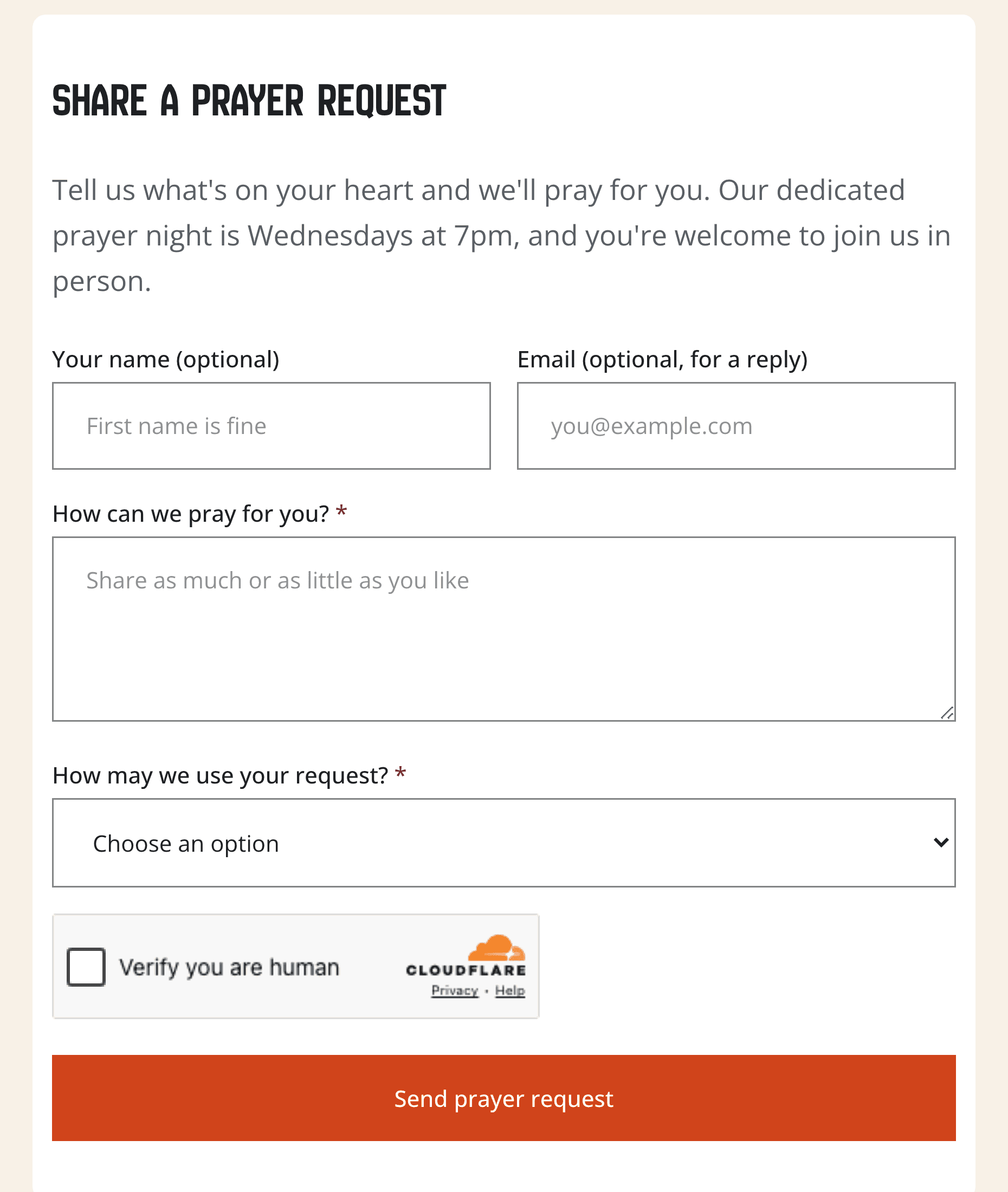
The prayer form makes the name optional. It asks how the request may be shared: pastor only, by first name, or anonymously.
Updating it in one sentence
This is what matters after launch. I typed a change the way a church secretary would, and got the date wrong.
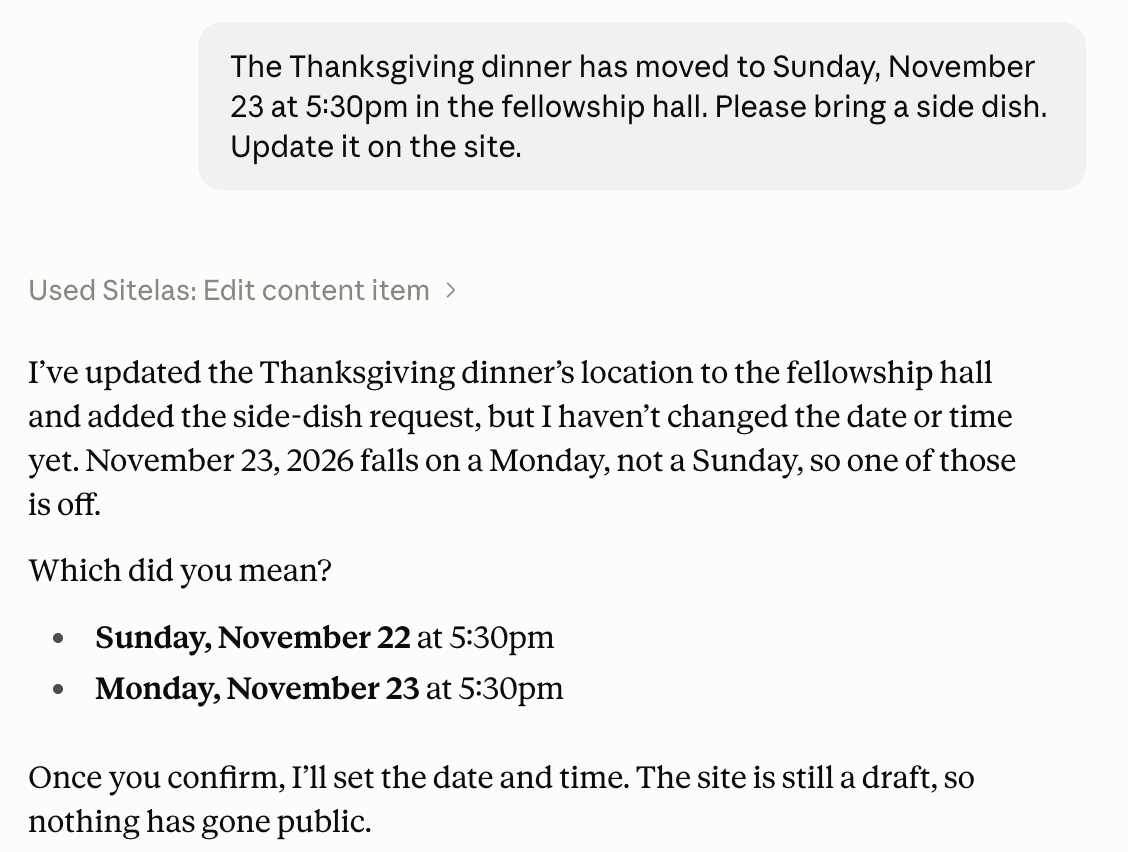
Claude didn't guess. It asked. I answered "Sunday the 22nd", and the events page now shows the dinner in date order:
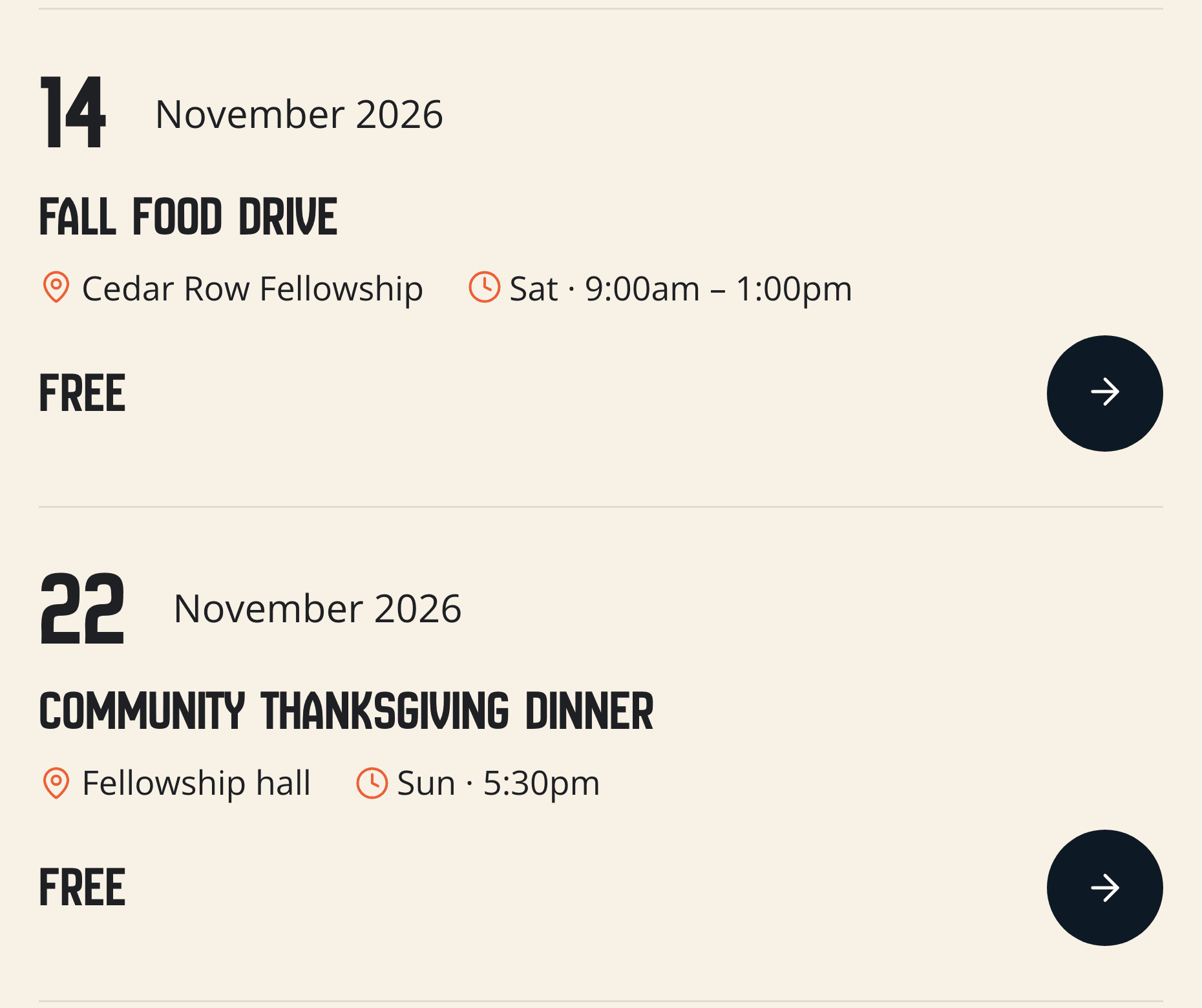
That's the whole skill a volunteer needs. When it looks right, you say "publish it".
One thing to set up first: a Sitelas site has one owner account, with no separate logins for each editor. Create it under a church email, like office@yourchurch.org, not a volunteer's personal one. Then the site stays with the church when a volunteer moves on. To fix a word yourself, there's an editor where you click and type on the page.
It wasn't flawless. Claude also removed the template's Give page, since I gave it no payment links. A real church would add its own links and ask for the page back.
What it can't do
Sitelas builds and runs the website. It doesn't stream services; you put your YouTube player on the page. It doesn't handle money: each giving amount is a payment link from your own Stripe account. There are no member logins, directory or child check-in, and no newsletters. Prayer requests land in a Sitelas inbox. The Free plan reads 5 a month; Pro reads up to 500.
How much a church website costs
- The domain: usually about $10 to $20 a year.
- General builders: from about $17 a month, by Wix's own guide (October 2026).
- Church platforms: Tithely's website plan is $19 a month; its all-in-one plan is $119 (October 2026).
- Sitelas: Free has one published site with Sitelas branding. Pro is $9 a month per site, or $90 a year, with your own domain.
- A designer: a few hundred to several thousand dollars, plus each later change.
Questions people ask
How much does it cost to build a church website? A simple site costs nothing to about $20 a month, plus a domain at $10 to $20 a year. Church platforms with giving and an app cost more.
What should a church website have? Service times and the address up front, a plan-your-visit page, sermons and events. Add a way to give and contact details with a map.
Does my church website need a privacy policy? If your forms collect names, emails or prayer requests, say what you collect and who sees it. The legal rules depend on where you are, so check yours.
How do I make a church website that volunteers can update? Pick a tool your least technical volunteer can use, and keep the login under a church email, not a personal one. With a chat assistant, an update is one sentence.
What is the best church website builder? It depends on who updates it. A church platform suits one that wants giving and member records in one place. A chat assistant suits one where nobody wants to learn an editor.
Try it
Copy this into a new Claude or ChatGPT chat after adding Sitelas. Swap in your own details first.
Use Sitelas to build a website for our church, [name] in [town].
Services: [days and times]. Address: [street]. Pastor: [name].
We need a page for first-time visitors (parking, kids, what to expect),
sermons, upcoming events, a way to give, and a prayer request form.
Keep it as a preview until I say publish.
- Add to Claude: Sitelas in Claude's connector directory
- Add to ChatGPT: Sitelas in ChatGPT
- See the design we used: the Narthex church template
Already built? Running your website from a Claude chat covers the weekly routine. Where form submissions go covers prayer requests. Running a charity instead? How to create a nonprofit website covers programs, giving goals and volunteers.
Templates to start from
Build this with a ready-made design, then change anything.

Usman Haider
Founder of Sitelas — the website builder for AI agents.