Lawn Care Website Design: What Wins the Quote Request
What good lawn care website design puts on the page: your towns, a page per service, how you price, real before-and-after photos and a short quote form. Then how to build one and keep it current by asking Claude or ChatGPT.

Usman Haider
A homeowner looking for a lawn crew opens a few sites on their phone. They stay on the one that names their town, shows lawns like theirs and has a short quote form. Good lawn care website design is mostly that.
The harder part is keeping it true through the year. Spring cleanup, summer mowing, fall leaves, then snow. A site still selling snow plowing in a full winter brings calls you can't take. So this guide covers what to put on the site, then how to change it by asking.
What makes good lawn care website design
Your towns, on the first screen
"Overland Park, Olathe, Lenexa, Leawood and Shawnee" beats "the greater Kansas City area". A visitor from Olathe sees their town and keeps reading. Put the list near the top, and again on the contact page.
Say what you do, and what you don't
Lawn care and building patios are different jobs. If you mow, feed and tidy lawns, say so plainly. Someone who wants a patio built will look elsewhere, and you won't spend evenings answering them. If you do both, give each its own page.
A page for each service
Mowing, fertilization and weed control, aeration and overseeding, spring and fall cleanup, mulch and beds, snow removal. Each page says what a visit includes, when in the year you do it and how you price it. Someone searching "aeration Lenexa" should land on the aeration page.
Prices, or how you price
Mowing usually depends on lawn size, so a fixed price can mislead. Say how you price instead: "by lawn size, quoted after we look up your yard". If you sell season plans, show what each one includes.
Before-and-after photos you took
Shoot the same yard from the same spot, before and after. Stock photos of perfect lawns look like other crews in town. Your own truck and crew in the background do more for trust than any slogan.
Insurance and any licences
Say you're insured. If your state licenses fertilizer or weed-control application, show that certification too.
A short quote form
Ask for name, phone, the street address, the service and roughly how big the lawn is. With the address, you can look the yard up on a map before you reply.
What's open this season, and what's full
When your snow route is full, say so on the snow page and take it off the form. When spring cleanup opens, put it on the home page.
A hiring page, if you hire for the season
Add a short "We're hiring" page with the work, the pay and how to apply. It reaches people who already know your trucks. Take it down when the crew is full.
Lawn care website mistakes to avoid
- Last season's offer still up. It tells people the site isn't looked after.
- One "Services" page listing everything. It can't match six different searches.
- No towns named. Visitors leave rather than ask whether you come to them.
- A form you forget to check. Send yourself a test after each change.
- Made-up reviews or numbers. Use real ones, or none.
Building one by asking Claude
I added Sitelas to Claude and sent one message for a made-up crew: Prairie Edge Lawn & Landscape in Overland Park, Kansas. It named the five towns, six services and the insurance, and asked to keep the site as a preview.
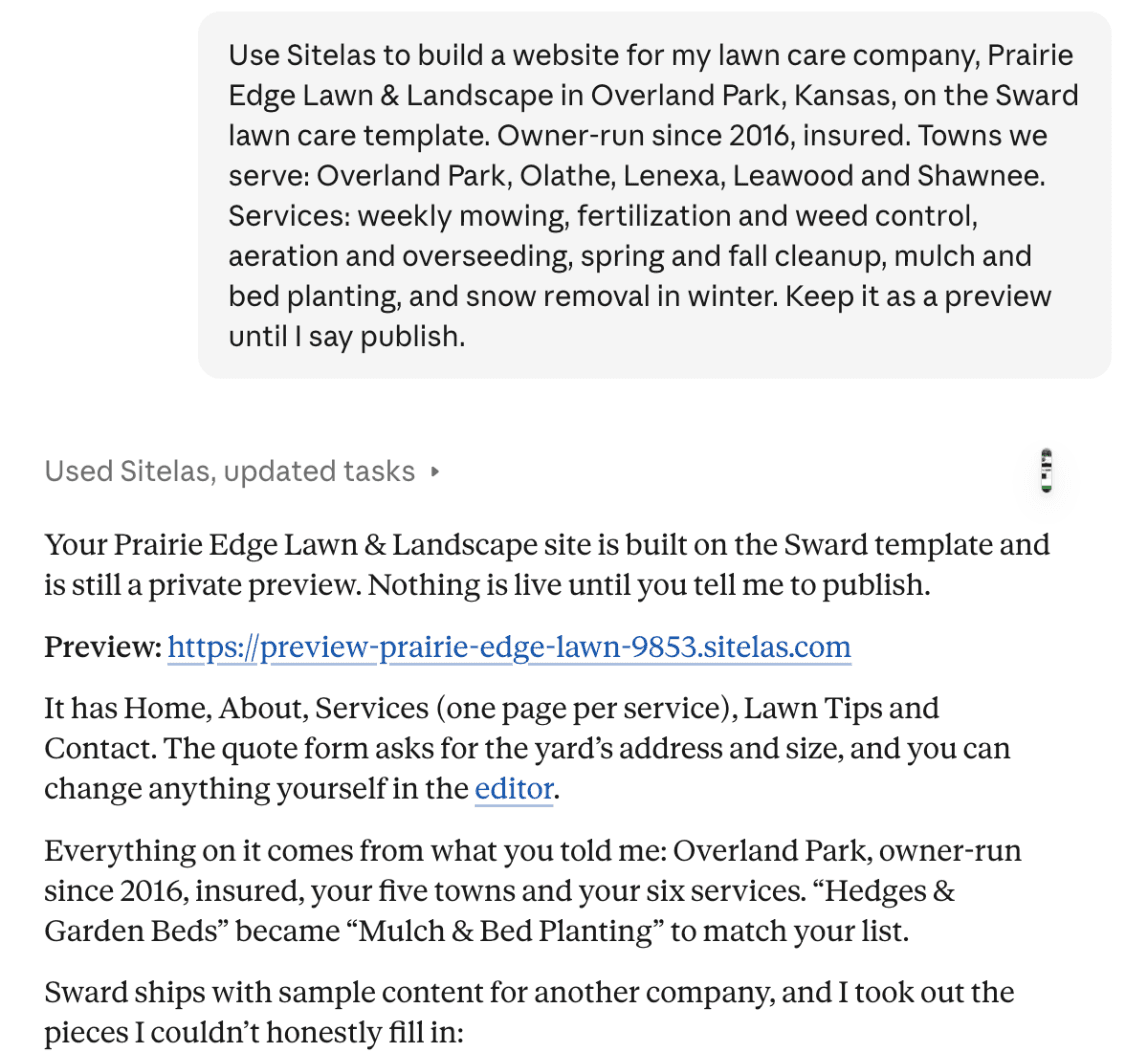
Claude built it from Sitelas's lawn care template, Sward. Then it did something I liked. The template comes with sample reviews, prices and before-and-after photos for another company. Claude took those out rather than leave invented ones on my site:
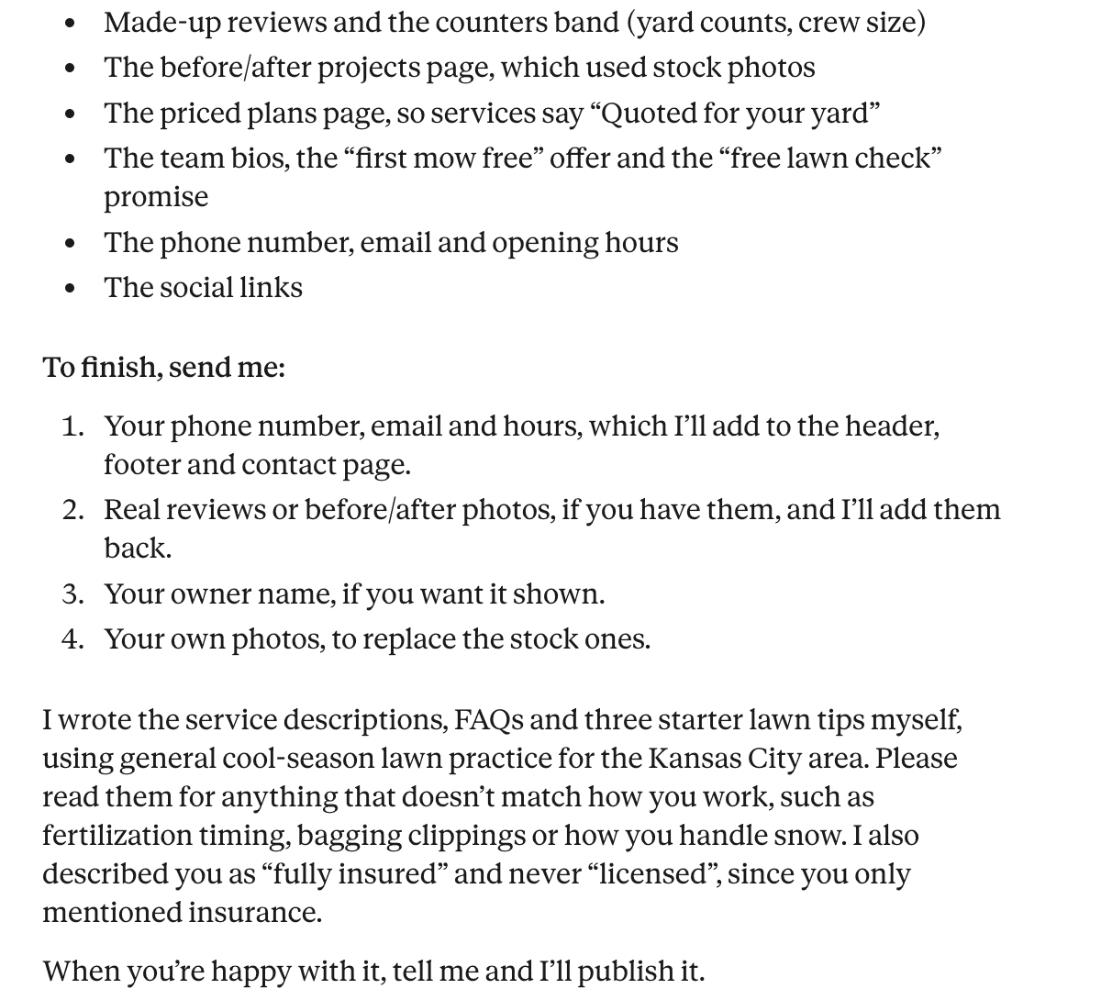
It did write the service pages, FAQs and a few lawn tips itself. It asked me to check them against how the crew works. So the first version is bare, and keeps the template's stock photos until you send your own. A real crew sends its phone number, reviews and its own before-and-after photos, and Claude can add them. The first screen on a phone already names all five towns and has a quote button:
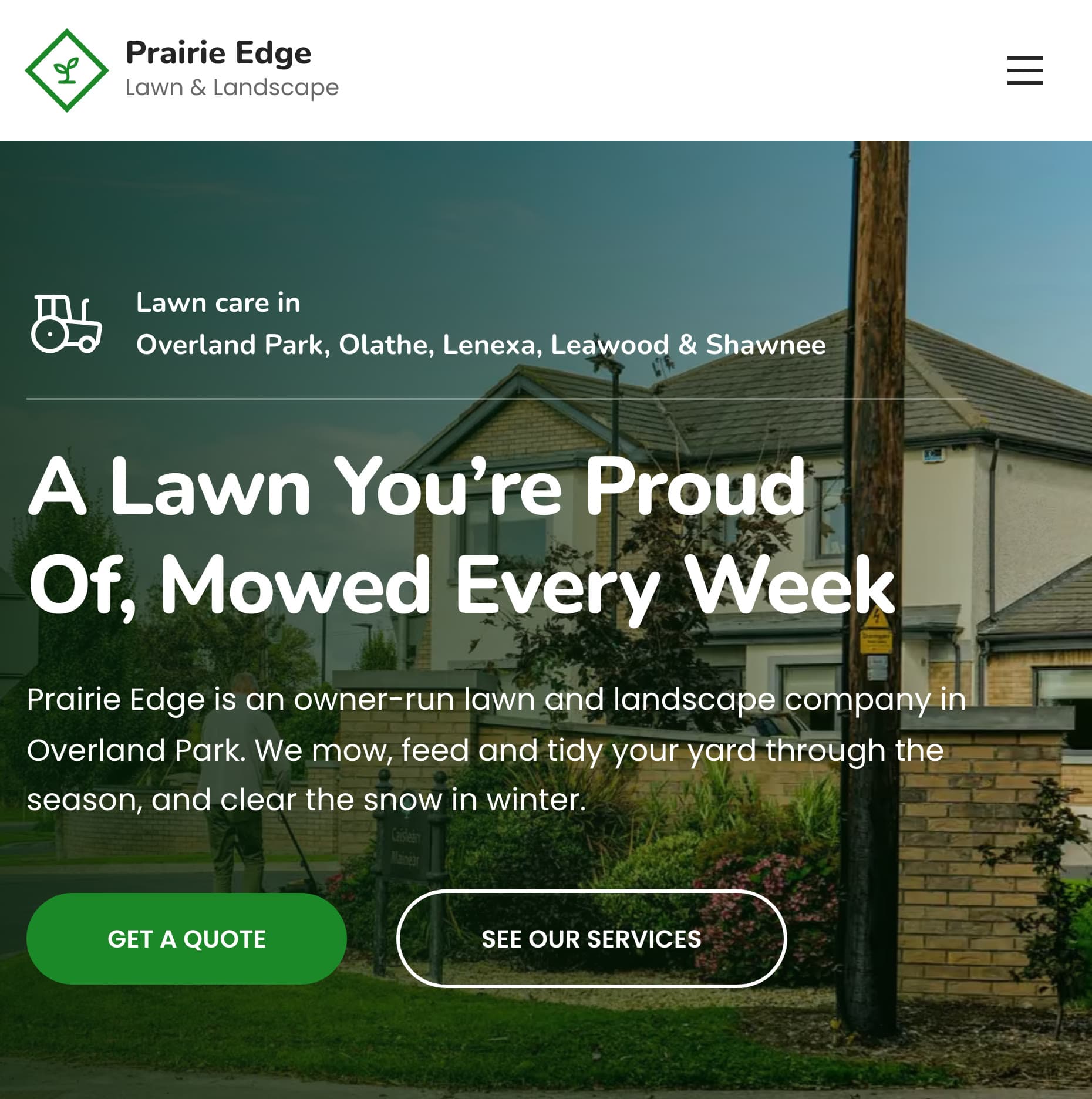
The quote form asks for the yard's street address and how big the lawn is. Requests land in a Sitelas inbox.
Keeping a lawn care website current starts with one sentence
Here is the winter problem from the top. I told Claude the snow route was full:
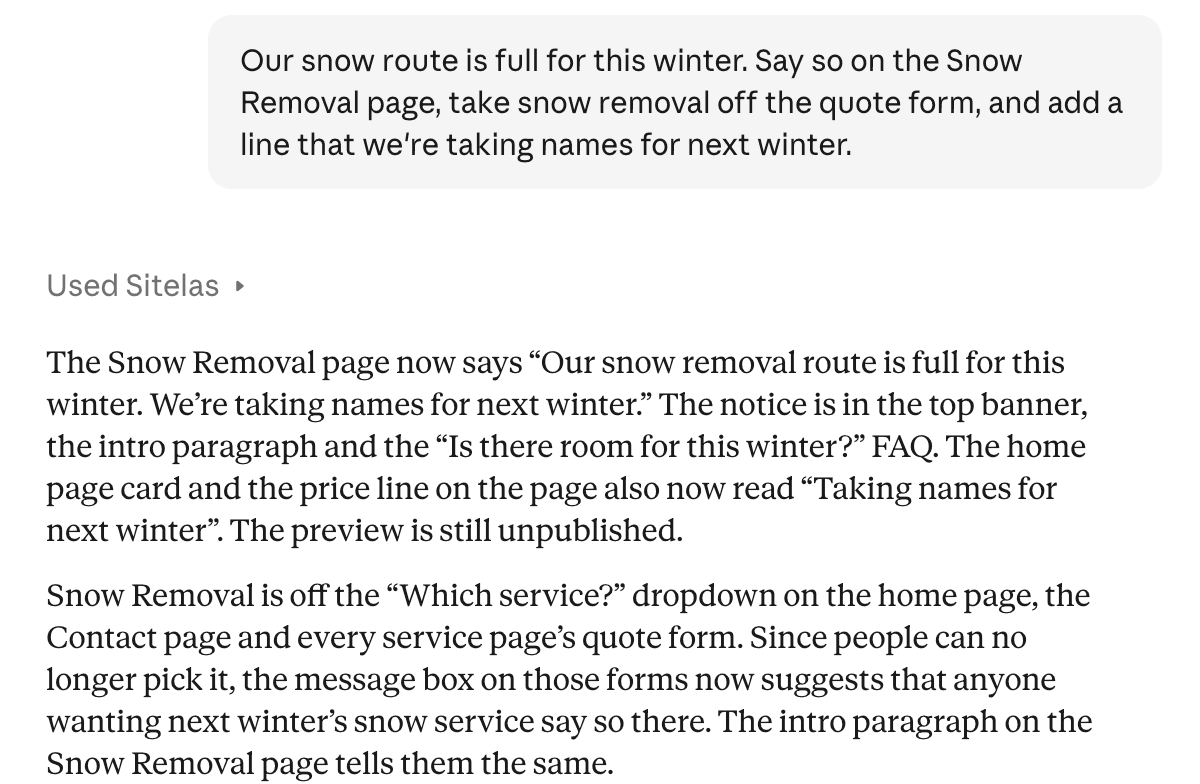
The Snow Removal page now says so at the top:
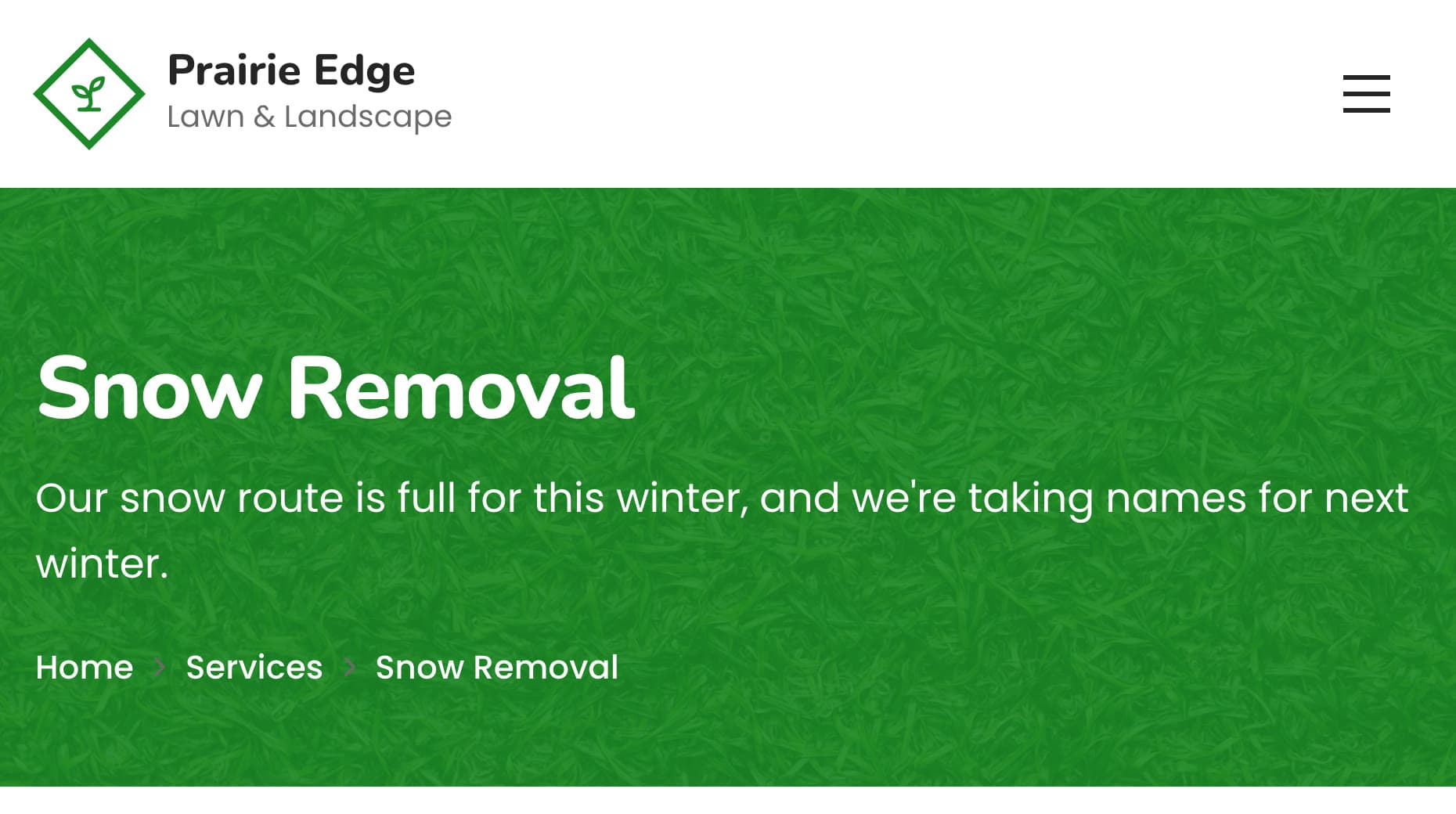
Claude also pointed out other spots that still mention snow, such as the home page intro. It wasn't one perfect pass. I found more myself: a "Need snow service? Request a quote" block in the footer and a "Get a Quote for Snow Removal" heading. After a seasonal change, read the preview before you publish.
The same works from ChatGPT. I asked it to add the phone number and hours:
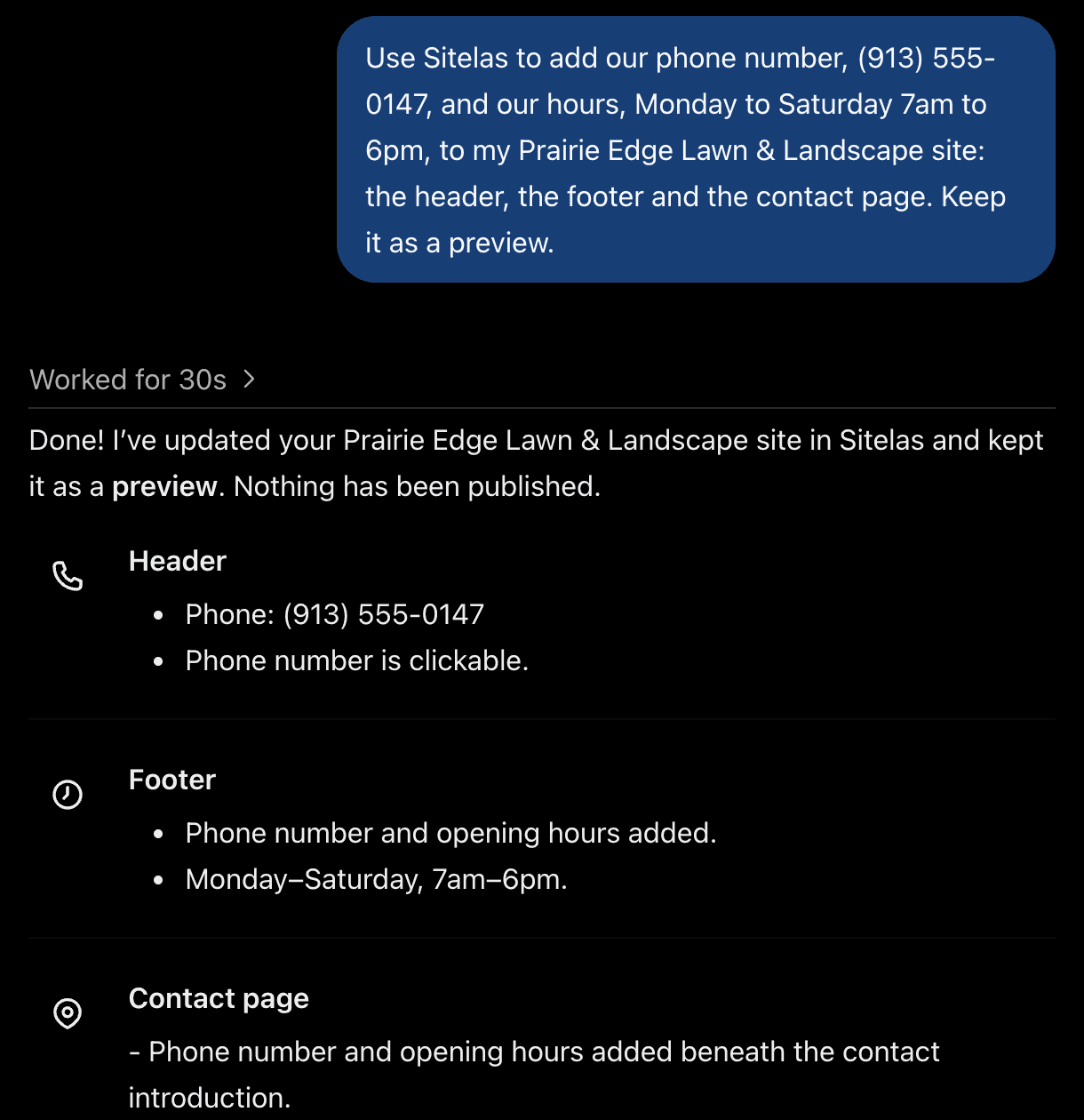
I checked the preview, and the number and hours were on the page. Edits to pages and text stay in the preview until you publish, from Claude, ChatGPT or the editor. To fix a word yourself, the editor lets you click and type on the page.
What it can't do
Sitelas builds and runs the website. It doesn't book visits into a calendar, plan routes, send invoices or give customers a login. Those stay with your phone and your field service software. The Free plan reads 5 quote requests a month, which a busy crew will pass in spring. Pro reads up to 500 a month and adds a custom domain. It costs $9 a month per site, or $90 a year.
Getting found on Google is separate work: your Google Business Profile, reviews and listings. Local SEO for contractors covers it, and our Google Business Profile guide walks through the profile.
Questions people ask
What should a lawn care website include? Your towns near the top, a page per service, how you price, real before-and-after photos and your insurance. Add reviews linked to where they came from, and a short quote form that asks for the address.
How much does a lawn care website cost? Designers quote by project, so ask what each change costs after launch too. On Sitelas, Pro is $9 a month per site, or $90 a year.
Should a lawn care company show prices on its website? Show how you price, even if not a number. "By lawn size, quoted after we look up your yard" sets expectations and stops surprise calls.
What's the best website builder for a lawn care business? The one you will keep up to date through the seasons. With Sitelas added to Claude or ChatGPT, you describe a change in a message, check the preview, and publish when it reads right.
Try it
Copy this into a new Claude or ChatGPT chat after adding Sitelas. Swap in your own details first.
Use Sitelas to build a website for my lawn care company, [name] in [town],
on the Sward lawn care template. Owner-run since [year], insured.
Towns we serve: [list]. Phone: [number], hours: [hours].
Services: [service, how you price it], ...
Keep it as a preview until I say publish.
- Add to Claude: Sitelas in Claude's connector directory
- Add to ChatGPT: Sitelas in ChatGPT
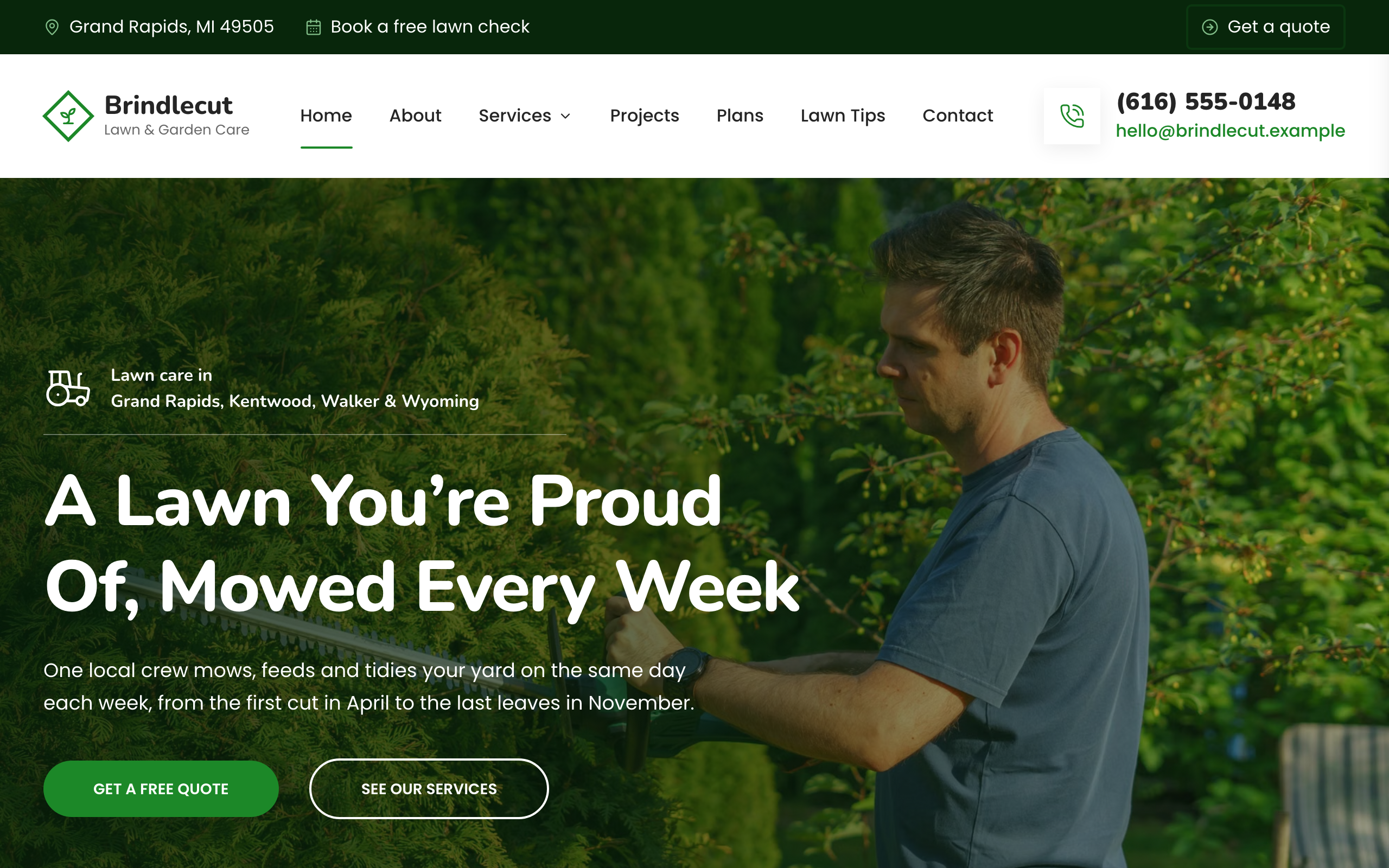
- See the design we used: the Sward lawn care template, or the other contractor templates
Templates to start from
Build this with a ready-made design, then change anything.


Usman Haider
Founder of Sitelas — the website builder for AI agents.