SEO for Photographers: Get Found When Clients Search
SEO for photographers, in plain steps: pages for each kind of shoot, words Google can read beside your photos, a Business Profile set up right when you work from home, and links from vendors.

Usman Haider

SEO for photographers comes down to one problem. Your site is mostly pictures, and search engines lean on words. So the job is to add the right words around your work, keep your Business Profile accurate and earn links from people you already work with.
This guide works on any website platform. It can't promise a top spot. Google itself says "No one can guarantee a #1 ranking on Google."
Start with what your clients type
Think about how a client searches. They tend to type a kind of shoot and a place, like "newborn photographer Austin" or "family photographer near me".
Write down the shoots that pay your bills. Next to each one, write the towns you actually work in. Then type each phrase into Google and read the suggestions and results.
SEO for photographers starts with one page per shoot
A single "Portfolio" page has to be about everything, so it's weak for each search. Split it by service: one page for weddings, one for families, one for branding.
Each page needs:
- a heading with the shoot and the place, such as "Family photographer in Austin"
- a few sentences on what that session is like and who it suits
- a gallery of only that kind of work
- one clear way to get in touch
You can keep your voice. Put the plain heading first and your warmer line right under it.
Aim each page at one main phrase. Two pages chasing one search can leave Google unsure which to show.
Put words beside your galleries
This is often the easiest fix. Google says it works out what an image shows from the page around it, including captions and titles. It also says to place images near relevant text.
So add a short paragraph to each gallery. Say where it was shot, what kind of session it was and what the client wanted.
Compare these two home pages. The first opens with a heading and a line about the work and the place.
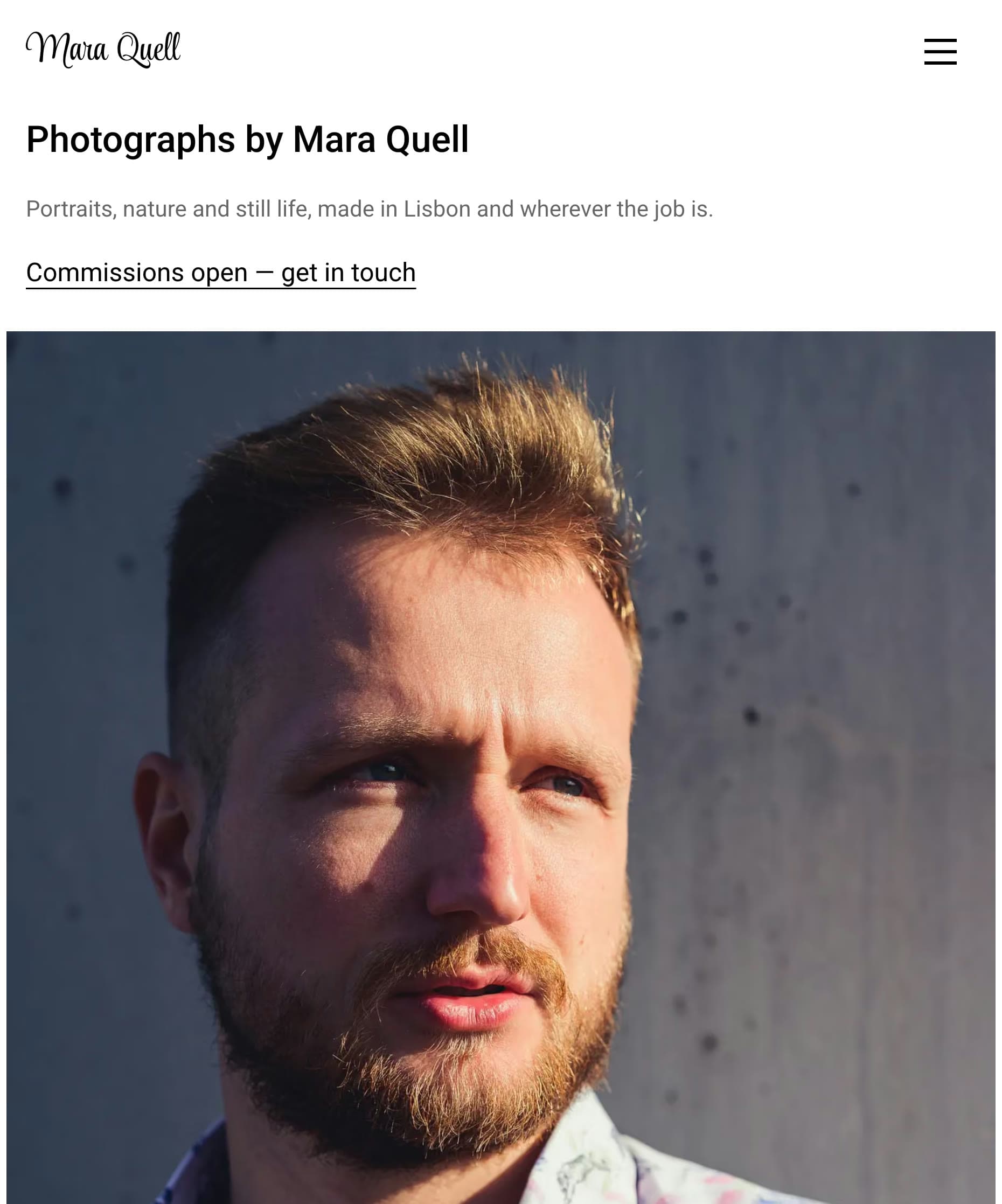
The Loupe template: a heading and one line give Google the subject and the city. Captured October 2026.
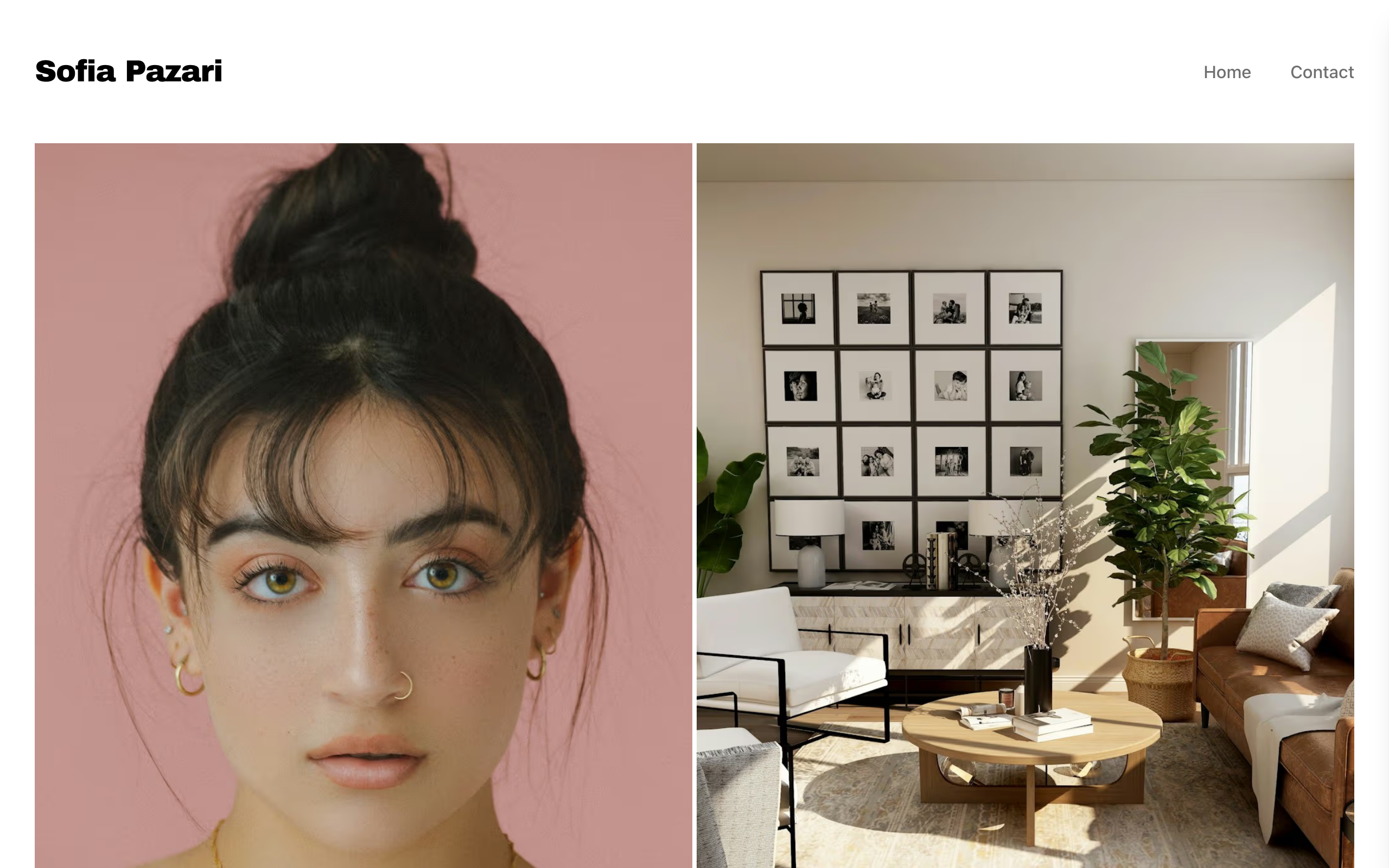
The second opens straight on a photograph.
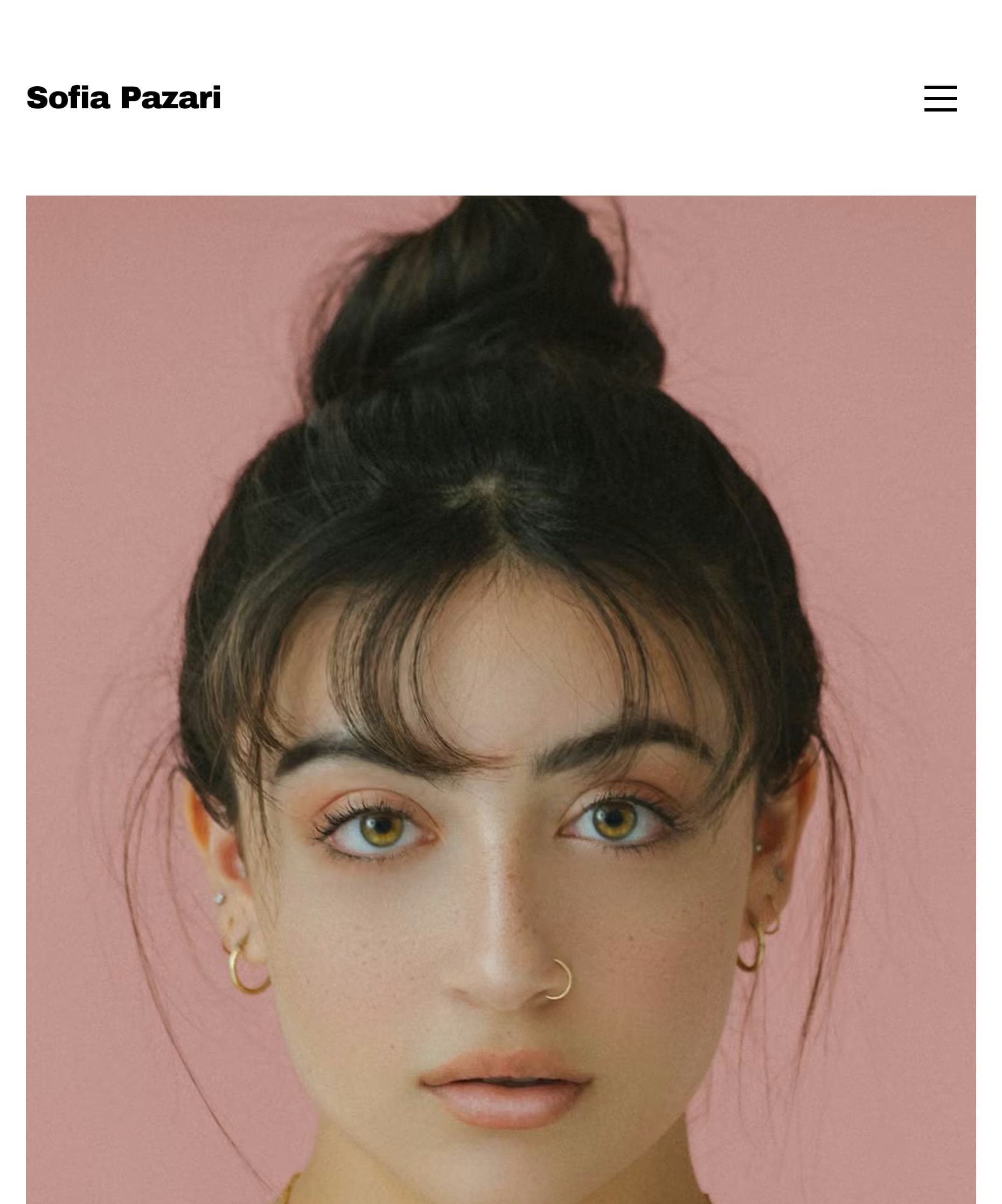
The Pazari template looks clean, but you'd want to add a line about your work and your town. Captured October 2026.
The photo-first look is a fair choice. The words just need to live somewhere else on the page.
Name, describe and shrink your images
Three small habits, all from Google's image guidance:
- File names. Use short, descriptive names.
family-session-zilker-park.jpgbeatsIMG_4471.jpg. - Alt text. Describe the picture in a plain sentence. Google warns against filling this field with keywords.
- File size. Google notes that images are often the largest part of a page's size, which can slow it down. Export at the size the page shows, not straight from the camera.
Start with the photos on your main service pages. Old work can wait.
Write a clear title and description for each page
The title is usually the clickable line people see in Google. Google says a good one is unique to the page, clear and concise.
"Home" and "Portfolio" say very little. "Family Photographer in Austin | Dana Reyes" does. Give each page its own short description too, saying what the visitor gets.
Set up your Business Profile the right way
Google says local results are mainly based on relevance, distance and popularity. Those results draw on Google Business Profiles, so set yours up.
The tricky part is your address, because many photographers work from home. Google's rules separate two cases:
- You go to clients and don't see them at your address. Google tells you to remove the address from your profile and list a service area.
- You have a studio clients visit, and you also travel. Google calls this a hybrid business. Keep the address and add service areas.
A spare room may not count as a studio. Google says a business without permanent on-site signage should be listed as a service-area business.
You can list up to 20 service areas, by city or postal code. A radius around your home isn't allowed. Google also says the area shouldn't stretch much past two hours' drive from your base.
Ask for reviews after you deliver
A good moment is right after a client sees their gallery. Send your Google review link in the same message, because Google lets you share a link or a QR code.
Don't trade anything for it. Google strictly prohibits offering free or discounted goods or services in exchange for reviews. Reply to the reviews you get, since Google says a prompt reply shows you value the feedback.
Earn links from the people you work with
Links from other sites help people and search engines find you. Your work is already useful to other businesses, so ask them:
- Venues and planners. Send photos from a shoot at their venue, and ask for a credit with a link.
- Local vendors. Florists, makeup artists and boutiques often need pictures of their work.
- Publications. If a blog features your shoot, ask it to link to your site as well as your Instagram.
Don't pay for links meant to lift your rankings, because Google lists that as spam. An ad or sponsorship is fine when the link is marked as sponsored or nofollow.
Skip the copy-paste town pages
You'll see advice to make one page per town with only the name swapped. Google's spam policy treats some of these as doorway abuse. It names pages aimed at particular cities that funnel people to one page, and substantially similar pages.
A town page earns its place with something of its own: real shoots there, venues you know, a client's words. If you can't fill it, name the town on your service page instead.
Write about real shoots, not generic tips
Posts like "what to wear to a family session" are everywhere. Your own shoots are not.
Write up a session with real details: the location, the light, how the day ran. Ask your client first. Then answer the questions clients email you, right on your service pages. What does a session cost? How long until I get my photos? What if it rains?
Keep your best work on your own site
Services like Pixieset are good for delivering client galleries, and they usually sit on their own web address. Keep your best work on your own site too, with the words around it.
Instagram is a good place to be seen. But a post can't do the job of a page about family sessions in your town.
Check what's working each month
Add your site to Google Search Console. It's free and shows the searches you appear for and which pages get clicks. If a page shows up often but gets few clicks, try a better title first.
Then be patient. Google says some changes take effect in a few hours and others can take several months. It suggests waiting a few weeks before judging a change.
If your website itself is the problem
This guide works on any website. But if your site makes it hard to add text or change a page title, that's worth fixing.
Sitelas is one option: a website builder you run by asking Claude or ChatGPT. Ask for "a paragraph above the family gallery" or a new page title. Page edits go to a preview first, then publish when you approve. Each published site also gets its own sitemap.
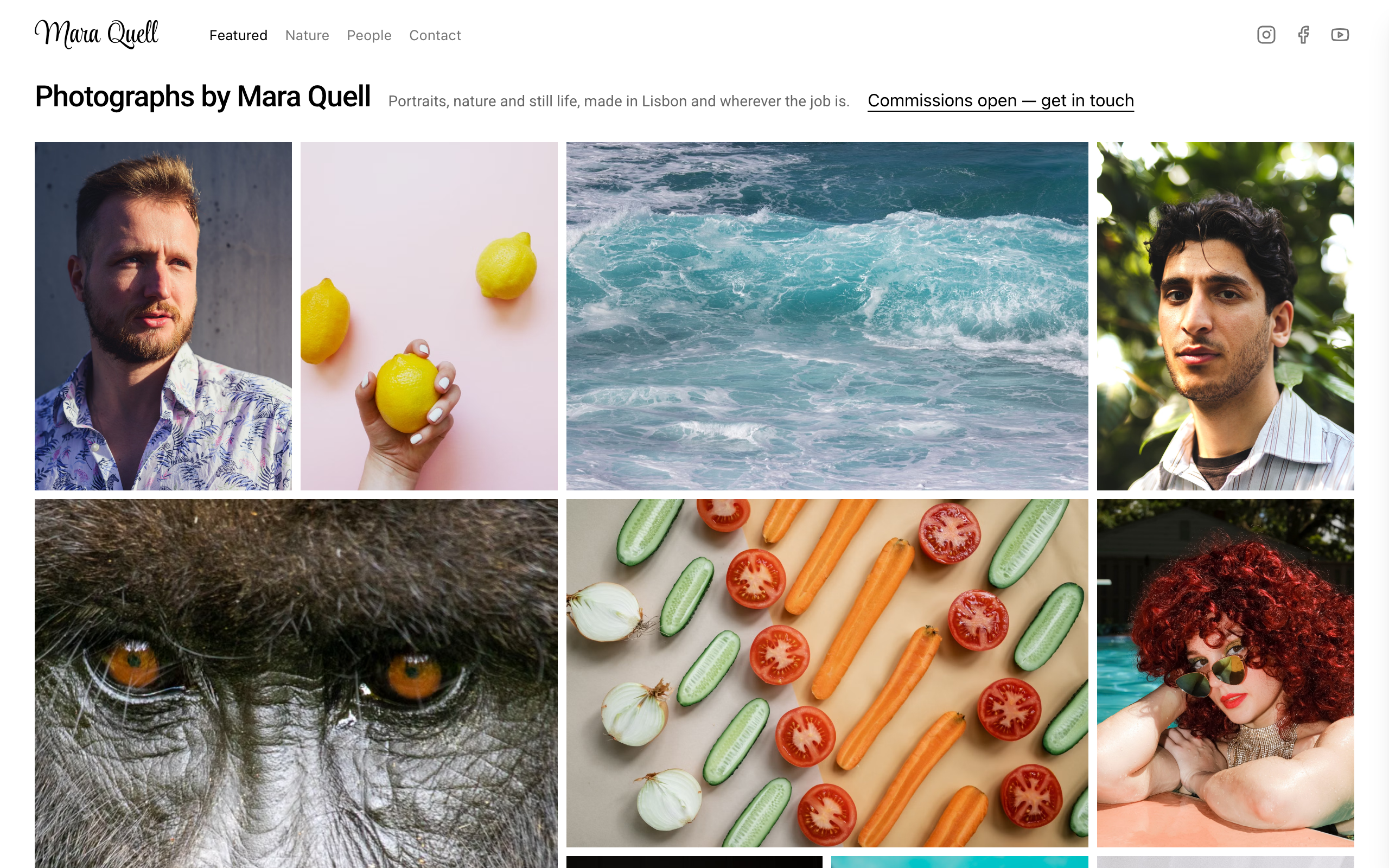
For photographers, start with these. Loupe fills walls with your work and gives each photo its own page. Pazari has category galleries at full width. There are more on the portfolio templates page.
The limits, plainly:
- Neither template includes packages, prices or client galleries.
- Sitelas doesn't manage your Business Profile or take bookings, though you can embed a Calendly page.
- Your own domain needs Pro at $9 a month per site. Our custom domain and SEO guide covers it.
- Loupe has a contact form, and its messages go to your Sitelas inbox. Pazari has clients email you instead.
- On Free you can read 5 form messages a month. Pro covers 500.
Starting from nothing? See turning your résumé into a portfolio site.
Questions people ask
Do photographers need SEO if they get work from referrals?
It depends. If referrals fill your calendar, do the basics and stop: clear titles, a Business Profile and a few service pages. Those also help a referred client who looks you up.
Do I need a blog for photography SEO?
No. Service pages with real text and a good Business Profile come first. A blog helps when you write about real shoots and places clients search for.
Should I hire an SEO company for my photography business?
Try the steps here first. If you do hire someone, Google suggests asking what results they expect and in what timeframe. Walk away from a guarantee of first place.
What is local SEO for photographers?
It means showing up for searches tied to a place, like "photographer near me". The main parts are your Business Profile, your reviews and pages naming the towns you work in.
Templates to start from
Build this with a ready-made design, then change anything.

Usman Haider
Founder of Sitelas — the website builder for AI agents.