

I Turned My Resume Into a Portfolio Site — From One Claude Chat
Attach your résumé PDF in Claude, say "build me a portfolio," and Sitelas reads it, picks a template that fits, maps your experience and projects into a real editable site, previews it privately, and publishes on your say-so.

Usman Haider

Everyone tells you to "have a portfolio site." The advice is right; the gap is the problem. You already have a résumé: a tidy PDF with your roles, projects and skills. Turning it into a good-looking website usually takes an afternoon of fighting a site builder. Most people never close that gap.
Sitelas closes it in one prompt. Because it plugs into Claude as a connector, the résumé you already have is the input. You attach the PDF in the chat and ask for a portfolio. Claude reads it, designs around it and hands you a real Sitelas site. You preview it privately and publish only when you're ready. I did exactly that with my own résumé. Here's how it went.
All you need is the PDF
No new content to write, no template to shop for. If you can drag a file into a chat, you can do this.
One-time setup: Sitelas is in Claude's connector directory, so adding it takes one click — open the listing and choose Add.
Using Claude Code or Claude Desktop instead? Those read a config file rather than the directory, so point them at https://sitelas.com/api/mcp.
Sign in to Sitelas when prompted. From then on, Claude can build sites, change themes, read form submissions, and publish — all from chat.
Step 1: Attach your résumé and ask
Drop the PDF into the message box and type one line: "create me a portfolio website using Sitelas, résumé attached." That's the whole instruction.
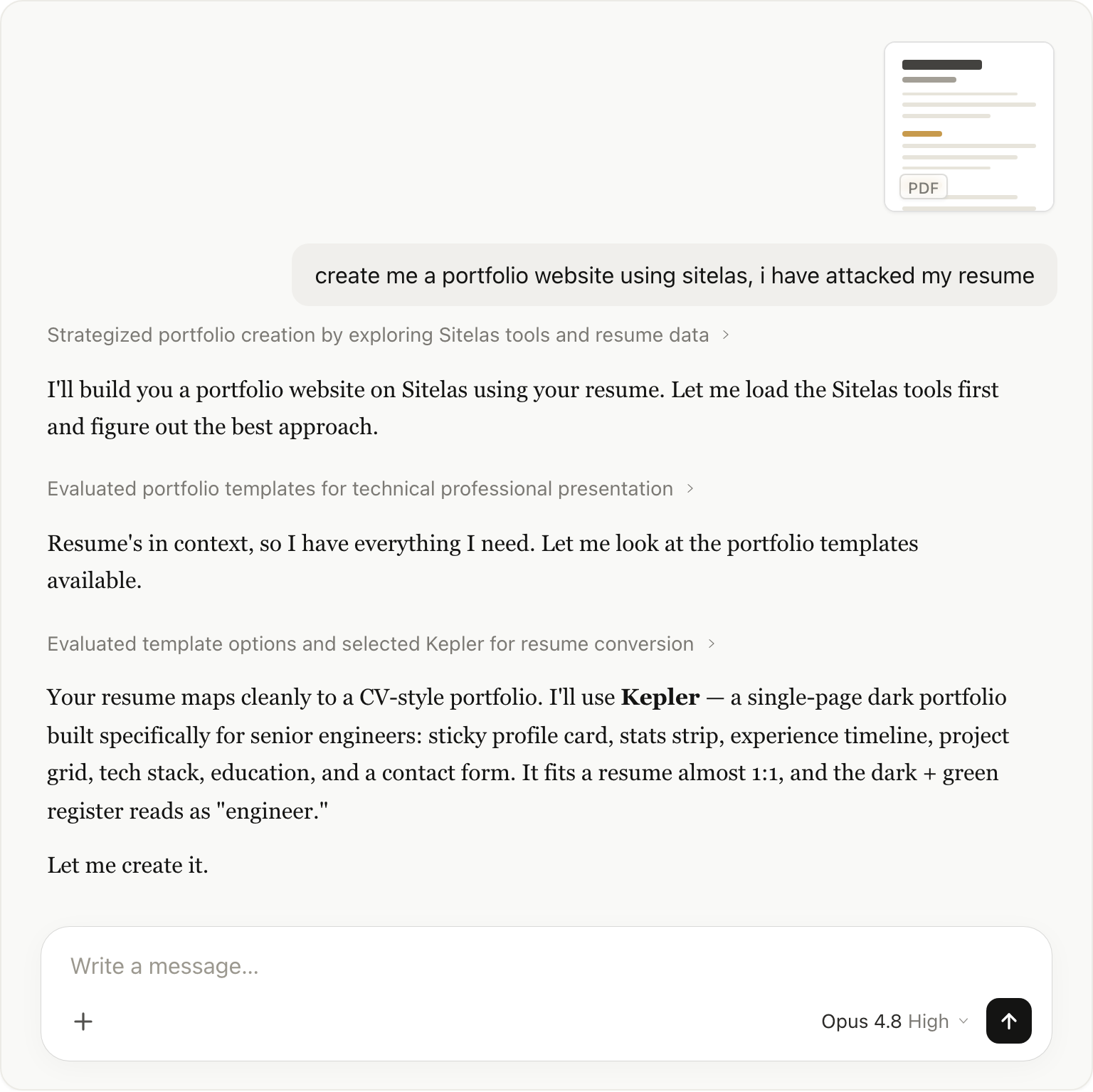
Claude reads the résumé straight from context — your summary, roles, projects, skills — and treats it as the brief. It weighs the portfolio templates and picks the one whose register fits — for mine, a dark single-page "engineer" layout. It doesn't paste the PDF into a page. It matches each part of the résumé to the right section of a designed template, then builds the site.
How Claude turns a résumé into a site
This is the part that's easy to underestimate. A résumé has a structure: a job title, a summary, your work history, projects, skills and education. A good portfolio has the same parts in a different shape. Sitelas's job is the mapping:
- Your title and summary become the hero and About section.
- Work history becomes an experience timeline.
- Projects become a project grid, one card each.
- Skills become a tech-stack strip; education its own block.
It also picks a template whose register fits the résumé. Mine reads as a senior software engineer, so it chose a dark, two-column layout that suits an engineer. A designer's résumé would get something brighter and more visual. You're not picking from a dropdown of 40 themes; Claude picks the one that fits and customizes it to you.
You get a private preview first — nothing is public yet
Just like building from scratch, the portfolio lands as a draft. Claude hands you a preview URL that's private to you, and the permanent address stays a 404 until you publish. You can click through the whole thing and change anything before a single recruiter sees it. Reword the About section, reorder projects or change the colours.
This is also the moment to fill any gaps. If your résumé has more than the template shows, such as skills, education or contact details, just say so. Claude adds the sections. Every edit re-previews; the live site stays untouched until you publish again.
Step 2: Publish when it looks right
When the preview reads the way you want, tell Claude to make it live.
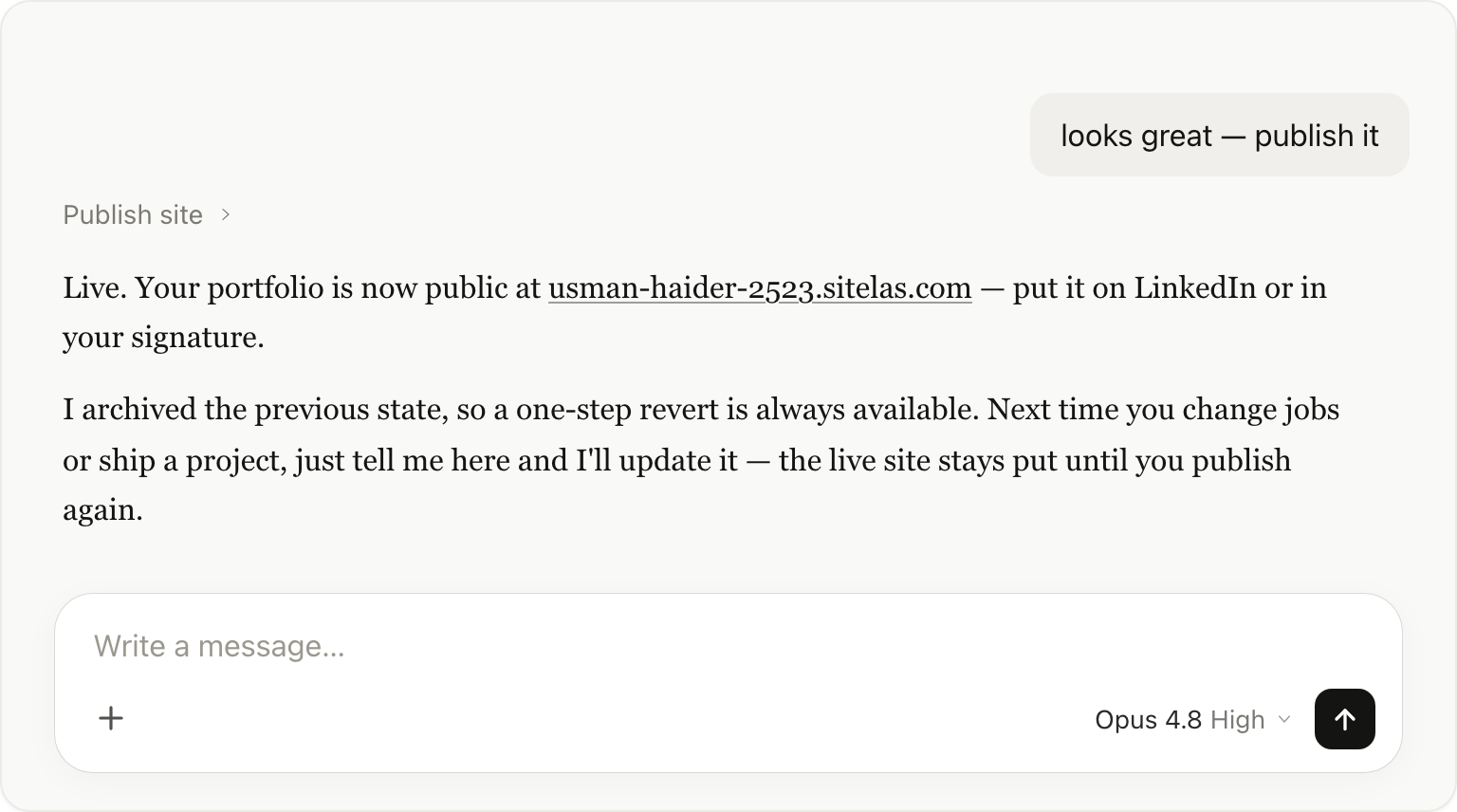
Claude promotes the draft to the permanent URL and archives the previous state, so a one-step revert is always available. The site is now live at a real address. Put it on LinkedIn, in your email signature or at the top of your next application.
The result
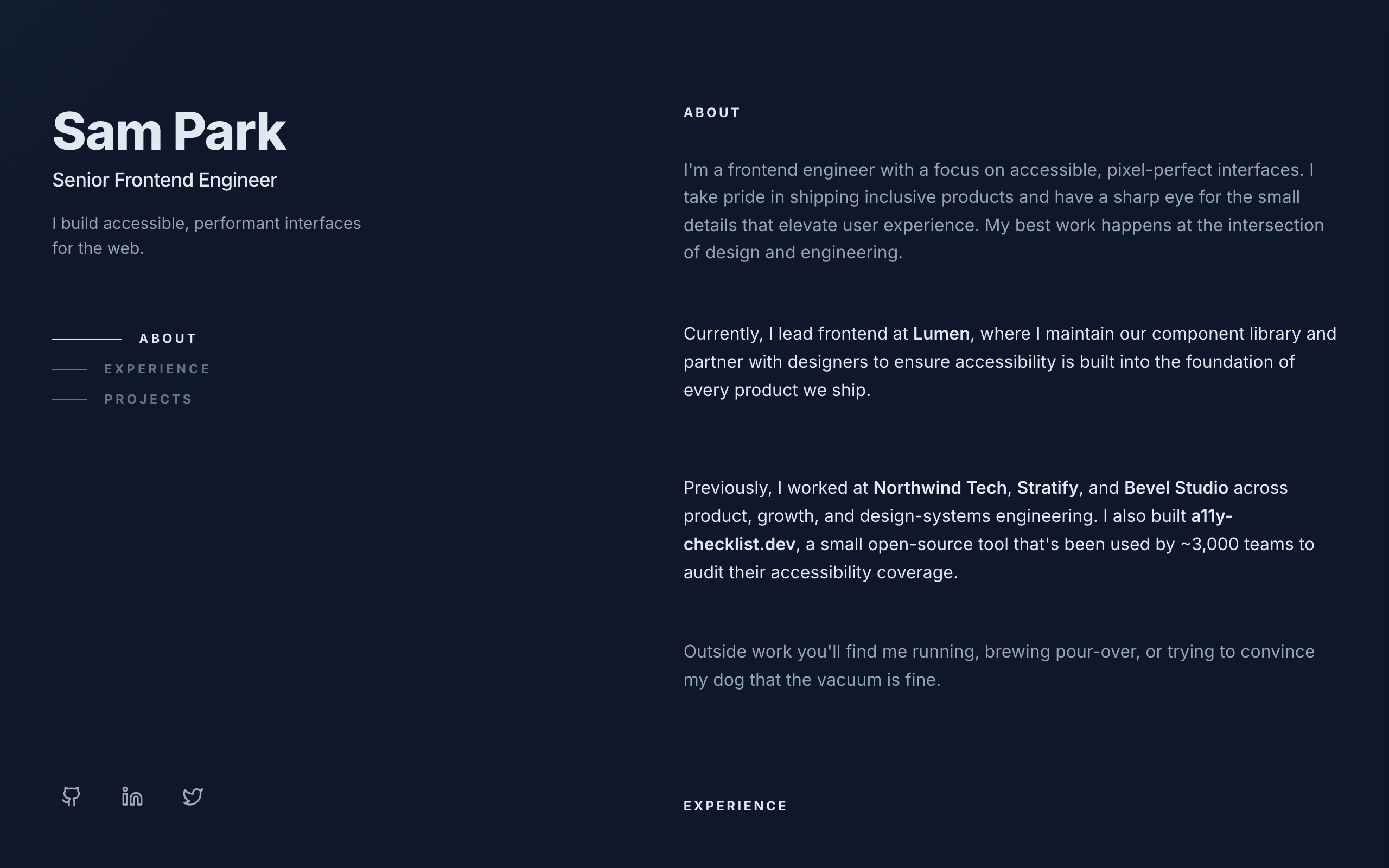
Here's what came back from my résumé. It's a dark, two-column portfolio with a profile card, an About section, a work timeline, a projects grid and social links, all taken from the PDF.
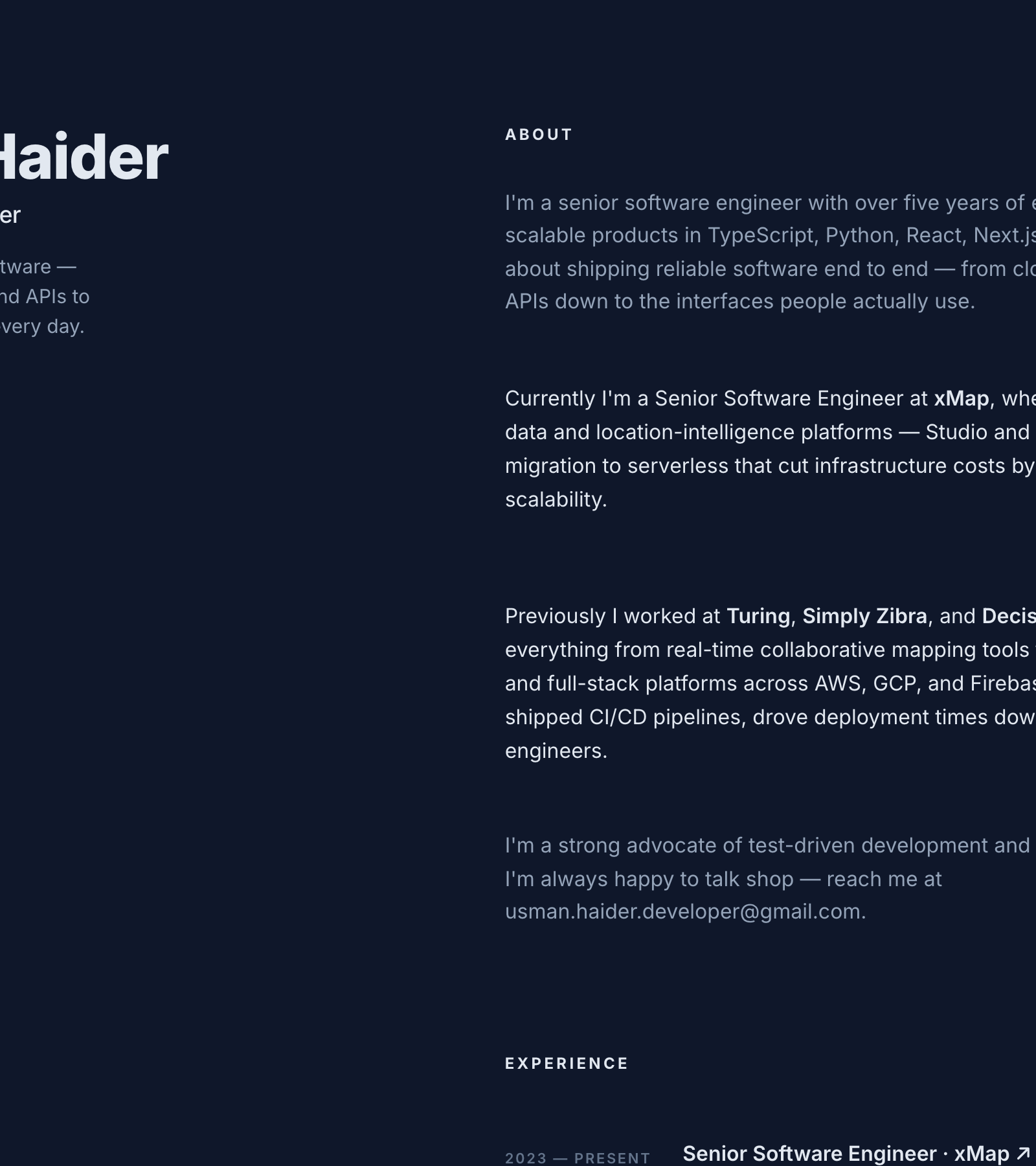
It reads like a site someone built on purpose, not a résumé pasted into a page, because the content fills a real design.
Make it yours
A generated portfolio is a strong starting point, not a cage. You can edit it two ways. Keep asking Claude in the same chat, such as "add an education section" or "move Projects above Experience". Or open it in the visual editor and adjust it by hand. You can also add a contact form so people can reach you. And because the site sits next to your other Claude connectors, you can read and reply to those messages from the same window.
Why do this from a chat at all?
Because a portfolio is never really done. You change jobs, finish a project or win an award. Updating the site is one more message in a chat that already knows your history. The same window that built it keeps maintaining it. That's the difference between Sitelas and a traditional builder: it's a site that lives where you already work. To build from scratch instead, see How to Build a Website From a Claude Chat. To start from an existing page, see I Cloned a Website From a Claude Chat.
Try it
Add the Sitelas connector in Claude, attach your résumé, and ask for a portfolio. Review the private preview, tweak anything, then publish. Start at sitelas.com.
Templates to start from
Build this with a ready-made design, then change anything.
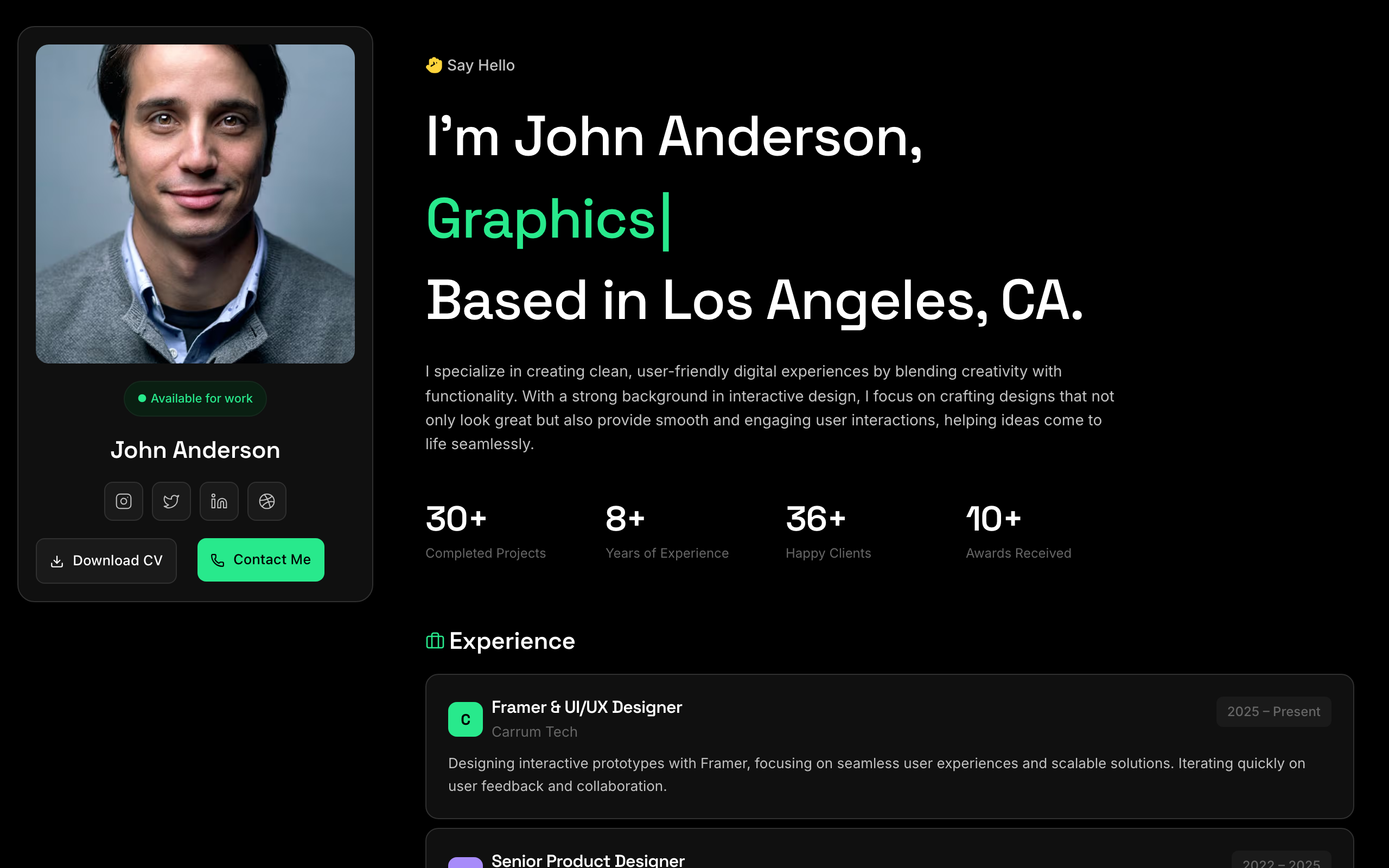
Kepler
A dark one-link profile for UX designers and engineers: sticky intro, projects, stats and a contact form.
Console
A dark two-column developer portfolio: sticky intro on the left, experience and projects on the right.
Vitae
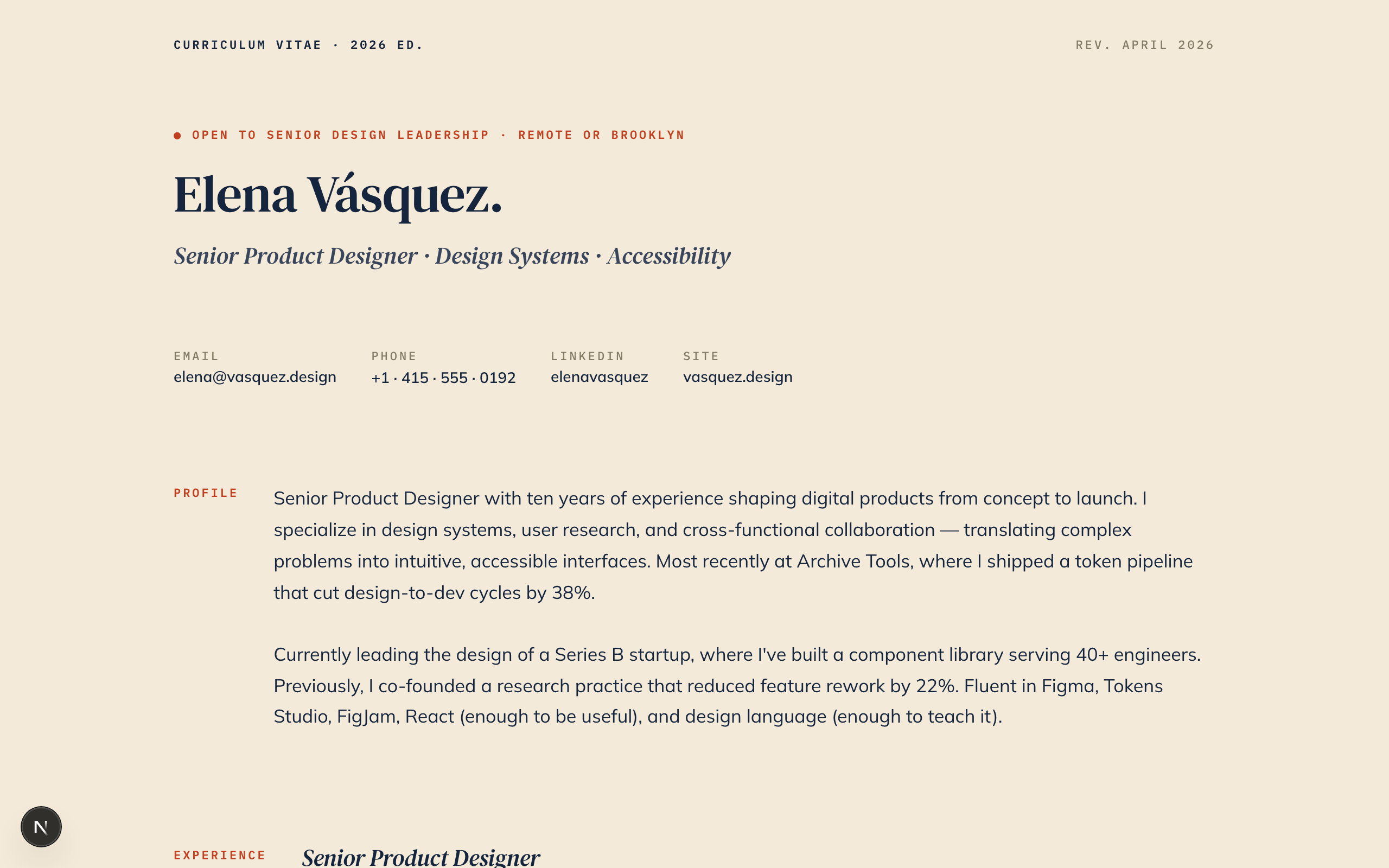
A classic one-page CV: section labels on the left, experience, skills and education on the right.

Usman Haider
Founder of Sitelas — the website builder for AI agents.