
I Cloned a Website From a Claude Chat
Paste a URL, say "clone this," and Claude rebuilds the page as a real, editable Sitelas site — same structure, fonts, colors, and imagery — previewed privately and published only when you say go. Plus the one copyright caveat that matters.

Usman Haider

Sometimes you find a layout you wish you'd built. It might be a landing page that just works, or an old site of your own you want to move. The usual answer is to open the browser's developer tools and start copying. It's slow, and you end up with code that isn't easy to edit.
Sitelas does it in one prompt. Because Sitelas plugs into Claude, you can give Claude a web address, say clone this and get back a real Sitelas site you can edit. You preview it privately first and publish only when you're ready. I did exactly that with nextjs.org. Here's how it went, end to end, and the one honest caveat that matters.
What "clone" actually means here
This isn't a screenshot and it isn't an <iframe> wrapper. Claude captures the page: how it looks, its colours, fonts and spacing, and its images. Then it rebuilds it section by section as a Sitelas site. The output is a normal site made of Sitelas's own building blocks, with a proper header, footer, theme, and pages.
So from the moment it exists, it's yours to change. Reword the top section, change the colours, remove a section or add a form, by asking Claude or in the visual editor. The clone is your starting point, not a frozen copy. (New to the build flow? Start with How to Build a Website From a Claude Chat.)
First: connect Sitelas to Claude
One-time setup: Sitelas is in Claude's connector directory, so adding it takes one click — open the listing and choose Add.
Using Claude Code or Claude Desktop instead? Those read a config file rather than the directory, so point them at https://sitelas.com/api/mcp.
Sign in to Sitelas when prompted. Claude can now capture URLs, compose sites, change themes, and publish — all from chat.
Step 1: Hand Claude a URL and say "clone it"
You give it the address; Claude does the rest in one turn — capture, study, rebuild, preview.
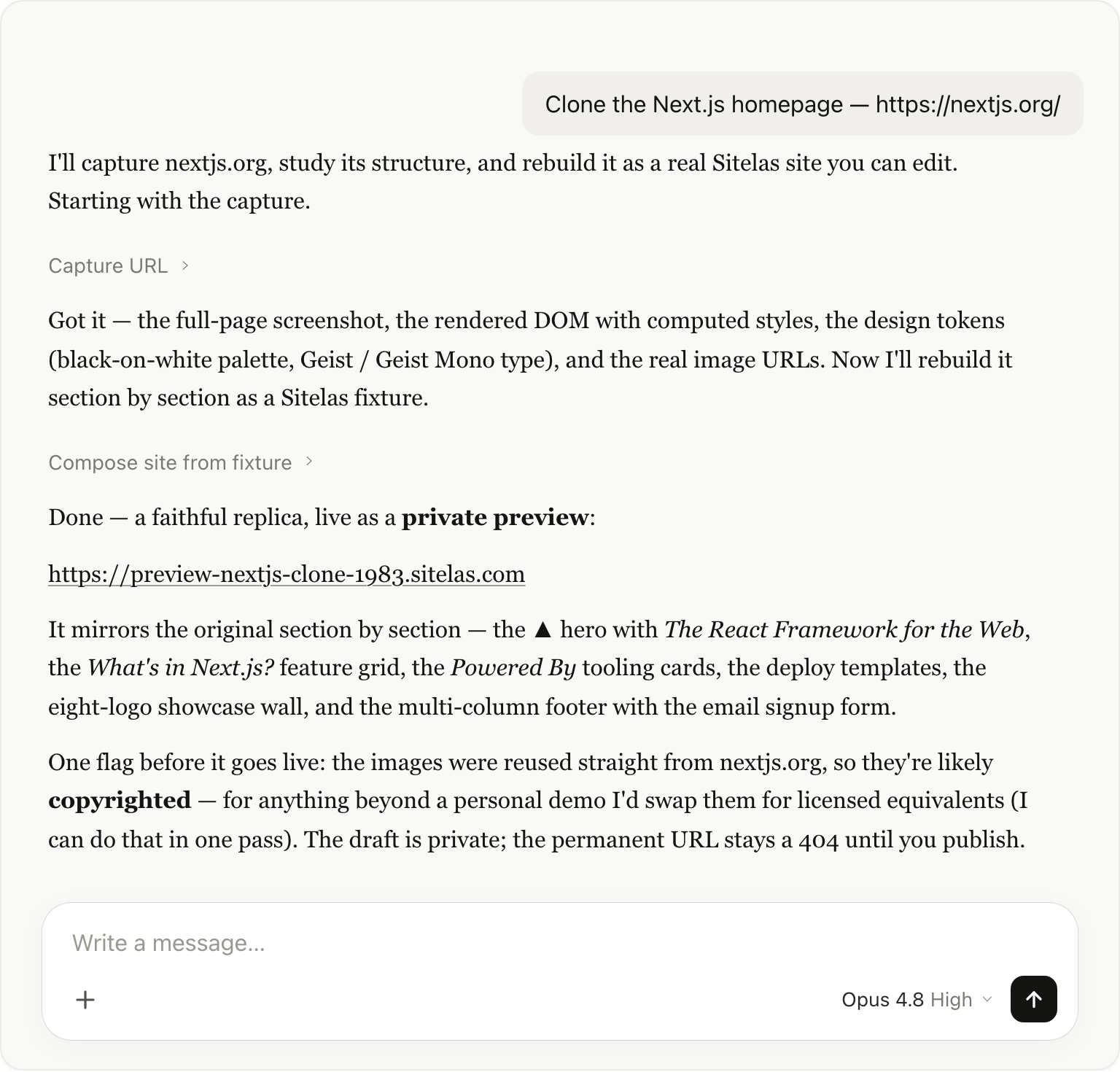
Here's what it actually does. It captures nextjs.org and reads the layout, the black-and-white colours and the fonts straight off the page. Then it builds a site that mirrors the original and saves it as a draft.
What came back was a faithful copy, section by section. It had the "The React Framework for the Web" opening, the feature grid, the "Powered By" cards, the logo wall with testimonials and the full footer with an email signup form.
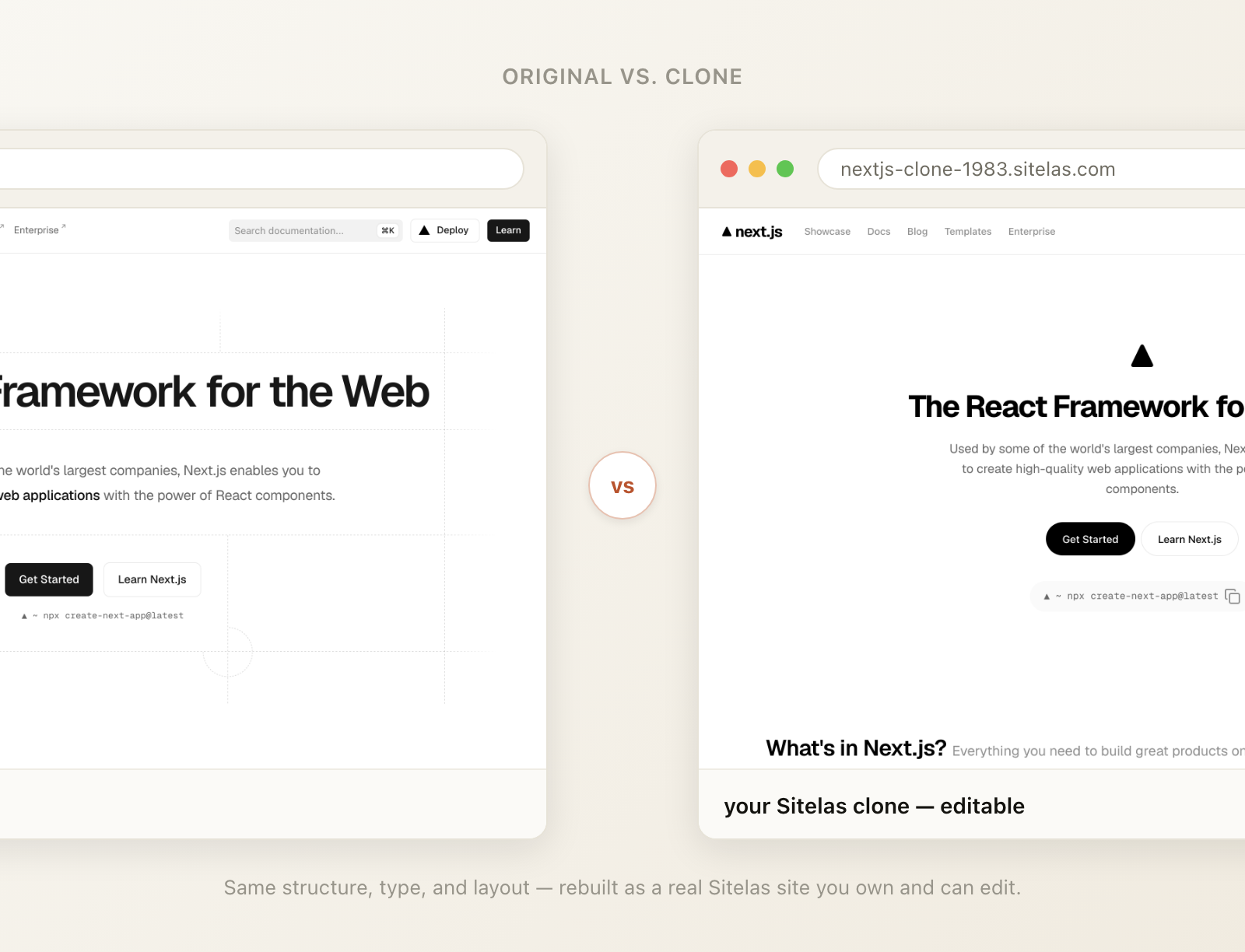
Side by side, the original and the clone read as the same page. The difference is that the one on the right is a Sitelas site I can edit, restyle and republish from chat.
You get a private preview first — nothing is public yet
Just like building from scratch, the clone lands as a draft. Claude hands you a preview URL (preview-nextjs-clone-1983.sitelas.com) that's private to you; the permanent address stays a 404 until you publish. So you can click through the whole thing, decide what to keep, and change anything before a single visitor sees it.
This is also where you'd start making it your own — different copy, your palette, your sections. You rarely want to publish a clone as it is. Adapting one is a fast way to a site that's genuinely yours.
Step 2: Publish when you're happy
When the preview looks right, tell Claude to make it live.
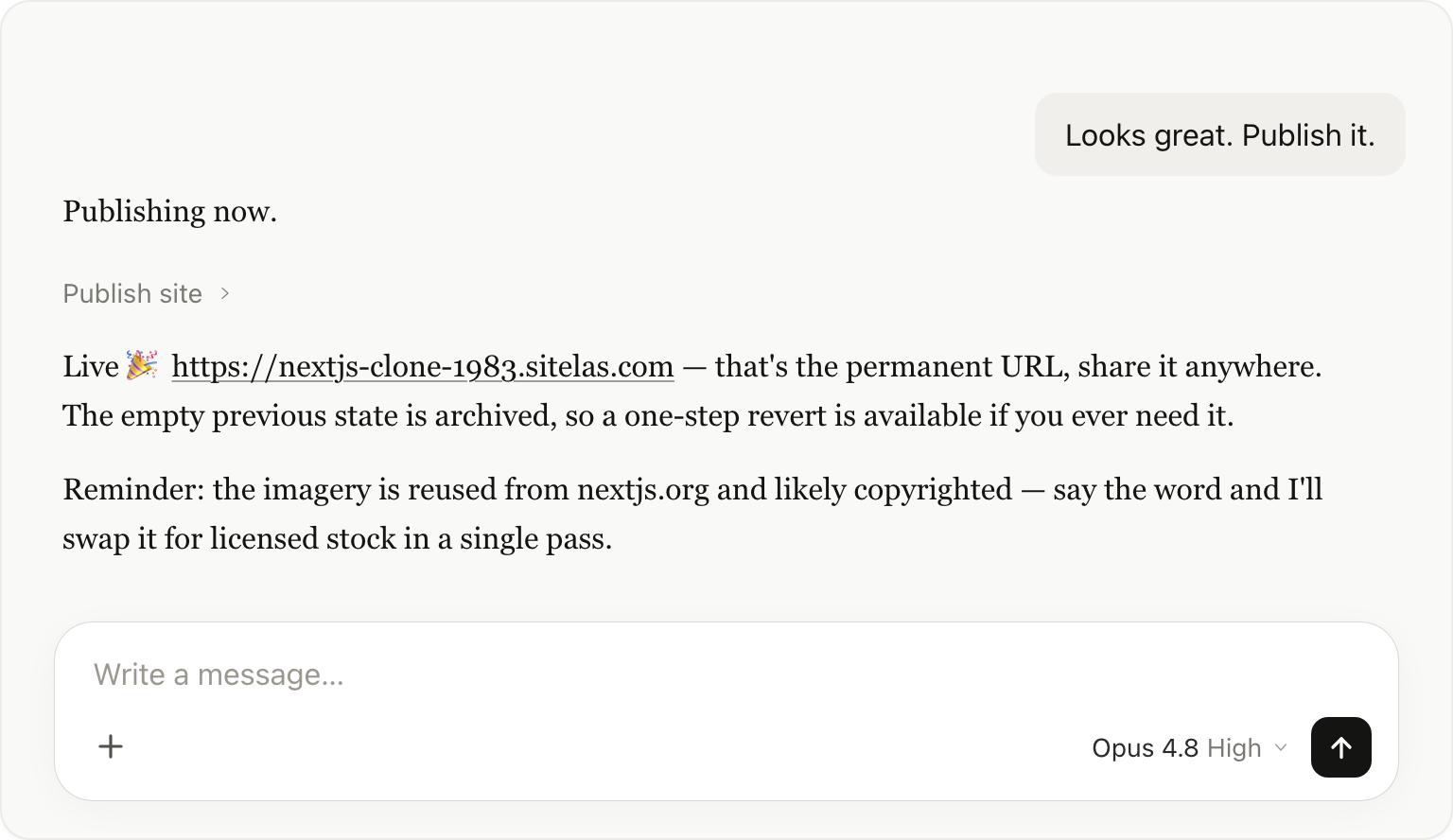
Claude publishes the draft to the real address and keeps the previous version, so you can always undo one step. nextjs-clone-1983.sitelas.com is now a real, live site.
The honest caveat: copied images are copied images
This is the part to take seriously. When Claude rebuilds a page, it reuses the real images from the original so the clone looks right. Those photos, logos and screenshots are very likely copyrighted. That's fine for a personal demo or a private prototype. It is not fine to publish someone else's photography, logos, and brand art as your own.
So the responsible flow is: clone to get the structure and layout fast, then replace the borrowed pieces with your own. Just ask, and Claude swaps every image for licensed stock photos in one go. The text is yours to rewrite anyway. Treat a clone as scaffolding, not a finished product, and you stay on the right side of this.
When cloning is the right move
- Migrating your own site. You already own the content and brand. Clone it into Sitelas, then edit and publish from chat from then on.
- A starting layout you'll customize. Admire a structure? Clone it as scaffolding, then change the copy, palette, imagery, and sections until it's your site, not theirs.
- A fast prototype. Stand up a realistic page to test an idea, knowing the assets get swapped before anything ships.
What it's not for: republishing someone else's brand, art, and copy verbatim. The capability is powerful; the imagery caveat above is the guardrail.
Why do this from a chat at all?
Same reason the rest of Sitelas lives in Claude: the context never resets. The chat that cloned your page can keep going. It can restyle it, add a form and forward its submissions, read messages and draft replies through Gmail, without you opening a dashboard. The clone isn't a dead end; it's the first step of a site you run from the same window. For a full worked example of that loop, see I Launched a Waitlist and Ran It From One Claude Chat.
If you'd rather fine-tune by hand, every cloned site also opens in the visual editor.
Try it
Add the Sitelas connector in Claude, paste a URL, and say clone it. Review the private preview, swap the borrowed imagery for your own, customize until it's yours, then publish. Start at sitelas.com.
Templates to start from
Build this with a ready-made design, then change anything.


Usman Haider
Founder of Sitelas — the website builder for AI agents.