Recruitment Website Design: What an Agency Site Needs
What a recruitment or staffing agency website needs for candidates and employers, page by page: a jobs board, CV applications, a request-staff form, case studies. Then how to build one by asking Claude.

Usman Haider

Recruitment website design has to serve two people at once. A forklift driver sees a job ad on their phone during a break. They tap through to your site. If the job page hides the pay and asks them to make an account, they leave. An hour later, a warehouse manager needs five people for peak season. They open three agency sites and call the one that says plainly what it does.
The best agency sites serve both of them. This guide lists what an agency site needs, page by page, whatever you build with. Then it shows how I built one by asking Claude.
Two audiences, one site
Most agency sites talk only to employers, because employers pay the fee. But candidates are half your stock. If they can't find a job and apply in two minutes, you have nobody to put forward.
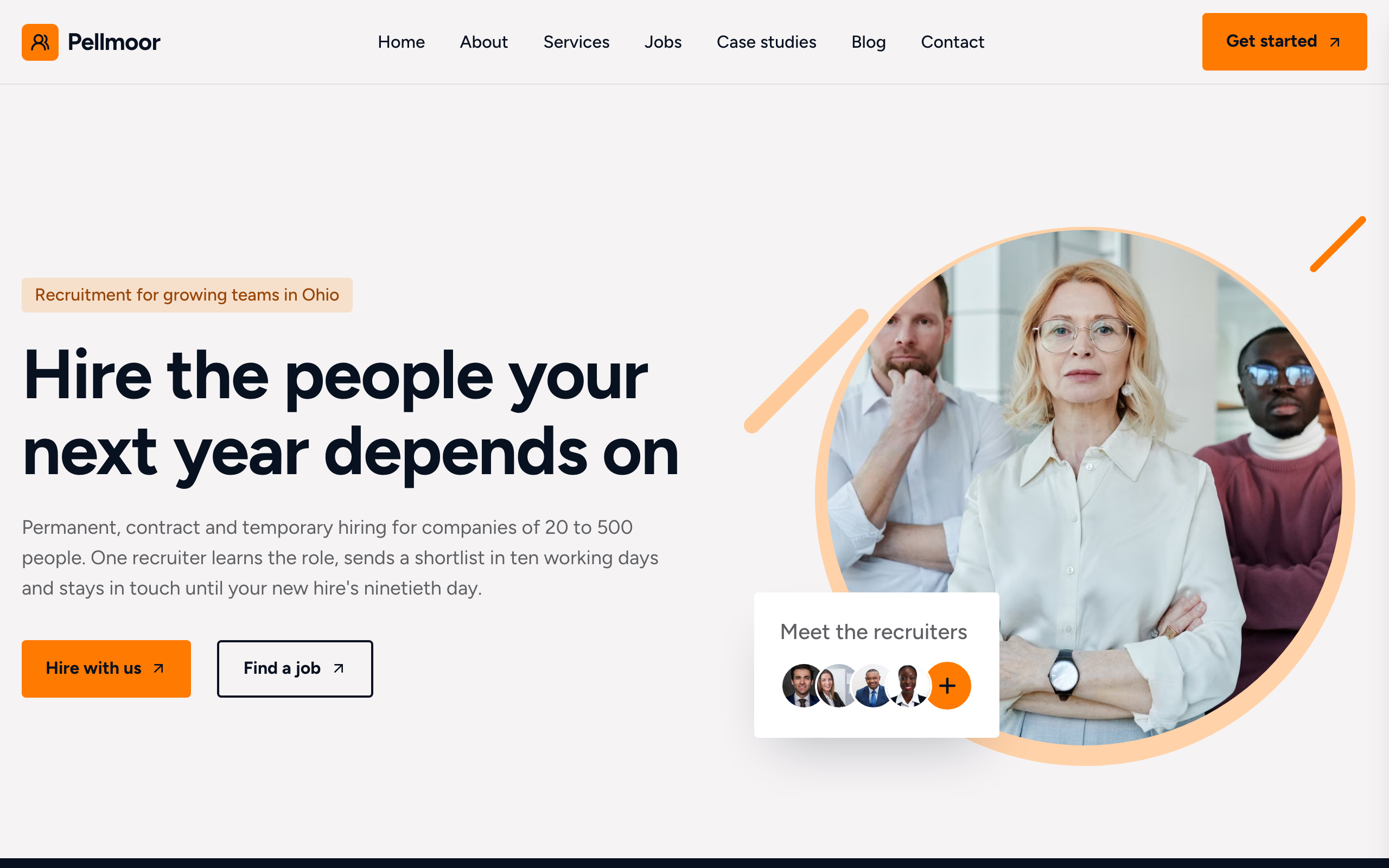
So the first screen needs two clear doors:
- Find a job: for candidates, straight to the jobs board.
- Hire with us: for employers, straight to your services and a request form.
Then say who you place and where, in plain words. "Warehouse, logistics and office staff for Baltimore employers" beats "talent solutions for tomorrow's workforce".
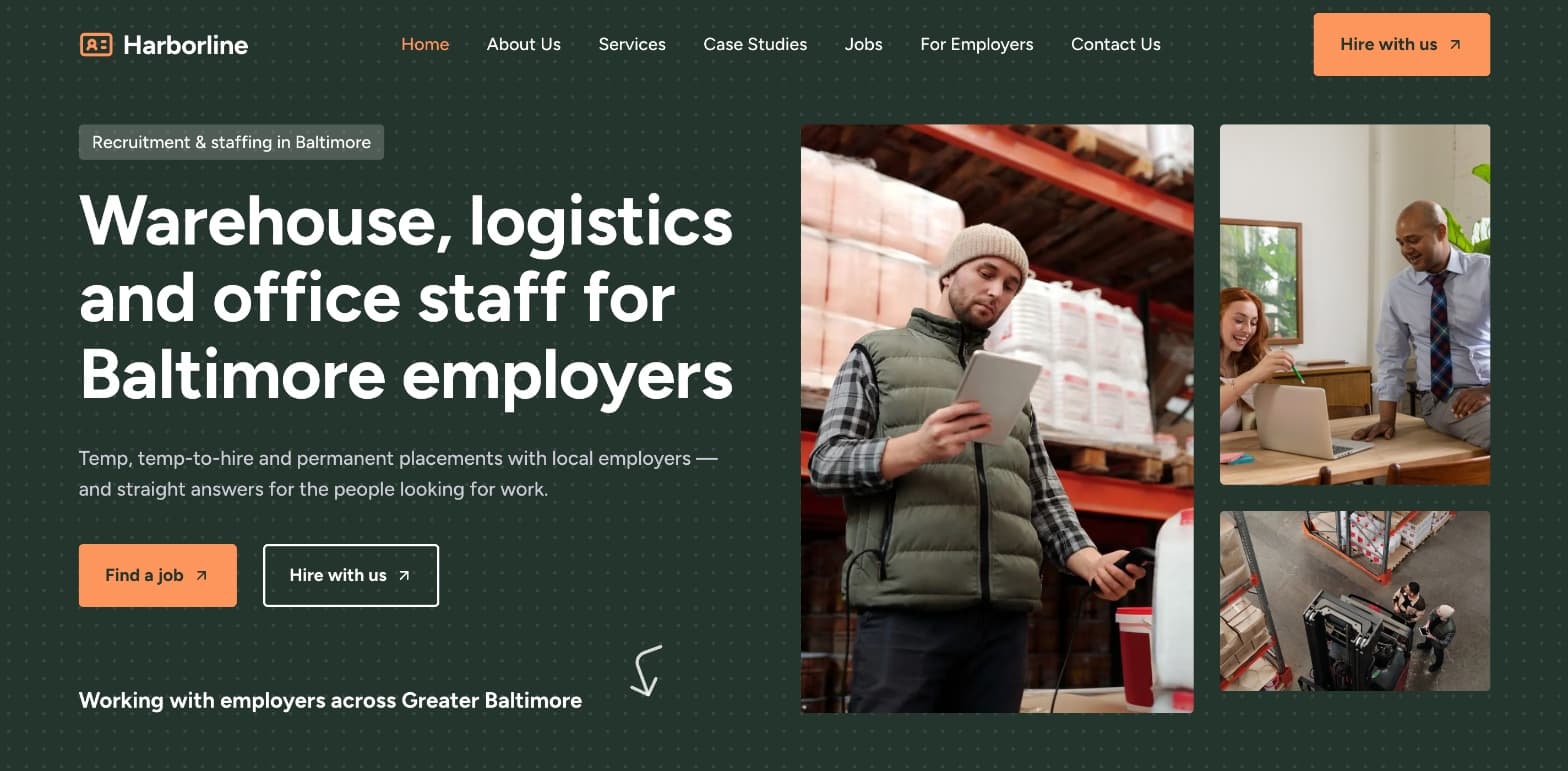
The demo agency site built for this guide. One headline, two doors.
Recruitment website design, page by page
1. A jobs board with one page per job
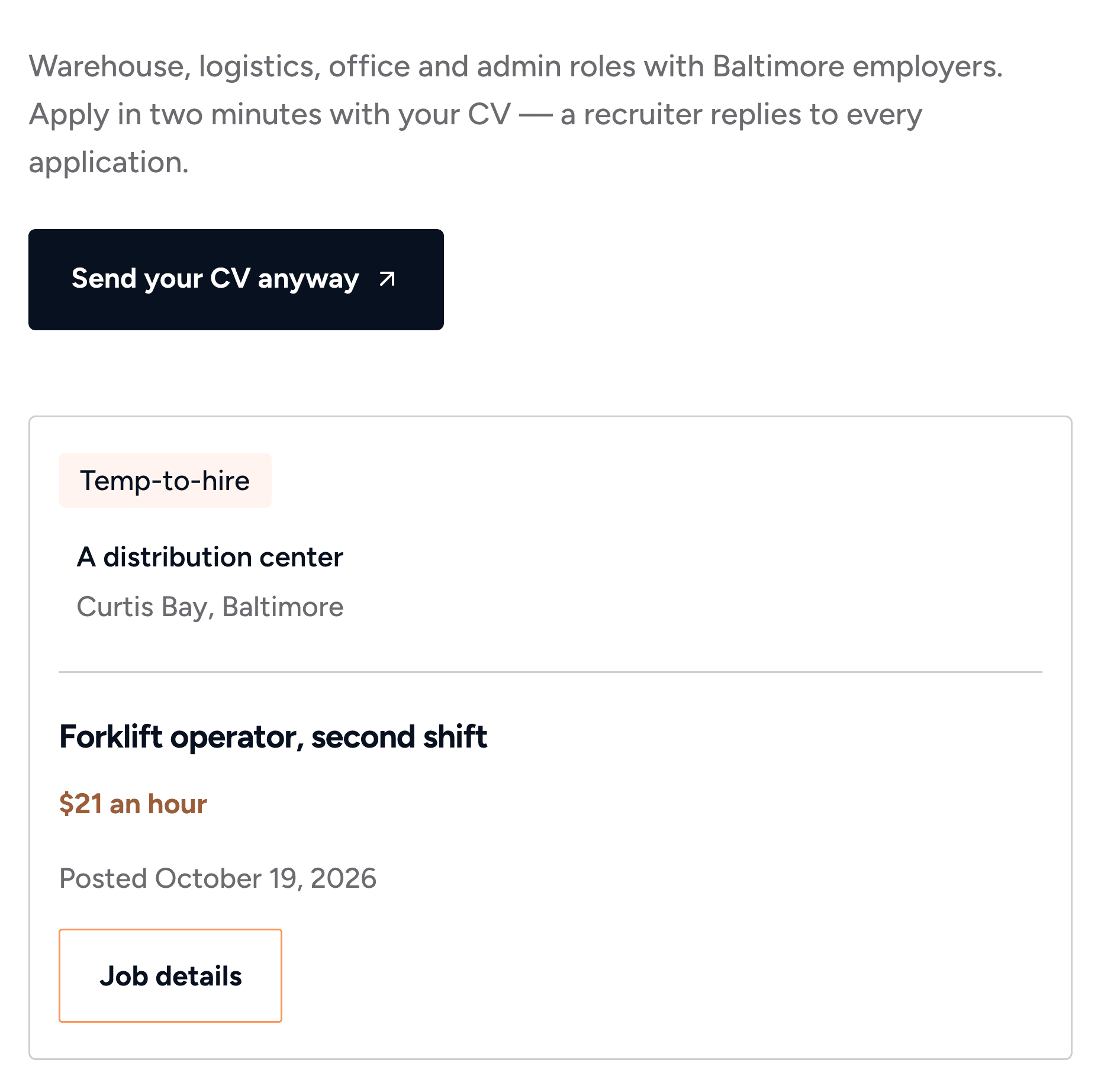
Candidates use this page most. Give each job its own page and link, to share on job boards and social media. Each job card should show:
- the job type: temporary, temp-to-hire or permanent;
- the kind of employer and the area, even if you can't name the client;
- the pay, or at least when it will be confirmed;
- the date it was posted, so people know it's still open.
2. A short application form with a CV upload
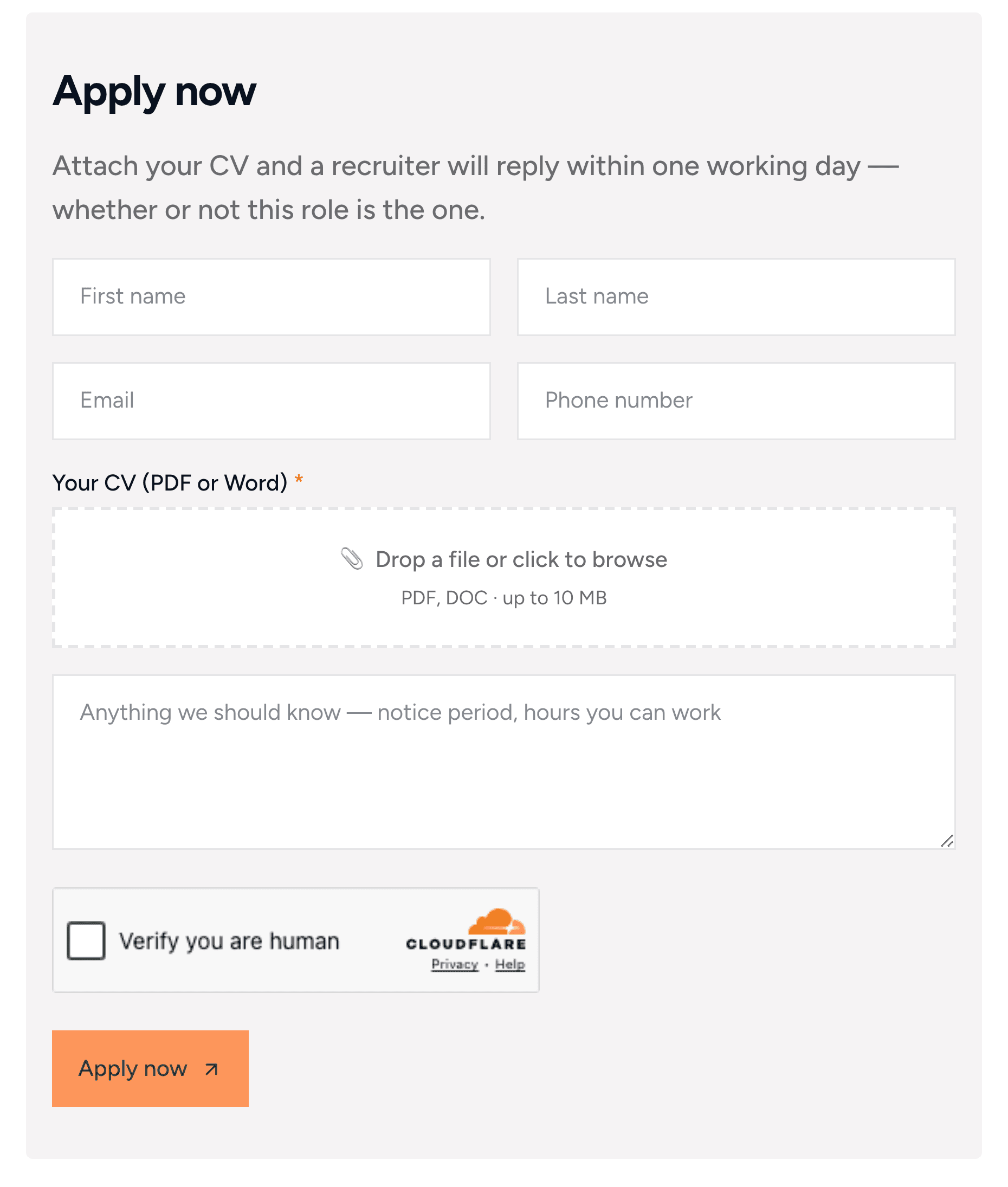
Ask only for what you need to call someone back: name, email, phone, a CV and a notes box. Every extra field loses applicants, and most of them are on a phone.
Two things help:
- Say what happens next. "A recruiter will reply within one working day" is a promise people remember.
- Take Word files as well as PDFs. Many candidates only have a CV in Word.
3. A page for employers
Employers want to know three things: which roles you fill, how you work and what it costs. Explain each type of hire in a sentence or two. Then show your process in three or four steps, from the first call to the first shift.
If you charge a fee, say how it's agreed, even if you don't publish the number. "The fee is agreed in writing before we start" removes a worry.
4. A form to request staff
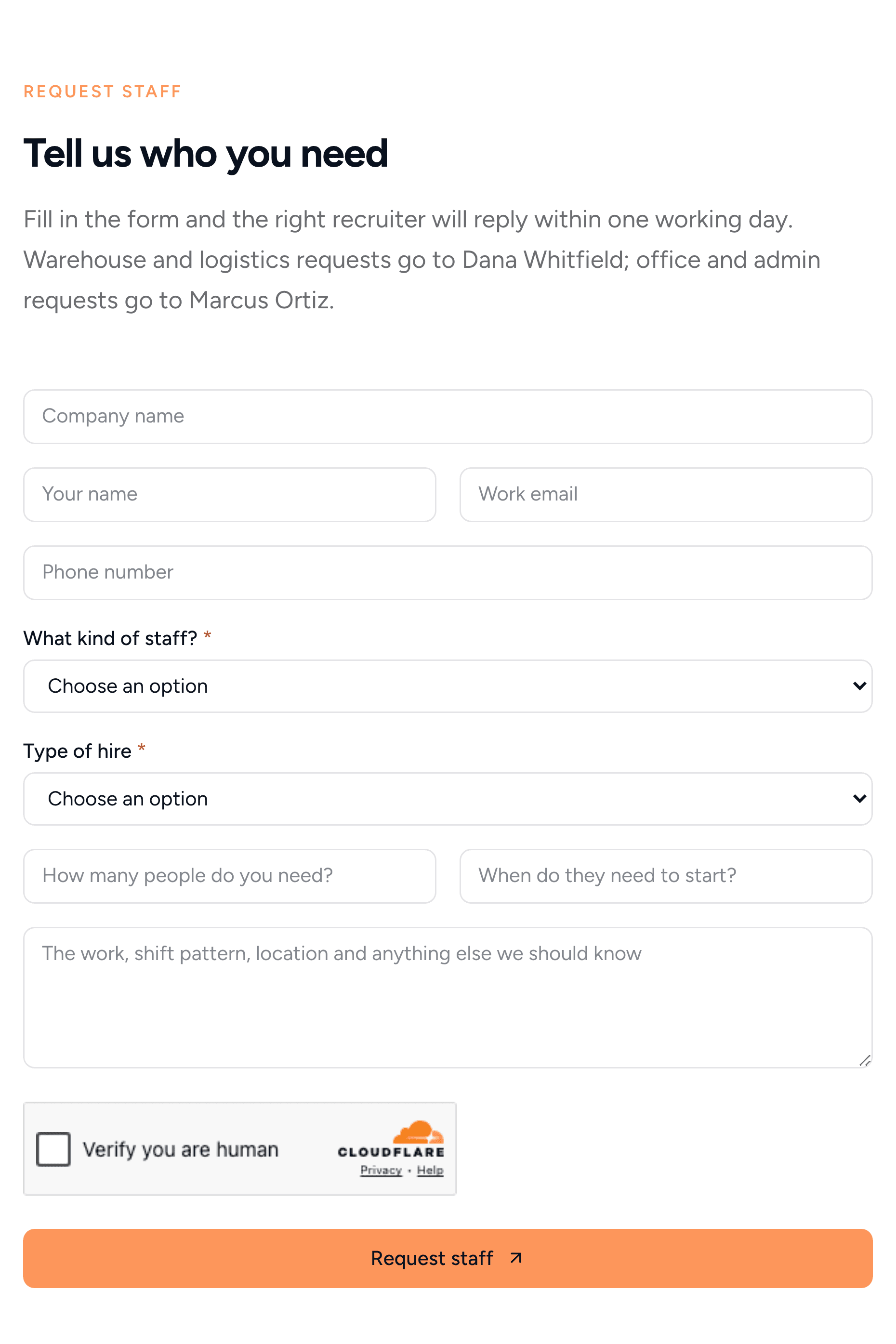
This is where new business arrives. Ask for what you need to quote: the company, the kind of staff and the type of hire. Then ask how many people they need and when they start.
5. Case studies with real numbers
"We placed 12 pickers in four days for a peak-season contract" sells better than any slogan. Give each case one short page: the client's problem, what you did and the result.
6. Your recruiters, by name
Candidates and clients both deal with a person, not a brand. Show each recruiter with a photo, what they cover and how to reach them. A face makes it easier to send a CV or pick up the phone.
7. Sectors and towns, on pages that load fast on a phone
People search for "warehouse staffing agency in Baltimore", not "staffing solutions". List the sectors and towns you cover, with a short page for each one. Keep every page light, with big buttons and a phone number that dials on tap.
How to build a recruitment website by asking Claude
You can build all of the above with any website builder. Here's a faster way: describe the agency to Claude, and let it build and run the site with Sitelas.
Sitelas is in Claude's connector directory. Adding it takes one click, and the same click creates your Sitelas account. It also works in ChatGPT as a plugin (how to build a website with ChatGPT). New to this? Build a website from a Claude chat covers the basics.
Step 1: Describe your agency in one message
I made up an agency, Harborline Staffing in Baltimore. My one message to Claude said what we place, who our recruiters are and which pages I wanted.
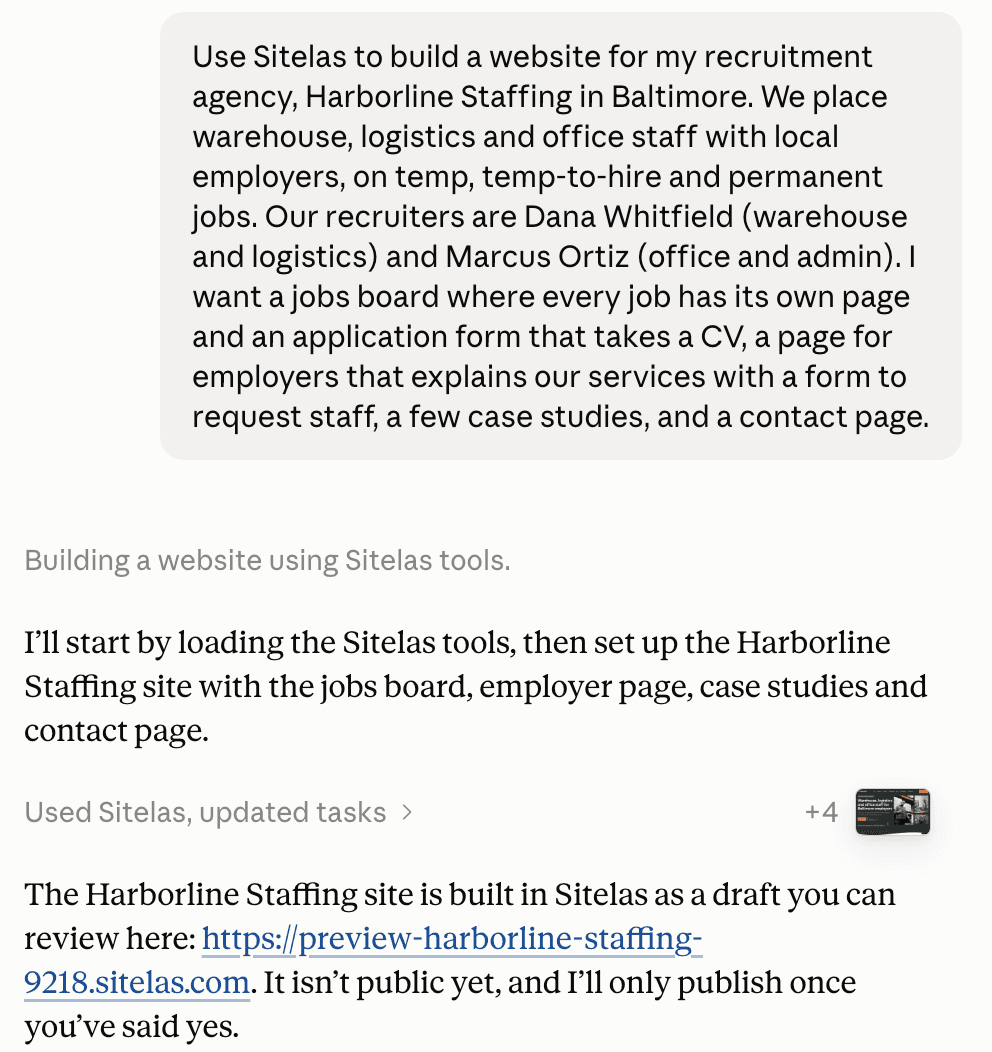
Claude started from Sitelas's recruitment template, Lanyard, and rewrote it for Harborline. It took about twelve minutes, including checking its own pages.
Step 2: Check the preview
Nothing went live. Claude built a private preview and sent me the link. It also listed what it couldn't know:
- the phone number and email were stand-ins;
- the jobs and case studies were samples, with pay "confirmed before interview" instead of a made-up rate;
- the recruiter photos were stock pictures.
It asked me for the real ones before publishing.
Step 3: Add a job in one sentence
New jobs come in every week, so this is the update you'll make most. I sent one message:
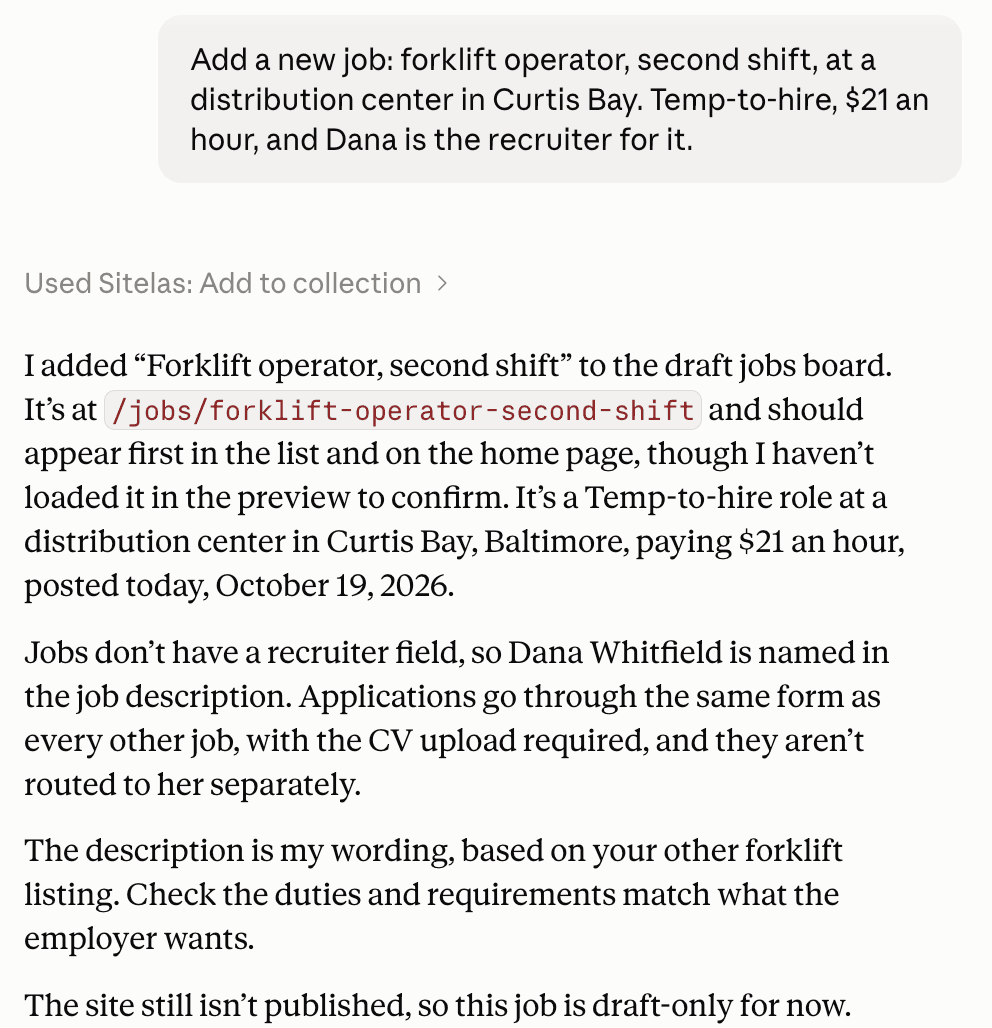
Claude added the job with its own page, its pay and today's date, first on the board. That took under a minute. It also said what it couldn't do. Jobs have no recruiter field, so it named Dana in the description instead.
Colleagues who use ChatGPT can post jobs too. I asked ChatGPT, where the Sitelas plugin is added, for one more:
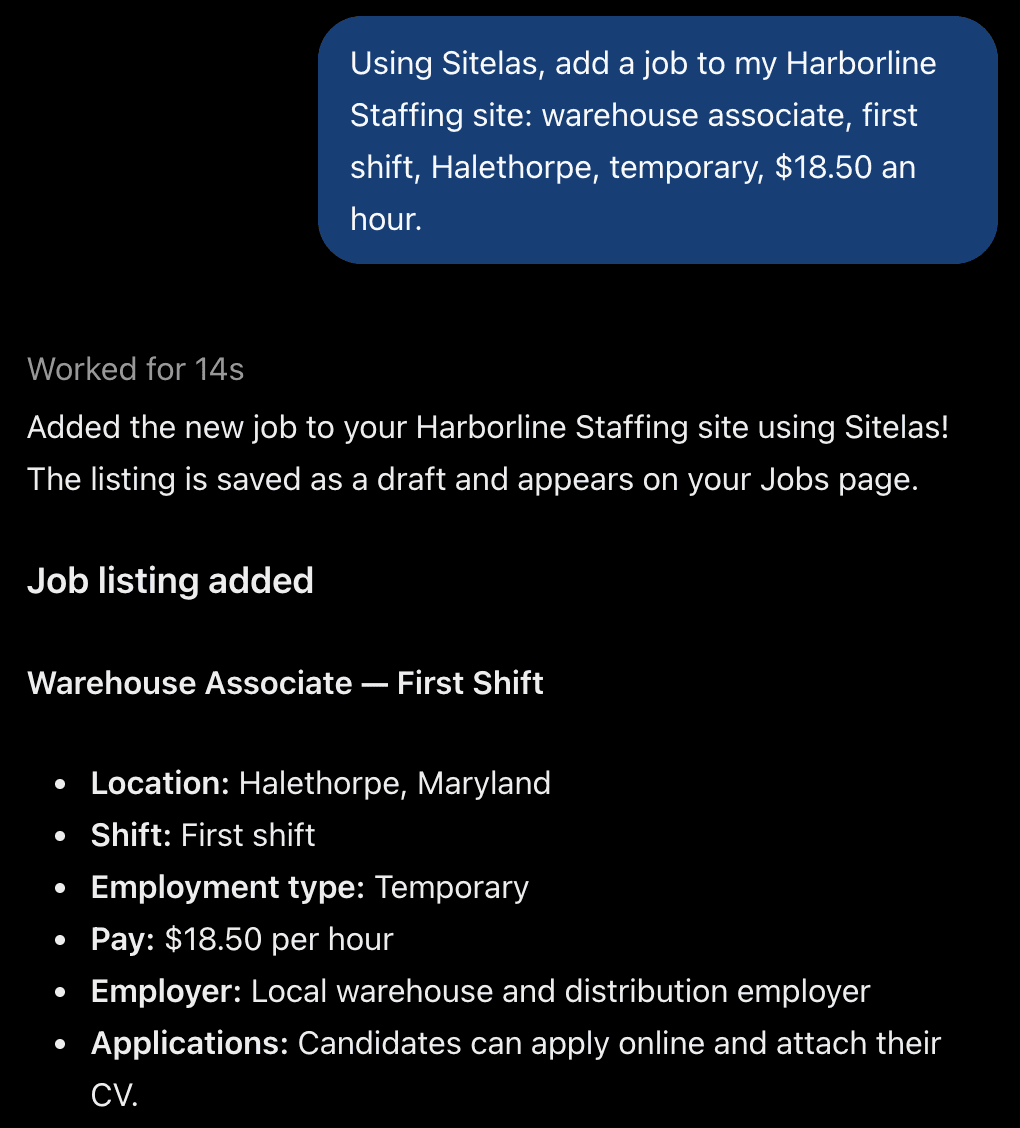
It took 14 seconds. Like Claude, ChatGPT saved the job as a draft and asked before publishing.
Step 4: Read applications from the same chat
Applications land in your Sitelas inbox, with the CV as a download link. Read them in the dashboard, or ask Claude: "any new applications for the forklift job?"
Step 5: Publish
When the preview looks right, say "publish it". The site goes live on a sitelas.com address. For your own domain, see custom domains and SEO.
What it can't do
Sitelas is not an applicant tracking system:
- no candidate database, interview scheduling or pipeline stages;
- no posting to Indeed or LinkedIn;
- candidates and employers can't log in or post jobs themselves;
- every application lands in one inbox, not one per recruiter.
If you use an applicant tracking system, forward each application to it with a webhook. You set one per form in the editor.
Questions people ask
What is a recruitment website? It's an agency's own site, where candidates apply for jobs and employers ask for staff. A job board like Indeed lists many agencies' jobs. Your own site brings the applications and client requests straight to you.
How much does a recruitment website cost? Agencies that build recruitment sites often charge a setup fee plus a monthly fee. On Sitelas, one published site is free, on a sitelas.com address with a small Sitelas badge. Pro is $9 a month, or $90 a year, per site, and adds your own domain. Free lets you read 5 form submissions a month; Pro covers 500 a month per site.
Can candidates upload a CV on my website? Yes. Each job's form takes a CV as a PDF or Word file. Sitelas stores the file, and it arrives in your inbox as a download link. No Google account or setup is needed.
Try it
Copy this into a new Claude or ChatGPT chat after adding Sitelas. Swap in your own details first.
Use Sitelas to build a website for my recruitment agency, [agency name] in [town].
We place [kinds of staff] on [temp / temp-to-hire / permanent] jobs.
Our recruiters are [names and what each covers]. I want a jobs board where every
job has its own page and an application form that takes a CV, a page for employers
with a form to request staff, a few case studies, and a contact page.
- Add to Claude: Sitelas in Claude's connector directory
- Add to ChatGPT: Sitelas in ChatGPT
- See the design we used: the Lanyard recruitment template
- For staffing and temp agencies: the Shortlist template, with a jobs board tabbed by job type
Templates to start from
Build this with a ready-made design, then change anything.


Usman Haider
Founder of Sitelas — the website builder for AI agents.