

A Claude Cowork Use Case: A Waitlist Page That Reports Back Every Morning
A real Claude Cowork use case: one workspace builds the waitlist page, publishes it, and reads the sign-ups back to you in plain English every morning.

Usman Haider

Here is a Claude Cowork use case you can copy. Launch a waitlist page, then have Claude watch it for you. Launching the page is the easy half. You can get a decent one up in an afternoon.
The half that dies is the running of it. Two weeks later nobody has opened the form tool. Nobody knows whether Tuesday brought four signups or none. The "we'll review them weekly" habit lasted exactly one week. The page is still live. The loop is dead.
So I tried something different for my last one. I launched it from Claude Cowork. Before I closed the workspace, I asked Claude to check the signups every morning and email me what came in. That second sentence is the one that interests me. It turns a page you published into something you actually stay on top of.
The product is Loopin, a fictional group-chat planning app I use for demos. The page was a real, published site. I've since taken the demo down, but the screenshots below are of the live page. The digest email is real too, and I've quoted it in full. You can start from the same kind of page with the waitlist and product templates. Here's the whole loop, end to end.
Cowork vs. a chat (the 30-second version)
If you've only used claude.ai as a chat, Cowork is the same Claude with a workspace around it. It has a task view, progress tracking and, most importantly here, scheduled tasks. You can hand Claude a job and a time, and it runs on its own.
That's the difference between the waitlist I ran from a single chat and this one. In a chat, you're present for every step; the work happens because you're there. In Cowork, you set the job up once and it keeps happening while you're doing something else.
Both need Claude to actually be able to touch your site. That's what the connector is for.
Connect Sitelas once
One-time setup: Sitelas is in Claude's connector directory, so adding it takes one click — open the listing and choose Add.
Using Claude Code or Claude Desktop instead? Those read a config file rather than the directory, so point them at https://sitelas.com/api/mcp.
Sign in, approve, done. Claude can now design sites, publish them, read form submissions, and pull analytics — for any Sitelas site you own. The connector is available in Cowork the same way it's available in a chat; you'll see Sitelas listed under the workspace's connectors.
Step 1 — Launch the page
I opened a Cowork task and described the product rather than the design:
Build a waitlist page for Loopin. It lives inside your existing group chat and turns "we should get dinner sometime" into a real calendar invite. Works with iMessage, WhatsApp, Discord, Telegram, Slack. Warm and a bit funny, not enterprise SaaS. Email capture, and a short "how it works" section.
Claude picked an archetype, wrote the copy, and came back with a preview URL — not a live site. Every Sitelas change works this way. Work lands on a draft, you get a preview link, and the public page doesn't change until you say publish. You can change it as often as you like. Visitors keep seeing the last published version, or nothing at all if you've never published.
I asked for two changes — a warmer headline, and the channel logos moved above the fold. Each came back as an updated preview. When it read right, I said make it live, and Claude published it.
The headline it landed on:
Someone says "soon." Loopin makes it Thursday.
That's better than what I'd have written, and I say that as the person who would have written it.
One honest note about the page. The numbers on it ("9,300+ group chats") are demo text from the design, not real signups. The real count is one, and it's mine. That matters in a moment, and it's more useful to show you than a fake number.
Where the signups actually go
Every submission from that form lands in the Sitelas inbox — your dashboard, under Messages. No setup, no third-party form tool, no spreadsheet to wire up. That's the default and it's the only destination you need.
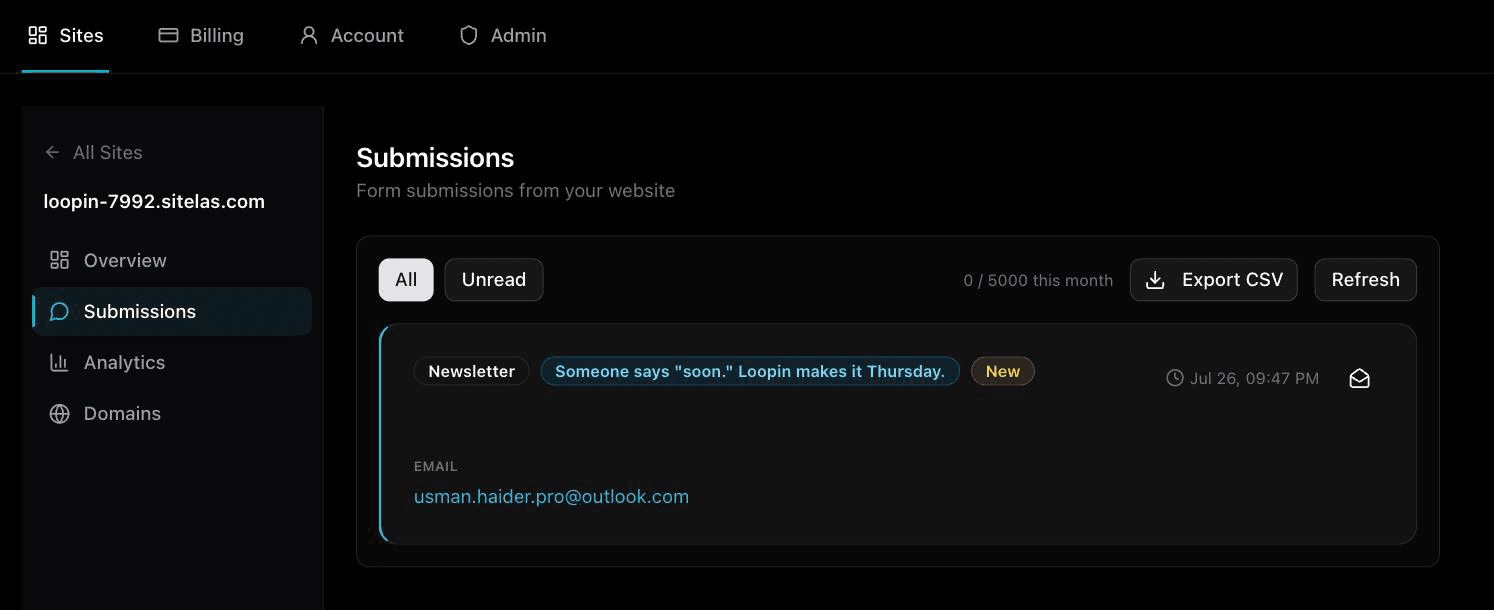
That is the real Loopin inbox, and it contains exactly one entry — mine. I submitted the form myself on launch day to check it worked. Each entry expands to show exactly the fields the form asked for; a form with more fields shows more. The fact that it is otherwise empty matters in a minute.
If you do want submissions somewhere else, each form has a "Forward to webhook" setting in the editor. Point it at Zapier, Make, n8n or your own system, and each submission is sent there as well. That's the route to a Google Sheet or a CRM, via a Zap that appends a row. There's no OAuth dance and no accounts to link; it's one URL field.
The reason this matters for the automation: because submissions live in Sitelas, Claude can read them through the connector. No export, no CSV, no "log in and check."
Step 2 — The part that makes it run
Here's the actual move. Still in Cowork, I created a scheduled task:
Every morning at 9:30, check the Loopin waitlist for submissions from the last 24 hours. Email me a short digest: how many signed up, who they are, and anything that stands out. If there were no new signups, say so in one line — don't skip the email.
Then I approved it once, and closed the tab.
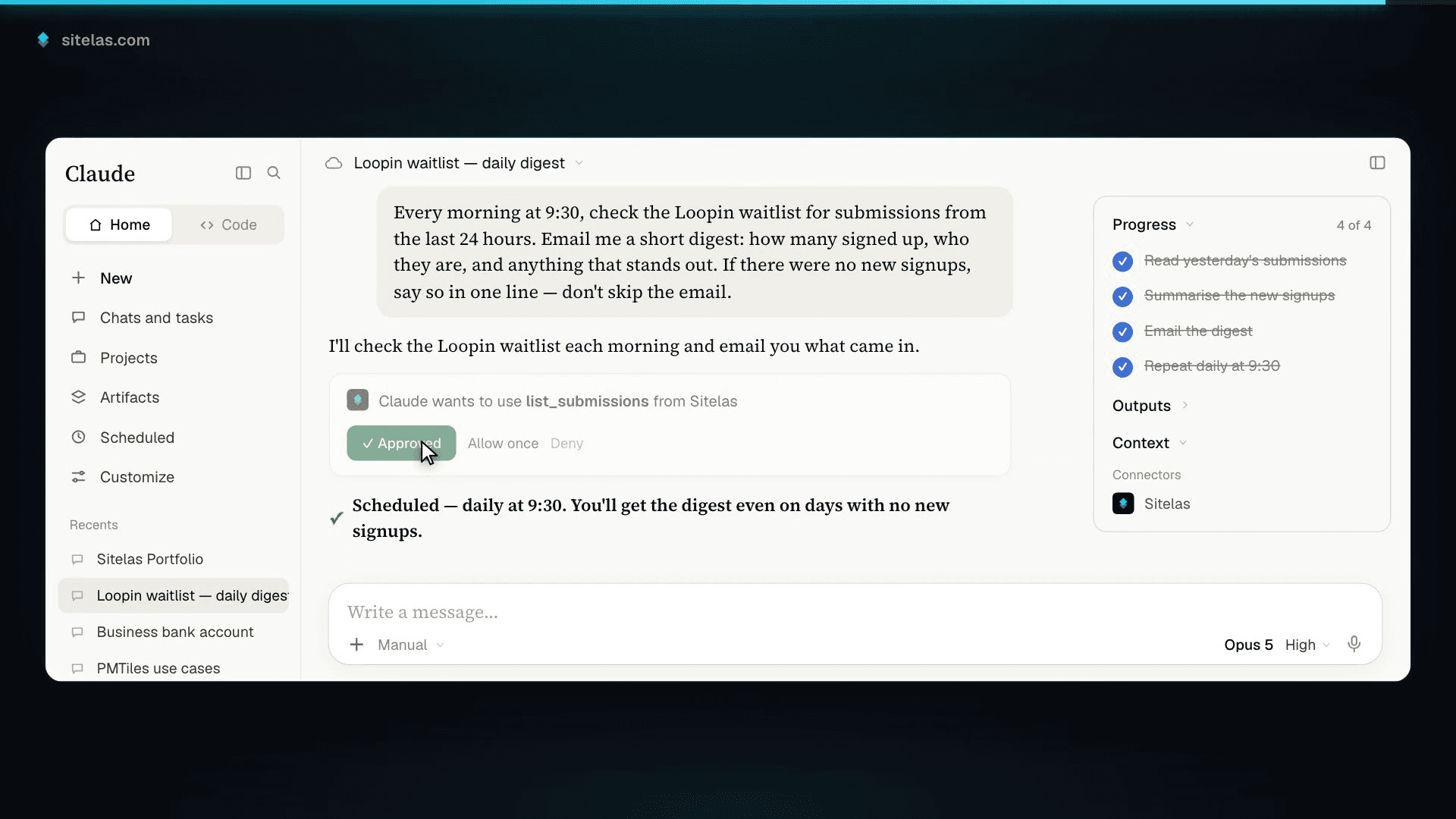
Three things about that prompt are deliberate, and each one is a thing I got wrong before getting it right:
"Email me." Cowork scheduled tasks run on their own and show their results in the app. If you want something in your inbox, the task has to say so. The email then comes from Claude's own address, not from Sitelas or your account. Mine came from no-reply-claude@mail.anthropic.com. Leave that sentence out and the task still runs. You just have to go and look at it, and that's exactly the habit that dies.
"Last 24 hours." Without a time window, you get the entire list every morning, which stops being useful by day three.
"If there were no new signups, say so — don't skip the email." This is the one I'd argue for hardest. A system that only speaks up with good news looks exactly like one that's quietly broken. You find out three weeks in that the form stopped working on day two. The empty email costs nothing and it's the only proof the loop is still alive.
What the digest actually looks like
I was impatient, so the next morning I test-fired the task by hand instead of waiting for 9:30. The email arrived a couple of minutes later, from Claude's own address:
Loopin: 1 new waitlist signup in the last 24h — usman.haider.pro@outlook.com, Sun 26 Jul 9:47 PM PKT. That's the first signup ever, so all-time total is now 1 and there's no meaningful trend yet. […] Note the form only asks for an email, so no name was captured. Submission left unread for your triage.
That one signup is me. I'd filled in my own form the evening before to check that submissions landed, and it fell inside the 24-hour window. As proof that the world wants Loopin, it's worthless. As a picture of what the loop does, it's exactly right.
Read what's in that paragraph. I asked for "how many signed up, who they are, and anything that stands out." What came back was the count, the email address and the time. It also gave the all-time total and why no name was captured. And it had left the submission unread so I could review it myself.
None of that is a database dump. Claude opened the actual submission and wrote up what it found. That only works because the submissions live in Sitelas, not in a form service Claude can't see.
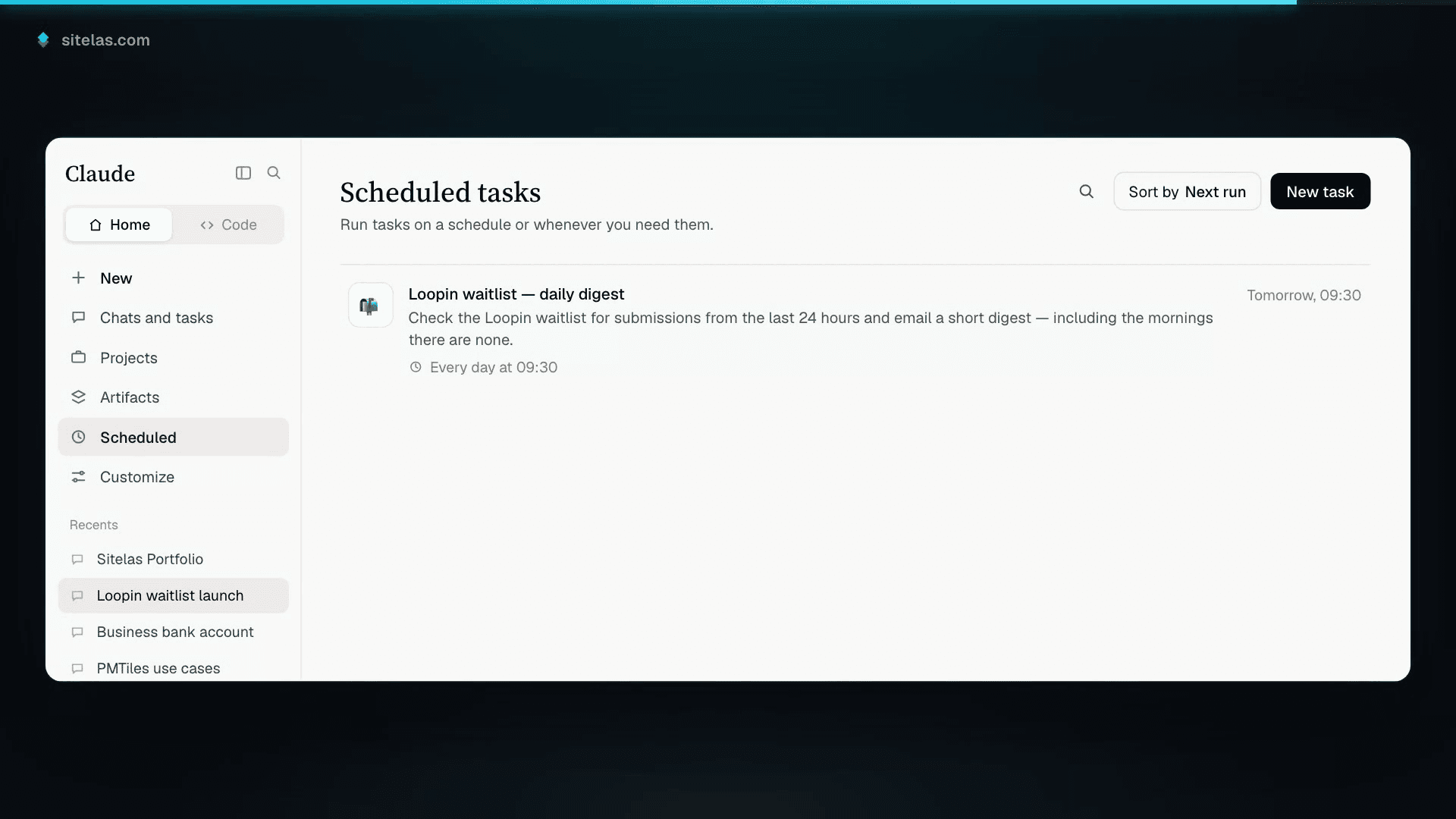
The task itself is one row on Claude's Scheduled page. That is the whole of the automation — no server, no cron file, no dashboard of my own to maintain. If I want it to stop, I delete the row.
The loop, in one picture
That's the entire shape of it, and it's worth stating plainly because it's the bit that's genuinely new:
- You describe the page. Claude builds it and hands you a preview URL. Nothing is public until you say publish.
- A visitor fills in the form. The submission lands in your Sitelas inbox — no form service, no spreadsheet, no wiring.
- You ask Claude what came in. It reads that inbox and answers in plain English, whenever you ask or on a schedule.
Every step happens in the same place, with the same assistant, and none asks you to export anything.
The honest caveats
A few things Sitelas doesn't do, so you can plan around them rather than discover them:
- No bulk email sender. When you're ready to invite the list, Claude can draft individual emails through your own Gmail. That works well for a small early-access batch. It's not a replacement for Mailchimp at 50,000 addresses.
- No CRM and no native scheduling. The inbox is a list of submissions, not a pipeline.
- Commerce is single-item. A waitlist doesn't need it, but for a paid pre-order, Sitelas supports one Stripe Payment Link per item, not a cart.
And one about Cowork: a scheduled task is Claude doing the work on a timer, not a background service inside Sitelas. It's worth knowing which system owns which half — Sitelas holds the site and the submissions; Cowork holds the schedule.
One note on my demo, so you don't misread the screenshots. The digest I've quoted is a test I ran by hand, not the 9:30 run. I set up the schedule, ran it twice by hand to see the output and then deleted the task. With only my own submission in the inbox, there was nothing for it to watch yet. The mechanism is the same either way; I just don't want you to think I've been running this for weeks.
Why this is different from a website builder
The page took about fifteen minutes. Any decent builder could have done that part.
What other site builders can't do is the second half. Your site sits next to your other Claude connectors. So the assistant that built it can read its submissions, summarize them and email you on a schedule, with no exporting and no dashboard.
That's the actual pitch for running a site from the same place you built it. It's the same ability an agent uses when it builds and runs a site with an API key. Cowork is just the friendlier way in.
Questions people ask
What is Claude Cowork? Cowork is Anthropic's agent mode for Claude. It works through longer jobs across your files and connected tools. It can also run a task on a schedule, such as every morning, while you do something else.
How do I use Claude Cowork with my website? Connect Sitelas once from Claude's connector directory. Then ask Cowork to build or change the site, or to check your form sign-ups on a schedule.
Where do the waitlist sign-ups go? Every sign-up lands in your Sitelas inbox and is emailed to you. You can also forward each one to another tool with a webhook. On the Free plan you can read 5 sign-ups a month; on Pro they never lock.
Can Cowork email the people on my waitlist? With Claude's Gmail connector, it can draft individual emails from your own account. That suits a small early-access batch. Sitelas doesn't send bulk email.
Try it
Add Sitelas from Claude's connector directory — one click — then ask Claude to build the waitlist you've been putting off.
Then, before you close the tab, ask it to check the signups every morning and email you what it finds. That second sentence takes ten seconds and it's the difference between a page and a loop.
Sitelas — the website builder for AI agents.
Templates to start from
Build this with a ready-made design, then change anything.
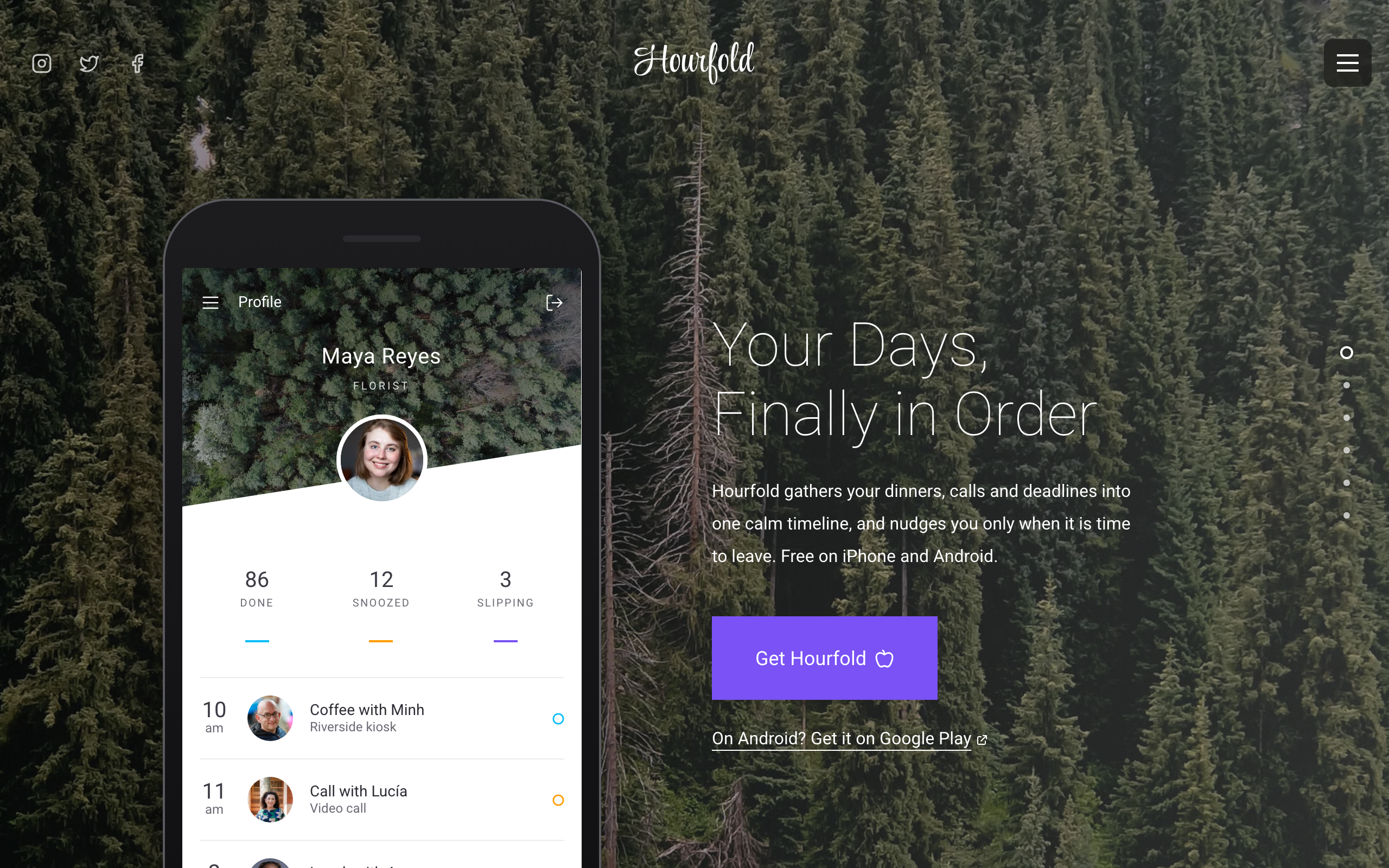
Gnomon
A download page for a phone app: bold full-colour sections, app screens you edit, a spot for your video and an FAQ.
Splice
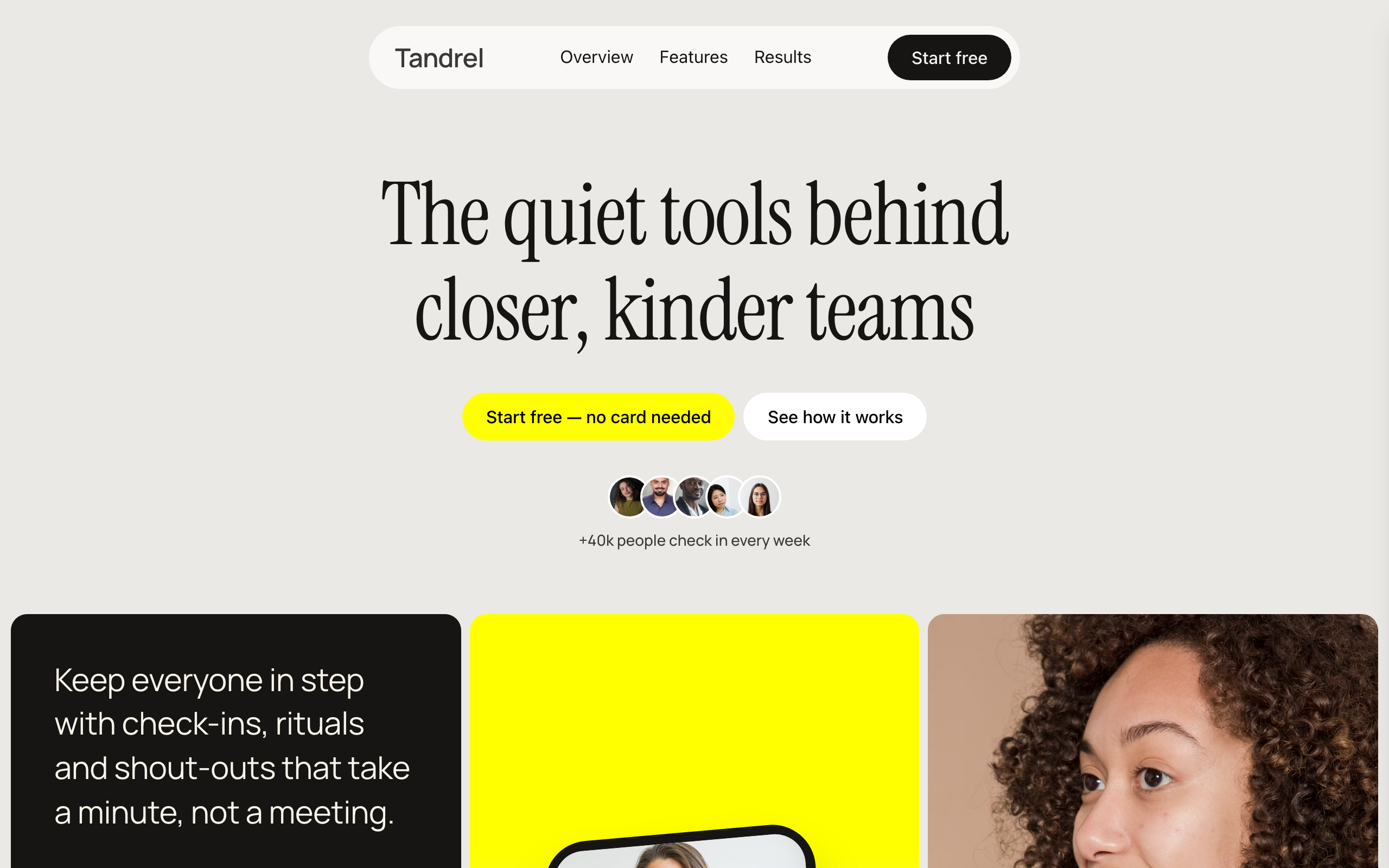
A warm one-page site for a team or HR app: features that pile up as you scroll, customer stories and a sign-up form.

Orrery
A bright one-page site for a CRM or follow-up tool: a product tour, customer quotes, three plans and a sign-up form.

Usman Haider
Founder of Sitelas — the website builder for AI agents.