HVAC Website Design: What Gets the Call When the Heat Goes Out
What good HVAC website design puts on the page: an emergency number on every screen, a page per service, your towns, your maintenance plan and a quote form that asks the right questions. Then how to build one and keep it current by asking Claude or ChatGPT.

Usman Haider
Two kinds of visitor land on a heating and cooling site. One has no heat and a cold house. The other is planning a new furnace or AC before next summer. Good HVAC website design serves both. The first needs a phone number they can't miss. The second needs clear services and a quote form.
Then the site has to keep up with the weather. The first cold week books out your tune-ups. A heat wave does the same to AC repair. So this guide covers what to put on the site, then how to change it by asking.
What makes good HVAC website design
The emergency number on the first screen
If you take emergency calls, put the number at the top of each page. Make it a tap-to-call link on phones. Say when you answer: "24/7" or "until 10pm". Someone with no heat won't read a paragraph to find it.
Two numbers, if you have two
If you have an office line and an after-hours line, label them: "Emergency, 24/7" and "Office, Monday to Friday". Routine questions then don't wake your on-call tech.
A page for each service
Furnace repair, furnace installation, AC repair, AC installation, heat pumps, ductwork, indoor air quality. Give each one its own page, with what a visit includes and how you price it. A page per service also lets a search like "heat pump installation Dublin" land on the right page.
Name the towns you serve
"Columbus, Dublin, Westerville, Hilliard and Grove City" tells a visitor at once whether you come. List them near the top.
Your maintenance plan, with its price
A yearly plan is steady work for slow months. Say what it includes, such as one heating and one cooling tune-up, and what it costs. People sign up more readily when the price is on the page.
Your own installs and your team
Show finished jobs: the old furnace beside the new one, a tidy heat pump install. Put your techs and vans on the About page. Real photos tell a homeowner who will turn up.
Licences, certifications and insurance
Say you're licensed and insured, and name your technicians' certifications if they hold them. EPA certification for handling refrigerant and NATE certification are the ones homeowners may have heard of.
Financing, if you offer it
A new system is a big bill. If you work with a financing partner, say so on the installation pages, with a link to apply.
A quote form that asks the right questions
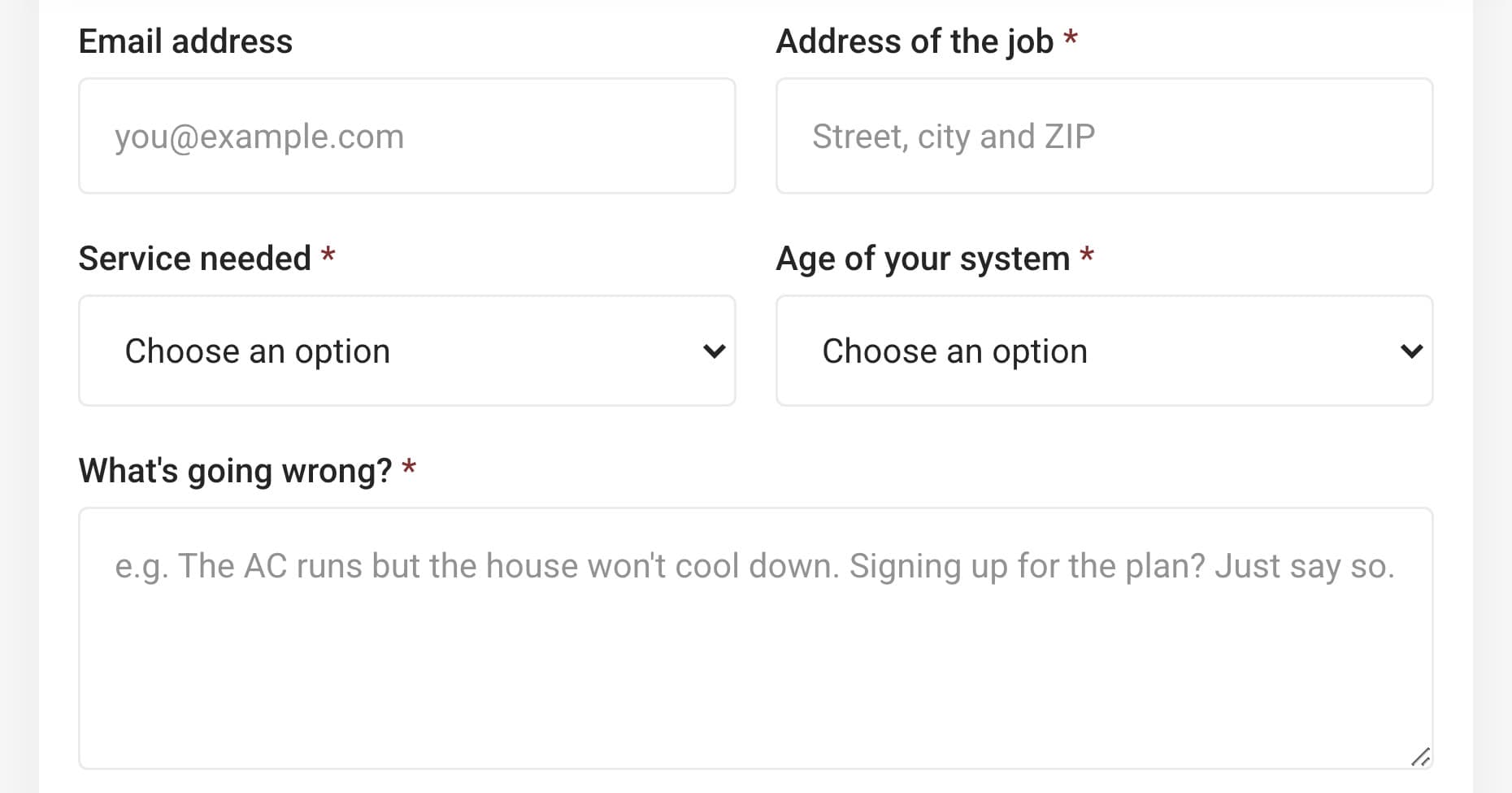
Ask for the address, the service, how old the system is and what's going wrong. With those, your office can tell a repair from a replacement before you call back.
HVAC website mistakes to avoid
- The emergency number only on the contact page. Put it in the header, where a phone shows it first.
- One "Services" page listing everything. It can't match eight different searches.
- Last season's offer still up. An AC special in January says the site isn't looked after.
- Made-up reviews or numbers. Use real ones, or none.
Building one by asking Claude
I added Sitelas to Claude and sent one message for a made-up company: Northgate Heating & Air in Columbus, Ohio. It named the towns, the services, a $189 plan, 24/7 emergency calls and the form's questions:
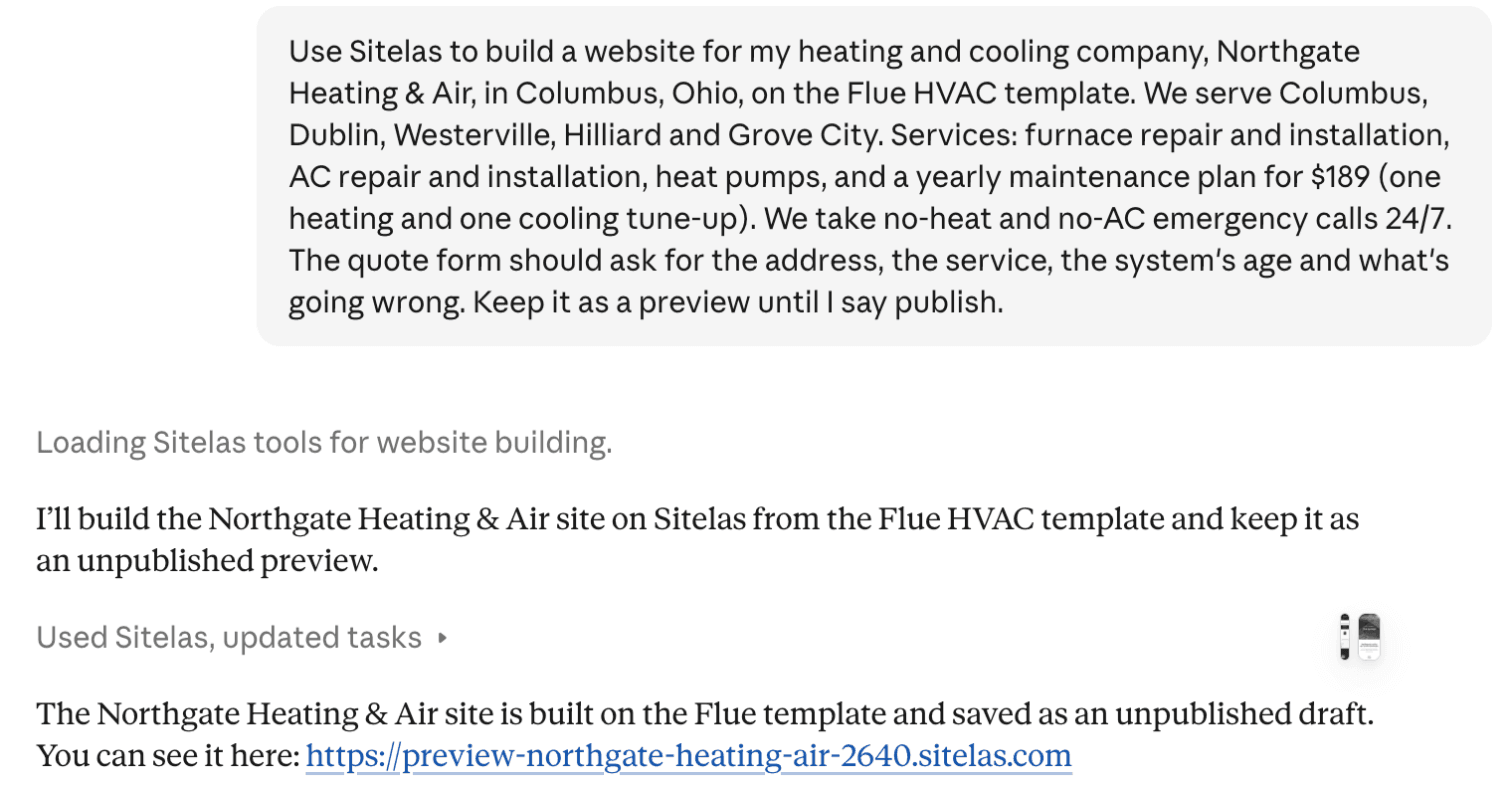
Claude built it from Sitelas's HVAC template, Flue. It made six service pages, one of them for the plan. It took out the template's blog, project gallery, sample reviews, team and stats, because they described another company:
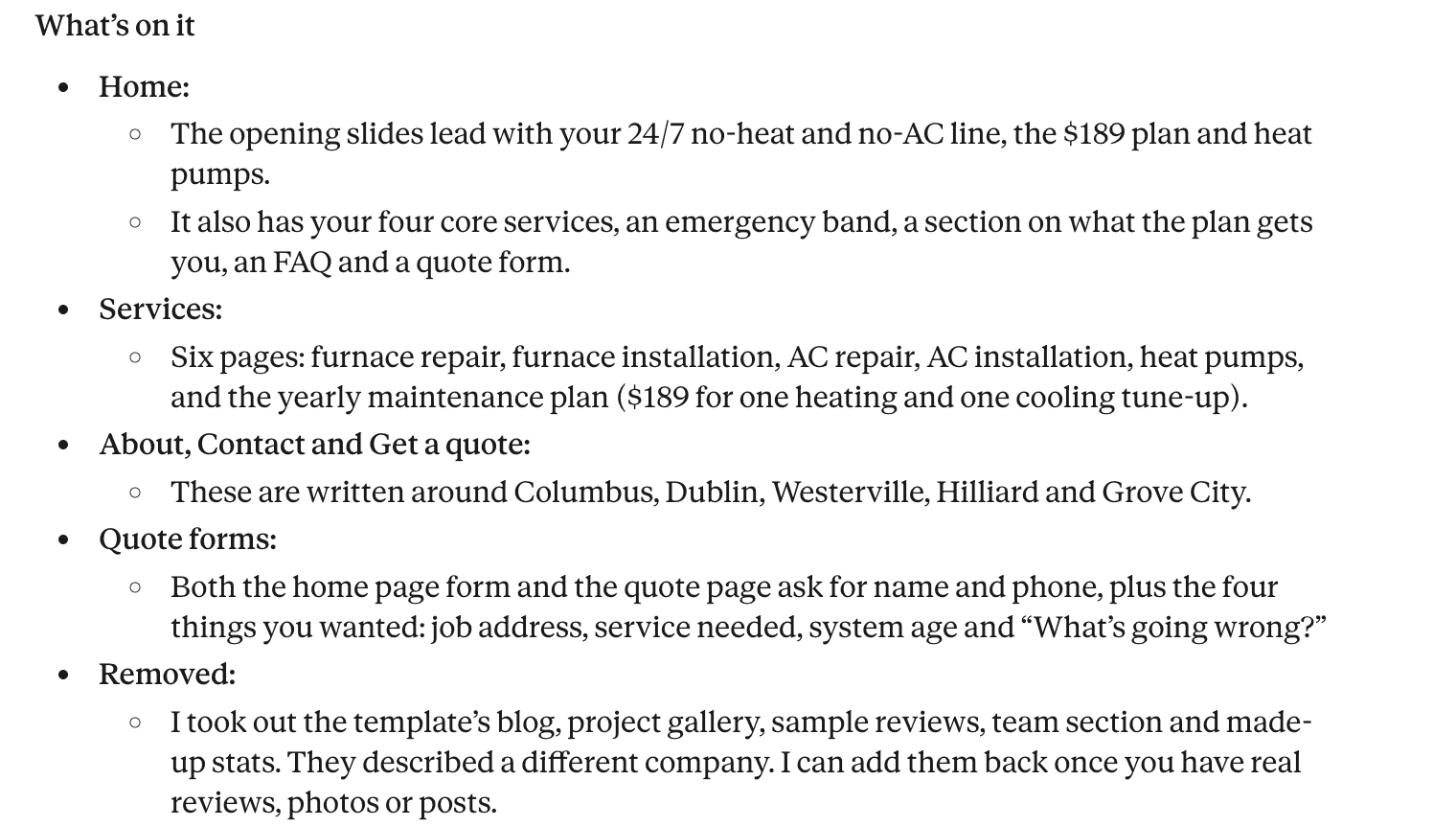
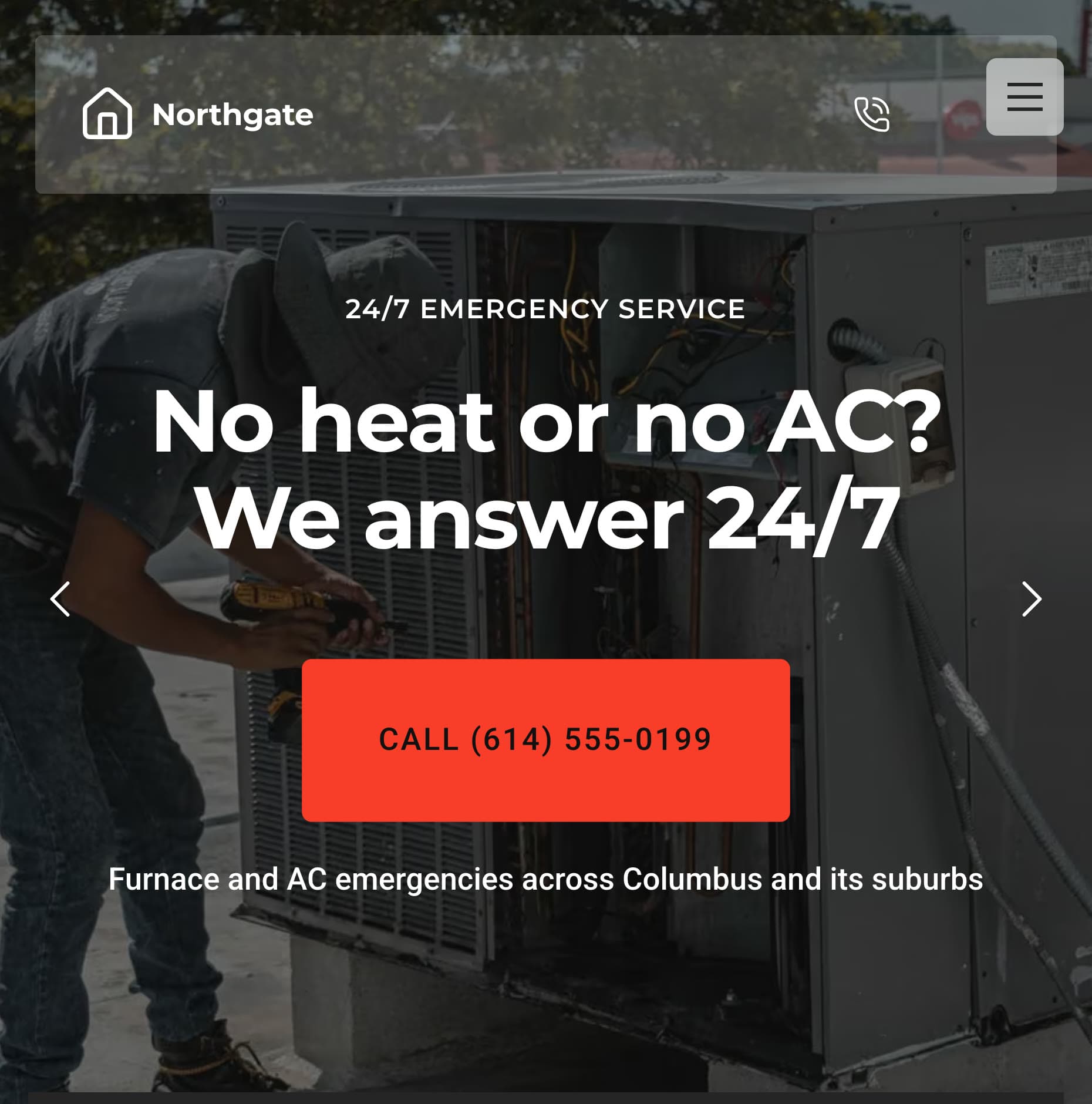
It also said the phone number and email were stand-ins until I sent real ones. On a phone, the first screen leads with the emergency line:
The quote form asks for the four things I named:
Requests land in a Sitelas inbox, and Sitelas emails you when one arrives (on by default).
Two things the demo lacks: licences and photos of real installs. I gave Claude neither, so it showed neither. A real company would send its licence number and job photos, and Claude can add them.
Keeping an HVAC website current takes one message
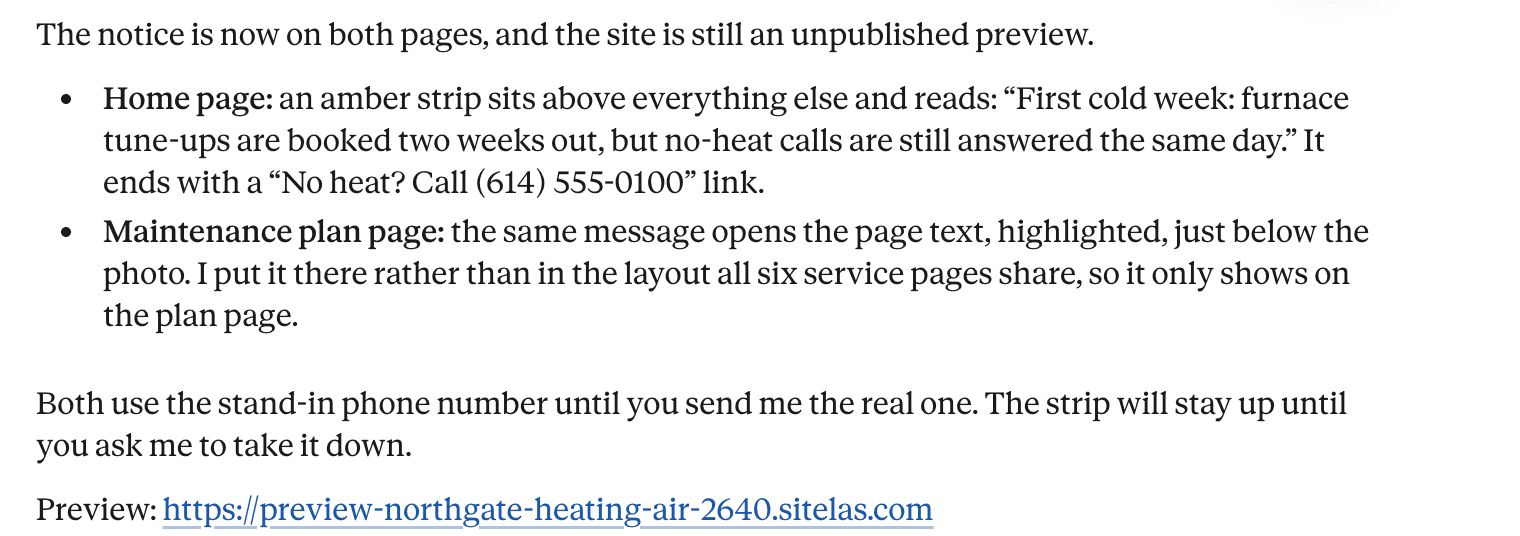
The first cold week is when an HVAC site goes out of date. I told Claude the tune-ups were booked two weeks out, but no-heat calls still got same-day service. It added a notice to the home page and the plan page:
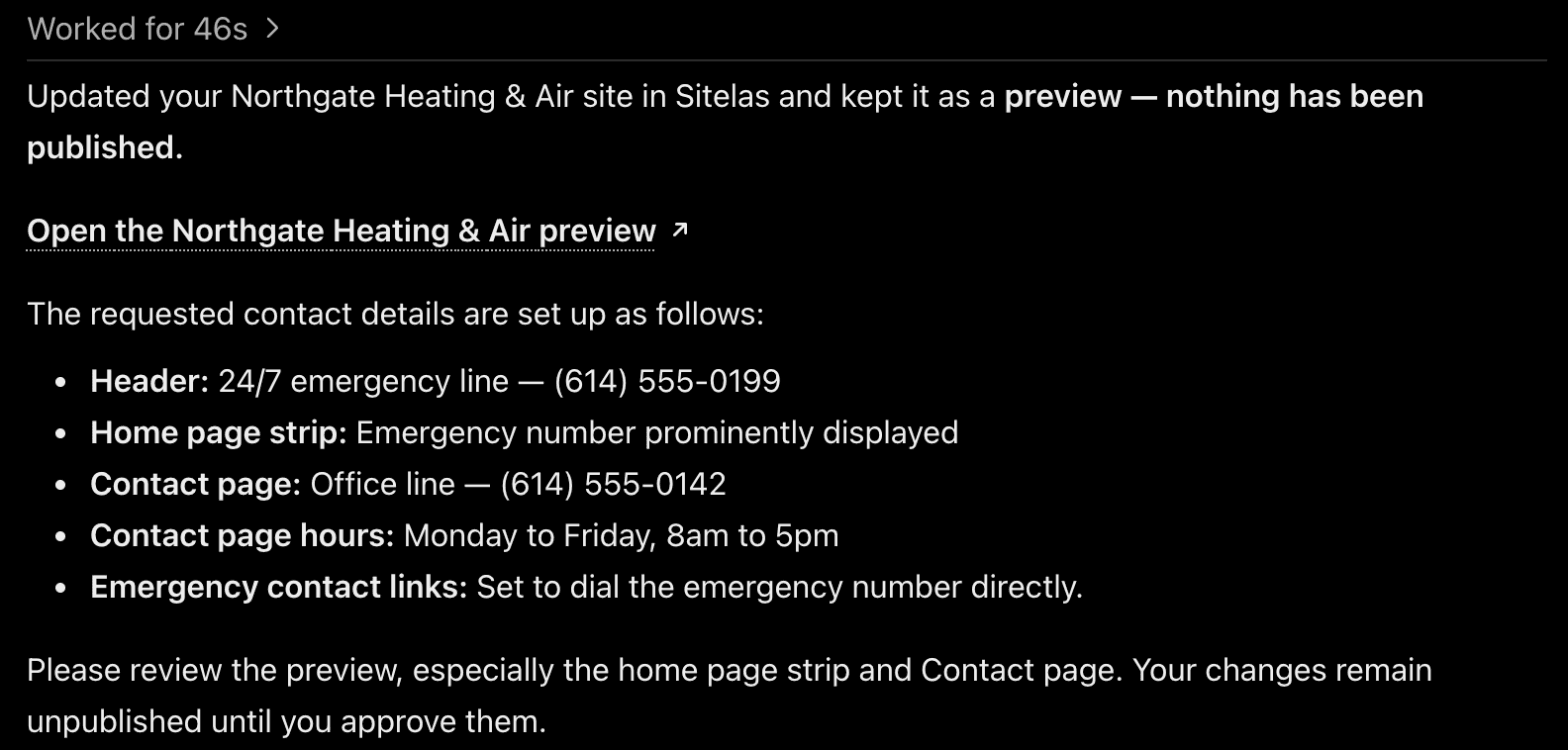
Then I set the two phone numbers from ChatGPT. The numbers are from the fictional 555 range, chosen for this demo:
It wasn't flawless, so check the preview
I opened the preview after each change, and two things were wrong.
First, ChatGPT's phone edit rewrote the home page strip. The cold-week message was gone, replaced by just the emergency number. Second, the service pages still showed the old stand-in number. ChatGPT's reply didn't say the notice was gone, or mention the service pages. I told Claude, and it put the message back and replaced every old number:
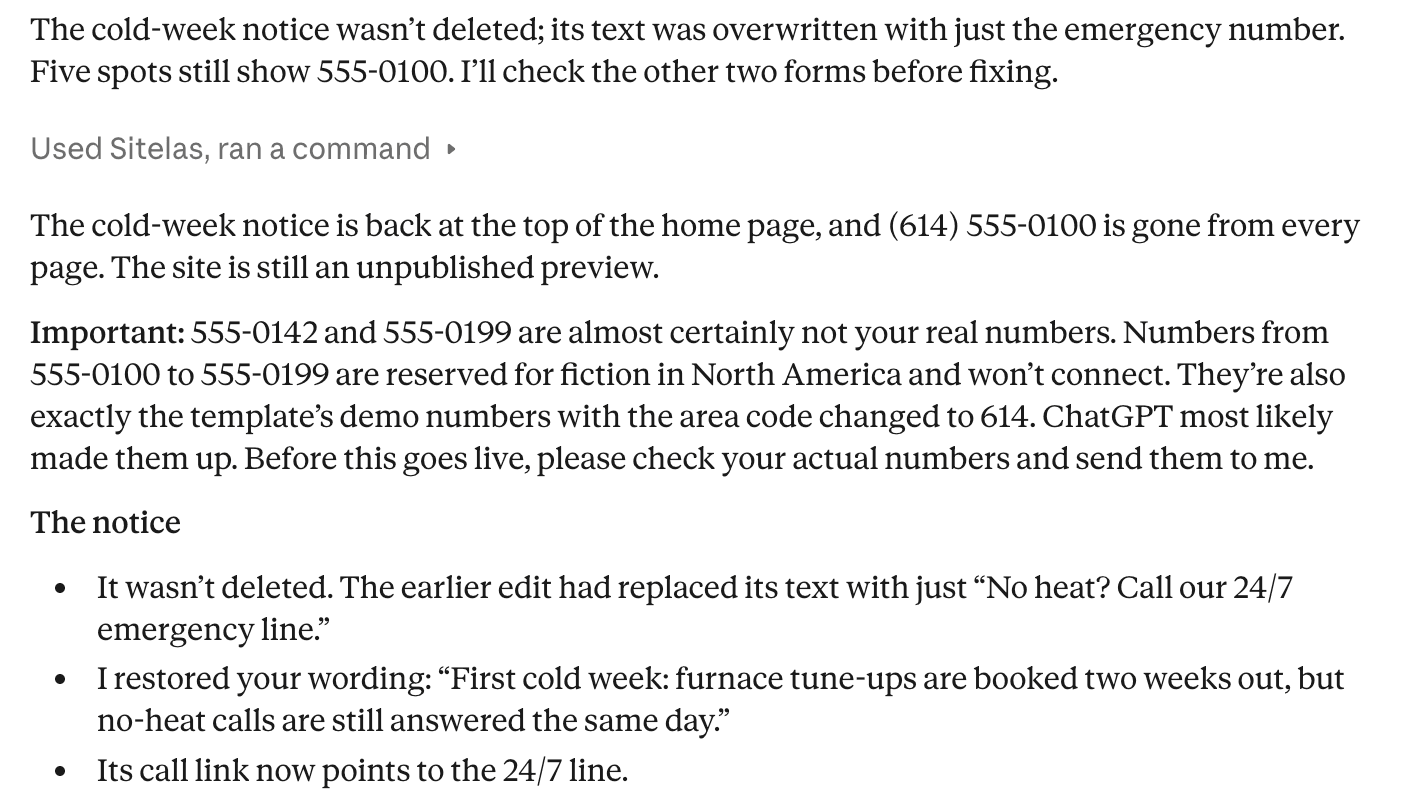
Claude also warned that 555 numbers won't connect, and guessed ChatGPT had invented them. In fact I picked them for the demo, but it's the right check before a site goes live.
Then I spotted a layout problem on the preview. The amber strip sat on top of the header: on a phone it hid the logo and menu button. Claude explained that this template's header floats over the top of the page. It moved the strip below the opening photo instead:
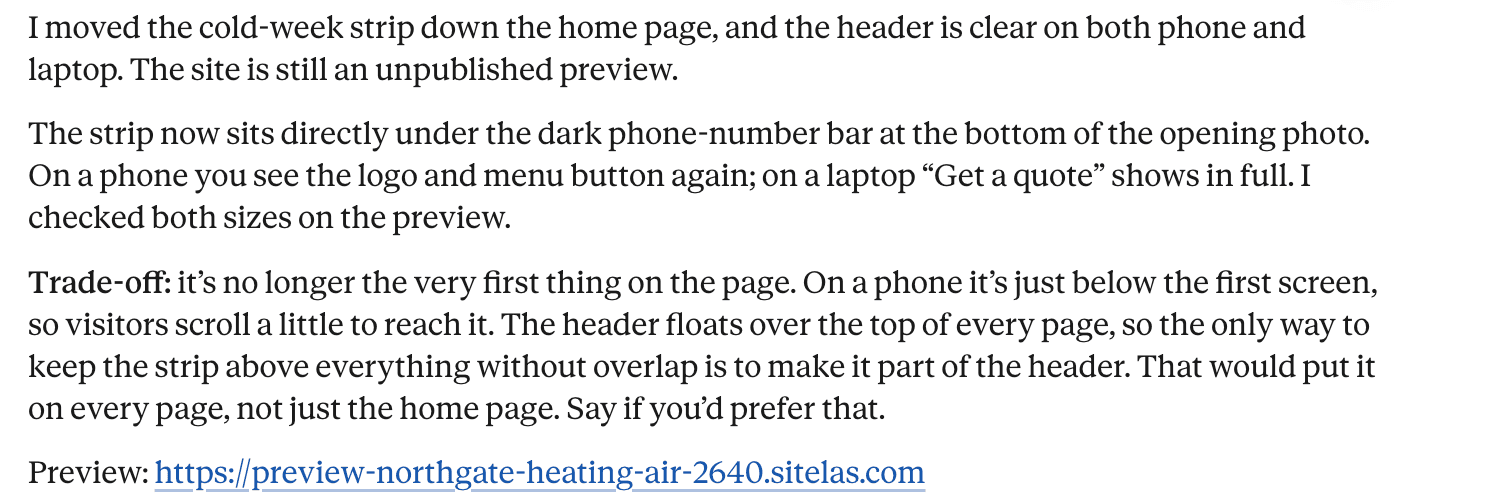
Now it sits under the phone numbers and the towns:
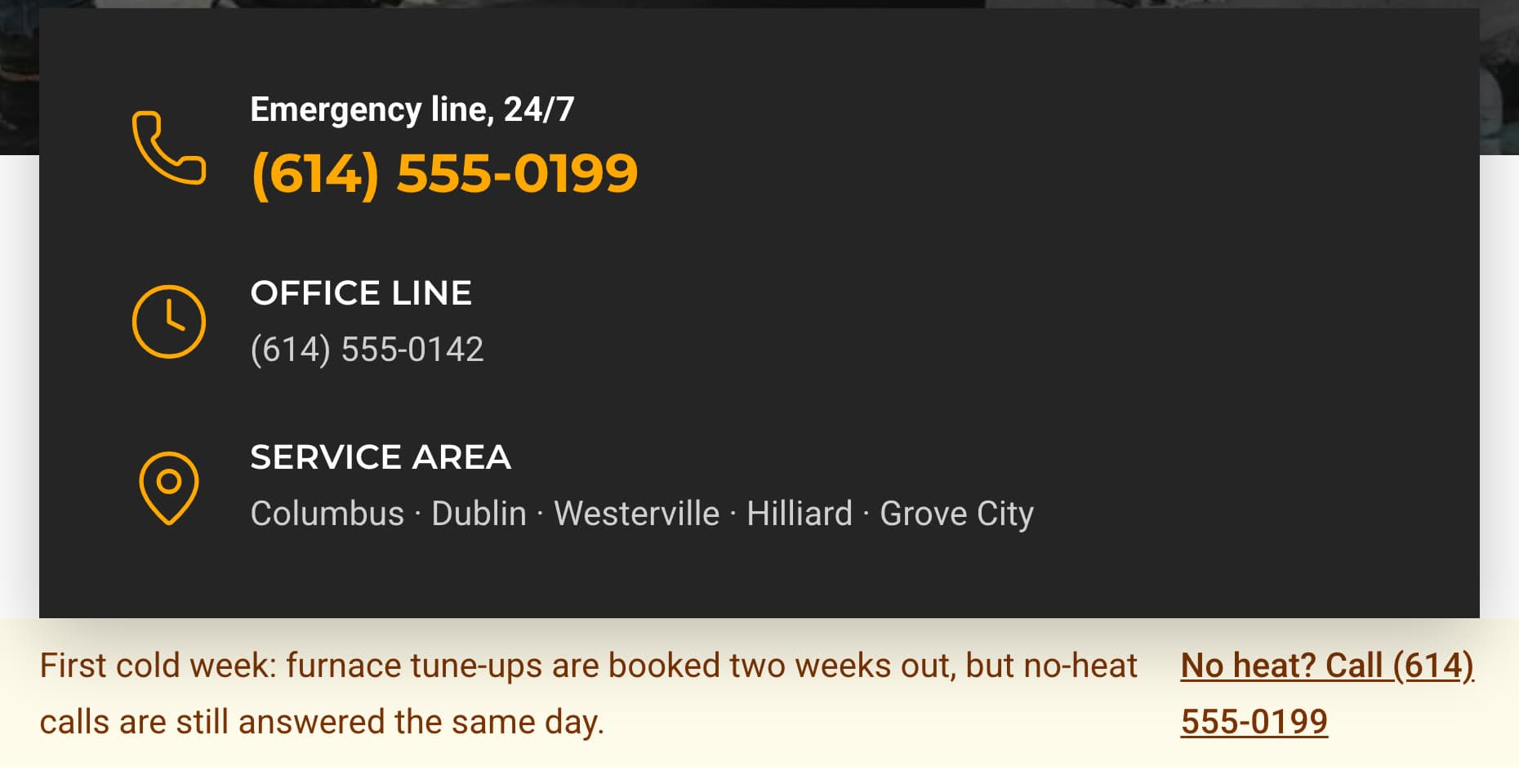
The lesson is simple. Read the preview after each change, on a phone, before you publish. The same check caught invented licence claims on a security company site. Edits to pages and text stay in the preview until you do, from Claude, ChatGPT or the editor. To fix a word yourself, the editor lets you click and type on the page.
What it can't do
Sitelas builds and runs the website. It doesn't dispatch technicians, book visits into a calendar or keep job history. Those stay with your field service software and your phone. The Free plan reads 5 quote requests a month; the rest are kept, locked until you upgrade. A busy shop passes that in the first cold week. Pro reads up to 500 a month per site and adds a custom domain. It costs $9 a month per site, or $90 a year.
Getting found on Google is separate work: your Google Business Profile, reviews and town pages. HVAC SEO covers it step by step.
Questions people ask
What should an HVAC website include? An emergency number at the top of each page, and a page for each service. The towns you serve, and your maintenance plan with its price. Your licences and insurance, and a quote form that asks for the address, the system's age and what's wrong.
What's the best website for HVAC contractors? One you can keep current through the seasons. With Sitelas in Claude or ChatGPT, you describe a change, check the preview on your phone, then publish.
How much does an HVAC website cost? Agencies quote by project, so ask what later changes cost too. On Sitelas, Pro is $9 a month per site, or $90 a year. You make changes by asking.
Should an HVAC company show prices on its website? Show the prices you can stand behind, such as your maintenance plan or a diagnostic visit. For installs, say how you quote: "after a free home visit".
Try it
Copy this into a new Claude or ChatGPT chat after adding Sitelas. Swap in your own details first.
Use Sitelas to build a website for my heating and cooling company,
[name] in [town], on the Flue HVAC template. We serve [towns].
Services: [list]. Maintenance plan: [what it includes, price].
Emergency line: [number, hours]. Office: [number, hours].
The quote form should ask for the address, the service, the system's
age and what's going wrong. Keep it as a preview until I say publish.
- Add to Claude: Sitelas in Claude's connector directory
- Add to ChatGPT: Sitelas in ChatGPT
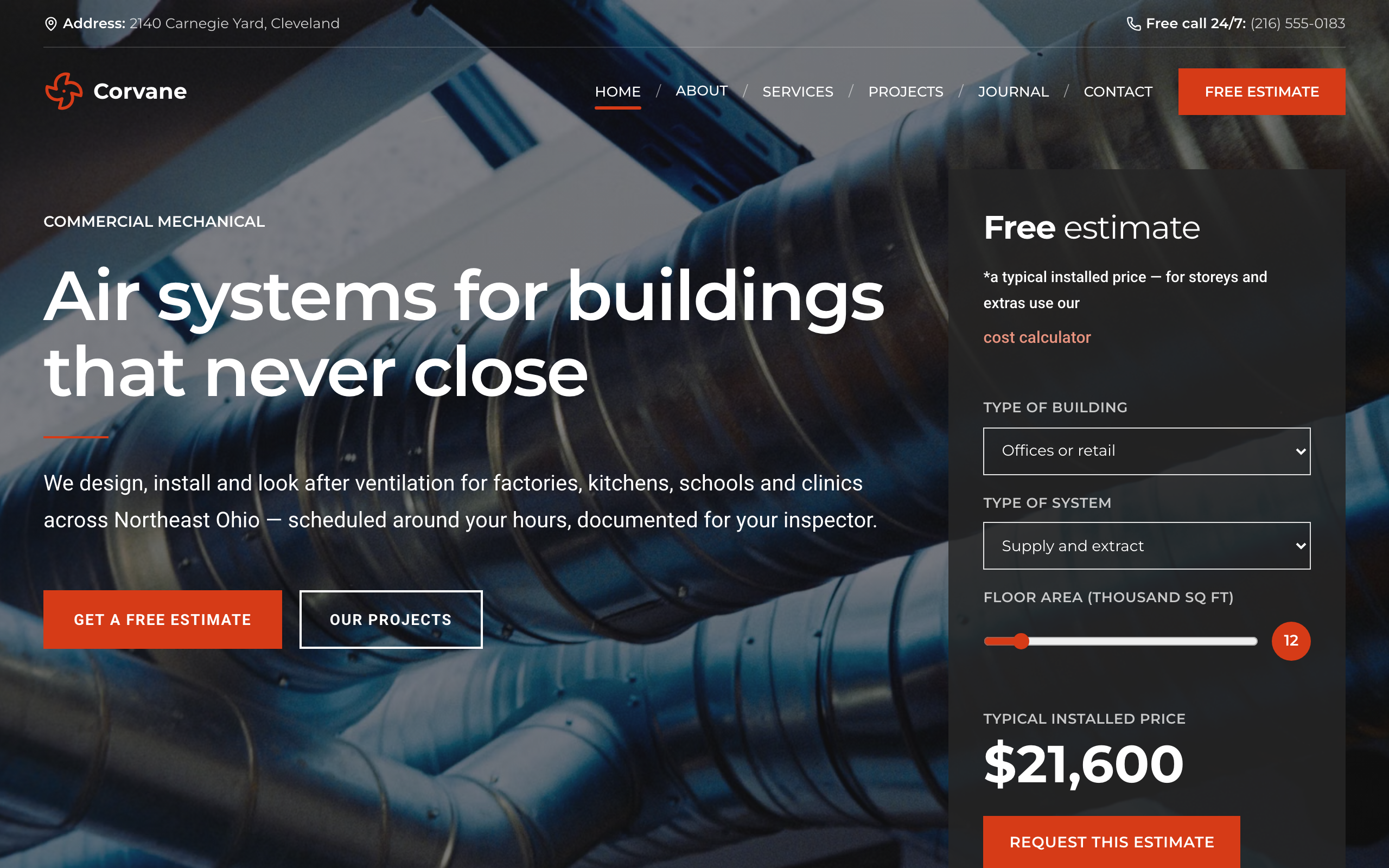
- See the designs: the Flue HVAC template, Plenum for commercial HVAC, or the other contractor templates
Templates to start from
Build this with a ready-made design, then change anything.


Usman Haider
Founder of Sitelas — the website builder for AI agents.