Electrician Website Design: What a Good One Needs
What a good electrician website puts on the page: the 24/7 number, license and insurance, a page per service, an emergency page and your towns. Then how to build one by asking Claude.

Usman Haider
A breaker keeps tripping and the kitchen smells of hot plastic. The homeowner searches "electrician near me" on a phone and opens three sites. They call the one that shows a 24/7 number, a license and their town, all on the first screen. That is the whole job of electrician website design.
This guide covers what a good electrician website needs, page by page, whatever you build it with. Then I build one for a made-up electrical company by asking Claude.
What an electrician website has to do
Electrical work is dangerous, and homeowners know it. Your site has three jobs:
- Be easy to call. One tap from any page, on a phone.
- Prove you're safe to let in. A license, insurance and real reviews.
- Show you do this job, here. The service they need, in the town they live in.
What to put on an electrician website
Your number, on every screen
Put the phone number in the header, so it stays on screen as people scroll. On a phone it should dial with one tap. If you take emergency calls, say "24/7" right next to it. Don't hide the number on the contact page alone.
License, insurance and years in business
Show your license number and say you're insured, on the home page and in the footer. Most states let homeowners look a license number up. Add years in business if you have them. These lines do more for trust than any photo.
A page for each service
Panel upgrades, EV charger installation, generators, lighting, rewiring, troubleshooting. Give each one its own page. Say what's included, how long it usually takes, and a "from" price if you can. A separate page also gives Google something to match when someone searches "EV charger installation Cary".
An emergency page
Say what counts as an emergency: burning smells, sparking outlets, a hot panel, power out in part of the house. Then say what to do while waiting. Turn off the breaker if it's safe. Stay away from water and wet floors. Call 911 for fire or a downed line. This page helps a scared homeowner and shows you know the job.
The towns you serve
List them by name: "Raleigh, Cary, Garner, Wake Forest, Apex". Homeowners scan for their town. A vague "and surrounding areas" doesn't reassure anyone.
Reviews and real job photos
Quote reviews that name the job and the town. Show photos of your own panels, chargers and installs, not stock pictures of lightning bolts.
A short quote form
Name, phone, town, the job, and a box for details. Every extra field loses people. Say how fast you reply.
Electrician website design mistakes to avoid
- A slow, heavy home page. Most visitors are on a phone, often with a problem right now.
- No prices at all. Even "panel upgrades from $1,800" filters out calls that waste your time.
- An old site. A "summer special" in December tells people nobody's minding the business.
- Stock photos of light bulbs. They make you look like everyone else.
How to make an electrician website by asking Claude
I built a site for a made-up company, Halyard Electric in Raleigh, North Carolina. I added Sitelas to Claude and sent one message. It gave the business details: licensed and insured, family-run since 2009, a 24/7 line. It listed five towns and five services, and asked for an emergency page and a quote form.
Claude built it as a private preview, but on Ironclad, Sitelas's construction-company template. It wasn't wrong for a contractor, just not an electrician's site. So I asked for the electrician template, Conduit, and it rebuilt the site there with the same content:
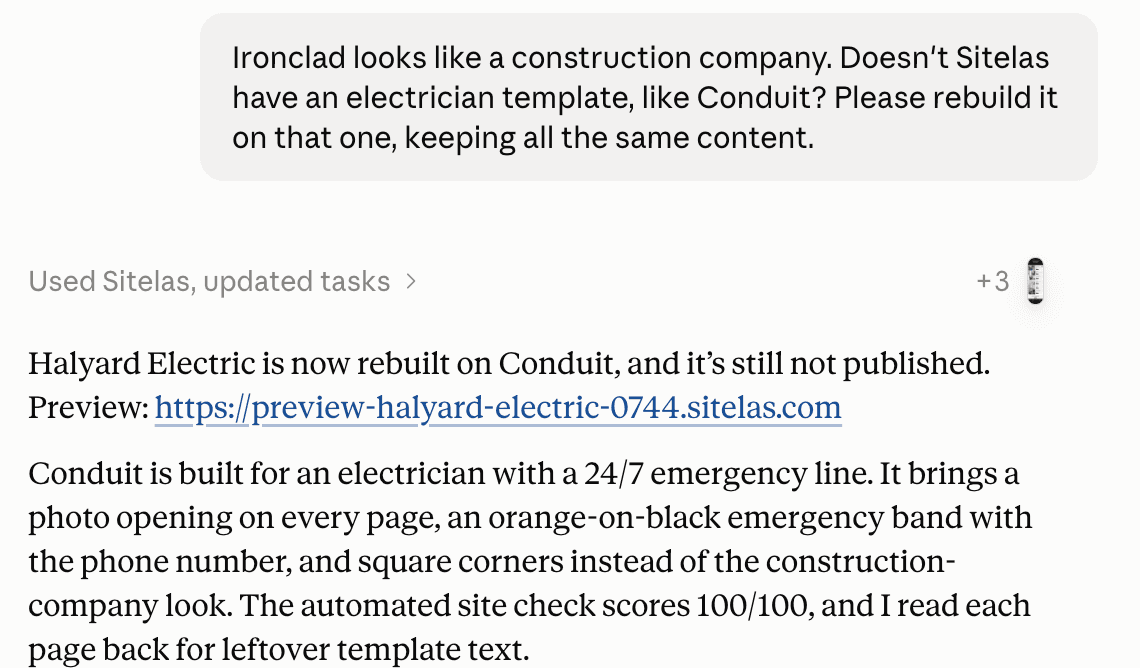
Here's the first screen on a phone. The 24/7 line, "licensed and insured", the towns and a tap-to-call button come before any scrolling. A real company would add its license number too:
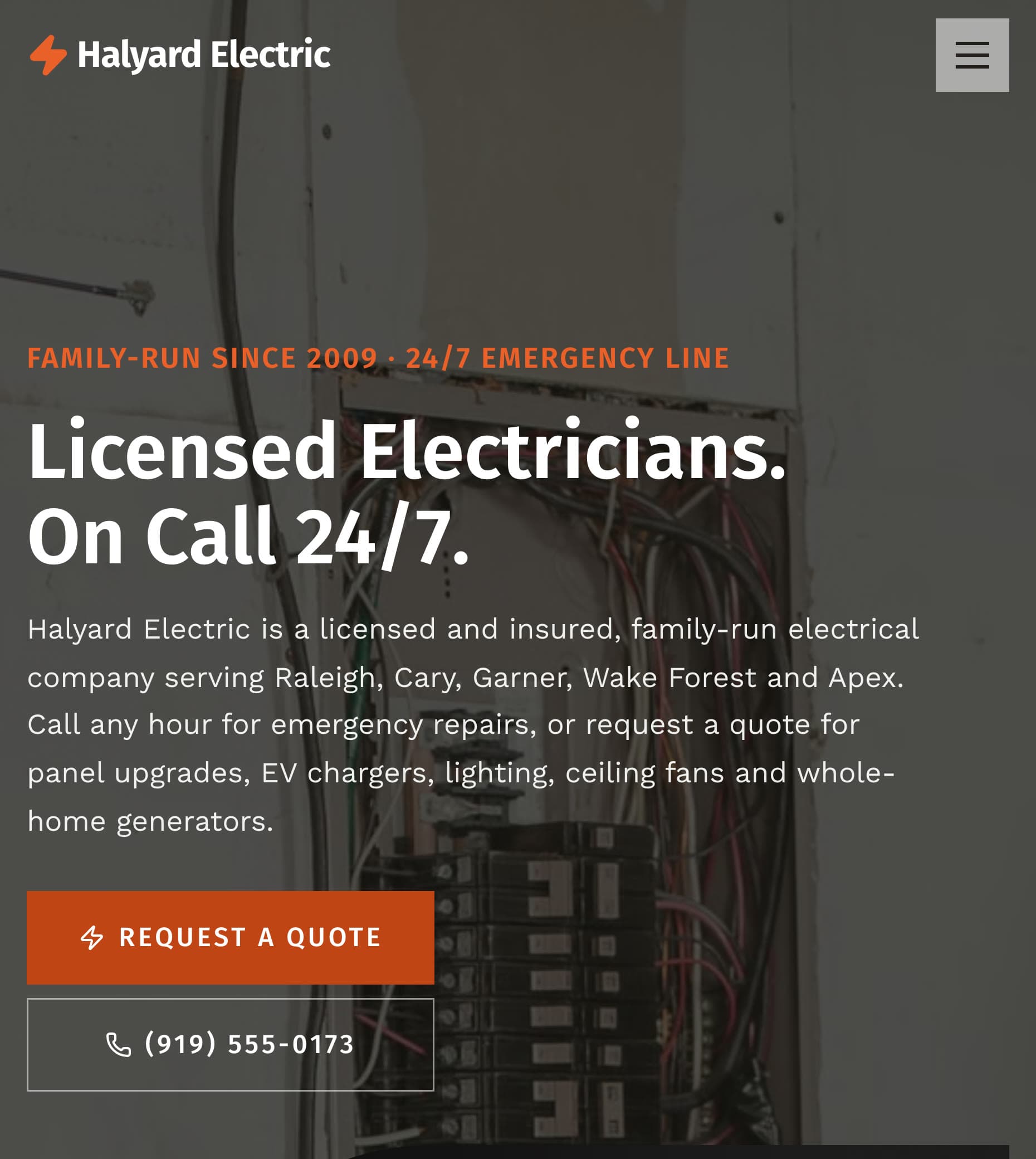
The emergency page lists the warning signs, then what to do while you wait, with a call button after each part:
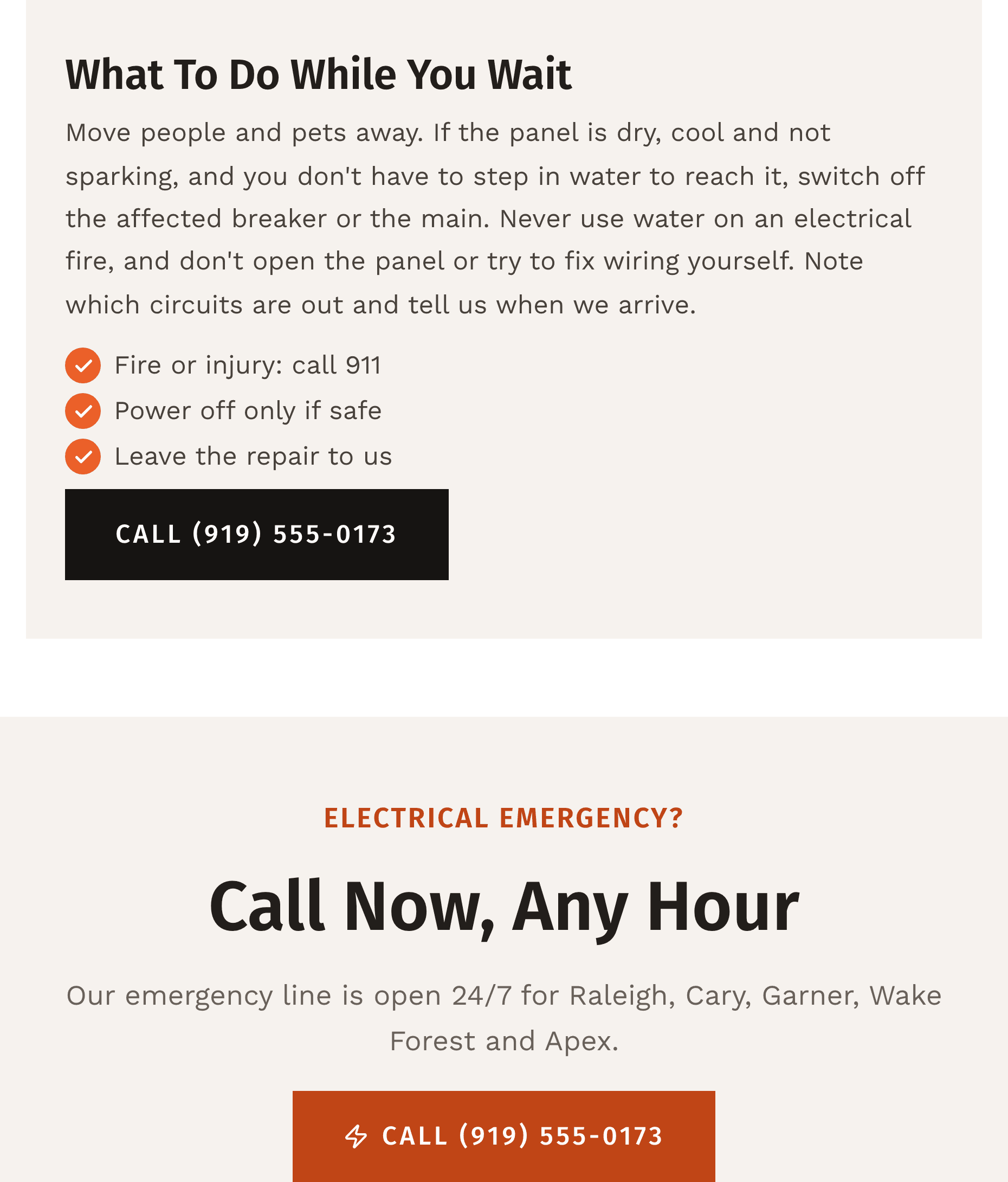
Claude added the safety advice itself, and said so. It asked me to read it over, since it goes out under the company's name. Do that with anything safety-related.
Adding prices with one message
Claude had removed the template's sample prices rather than publish made-up numbers. So I sent the real ones:
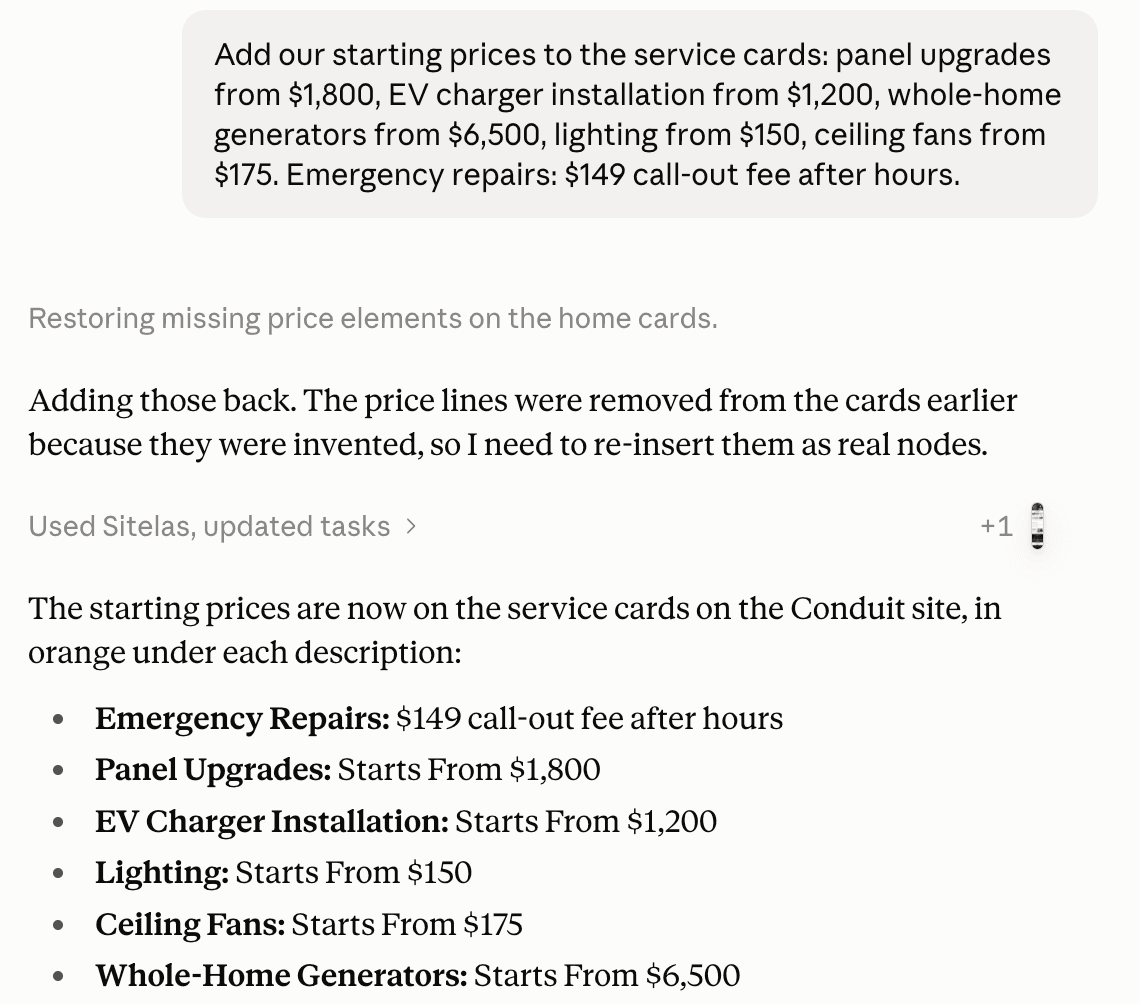
The prices now sit on each service card:

Nothing goes live until you say "publish it". Later changes, like a new service or a holiday notice, are one more message. To fix a word yourself, there's an editor where you click and type on the page.
What it can't do
Sitelas builds and runs the website. It doesn't answer calls, track calls, book jobs into a calendar, or send invoices. Those stay with your phone and field service software. Quote requests land in a Sitelas inbox. The Free plan reads 5 a month. Pro reads up to 500 and adds a custom domain, for $9 a month per site.
Getting found on Google is its own work: your Google Business Profile, reviews and listings. Local SEO for contractors covers it, and contractor marketing covers referrals and ads. Running a plumbing company? Plumbing website design covers the same ground for plumbers.
Questions people ask
What makes a good electrician website? A phone number you can tap on every screen, and your license and insurance up front. Then a page for each service and the towns you serve. Add reviews that name real jobs, and a short quote form.
How do I make an electrician website? Pick a builder or template made for trades, then fill in your services, towns, license and photos. Or describe your business to an AI assistant and have it build the pages, as in the example above.
How much does an electrician website cost? A do-it-yourself builder runs about $10 to $40 a month. Agencies charge from a few thousand dollars, often with a monthly fee. On Sitelas, Pro is $9 a month per site, or $90 a year.
Should an electrician website show prices? Starting prices help. "EV charger installation from $1,200" sets expectations before the call. Exact quotes still need a visit, so say that too.
Try it
Copy this into a new Claude or ChatGPT chat after adding Sitelas. Swap in your own details first.
Use Sitelas to build a website for my electrical company, [name] in [town],
on the Conduit electrician template. Licensed and insured, [license number].
Emergency line: [phone, and hours]. Towns we serve: [list].
Services with starting prices: [service, from $X], ...
Add an emergency page and a quote request form. Keep it as a preview.
- Add to Claude: Sitelas in Claude's connector directory
- Add to ChatGPT: Sitelas in ChatGPT
- See the design we used: the Conduit electrician template
- A shop that lists its rates: the Busbar electrician template
Templates to start from
Build this with a ready-made design, then change anything.


Usman Haider
Founder of Sitelas — the website builder for AI agents.