

The Easiest Website Builders in 2026, Judged on the Tenth Update
Every website builder is easy for the first afternoon. We compared Squarespace, Wix, Hostinger, GoDaddy, Square Online and Sitelas on the job that lasts: the tenth time you change a price or your hours.

Usman Haider
The easiest website builder is the one you can still update in two minutes a year from now. Most reviews on page one of Google judge the first afternoon: the templates, the editor, how fast a page appears. That part is easy almost everywhere now.
The hard part comes later. A price goes up. Winter hours start. A dish comes off the menu. If the change means logging in, hunting for the right box and remembering to publish, it waits. Then the site is wrong.
So this guide judges six builders on two jobs: the first build, and the tenth update.
How we judged
The first build: how you start, and what the builder asks of you.
The tenth update: change one price and one opening time on a live site. We used a small café as the example.
For Squarespace, Wix, Hostinger, GoDaddy and Square Online, the facts come from each company's own pages. We read them in November 2026. We did not build a site on each. Sitelas is ours, so we built a real café site with it and changed it. The screenshots below are from that chat.
The quick answer
| Builder | First build | The tenth update | Starts at |
|---|---|---|---|
| Squarespace | Template or AI | Open the editor, edit, save | $12/mo billed yearly |
| Wix | Template or AI | Dashboard or phone app | Free plan |
| Hostinger | Template or AI | Edit, then click Publish | $1.99/mo for 48 months (sale) |
| GoDaddy | Describe your idea | By conversation, then publish | Free, 50 AI credits/mo |
| Square Online | Templates and sections | Edit, then publish | Free plan |
| Sitelas | Ask Claude or ChatGPT | One sentence, then publish | One live site free |
1. Squarespace: the easiest editor to look at
Squarespace tops two of the three "easiest website builder" reviews we read, and its editor earns it. You start from a template. Or its Blueprint AI tool asks you to describe your business in your own words. Each paid plan includes a Menu block for a café or restaurant.
The tenth update: log in, open the page, edit the block. It is pleasant, but it is still a trip into the editor. Squarespace has a built-in AI assistant that takes requests. But you ask it inside that editor.
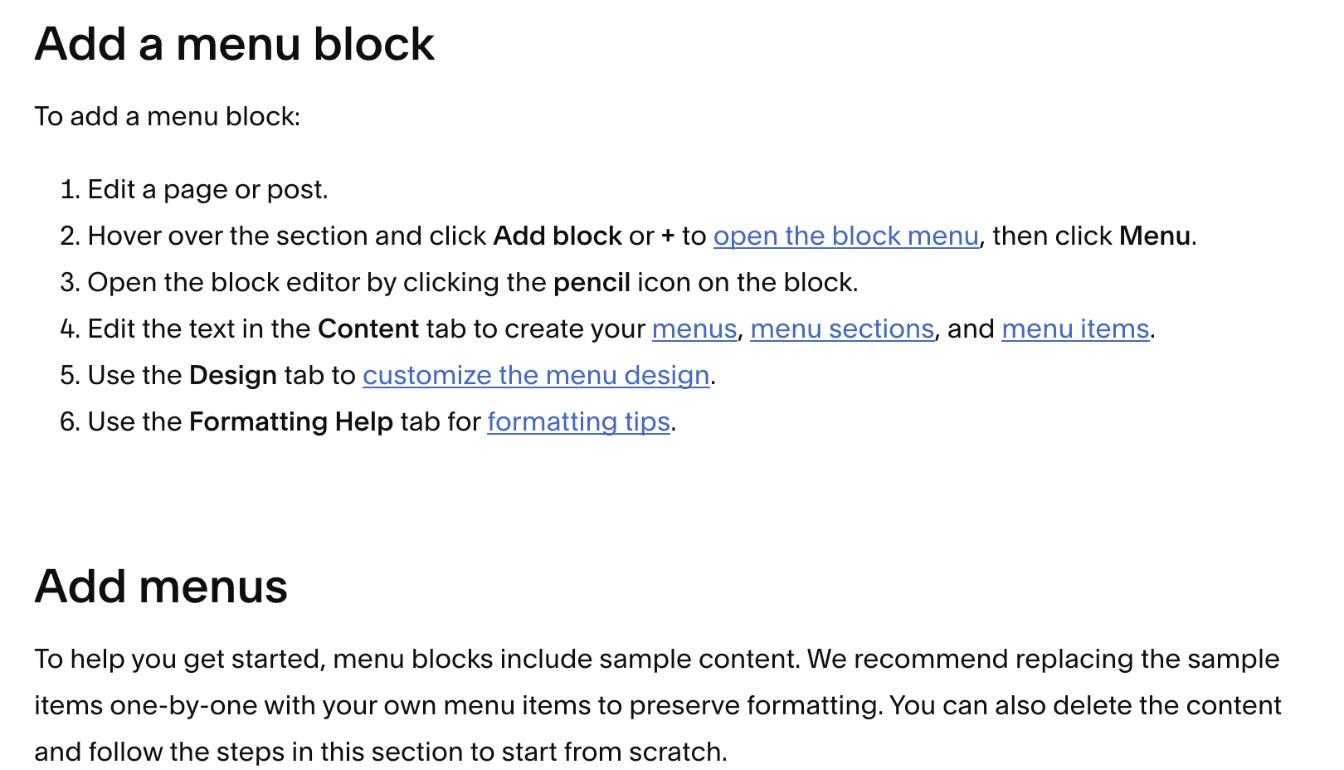
Squarespace's help page for editing a menu, as of November 2026.
2. Wix: the most ways to update
Wix has a free plan, and its AI tool starts from a description of what you want. Its built-in AI assistant, Aria, can make changes from plain prompts.
The tenth update: Wix is strong here. A restaurant can change any menu item from the dashboard, or from the Wix app on a phone. The catch is everything else Wix does. More options means more places to look for one box.
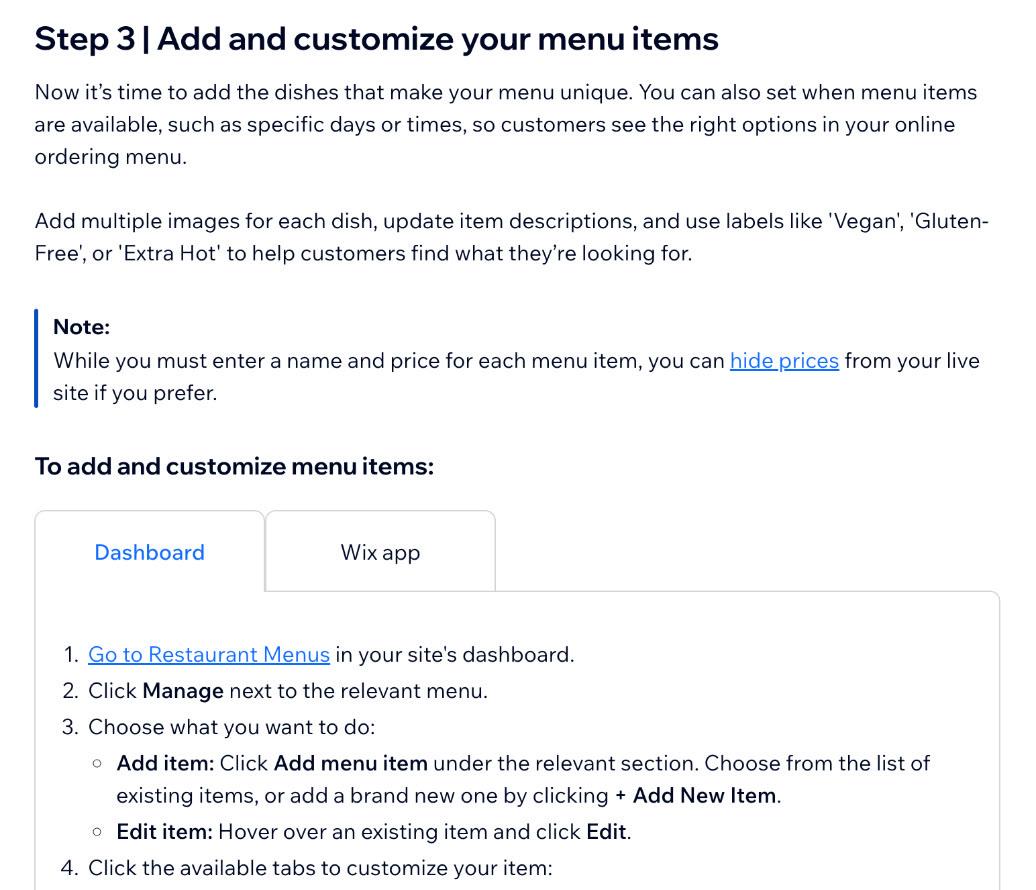
Wix's help page for editing a menu item, as of November 2026.
3. Hostinger: the cheapest paid plan
Hostinger's builder has hundreds of templates and an AI Builder that starts from a description of your business. You can try it for 14 days before paying.
The price: during its Black Friday sale, the banner says from $2.79 a month. The plan list below it shows $95.52 paid today for 48 months, which is $1.99 a month. It renews at $10.99 a month.
The tenth update: edit the page, then click Publish. Hostinger's help page says new changes reach the live site only after that click. Forget it, and the "fixed" price stays wrong.
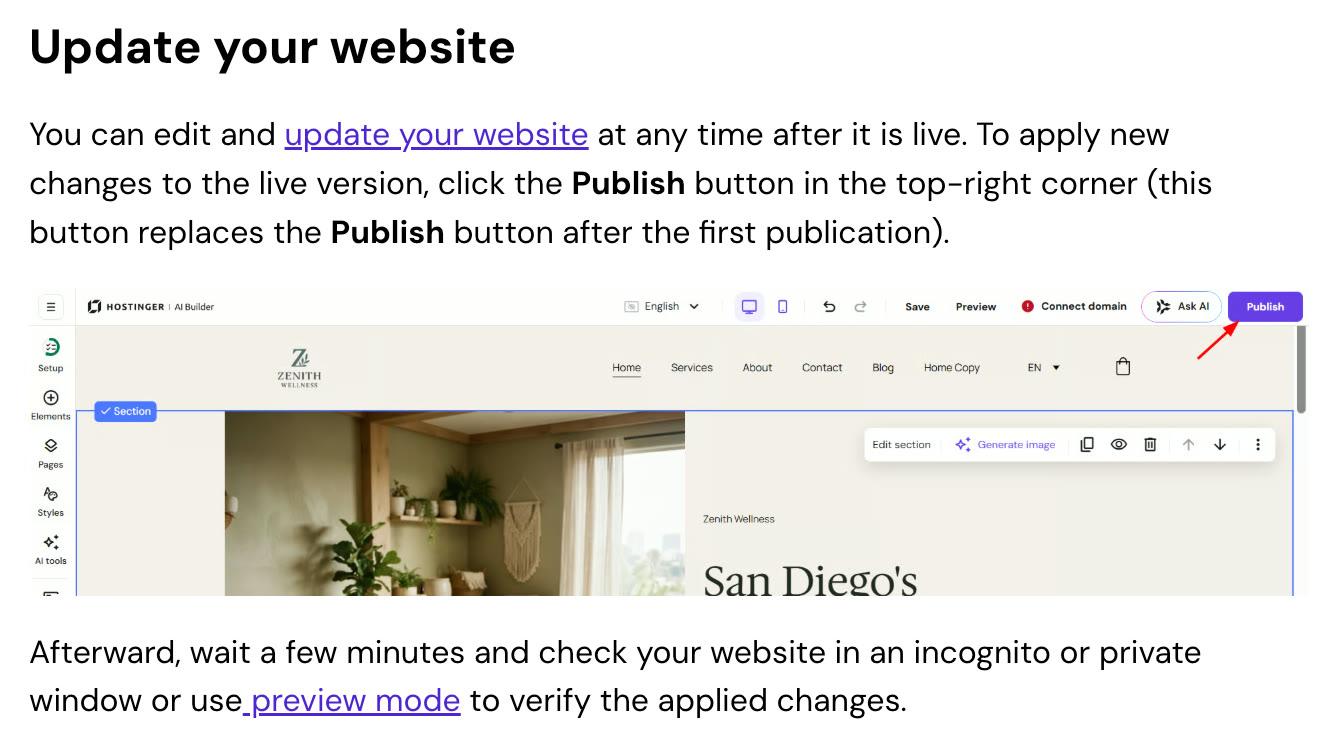
Hostinger's help page for updating a site, as of November 2026.
4. GoDaddy: start by describing it
GoDaddy's website builder now opens with a prompt box: describe your idea, and it generates the site. You can start free with 50 AI credits a month, with no card.

GoDaddy's website builder page, as of November 2026.
The tenth update: GoDaddy says you can add features "through simple conversation", then preview and publish. That is close to the idea of this guide, inside GoDaddy's own app. GoDaddy's page shows prices in your local currency, so check them yourself.
5. Square Online: easiest if you already use Square
Square's free plan includes a basic website, built from templates and sections. Its online store works with Square Point of Sale, Square's in-store tills.
The tenth update: the page changes the usual way, in Square's editor. Square's help page says edits go live when you publish.
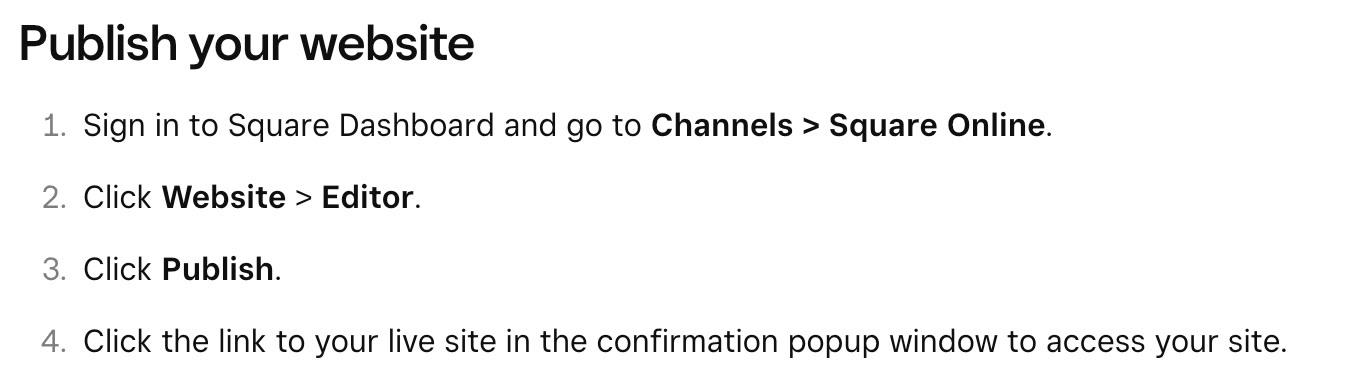
Square's help page for publishing changes, as of November 2026.
6. Sitelas: the tenth update is one sentence
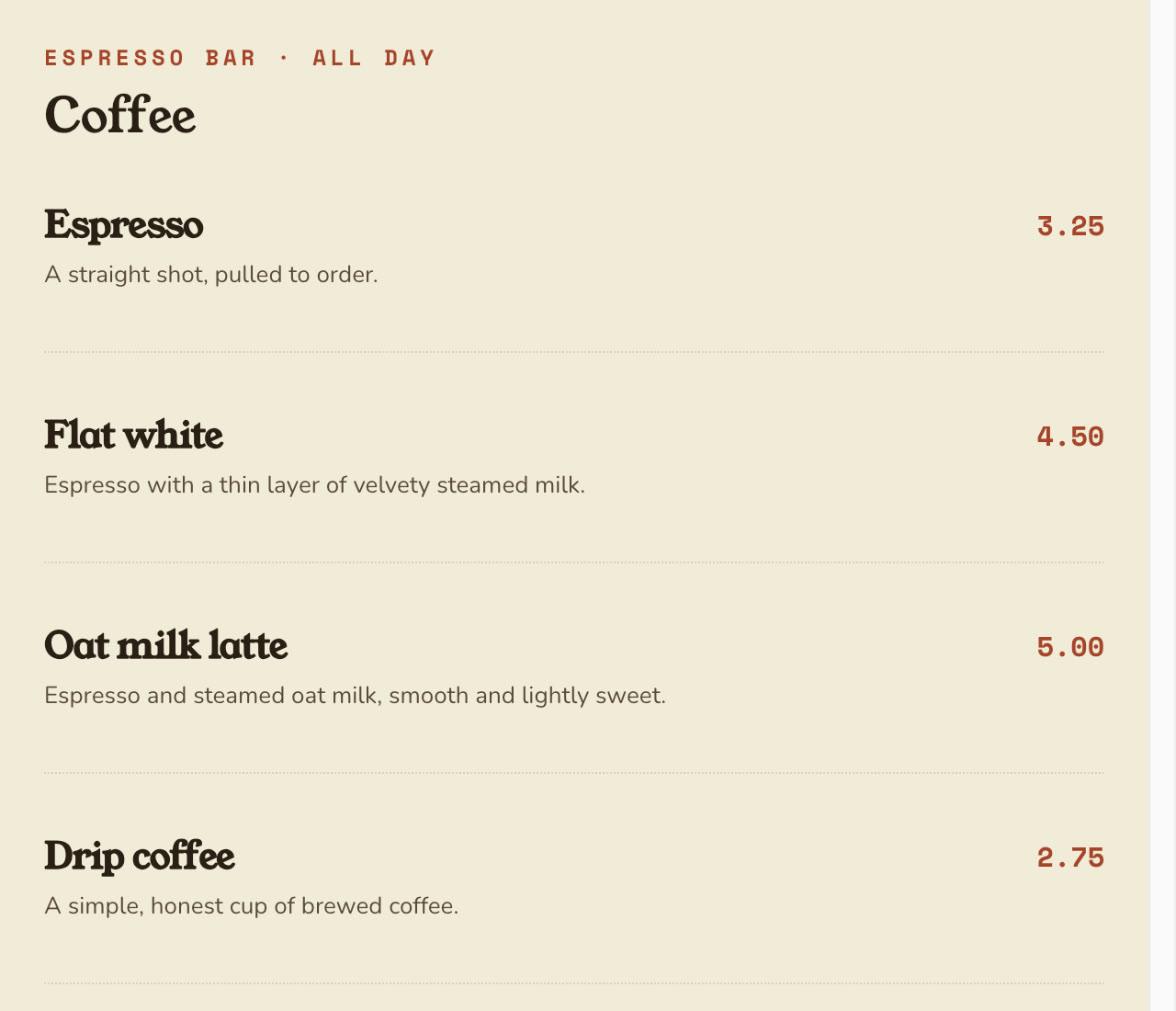
Sitelas is ours. You add it to Claude or ChatGPT, then ask for the site in a normal message. Here is the first build for a made-up café, Harbor Lane Coffee:
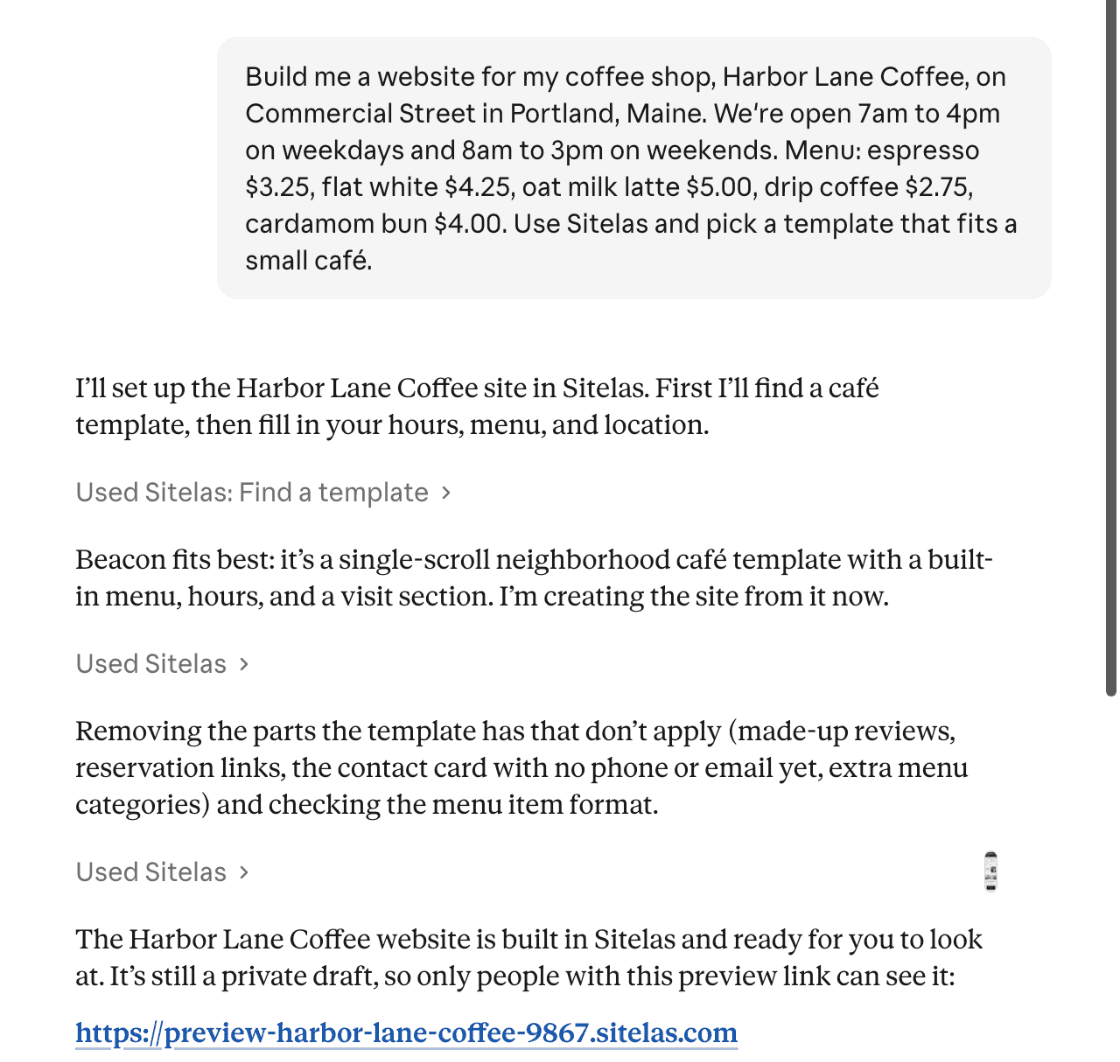
The first build, in Claude, November 2026.
Claude picked the Beacon café template and filled in the hours and menu. It also took out what it had no facts for: made-up reviews, a contact card with no phone. The site stayed an unlisted preview, which only people with the link can see.
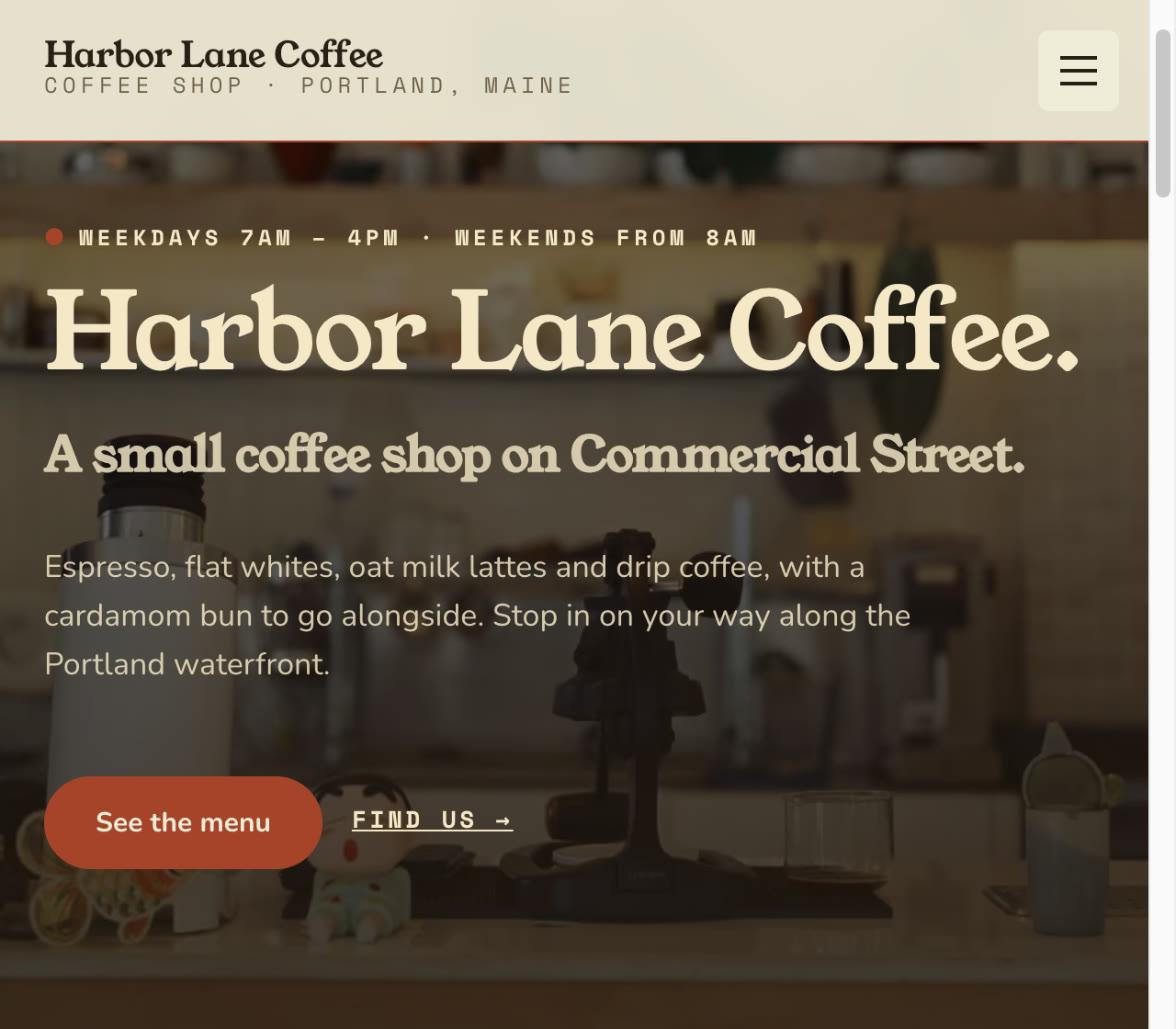
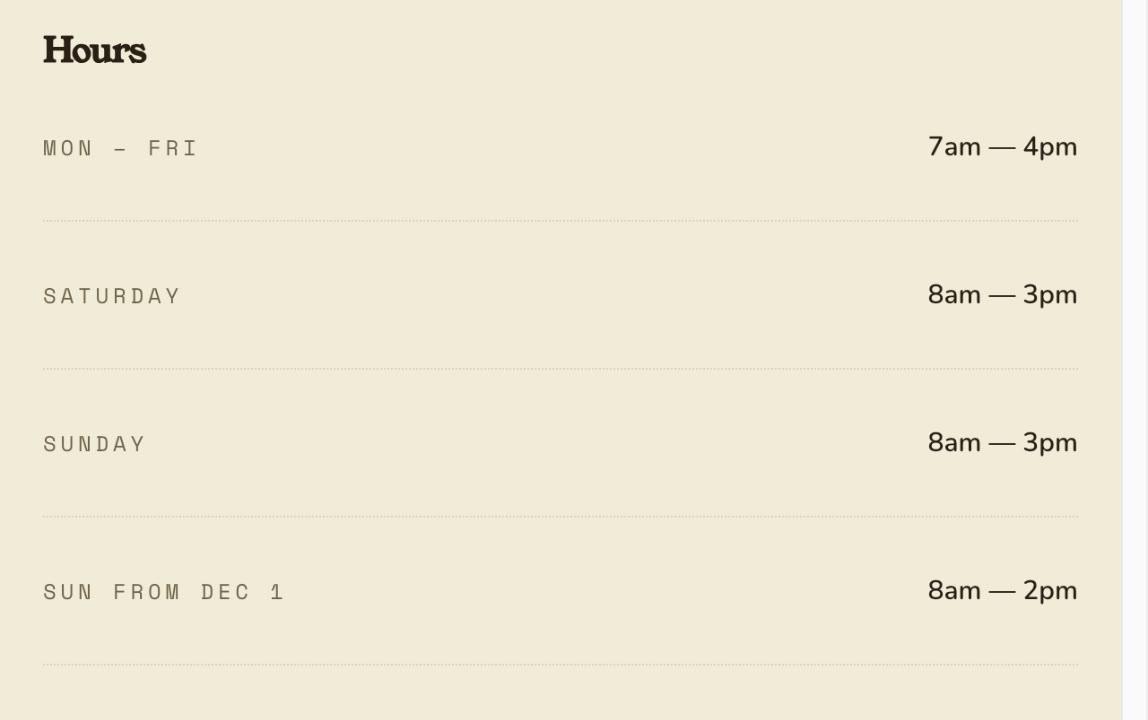
The tenth update: this is the whole edit. Then you say publish.
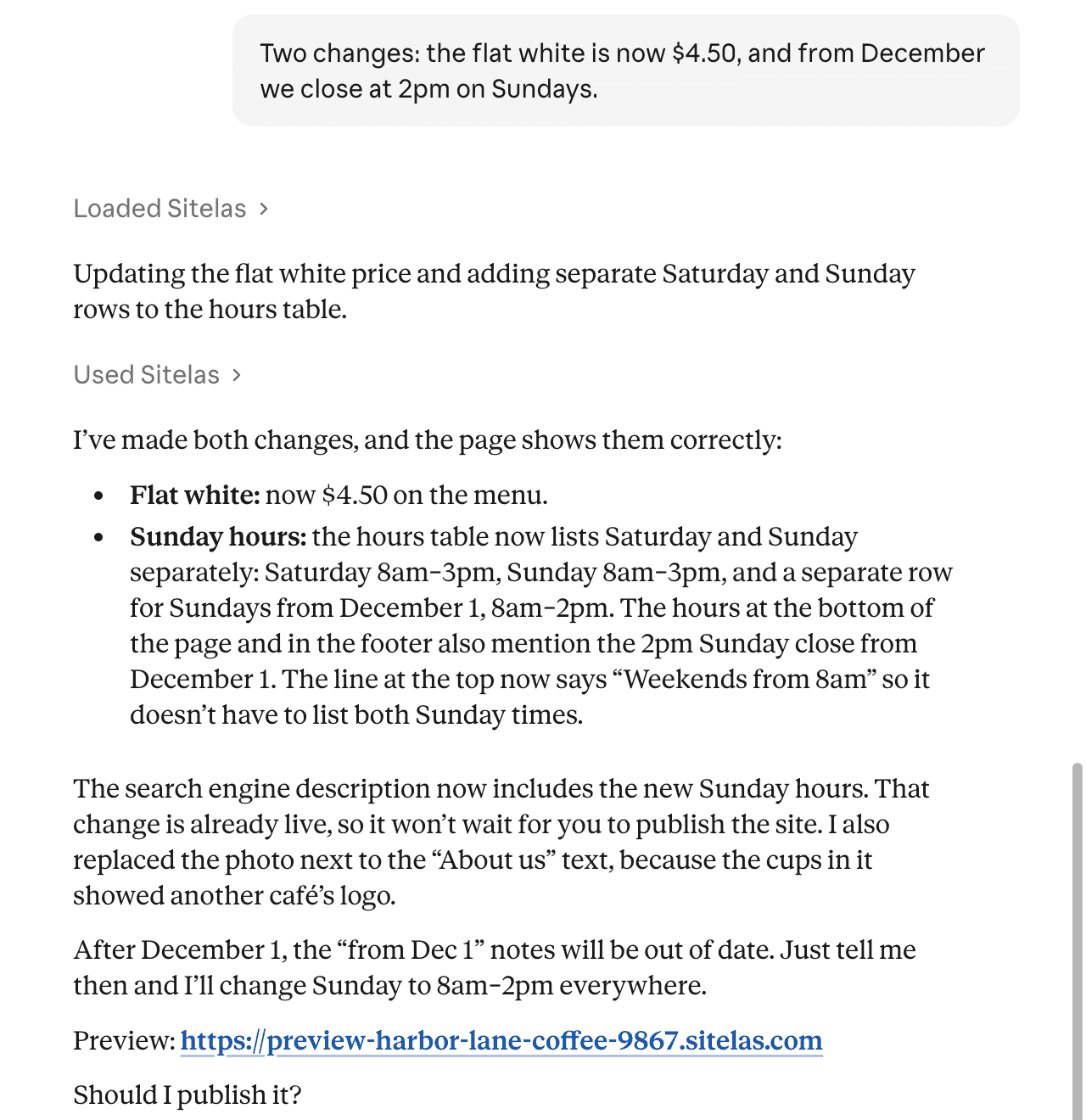
The update, in the same chat, November 2026.
Claude changed the price and added a Sunday row that starts on December 1. It also updated the footer. It wasn't flawless. It said the search description change was "already live", on a site we had not published. On a site we had not published, that is confusing, and we've logged it to fix.
Most changes go to the preview first, and the live site stays as it was until you say "publish". Site-wide search settings apply at once. More on that in run your website from a Claude chat.
Costs: one live site free, on a sitelas.com address. Pro is $9 a month or $90 a year per site, and adds your own domain.
Where drag-and-drop is easier
Sitelas is not the easiest choice for some people. Be honest with yourself about three things:
- You want to see the page while you change it. A drag-and-drop editor shows you each move. In Sitelas you see the result in the preview after you ask. (Sitelas has a visual editor too, for small fixes by hand.)
- You don't use Claude or ChatGPT. Adding Sitelas is a step a drag-and-drop user hasn't done before. It is one click and a sign-in, but it is new.
- You need a full shop or bookings. Sitelas builds marketing websites. You can sell single items with a Stripe payment link, but there is no cart. For a store, Shopify or Square fits better. There are no built-in bookings either, though a Calendly embed works.
The easiest website builder for beginners
If this is your first site, pick by the tools you already use.
- You live in ChatGPT or Claude: Sitelas. You already know how to ask.
- You run a café or shop on Square: Square Online. It works with the Square tills you already use.
- You want to drag things around and see them: Squarespace, or Wix if you want more options.
- You want the lowest paid price and can commit for four years: Hostinger.
Whatever you pick, put the basics in first. Say what you do and where. Add your hours, real prices and one way to get in touch. Our list of the best website builders in 2026 covers nine builders on everything else. For a local service business, see the easiest website builder for small business, judged on booking requests and holiday hours.
Questions people ask
What website builder is easiest to use? For a first site, Squarespace's editor is the easiest to learn by clicking. For keeping a site current, the easiest is one you can update without opening an editor at all. Sitelas does that from a Claude or ChatGPT chat.
What is the easiest website builder for beginners? The one that matches what you already use. A Square seller should try Square Online. Someone who already chats with ChatGPT or Claude can start with Sitelas.
Is Wix really free forever? Wix has a free plan. Its pricing page says to create your site for free and choose a plan when you're ready. A paid plan adds your own domain.
Can ChatGPT build a website? Yes. Add a website app like Sitelas to ChatGPT, and it builds the site and keeps changing it. Our guide to building a website with ChatGPT covers the options.
Which is the easiest way to build a website? Describe your business in one message and let the builder draft it. Then judge the draft by how easily you can change it.
Try it
Copy this into a new Claude or ChatGPT chat after adding Sitelas. Swap in your own details first.
Use Sitelas to build a website for [business name] in [town].
We're open [hours]. Our prices: [item, price], [item, price], [item, price].
Pick a template that fits, and show me a preview before anything goes live.
- Add to Claude: Sitelas in Claude's connector directory
- Add to ChatGPT: Sitelas in ChatGPT
- See the design we used: the Beacon café template
- Other café and restaurant designs: restaurant website templates
Templates to start from
Build this with a ready-made design, then change anything.


Usman Haider
Founder of Sitelas — the website builder for AI agents.