
The Easiest Website Builder for a Small Business Is the One You Can Run From a Chat
Building a small business website takes an afternoon. Booking requests, price changes and holiday hours take every week after. We judged builders on the week, then ran one from Claude and ChatGPT.

Usman Haider

The easiest website builder for small business owners is the one that makes the jobs after launch quick. The reviews on page one judge the first afternoon: templates, the editor, how fast a page appears. That part is easy almost everywhere now.
A groomer or a gym lives in the shop, not the website. The site gets a booking request on a Tuesday, a price rise in January and holiday hours in December. If each one means logging in and hunting for a box, it waits.
The easiest website builder for small business: judge the week
Four jobs come back again and again for a local business:
- Answer a booking or quote request the same day.
- Change a price when your costs change.
- Change your hours for holidays and the seasons.
- Keep your phone, address and hours the same everywhere, so Google and your visitors see the same thing.
A builder is easy for you if those four take a few minutes each, from wherever you are.
What a small business website needs on day one
Whatever you build it with, put these in first:
- What you do and where. One line a stranger understands, and the town.
- Real prices, or "from" prices if jobs vary.
- Opening hours, including the days you're closed.
- A phone number that can be tapped on a phone.
- One form that asks what you need to know. A groomer needs the dog's size. A cleaner needs the number of rooms.
Our local business website designs show this for gyms, groomers, trainers and other services.
How Squarespace and Wix handle the week
Google's summary of this search names Wix and Squarespace. Here is where a booking request goes in each, from their help pages.
Squarespace emails each form to the account address of whoever added it, except on trial sites. If the form asks for an email address, you reply from your own inbox.
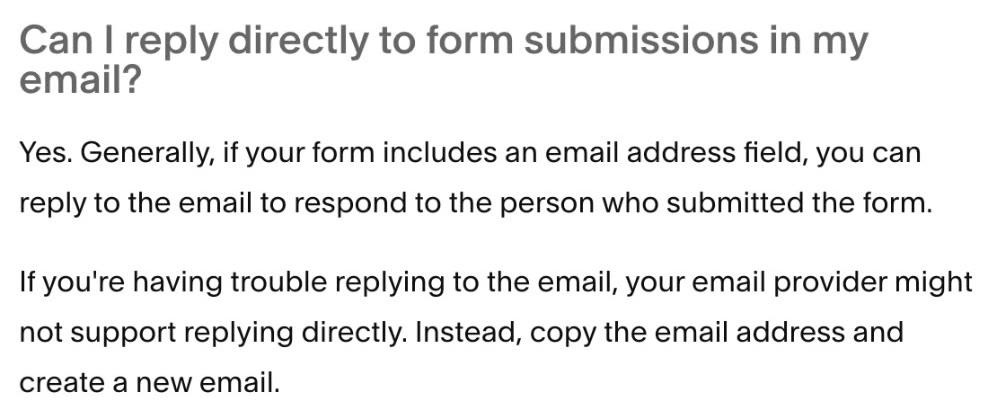
Squarespace's help page on form storage, as of November 2026.
Wix stores each submission in a table under Forms & Submissions in your dashboard. You can filter and export them, and in its newer forms ask its AI to summarize them.
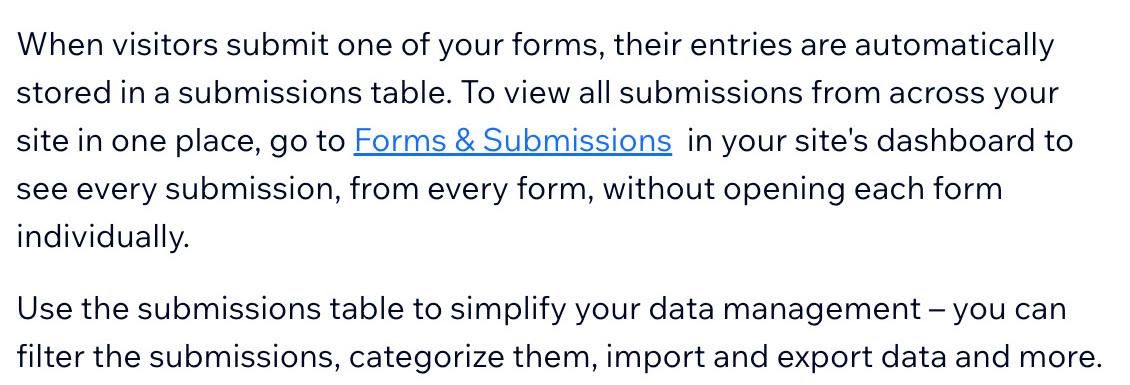
Wix's help page on submissions, as of November 2026.
In both, you change a price or an opening time by logging in to the editor or dashboard. Our tenth-update comparison shows those steps for six builders.
Running the week from a chat
Sitelas is ours. You add it to Claude or ChatGPT and ask in plain words. We tested it in Claude and ChatGPT in November 2026 with a made-up Bristol dog groomer, Pawsh Parlour. Its site was a draft from the grooming template, with blanks for the details.
Day one: the details. One message gave the address, hours, phone and email.
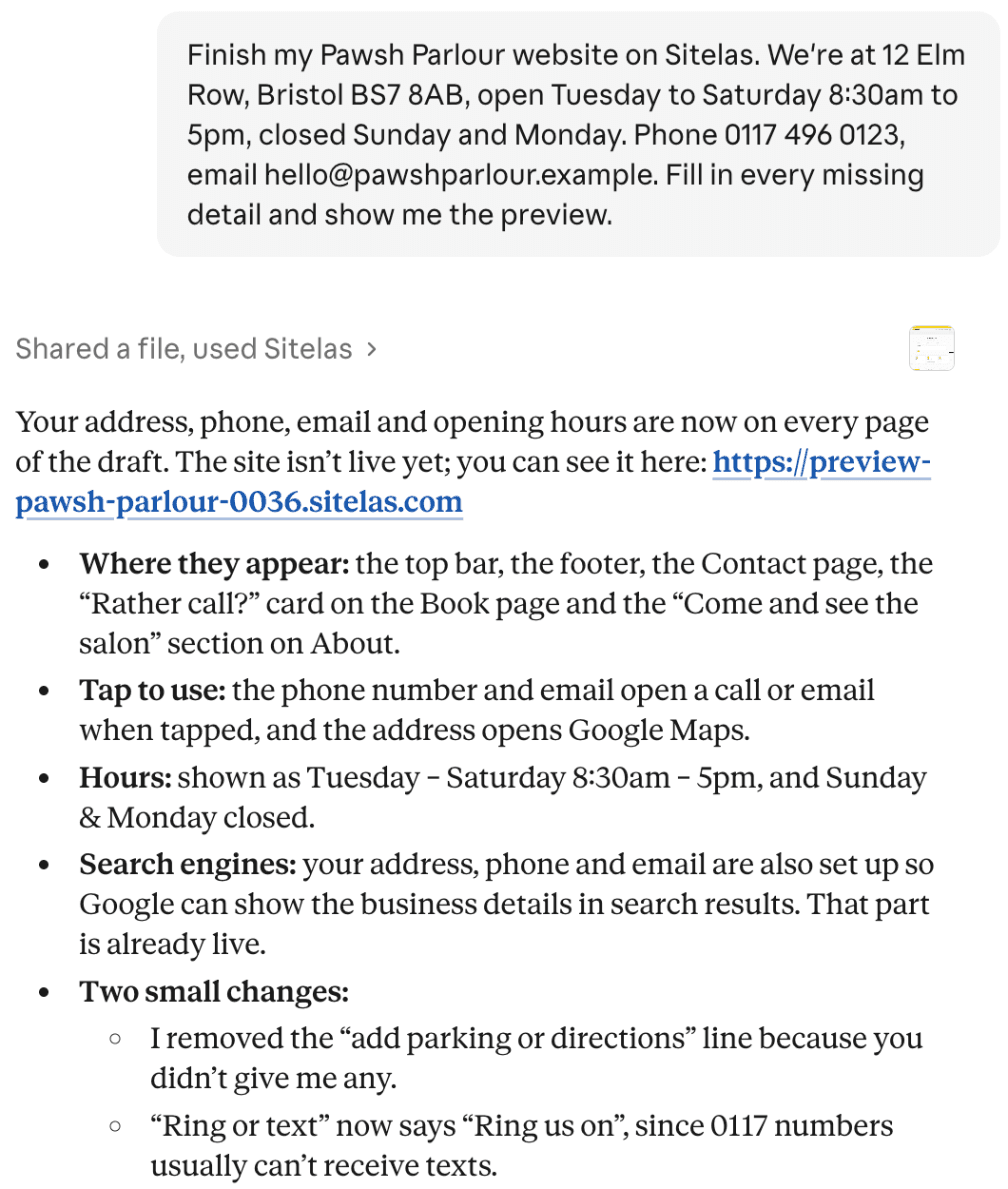
Claude filled every blank it had facts for and took out a line it had none for. It left the prices as "TBC" until we sent them. One line reads oddly. It said the search details were "already live" on an unpublished site. Those details are a site-wide setting that applies at once, and we're making that clearer.
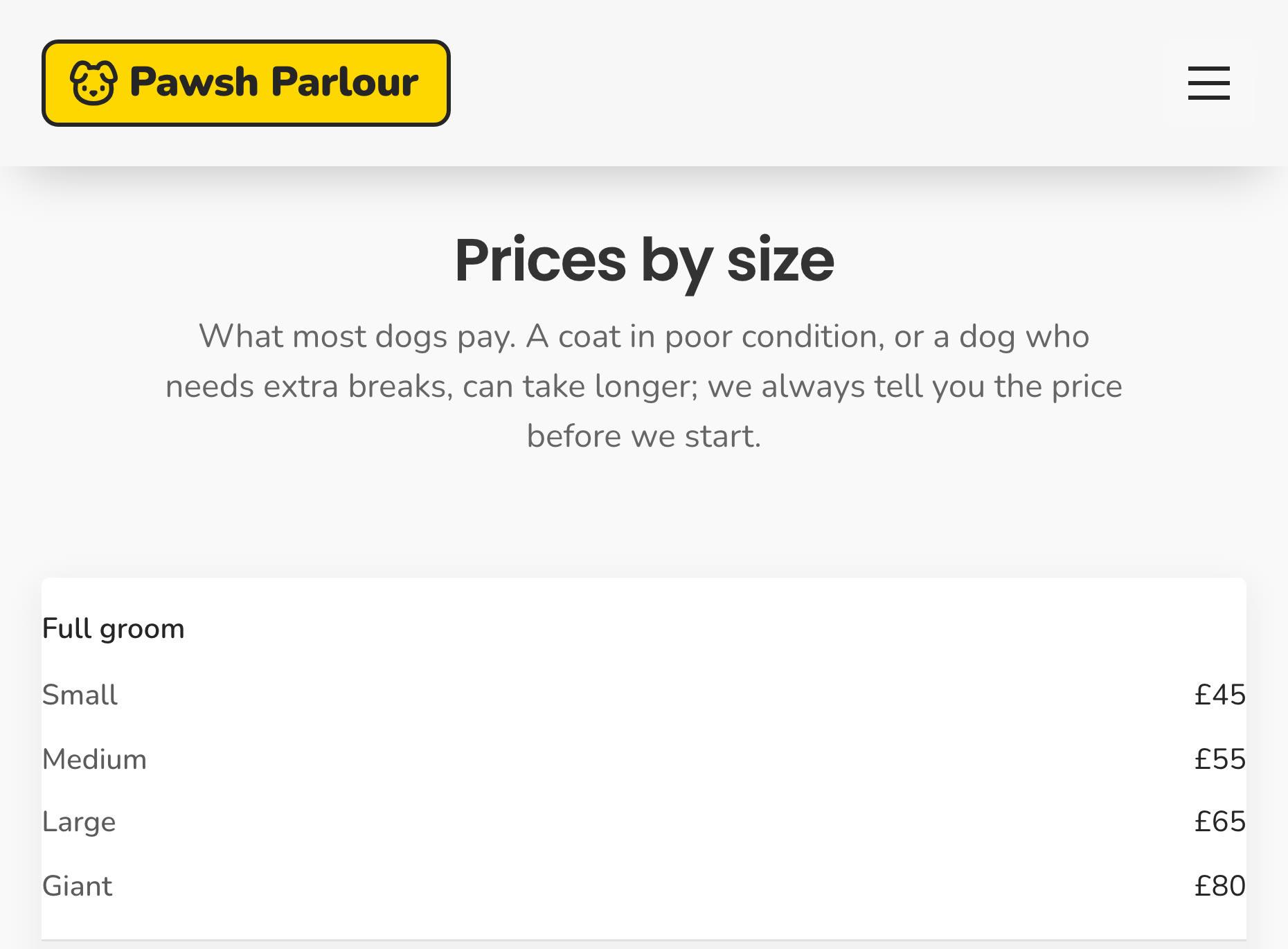
A price change. We sent the whole price list in one message.
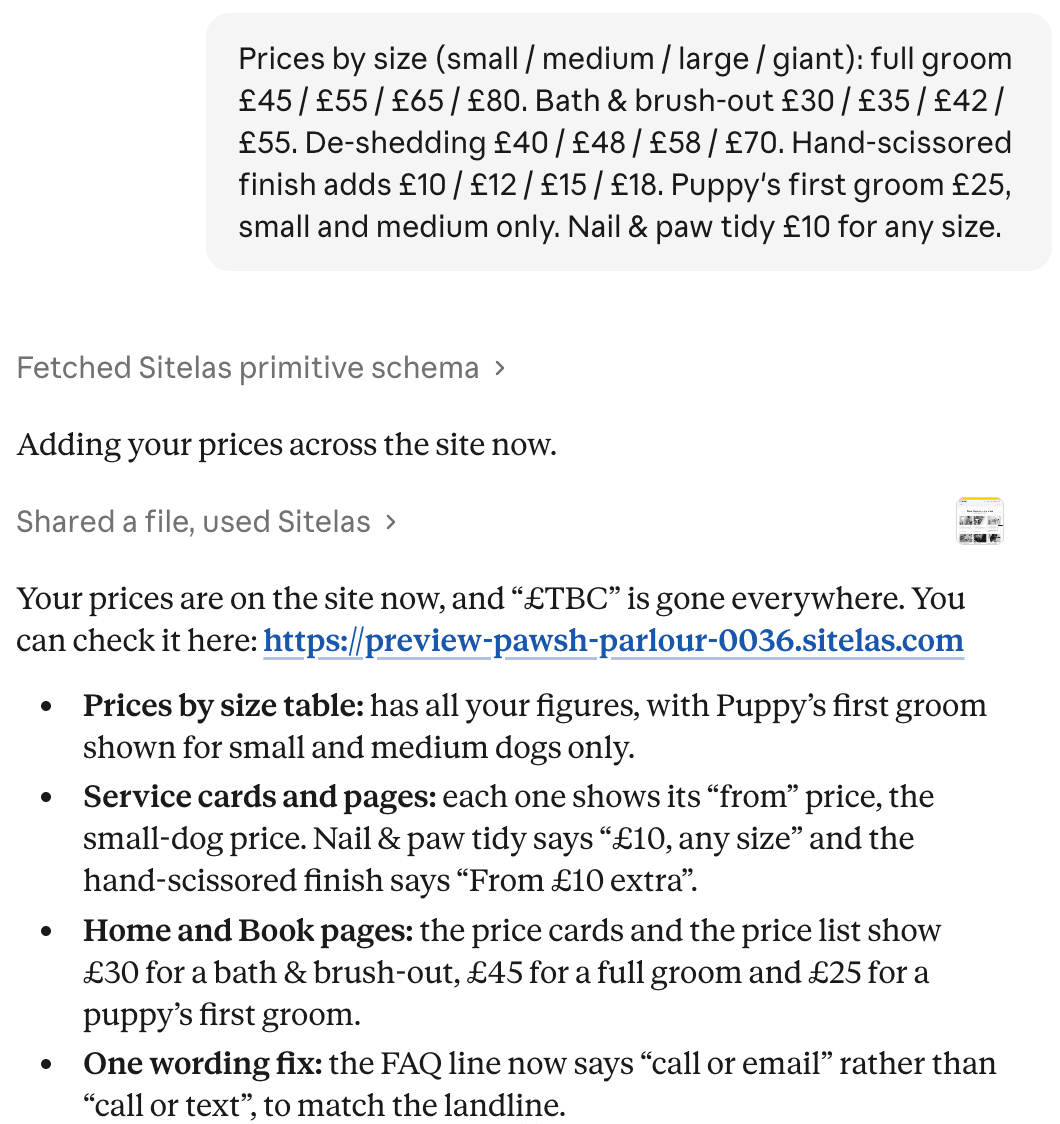
We checked the preview, not just the reply. All the figures matched.
A booking request. Then a test customer sent the site's booking form. It asks for the dog's name, size, the service and a preferred day.
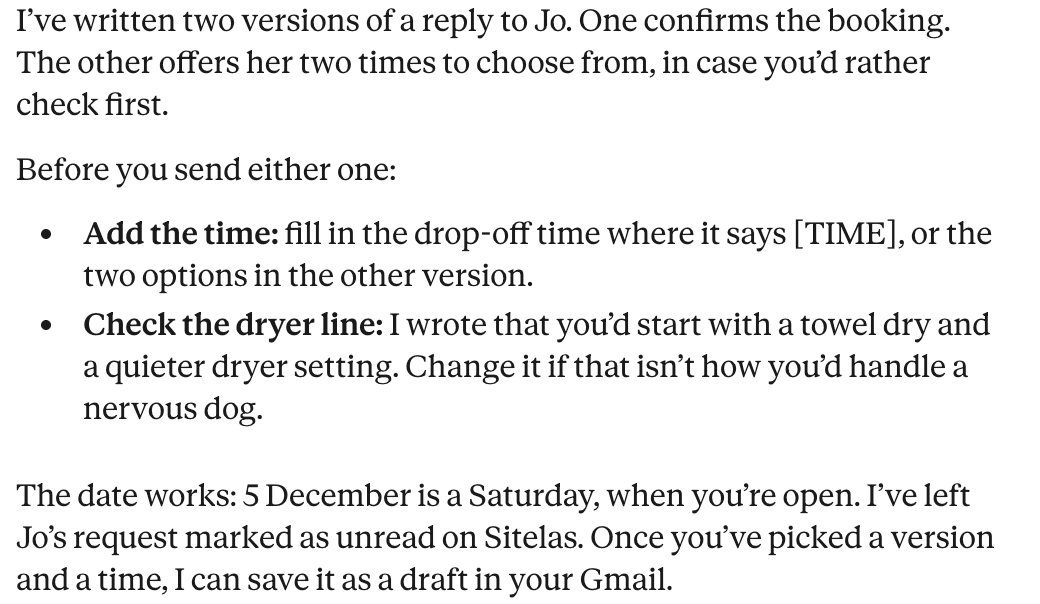
We asked Claude if a customer had written. It found the request and drafted a reply with the right price for a medium dog.
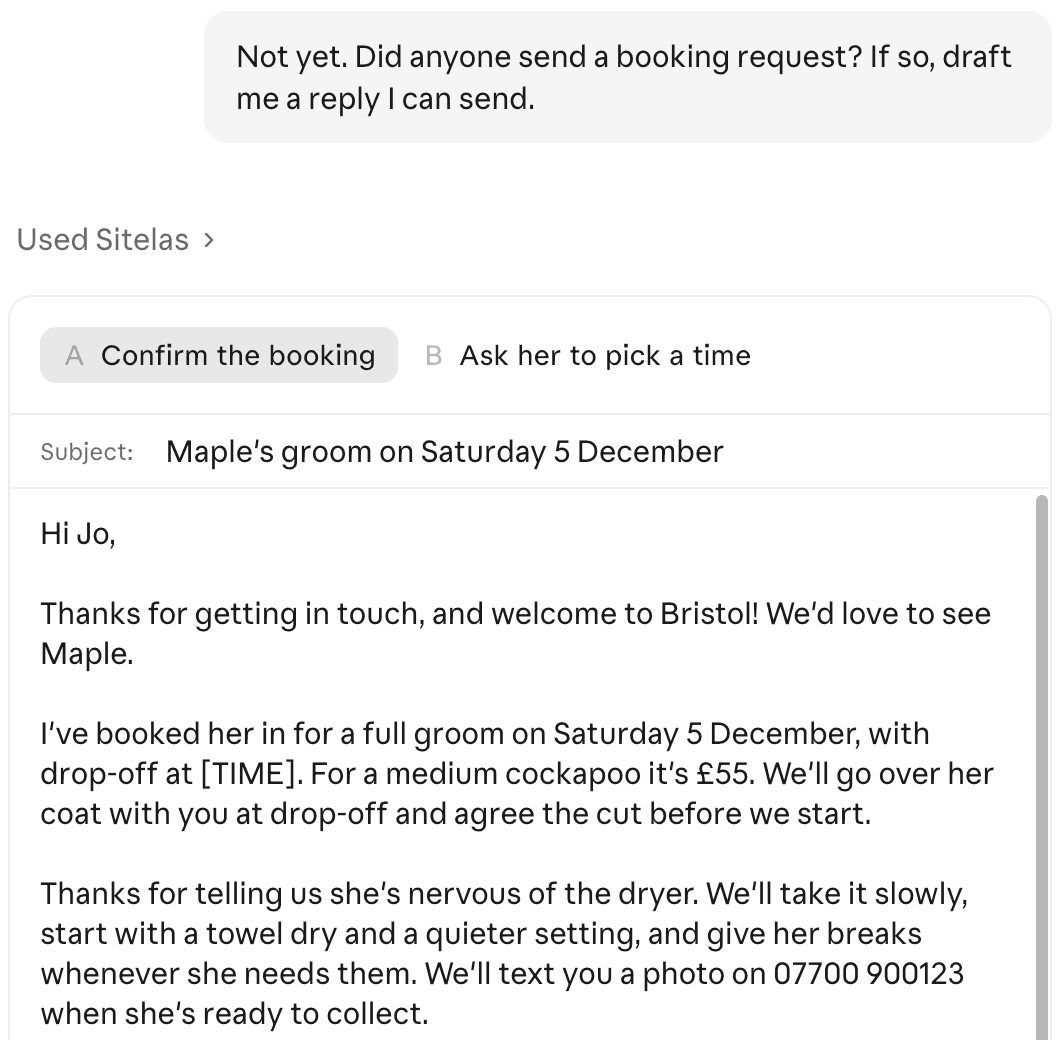
It sent nothing. It left two gaps for the owner and checked the date against the opening hours.
Holiday hours, from ChatGPT. Sitelas also works in ChatGPT, as an app. We asked it to post the Christmas closure.
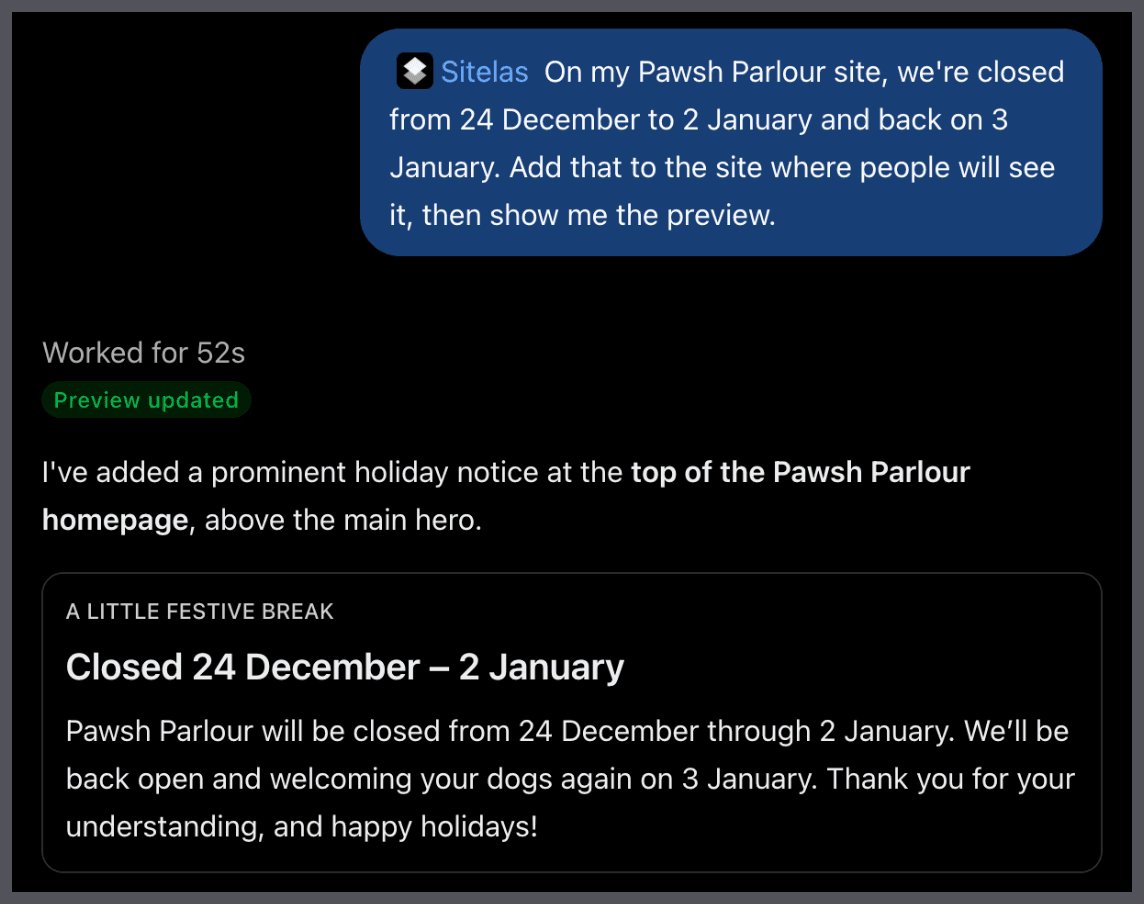
We got our own date wrong. 3 January 2027 is a Sunday, when the salon is closed, and ChatGPT didn't catch it. One more message fixed it.
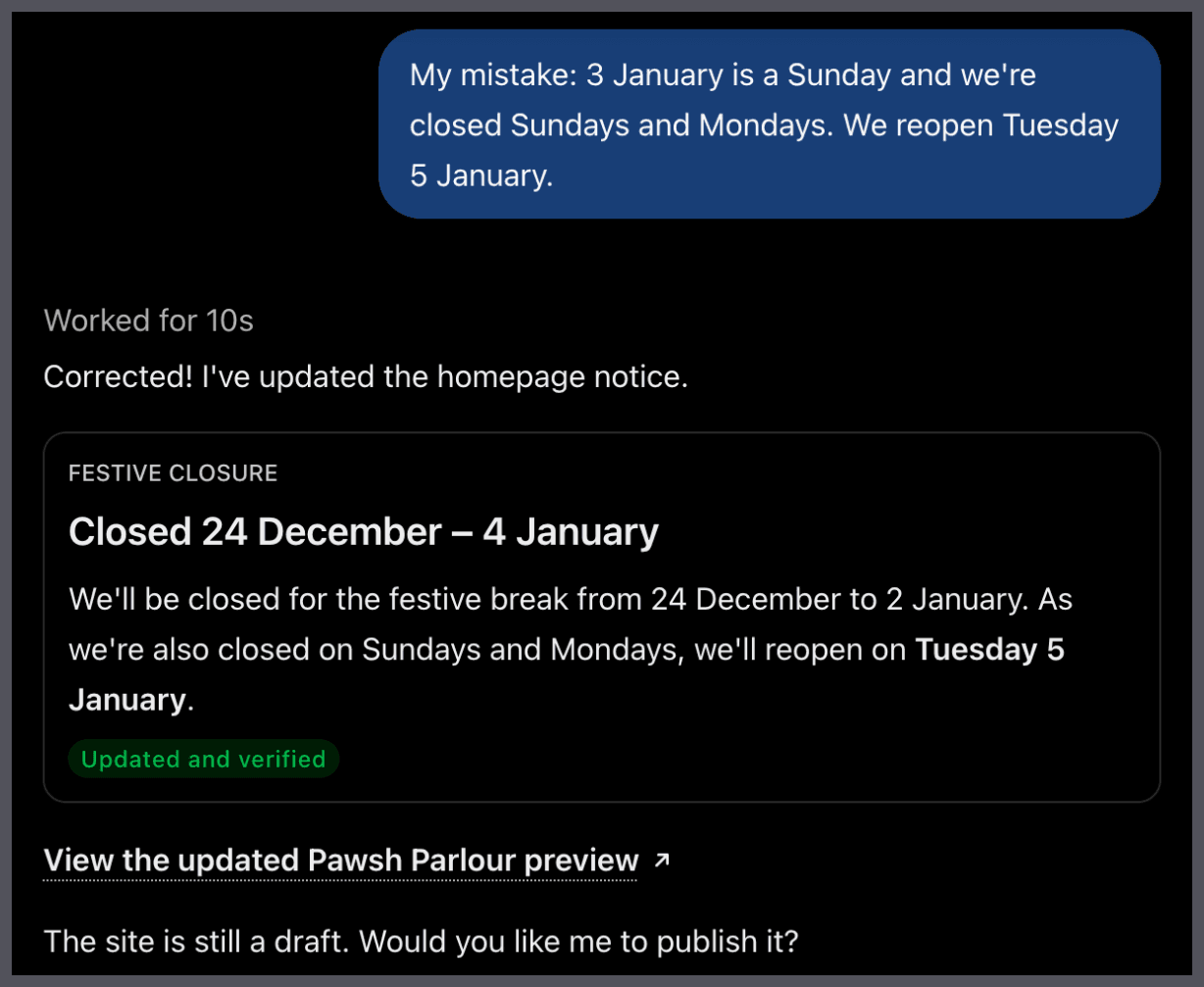
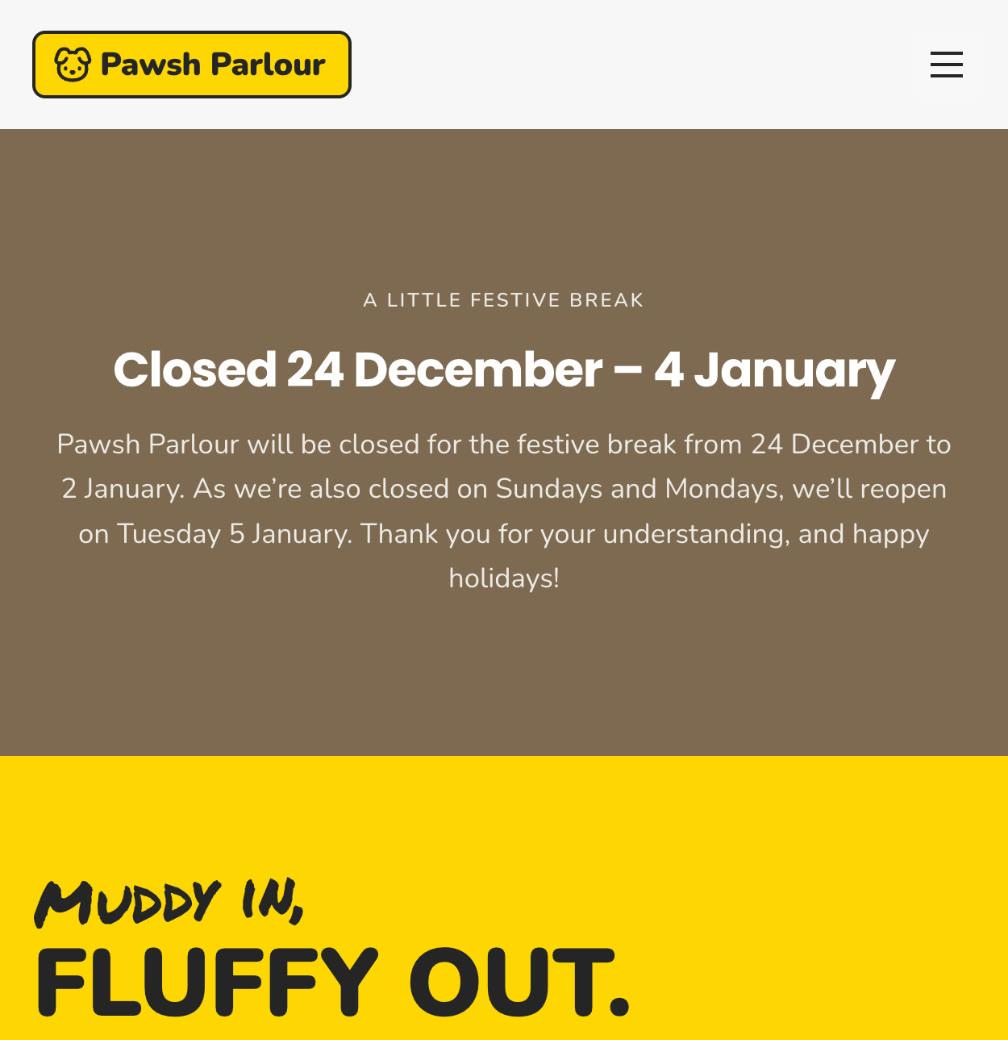
Page changes go to the preview first, and the live site keeps its pages until you say "publish". Each form message lands in your Sitelas inbox, and by default in your email too. More in where form submissions go.
What it can't do
- Bookings. Sitelas has no booking calendar. Requests arrive as messages for you to confirm, or you can add your Calendly page.
- A shop. You can sell single items with a Stripe payment link, but there is no cart.
- Seeing the page while you change it. A drag-and-drop editor shows each move. Here you see the result in the preview after you ask.
- Message volume on Free. Free reads 5 form messages a month; the rest are kept until you upgrade. Pro reads 500 a month per site, for $9 a month or $90 a year.
Questions people ask
What is the easiest website builder for a small business? For building by hand, Squarespace and Wix are the usual picks. For keeping the site current, the easiest is one you can run from a chat you already use. Sitelas does that from Claude or ChatGPT.
Is there a free website builder for a small business? Yes. Sitelas keeps one live site free, with a small badge and a sitelas.com address. Wix and Square Online also have free plans. On Sitelas, your own domain needs Pro.
Can AI answer my website enquiries? It can read them and draft replies (on Free, 5 messages a month). In our test, Claude found the booking request and wrote a reply, but sent nothing. You check it and send it yourself.
Do I need to know Claude or ChatGPT? No, just an account on either. You ask in a normal message. In Claude, adding Sitelas takes one click and a sign-in. For ChatGPT, see how to build a website with ChatGPT.
Try it
Copy this into a new Claude or ChatGPT chat after adding Sitelas. Swap in your own details.
Use Sitelas to build a website for [business name] in [town].
We do [services]. Prices: [service, price], [service, price].
We're open [hours]. Phone [number].
Add a form that asks for [what you need to know], and show me a preview first.
- Add to Claude: Sitelas in Claude's connector directory
- Add to ChatGPT: Sitelas in ChatGPT
- See the design we used: the dog grooming template
- More for local businesses: local business website designs
Templates to start from
Build this with a ready-made design, then change anything.


Usman Haider
Founder of Sitelas — the website builder for AI agents.