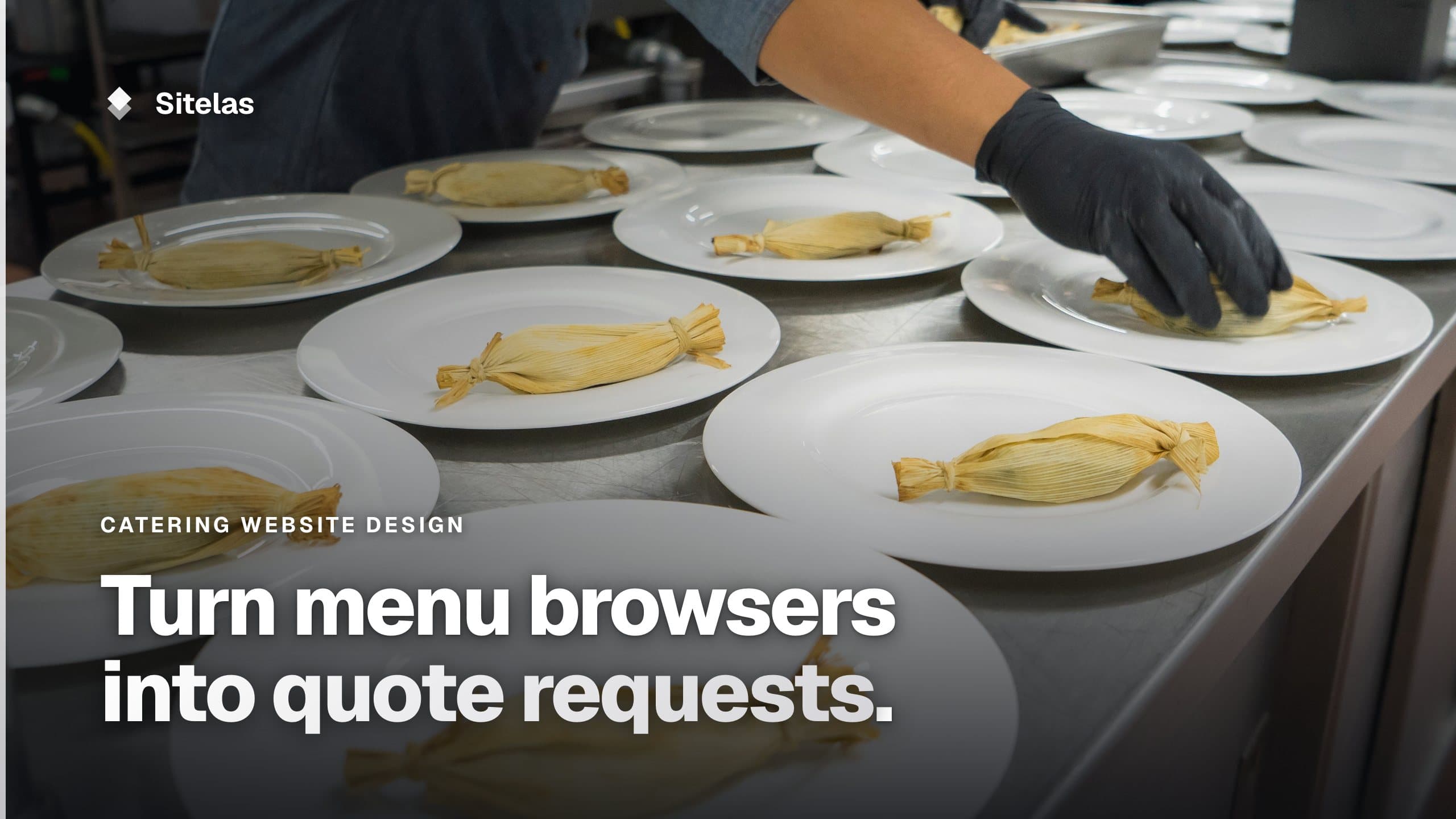
Catering Website Design: What Turns a Visit Into a Quote Request
What good catering website design puts on the page: your event types, guest range and towns, sample menus with a price per guest, dietary options and a quote form that asks the right questions. Then how to build one and keep it current by asking Claude or ChatGPT.

Usman Haider
Someone planning a wedding or an office party opens a few caterers' sites. They stay on the one that shows events like theirs, real food and a price they can plan around. Then they ask for a quote. Good catering website design is mostly getting out of the way of those three answers.
The harder part is keeping the site true. Menus change with the season. December fills up early. Prices move. So this guide covers what to put on the site, then how to change it with one message.
What makes good catering website design
Name the events you cater
Weddings, corporate lunches, private dinners, funerals, school events. Give each kind its own page. A wedding couple wants a tasting and a plated dinner. An office manager wants lunch for 40 at noon sharp. A page each lets both find themselves.
Show your guest range and your towns
"20 to 250 guests in Raleigh, Durham, Cary and Chapel Hill" saves a phone call. Put it on the first screen and again next to the quote form. If you have a travel fee outside your area, say how it works.
Sample menus with a price per guest
This is the page people look for. Show a few sample menus, each with a starting price per guest: "Wedding dinner from $65 a guest". A starting price filters out people who can't afford you, and reassures those who can. Say what changes the price: courses, staffing, rentals.
Say what you do for dietary needs
Vegetarian, vegan, gluten-free, nut-free, halal, kosher. List what you can make, and what you can't promise, such as a nut-free kitchen. Guests with allergies, and the people planning for them, read this closely.
Photos of your own food and events
Use your own dishes and your own setups. A wedding photographer who shot one of your events may let you use their photos with a credit. Stock photos of perfect canapés look like other caterers' sites.
Venues you know
If you cater often at certain venues, list them. A couple who booked one of them sees you have worked there before. Only name venues you have actually worked at.
A quote form that asks the right questions
Event type, date, guest count, venue and town, budget if you like, and dietary needs. With those answers you can reply with a real quote, not three rounds of questions.
What's open, and what's full
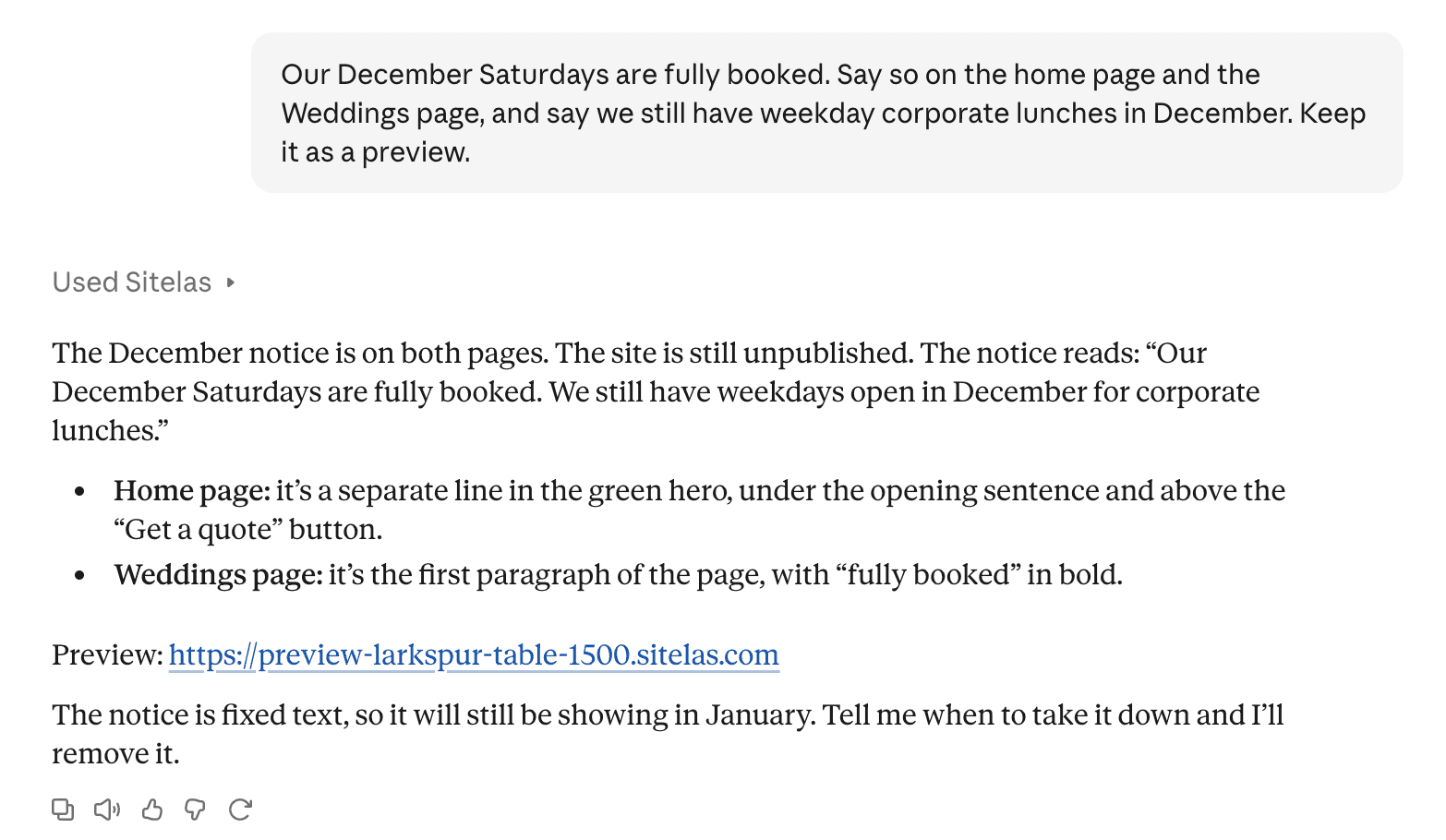
When your December Saturdays are booked, say so on the home page. Fewer people ask for dates you can't take. When you open bookings for next season, say that too.
Catering website mistakes to avoid
- No prices at all. Visitors may assume you're too expensive and leave.
- One "Menus" PDF. It's hard to read on a phone. Put menus on the page.
- Last year's menu. Seasonal dishes from last spring tell people the site isn't looked after.
- A form that asks only for a name and email. You'll spend the first reply asking for the date.
- Made-up reviews or numbers. Use real ones, or none.
Building one by asking Claude
I added Sitelas to Claude and sent one message for a made-up caterer, Larkspur Table in Raleigh. It named the event types, guest range, towns, two prices and the quote form's questions:
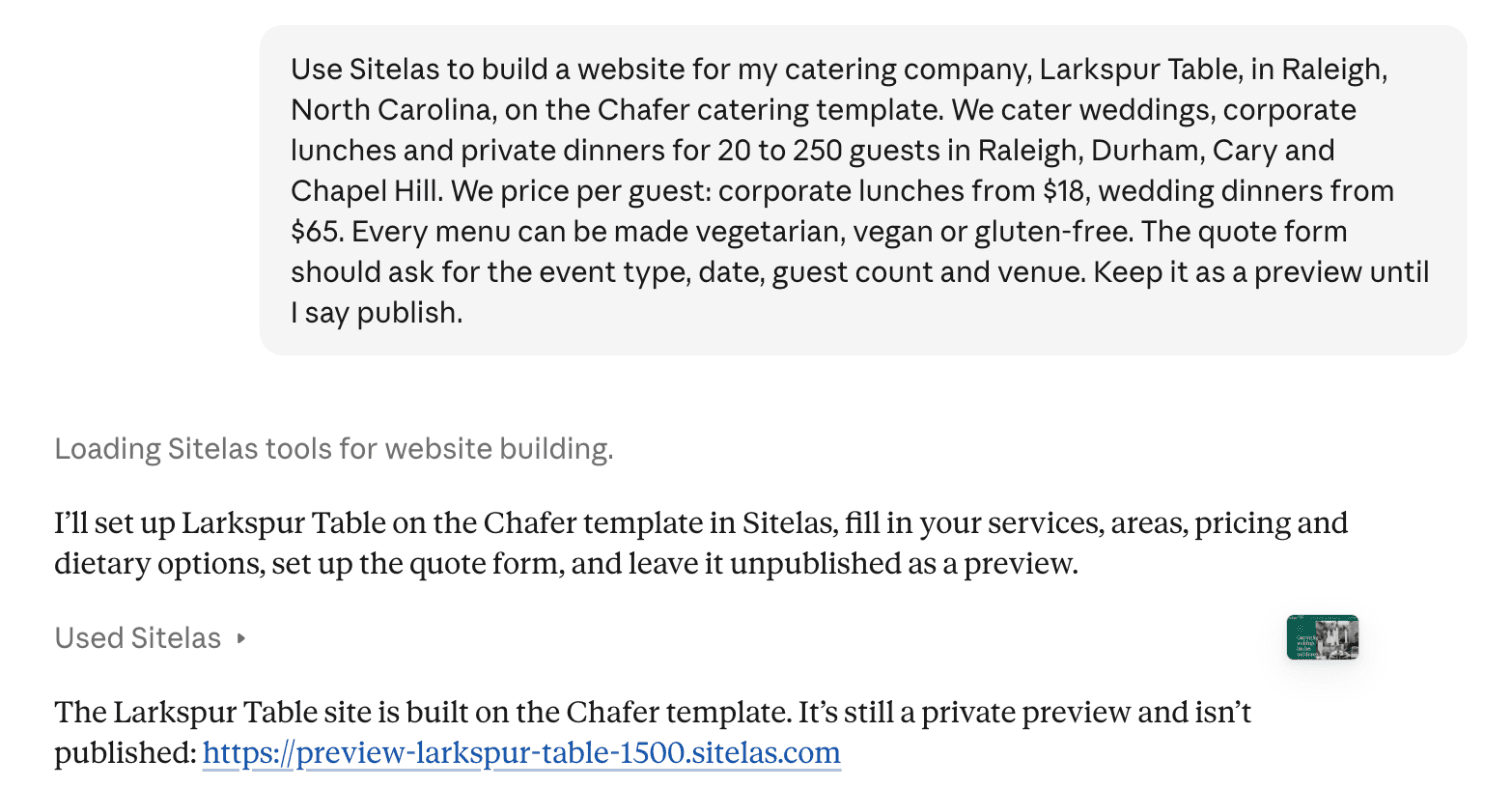
Claude built it from Sitelas's catering template, Chafer. Each event type got its own page with a quote form. The sample menus were cut to three that match what I sell:
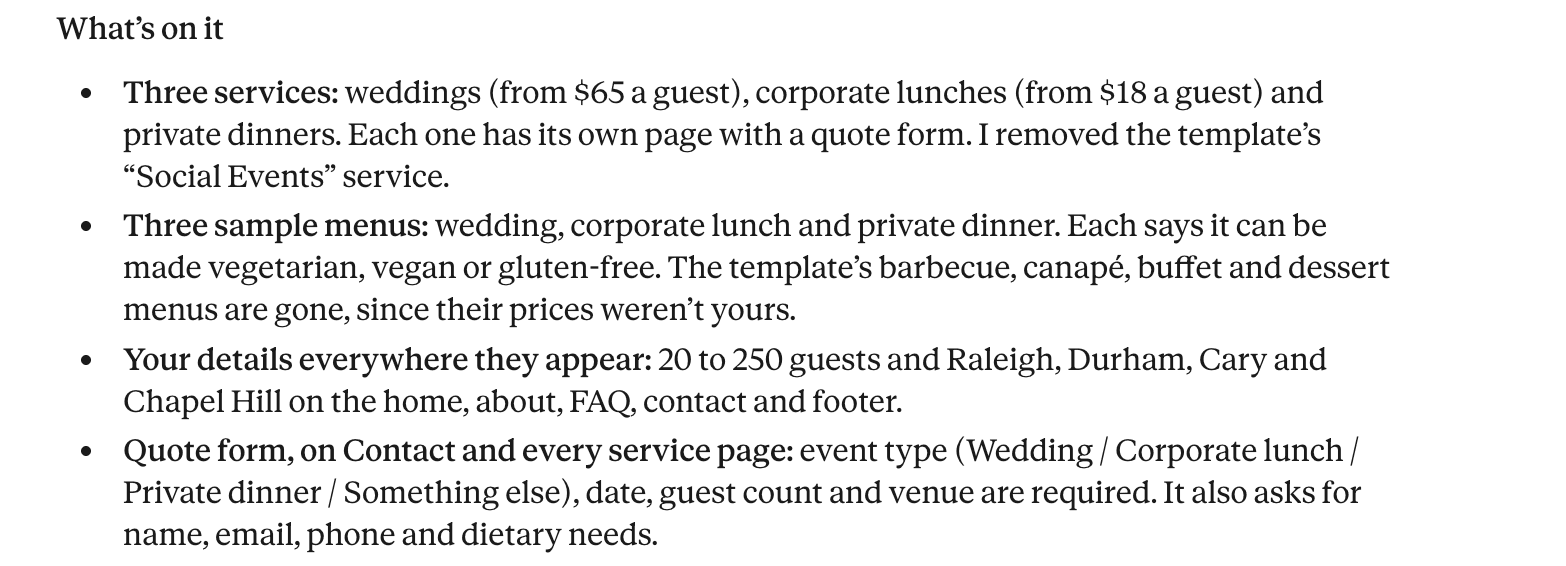
The template comes with a sample team, reviews and years in business for another company. Claude took those out rather than leave invented ones. Then it listed what it still needed:
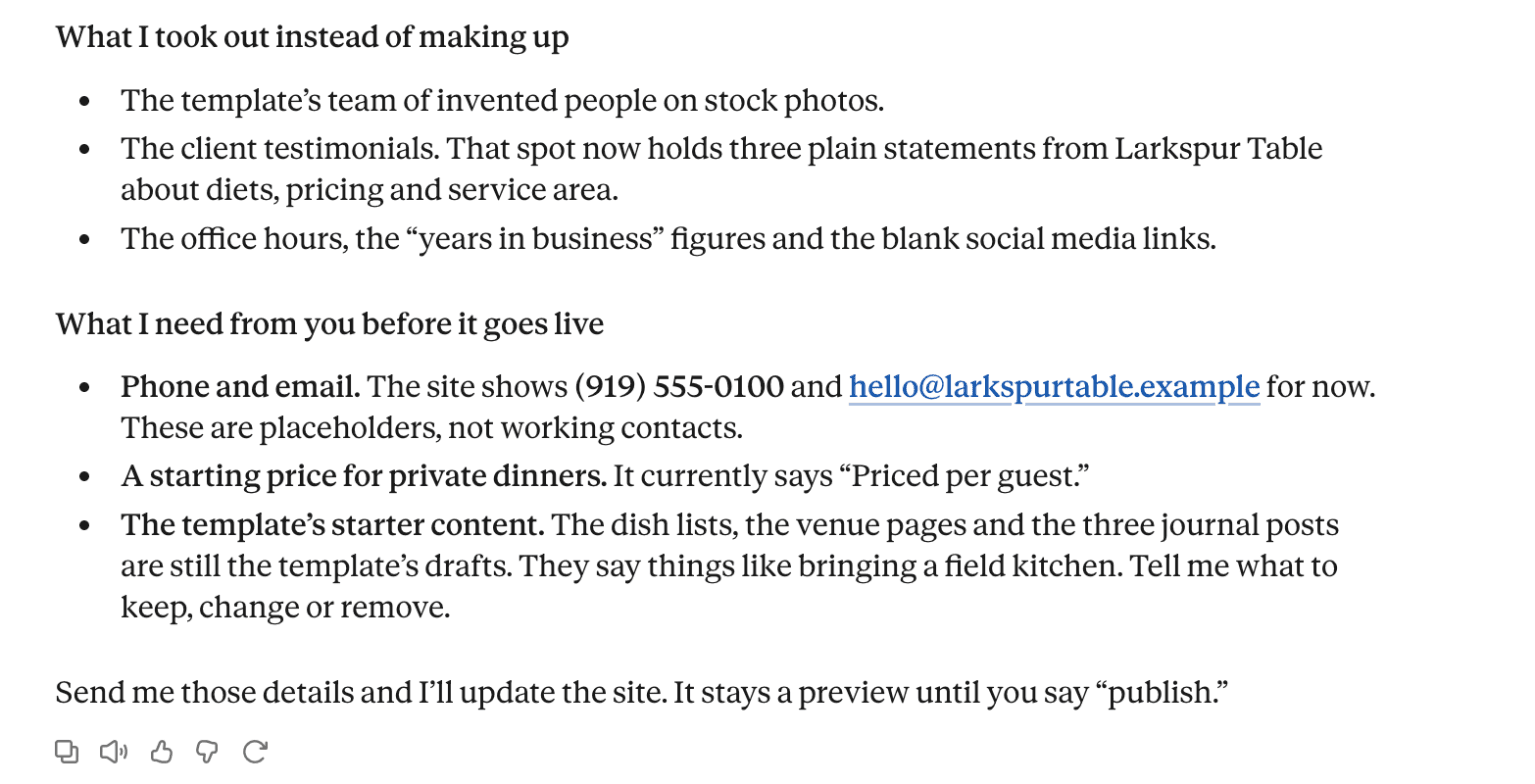
That last point matters. The dish lists, venue pages and journal posts were still the template's drafts. So are the food photos: they are the template's stock pictures, which this guide tells you to replace. A real caterer would send their own dishes, venues and photos, and Claude can swap them in. Until then, the site isn't ready to publish.
The quote form asks for what a caterer needs to reply, with the event details required:
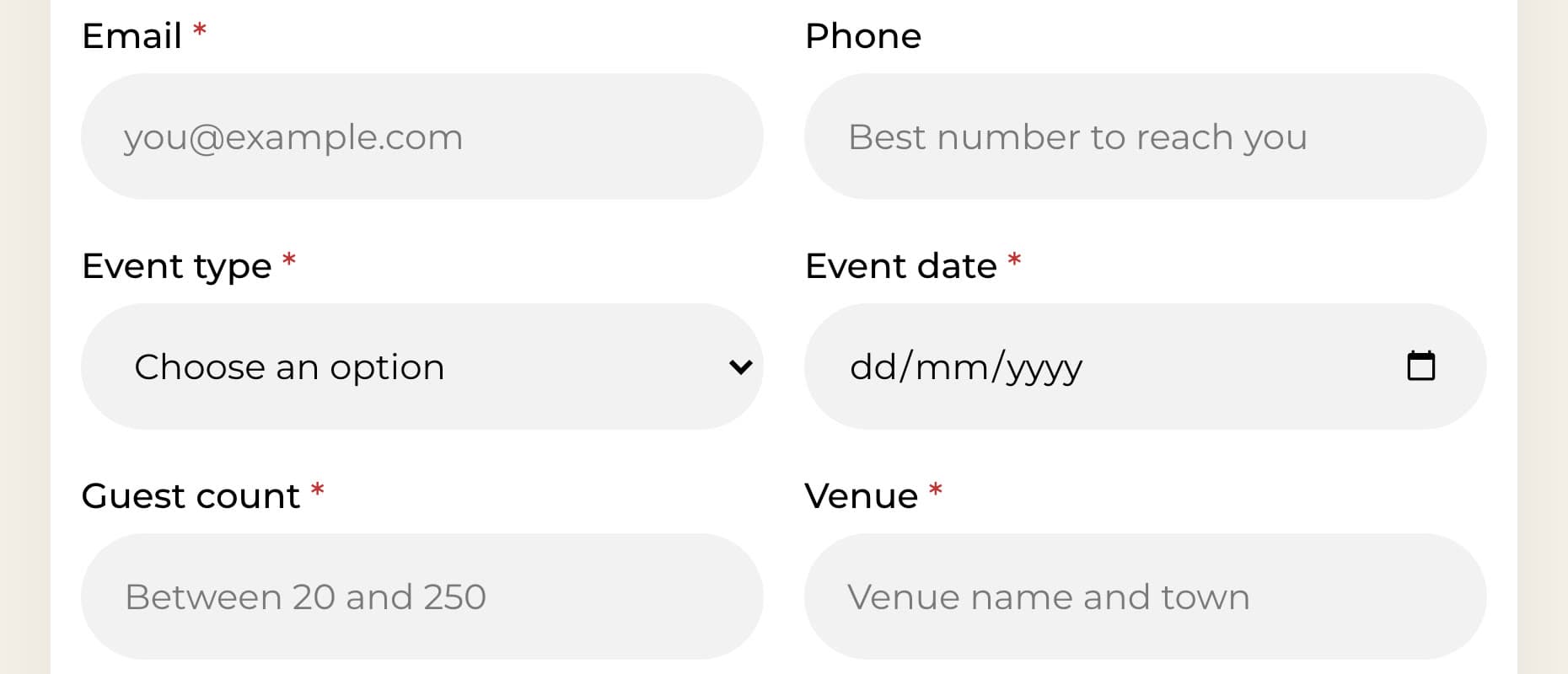
Requests land in a Sitelas inbox, and Sitelas emails you when one arrives (on by default).
Keeping a catering website current takes one message
December is the catering version of a full calendar. I told Claude the Saturdays were booked:
The notice now sits in the home page's opening section, under the line that names the guest range and towns:
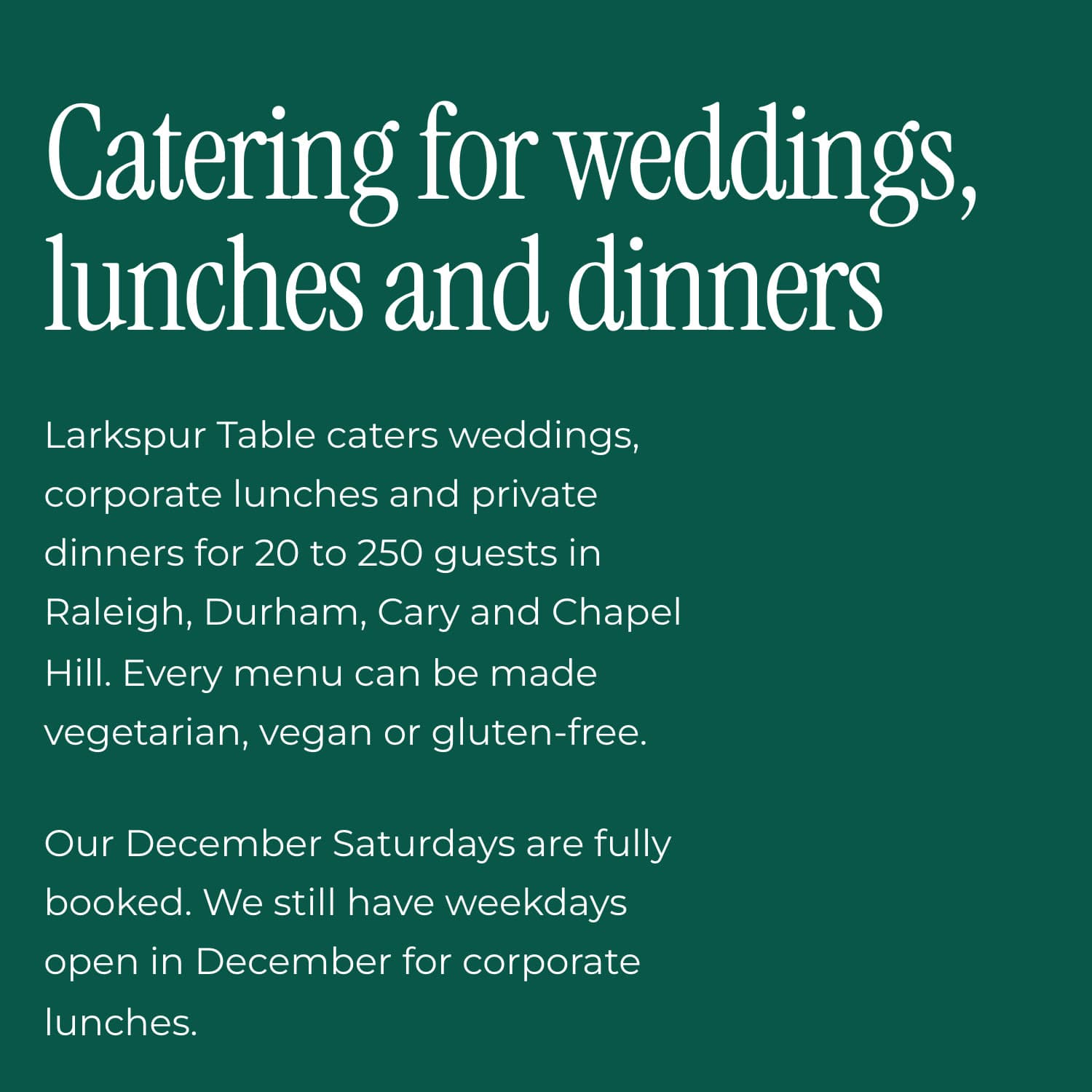
Note Claude's warning. The notice is plain text, so it stays up in January until you take it down. Put a reminder in your calendar.
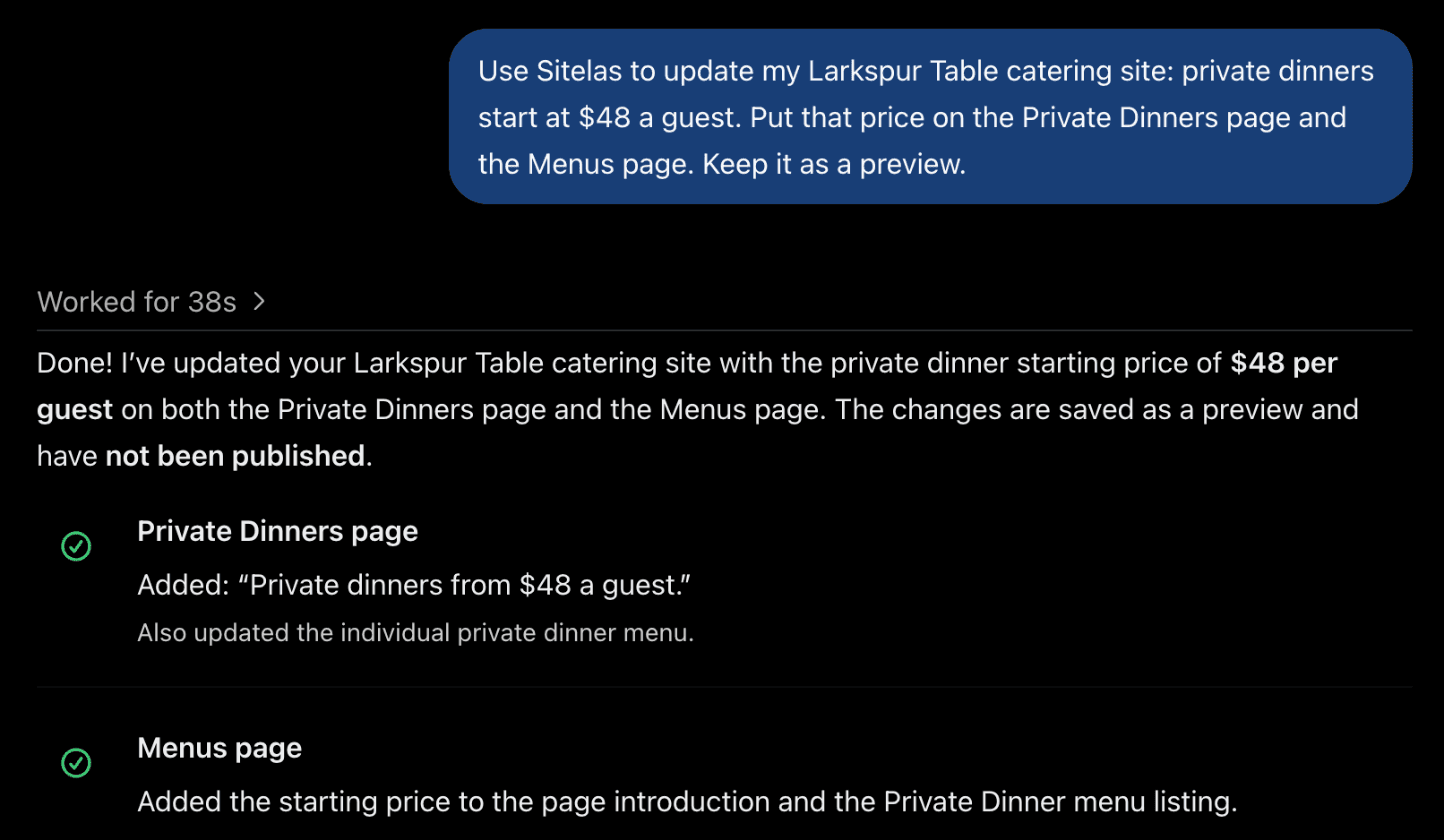
The same works from ChatGPT. I set the price for private dinners there:
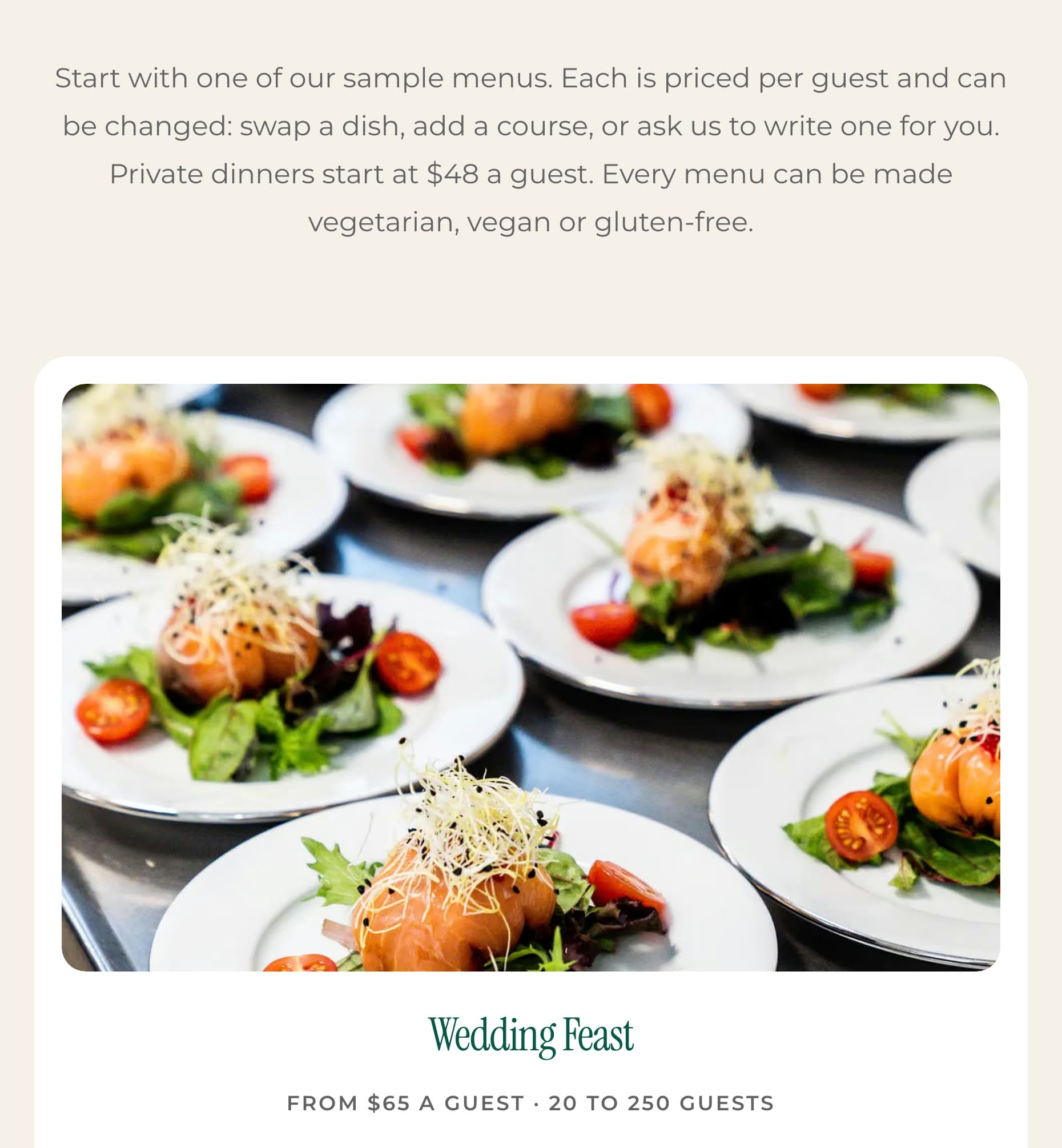
I checked the preview. The Menus page now gives the private dinner price, next to each sample menu's own price per guest:
Edits to pages and text stay in the preview until you publish, from Claude, ChatGPT or the editor. To fix a word yourself, the editor lets you click and type on the page.
What it can't do
Sitelas builds and runs the website. It doesn't manage a bookings calendar, schedule tastings or take orders for drop-off catering. Those stay with your catering software, or a Calendly page you embed. There is no cart or online checkout. The Free plan reads 5 quote requests a month; the rest are kept, locked until you upgrade. That allowance a caterer in wedding season will pass. Pro reads up to 500 a month per site and adds a custom domain. It costs $9 a month per site, or $90 a year.
Getting found on Google is separate work. It means your Google Business Profile, reviews on the sites couples use, and venue listings. If you run a restaurant too, our guide to restaurant marketing covers that side.
Questions people ask
What should a catering website include? A page for each kind of event, your guest range and your towns. Sample menus with a price per guest, and what you do for dietary needs. Your own food photos, and a quote form that asks for the date, guest count and venue.
Should caterers put prices on their website? Show a starting price per guest for each sample menu, and say what changes it. It saves calls from people outside your budget, and reassures the rest.
How much does a catering website cost? Designers quote by project, so ask what each later change costs too. On Sitelas, Pro is $9 a month per site, or $90 a year. You make changes by asking.
What's the best website builder for a catering business? The one you will keep current as menus and dates change. Not sure which design fits? Here is how to choose a template. With Sitelas in Claude or ChatGPT, you describe a change, check the preview and publish.
Try it
Copy this into a new Claude or ChatGPT chat after adding Sitelas. Swap in your own details first.
Use Sitelas to build a website for my catering company, [name] in [town],
on the Chafer catering template. We cater [event types] for [min] to
[max] guests in [towns]. Prices per guest: [menu, from $X], ...
Dietary options: [list]. The quote form should ask for event type,
date, guest count and venue. Keep it as a preview until I say publish.
- Add to Claude: Sitelas in Claude's connector directory
- Add to ChatGPT: Sitelas in ChatGPT
- See the design we used: the Chafer catering template, or the other food and restaurant templates
Templates to start from
Build this with a ready-made design, then change anything.


Usman Haider
Founder of Sitelas — the website builder for AI agents.