

How to make a personal website by asking an AI agent
To make a personal website: decide what it is for, choose a design, write a short about, a few pages of work or writing and a way to reach you, then publish it on a domain with your name.
With Sitelas, an AI agent such as Claude does the building. Connect Sitelas, say what you want in a sentence or two, and it starts from a template, writes the first draft and sends a preview link that isn't public yet. Change anything by asking, then publish. A free site runs on a sitelas.com address.
Recommended templates
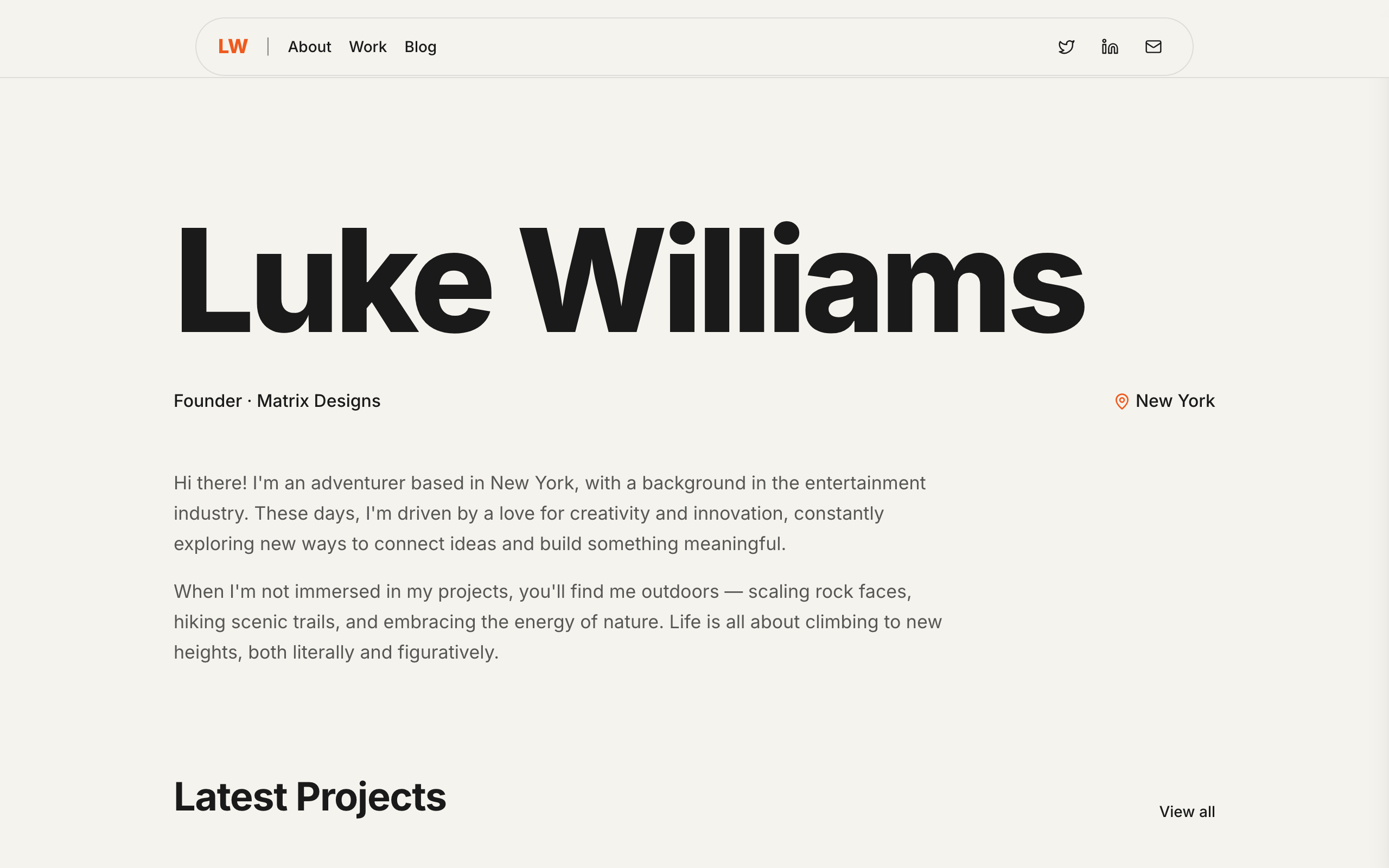
Prive
A minimal personal site for founders and creators whose name is the brand: projects, a blog and a newsletter.
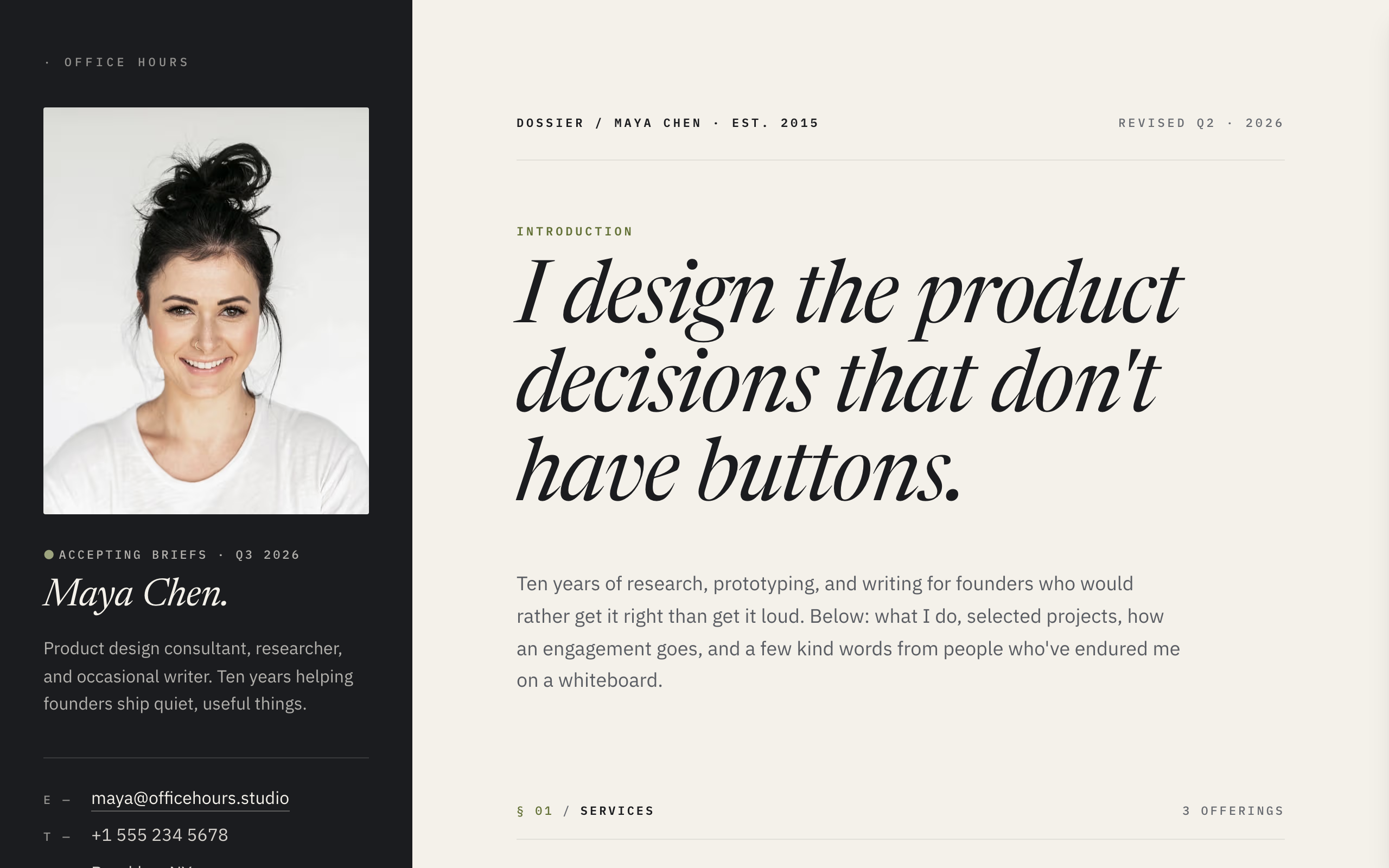
Dossier
A split-screen site for freelancers: contact details always visible, case studies and services beside them.
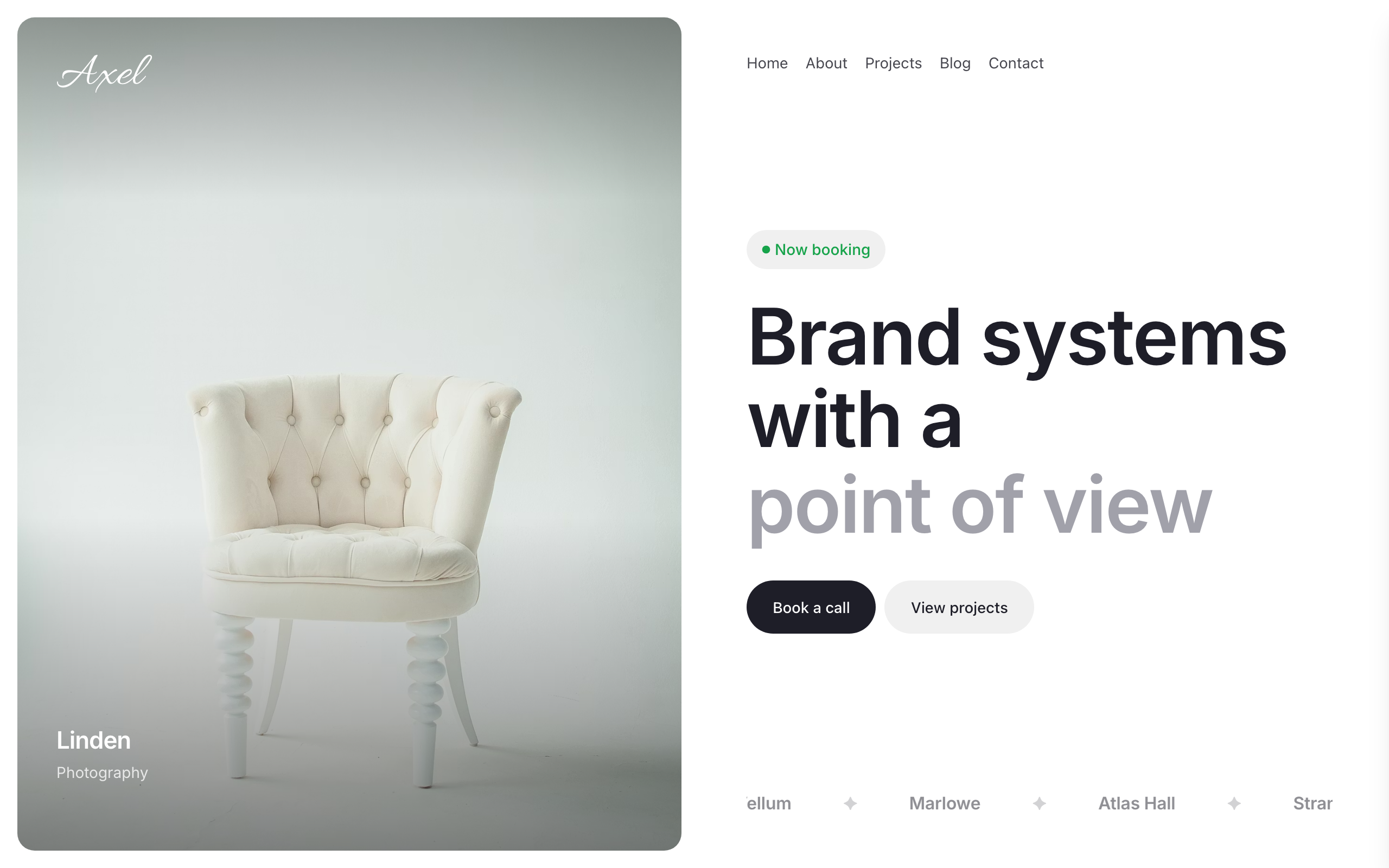
Axel
A split-screen portfolio: a full-bleed image beside your work, blog and a contact form with budget.
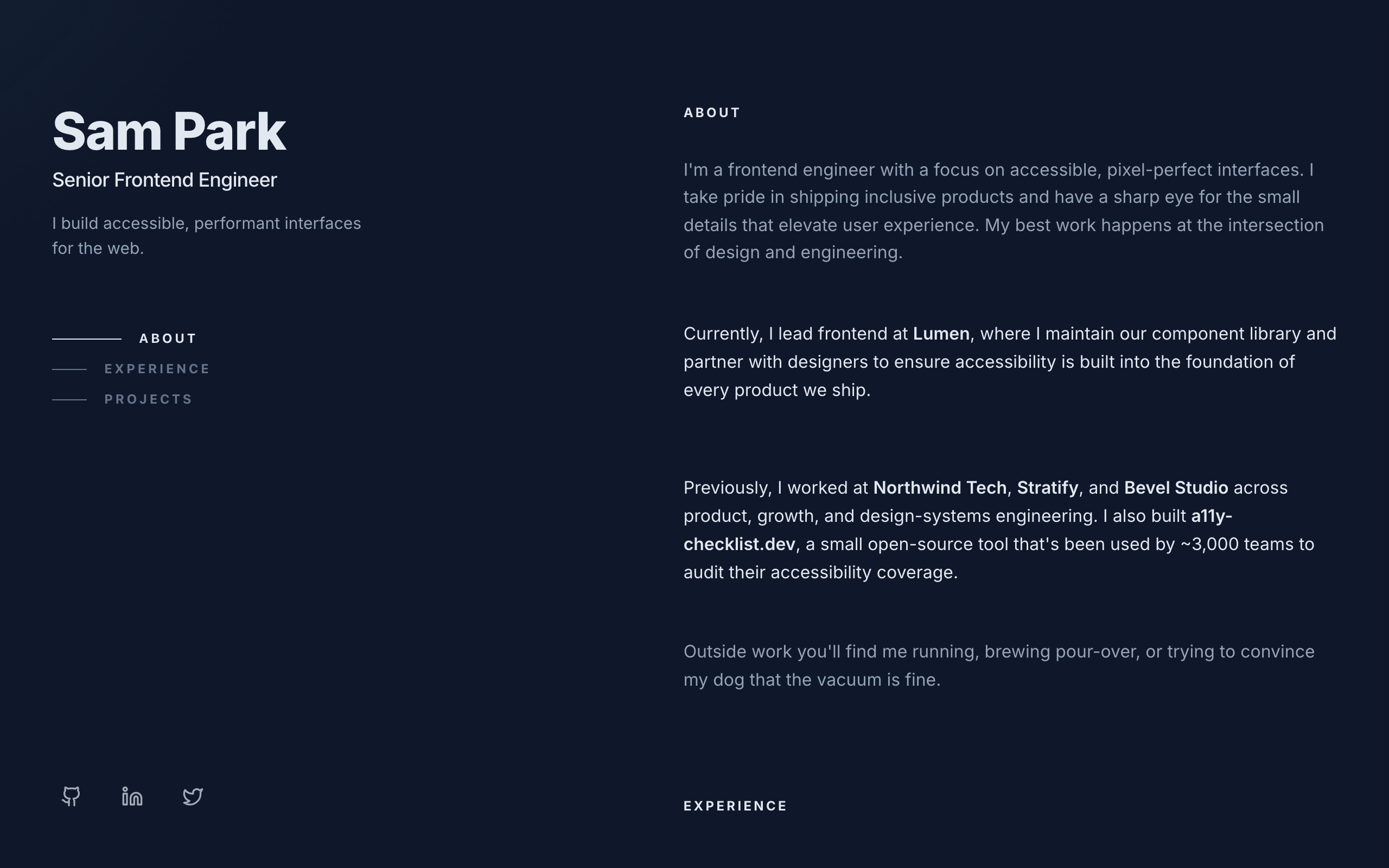
Console
A dark two-column developer portfolio: sticky intro on the left, experience and projects on the right.
Each template is an example of a website you can build with Sitelas. See every template.
How to make a personal website, step by step
- 1. Decide what it is for
- A job hunt, freelance work, writing, or a home for your projects. The purpose decides which pages you need.
- 2. Pick a template
- Prive for a founder or creator with a blog, Dossier for an expert who explains how they think, Axel for a designer with big projects, Console for an engineer.
- 3. Ask your agent to build it
- Connect Sitelas to Claude, ChatGPT or another agent, and describe yourself. Attach a CV or a few links and it fills the pages from them.
- 4. Preview and change it
- Open the preview link and ask for changes in plain words, or edit by hand in the visual editor.
- 5. Publish
- Publish on a free sitelas.com address, or on Pro connect your own domain. The SSL certificate is handled for you.
- 6. Keep it current
- Add a post or a project from the same chat when you have one. A site that was updated this year is one people trust.
Templates for a personal website
| Template | Built for | Pages |
|---|---|---|
| Prive | A minimal personal site for founders and creators whose name is the brand: projects, a blog and a newsletter. | Home, About Luke Williams, Work and Portfolio, Blog |
| Dossier | A split-screen site for freelancers: contact details always visible, case studies and services beside them. | Home |
| Axel | A split-screen portfolio: a full-bleed image beside your work, blog and a contact form with budget. | Home, About, Projects, Blog, Contact |
| Console | A dark two-column developer portfolio: sticky intro on the left, experience and projects on the right. | Home |
Build yours by asking your AI agent
- 1Connect Sitelas to Claude, ChatGPT or another AI agent that supports MCP. How to connect
- 2Ask for it in plain words: “Make me a personal website with the Prive template: I'm a product designer who writes a monthly newsletter. Here's my LinkedIn and three projects.”
- 3Open the preview link it sends back, ask for changes, and publish when it reads right.
Then keep changing it from the same chat
- Rewrite the copy“Rewrite every page in a warmer, friendlier voice.”
- Change the design“Make the colours earthier and use a serif for headings.”
- Add or remove pages“Add a Pricing page and remove the Blog.”
- Rearrange sections“Move the testimonials higher and add an FAQ.”
- Swap the photos“Replace the photos with ones that fit my business.”
- Run the site“Show me this week's form messages, then publish.”
Everything here can also be done by hand in the visual editor.
Questions
Can I make a personal website for free?
Yes. One published site is free, on a sitelas.com address and with a small Sitelas badge. Pro adds your own domain and removes the badge.
What should a personal website include?
A line on who you are, a short about, your work or writing, and a way to contact you. Add a blog only if you will write in it.
Do I need to know how to code?
No. You describe the site and your agent builds it; you can also change anything by hand in the visual editor.
What does it cost?
Nothing to start, with no trial clock. A free site runs on a sitelas.com address; Pro is $9 a month per site ($90 a year) for your own domain, analytics and more room.
Can I use my own domain?
Yes, on Pro. Point your domain at the site and the SSL certificate is issued and renewed for you.