Personal Trainer Website: What Clients Look For Before They Book
What a personal trainer website needs: you in the first photo, a page per way to train, packages with prices, real client quotes and a free-consult button on every page. Then a demo built from a chat.

Usman Haider
A good personal trainer website answers four questions fast. Who do you train? Where, and how? What does it cost? How do I start? Someone deciding between three trainers won't hunt for those answers. They'll message the trainer whose site made it easy.
The guides that rank for this search are mostly galleries of famous trainers' sites. Those are worth a look for ideas. But a trainer with one studio and a dozen clients needs something simpler. This guide covers what to put on the site. Then I asked Claude to build one, and show what came out.
What a personal trainer website needs
You, in the first photo
People buy a trainer, not a gym. Put a real photo of you at the top, ideally while coaching. Under it, put one line on who you help. "Strength training and postnatal fitness in a small Denver studio" beats "Transform your life".
One page for each way to train
One-to-one sessions, online coaching and small groups are different buys. Give each its own page. Say who it suits, how long a session is, where it happens and what it costs. A new mum and a powerlifter should each find "their" page.
Prices, or at least a starting point
Visitors want a rough number before they reach out. A short list of packages answers it: four sessions, eight sessions, an online plan. If prices depend on the client, give a "from" price and say what changes it.
Proof from real clients
A short quote from a client, with their first name, does more than a list of adjectives. Before-and-after photos work too, if the client agrees. Don't invent reviews or borrow them from a template. Visitors can tell.
Your qualifications
Name your certifications and anything you specialise in, such as pre- and postnatal training. A line on your background helps people trust you with an injury or a new baby.
One clear first step
A free consult is a common first step. Make it the one button you repeat on each page. Keep the form short. Ask for a name and email, what they want help with, studio or online, and good times to talk. Ask them to mention injuries or recent pregnancy, so you can prepare.
Building one by asking Claude
I added Sitelas to Claude. Then I sent one message for a made-up trainer, Maya Torres, who coaches in Denver:
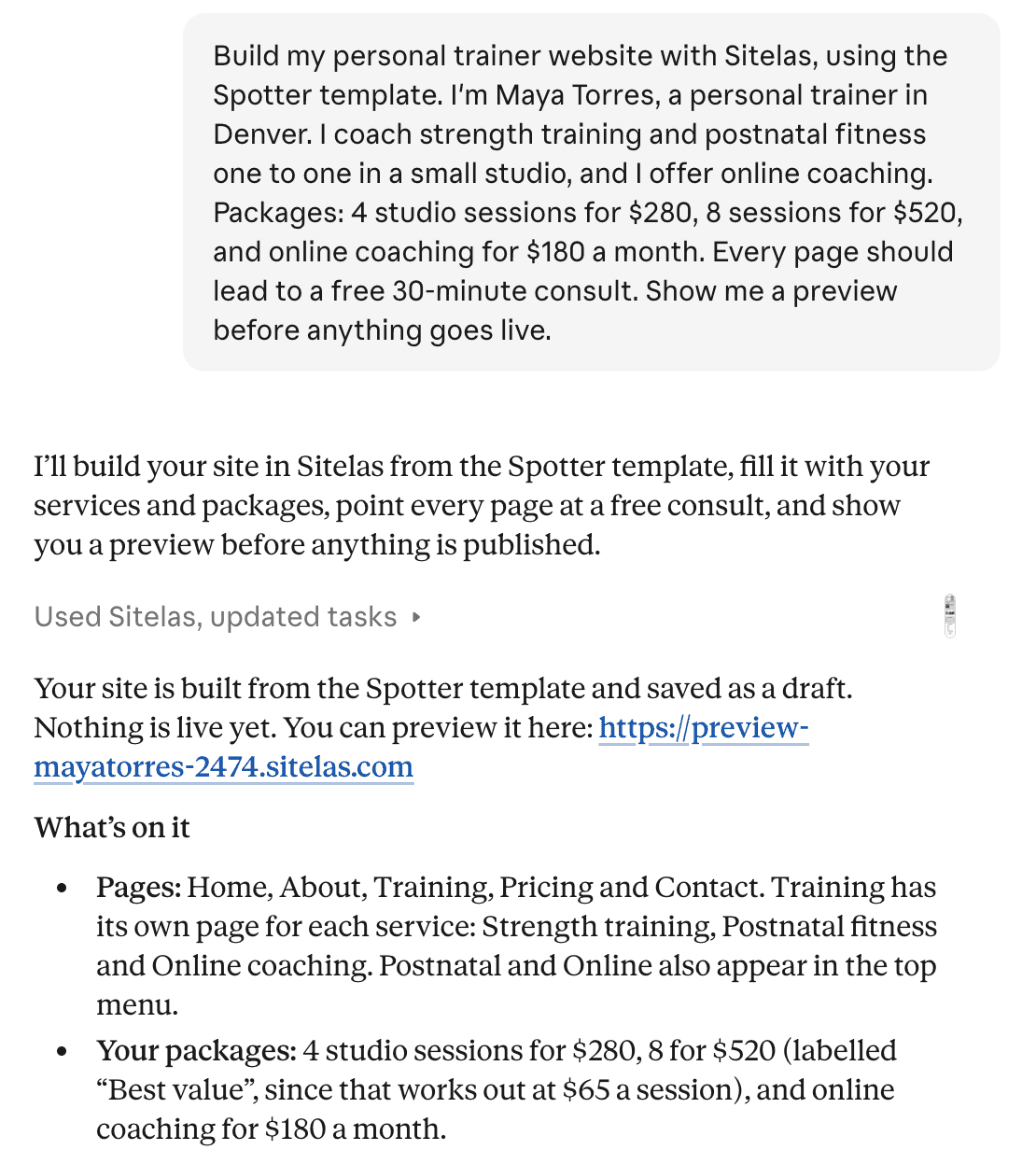
It used Spotter, Sitelas's personal trainer template. It took about four minutes. Nothing went live: Claude saved a draft and sent a preview link.
The best part of the reply was what it removed. The template ships with another trainer's sample reviews, press logos, a class timetable and a Sacramento address. Claude took them out rather than make up details:
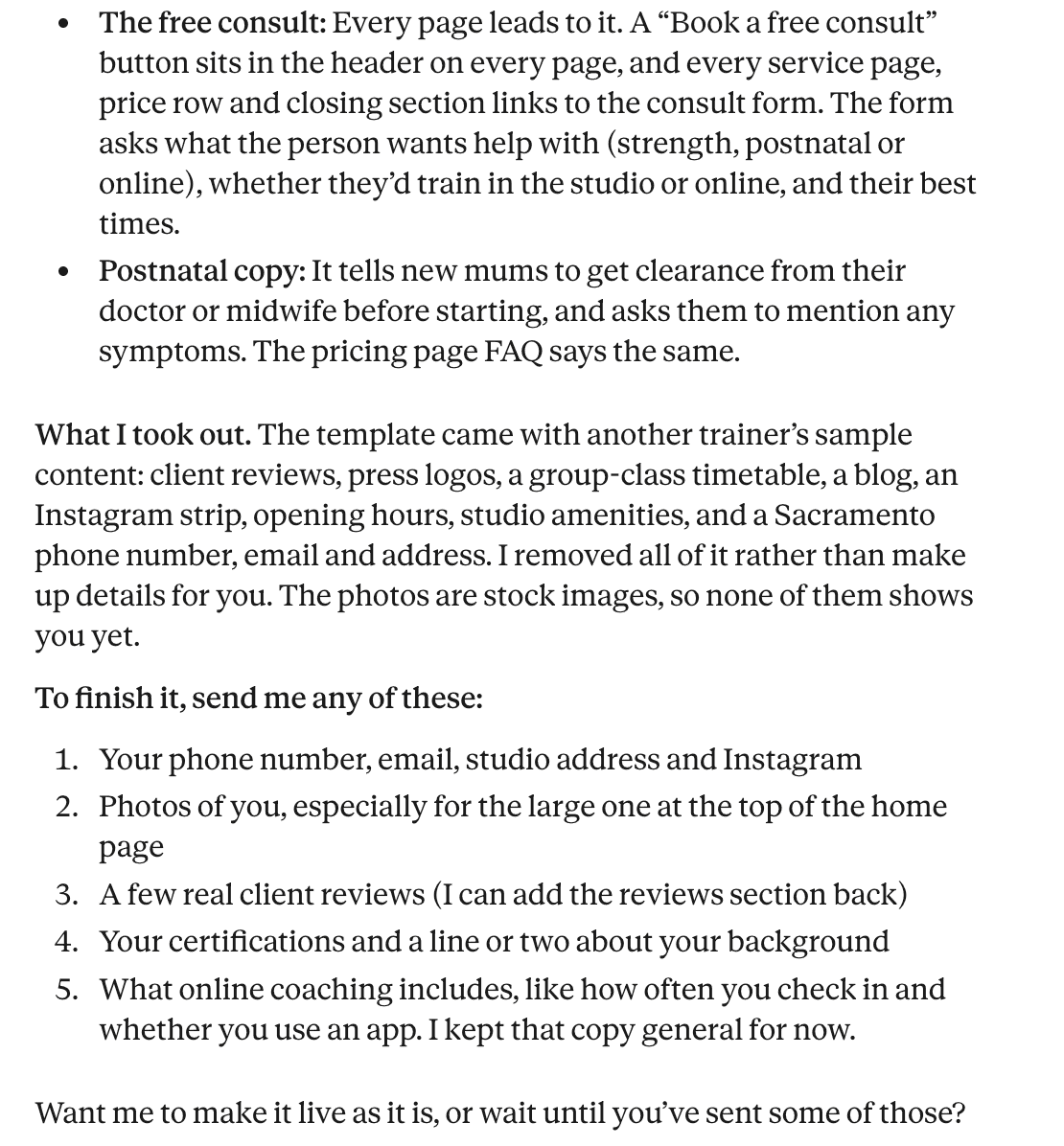
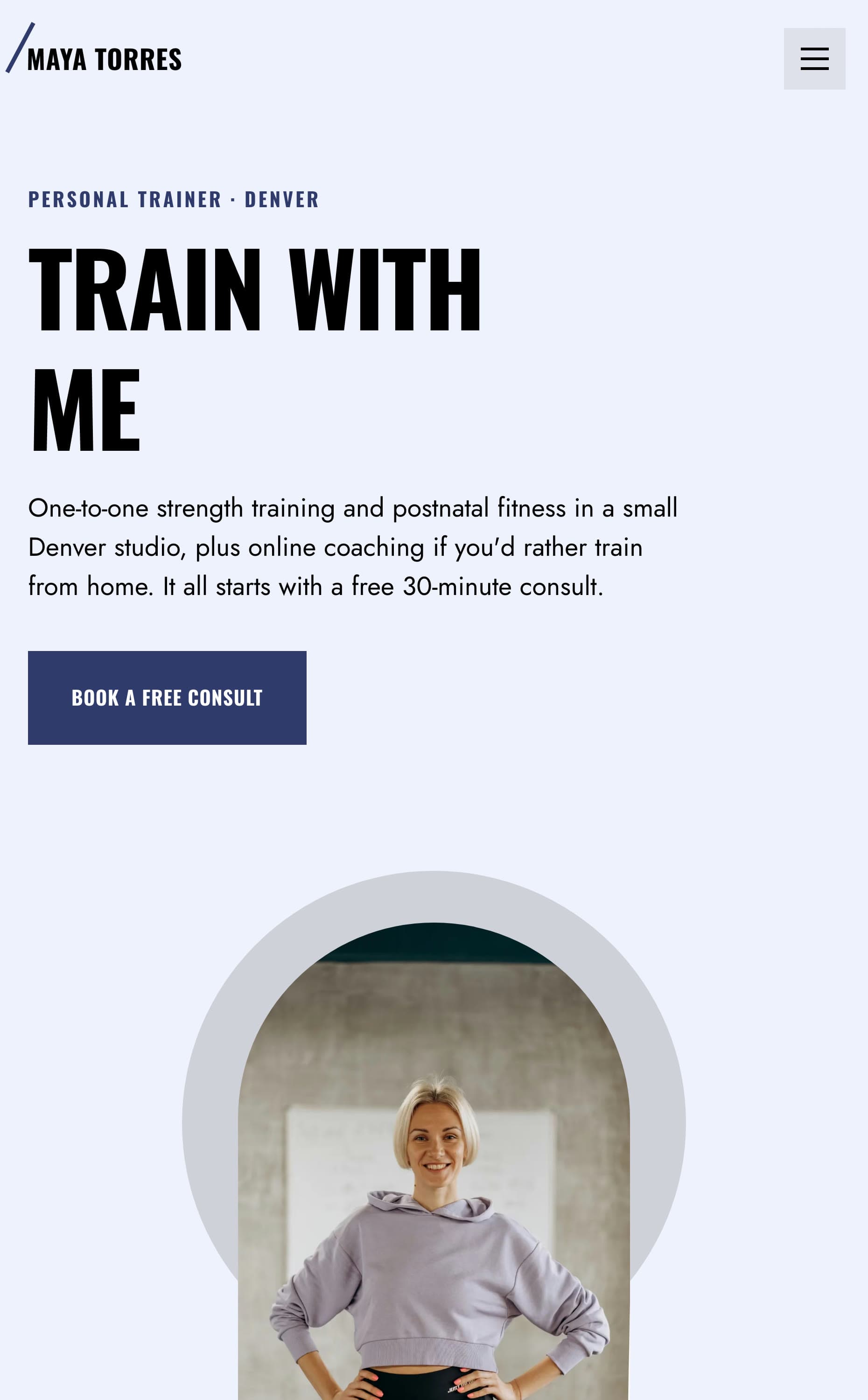
That list at the end is a good checklist for any trainer's site. Here is the home page on a phone. The photo is stock, so it isn't Maya yet:
Adding a client review
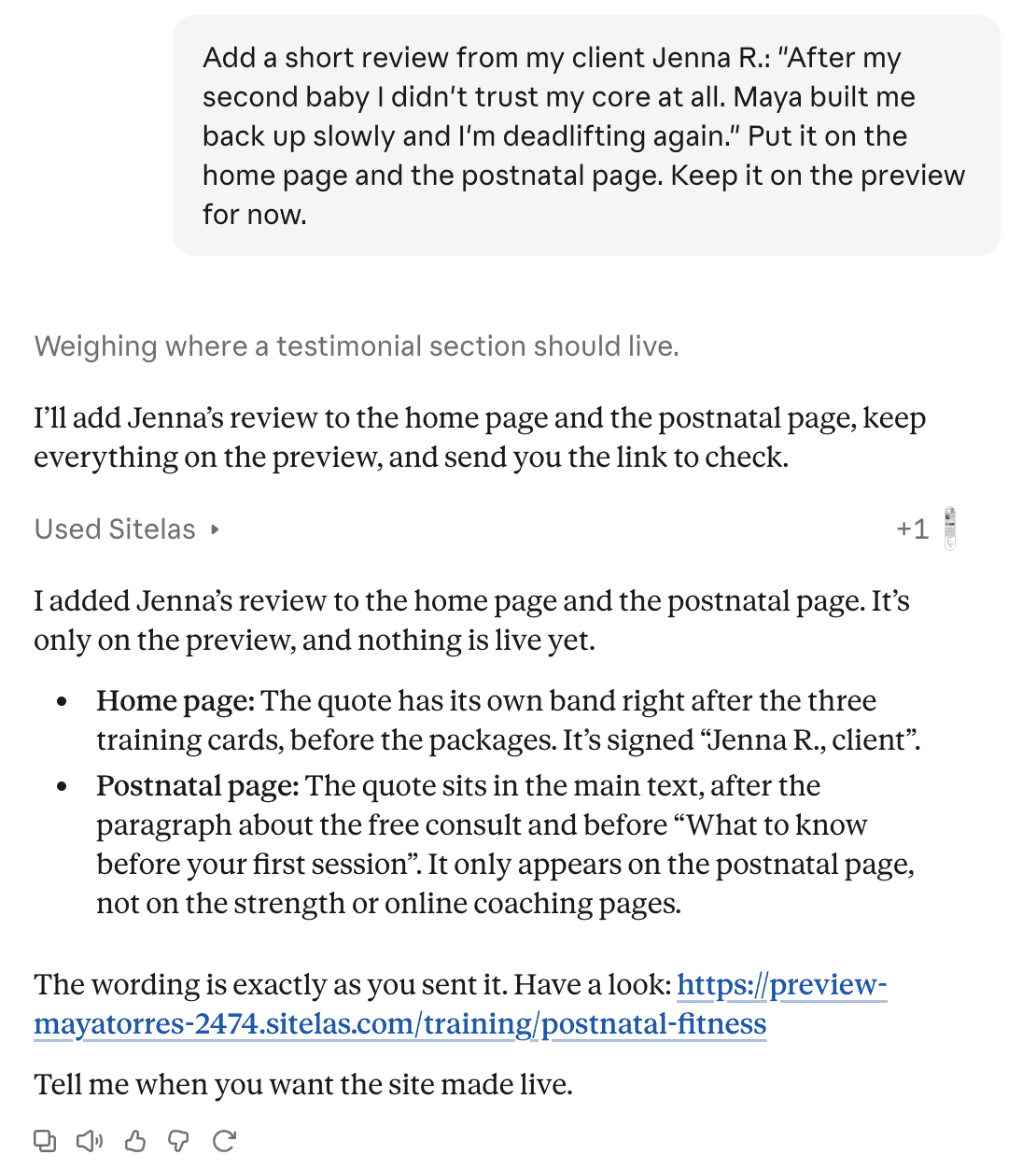
A real client quote was missing, so I sent one in a second message:
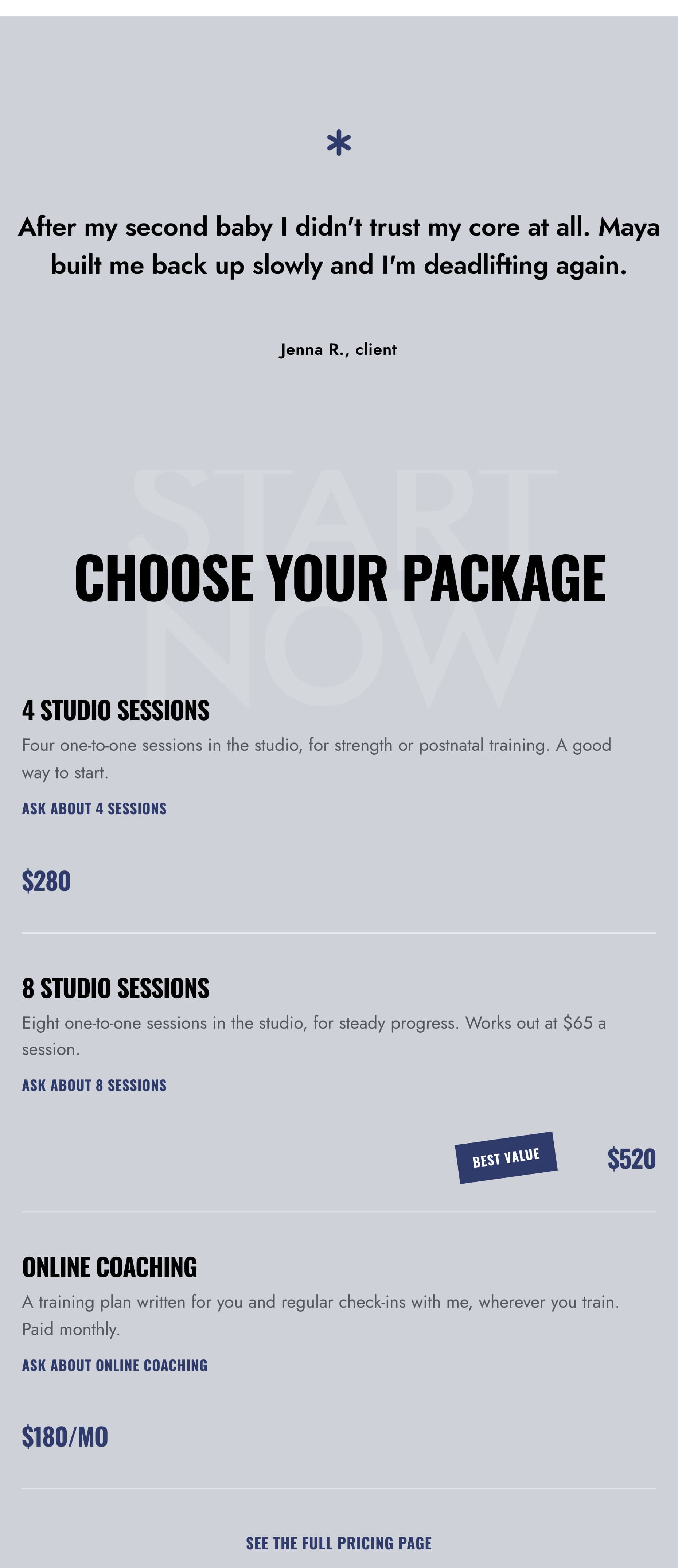
On the home page, the quote now sits just above the packages:
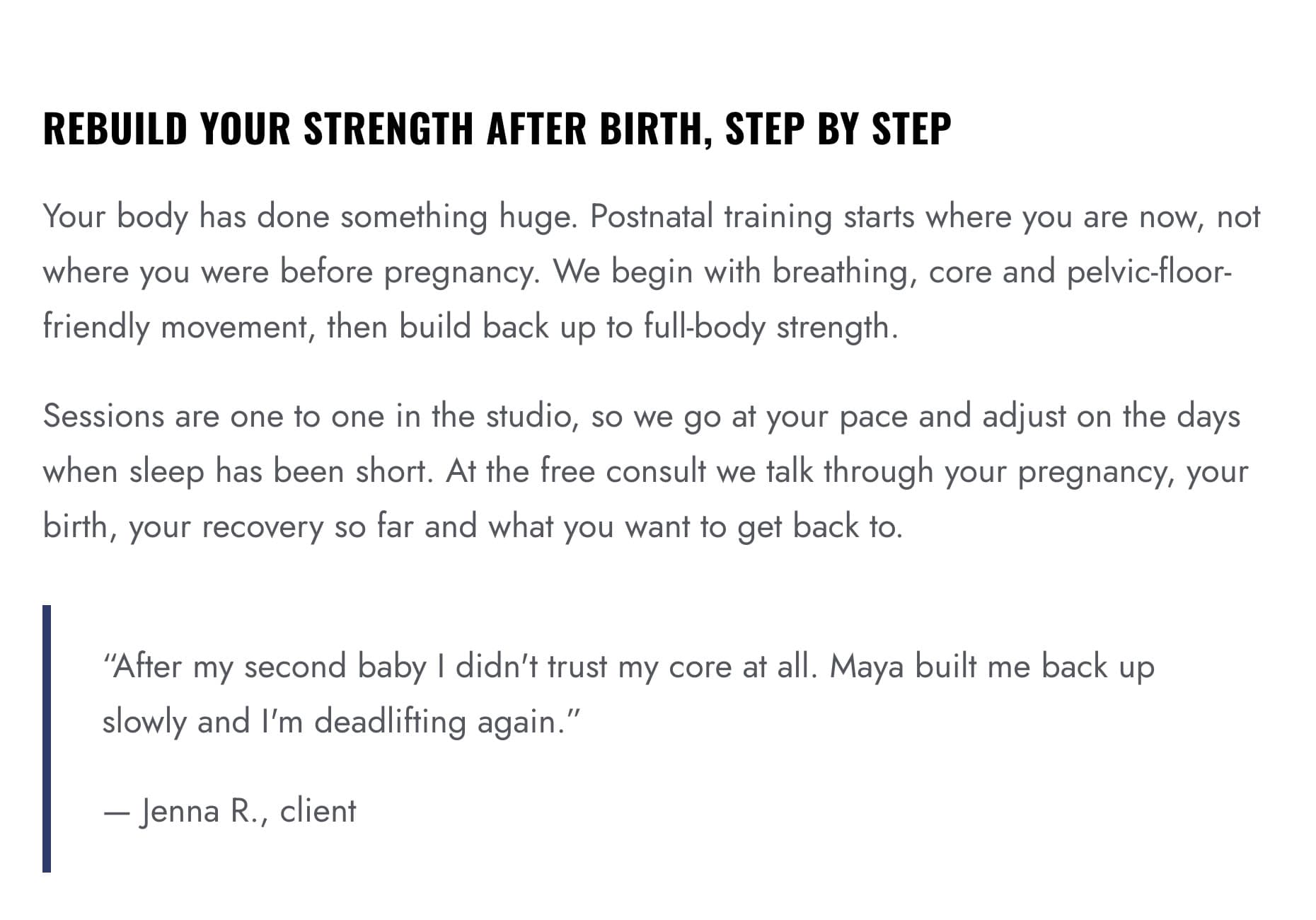
The postnatal page has it too, after the paragraph about the free consult:
The consult form
A button on each page leads to this form on the home page. It asks for the client's goal, studio or online, and their best times:
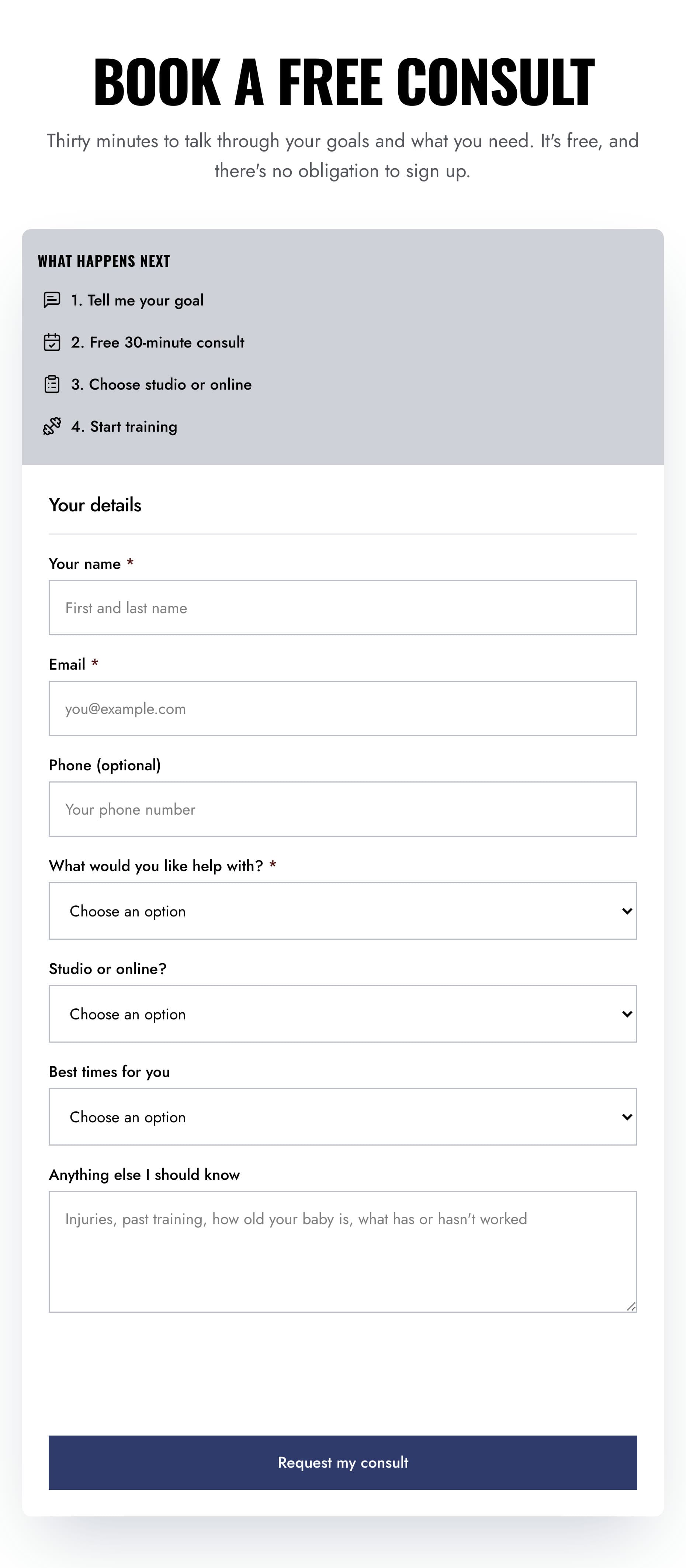
Requests land in a Sitelas inbox. You can ask Claude to read them to you, and then reply yourself to set a time. The form doesn't book a slot on its own.
Changing it from ChatGPT
Sitelas works in ChatGPT too. I asked it to add a question to the pricing page:
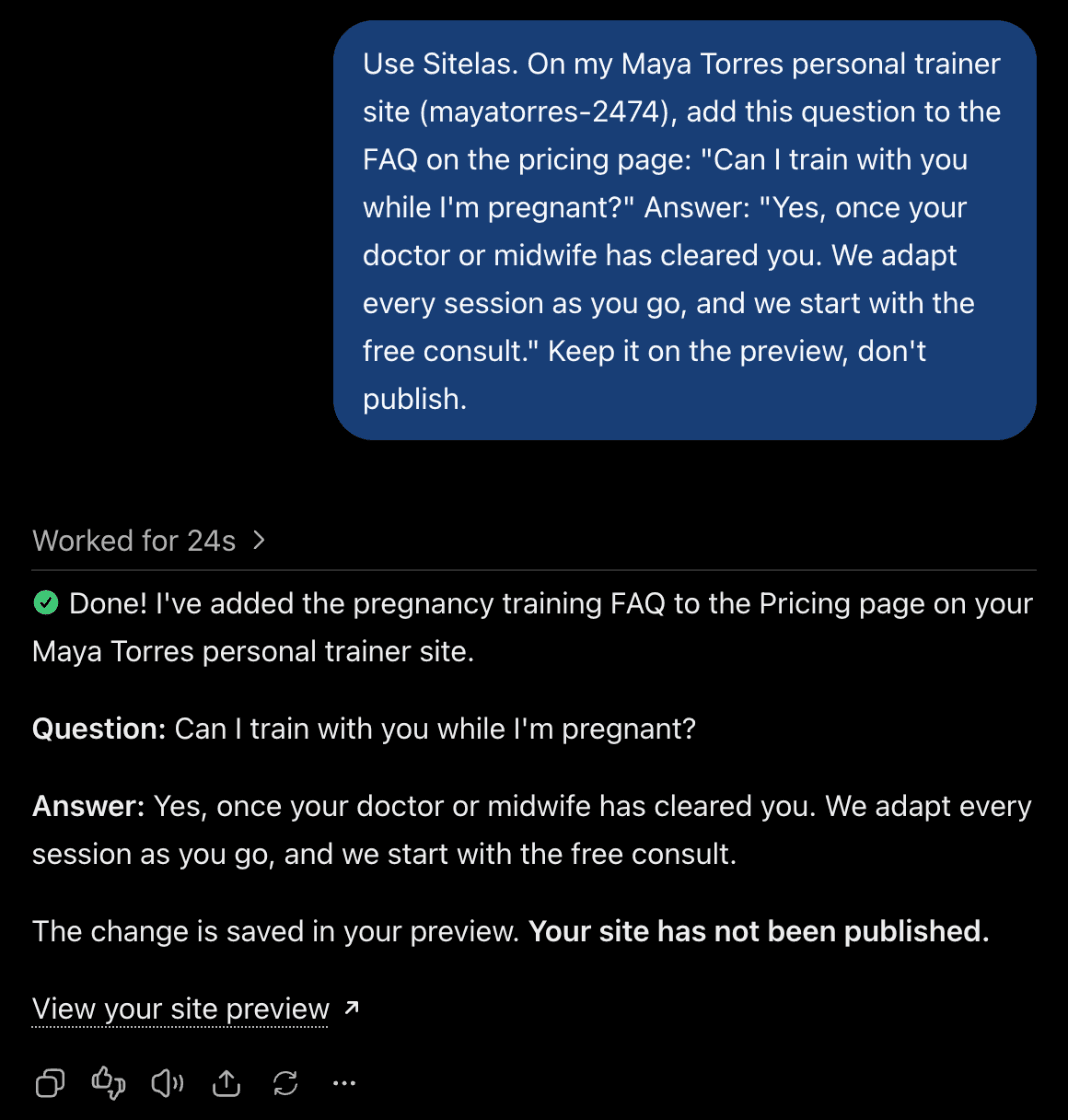
I opened the preview's pricing page, and the question was there. Every change waits on the preview until you say publish.
If you run a gym or studio of your own, being found is the next job. SEO for gyms covers the Google profile, a page per program and reviews.
What it can't do
Sitelas builds and runs the website. It has no class scheduling, no workout app and no client logins. It doesn't take payments for packages on its own. If you already use a booking page such as Calendly, Claude can add it to a page. From Claude, it can also put a Stripe payment link next to a package.
The template's samples are a start, not your story. Spotter comes with a group timetable, reviews and press names that aren't yours. Claude removed them here. If you build by hand, delete what isn't yours.
On the Free plan you can read 5 form messages a month. The rest are kept, locked until you upgrade. A busy trainer will pass that. Pro covers 500 a month per site, removes the Sitelas badge and adds a custom domain. It costs $9 a month per site, or $90 a year.
Questions people ask
What should a personal trainer website include? A photo of you and who you help. A page for each way to train, your packages with prices, a client quote or two and your qualifications. Then one clear first step, usually a free consult, with a button for it on each page.
Should personal trainers put prices on their website? Many visitors want a rough number before they reach out. A few packages, or a "from" price, answer that. If you'd rather talk first, say what affects the price.
Can clients book sessions on the website? On Sitelas they send a consult request, and you reply to set a time. You can add a booking page you already use, such as Calendly. Sitelas has no scheduling of its own.
How much does a personal trainer website cost? It depends on who builds it, so ask what later changes cost too. On Sitelas, one published site is free on a sitelas.com address. Pro is $9 a month per site, or $90 a year.
Try it
Copy this into a new Claude or ChatGPT chat after adding Sitelas. Swap in your own details first.
Use Sitelas to build my personal trainer website on the Spotter
template. I'm [name], a personal trainer in [city]. I coach [what you
coach] [in a studio / online / in parks]. My packages: [packages and
prices]. Every page should lead to a free [length] consult. Only use
reviews and certifications I give you: [reviews, certifications].
Show me a preview before anything goes live.
Weighing other tools first? Here is how the website builders that work from Claude and ChatGPT compare.
- Add to Claude: Sitelas in Claude's connector directory
- Add to ChatGPT: Sitelas in ChatGPT
- See the design we used: the Spotter personal trainer template, or the other coach and consultant templates
Templates to start from
Build this with a ready-made design, then change anything.


Usman Haider
Founder of Sitelas — the website builder for AI agents.