Claude Cowork Use Cases: 9 Jobs a Small Business Can Hand Over
Nine Claude Cowork use cases for a small business, each with a prompt to copy: spreadsheets, receipts, weekly reports, inbox triage, quotes and a website check, with two real runs.

Usman Haider

The top results for Claude Cowork use cases are long lists. This one is short. It gives nine jobs a small business owner can hand over this week, with a prompt for each. Two of them I ran today, and the screenshots show what came back.
A note before you start: I run Sitelas, the website builder for AI agents. It works from Claude and ChatGPT. One job on this list uses it. The other eight don't need it.
What Claude Cowork is, in one paragraph
Cowork is the part of Claude that does a task instead of answering a question. You describe the result you want. Claude makes a plan, works through it step by step, and hands back a finished file. It runs on Anthropic's servers, so the work keeps going when you close your laptop. It needs a paid plan: Pro, Max, Ultra, Team or Enterprise.
What people actually use Cowork for
Anthropic looked at 1.2 million Cowork sessions from May 2026. The biggest share, 33.4%, was business operations: reports, checklists and spreadsheets. Next came writing drafts, decks and proposals, at 16.4%. Software work was only 8.7%.
That matches what a small business has too much of. Not the core job, but the work around it.
9 Claude Cowork use cases worth handing over
1. A spreadsheet with working formulas
Ask for the finished file, not advice on how to build one. I tried this one today:
I run a three-person house cleaning business. Build me a weekly job tracker as an Excel file: a Jobs tab (date, client, cleaner, hours, hourly rate, and a total worked out by formula), a Clients tab, and a Summary tab that adds up this week's revenue and hours for each cleaner with formulas. Fill it with ten made-up example jobs so I can see it working.
In under two minutes it handed back an .xlsx file with three tabs. The total column works out hours times rate by formula, filled down to row 500. Client and cleaner names come from dropdown lists. It also said it had checked the cleaner totals against the example jobs by hand.

The tracker Cowork built, open in Claude's preview, November 2026.
2. Receipts into an expense report
Put a month of receipt photos and PDFs in one folder. Then ask:
Read every receipt in this folder. Make a spreadsheet with the date, supplier, amount and category for each, and a total per category. List any receipt you couldn't read.
On the desktop app, Claude can read a folder on your computer directly. Without the desktop app, add the files to the task instead.
3. A weekly report from the same sources
If you write the same update each Friday, write the template once. Then:
Draft this week's update in the format of my template. Use the jobs we finished, this week's sales from the spreadsheet, and anything still waiting on a customer. Flag anything you had to guess.
This is the one to put on a schedule (more on that below).
4. Inbox triage that only drafts
With your email connected, Cowork can sort a full inbox and write replies for you to check:
Go through my unread email from the last three days. Sort each thread into "reply today", "can wait" and "no reply needed". Draft a short reply for each "reply today" thread. Don't send anything.
Anthropic says Cowork won't send email without your confirmation on each one. First tell it who your biggest customers are. It sorts far better with that context.
5. Meeting prep from scattered notes
Before a call with a supplier or a big client:
I'm meeting Priya from Northside Lettings at 2pm about renewing our cleaning contract. Pull our last email thread, my notes from the last meeting and the current price list. Give me one page: three things to know and two questions to ask.
6. Comparing quotes
When three suppliers send three different-looking quotes:
Here are three quotes for a new van lease. Put the price, length, what's included and what costs extra side by side in a table. Note anywhere a quote doesn't say. Then tell me which two to shortlist and why.
The "note anywhere a quote doesn't say" line matters. Without it, a blank turns into a guess.
7. A research brief with sources
Read public reviews and forums about dog groomers in my area. Give me a one-page brief on the five complaints that come up again and again, with a link for each.
Ask for the links from the start. Adding them after the brief is written is much harder.
8. Check your website the way a customer would
This is the job that uses Sitelas, the website builder I run. With the Sitelas connector added, Claude can read every page of your site. I asked it to review a demo site I'd made for a dog grooming business:
Go through every page of my Sudsy Paws website on Sitelas and check it the way a new customer would: opening hours, prices, contact details, broken links and anything that reads like filler. Give me a short list of what's wrong, then fix the wording problems on the preview. Don't publish anything.
It read every page through Sitelas. On the Manual setting, Claude stops to ask before using any connector tool set to Needs approval. That meant about a dozen clicks on Allow once. Then it asked to use my browser. I said no, so it stopped before changing anything and reported what it had found:
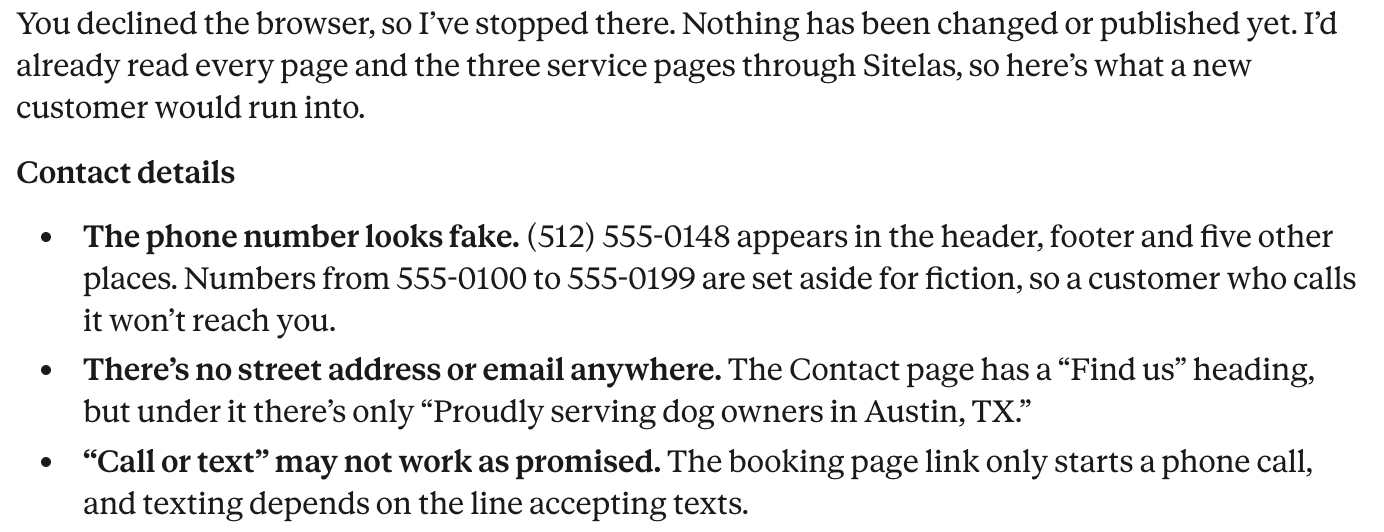
I told it to go ahead with the wording, but to leave the phone number, address and prices alone. Each time it wrote, the approval card listed the changes first:
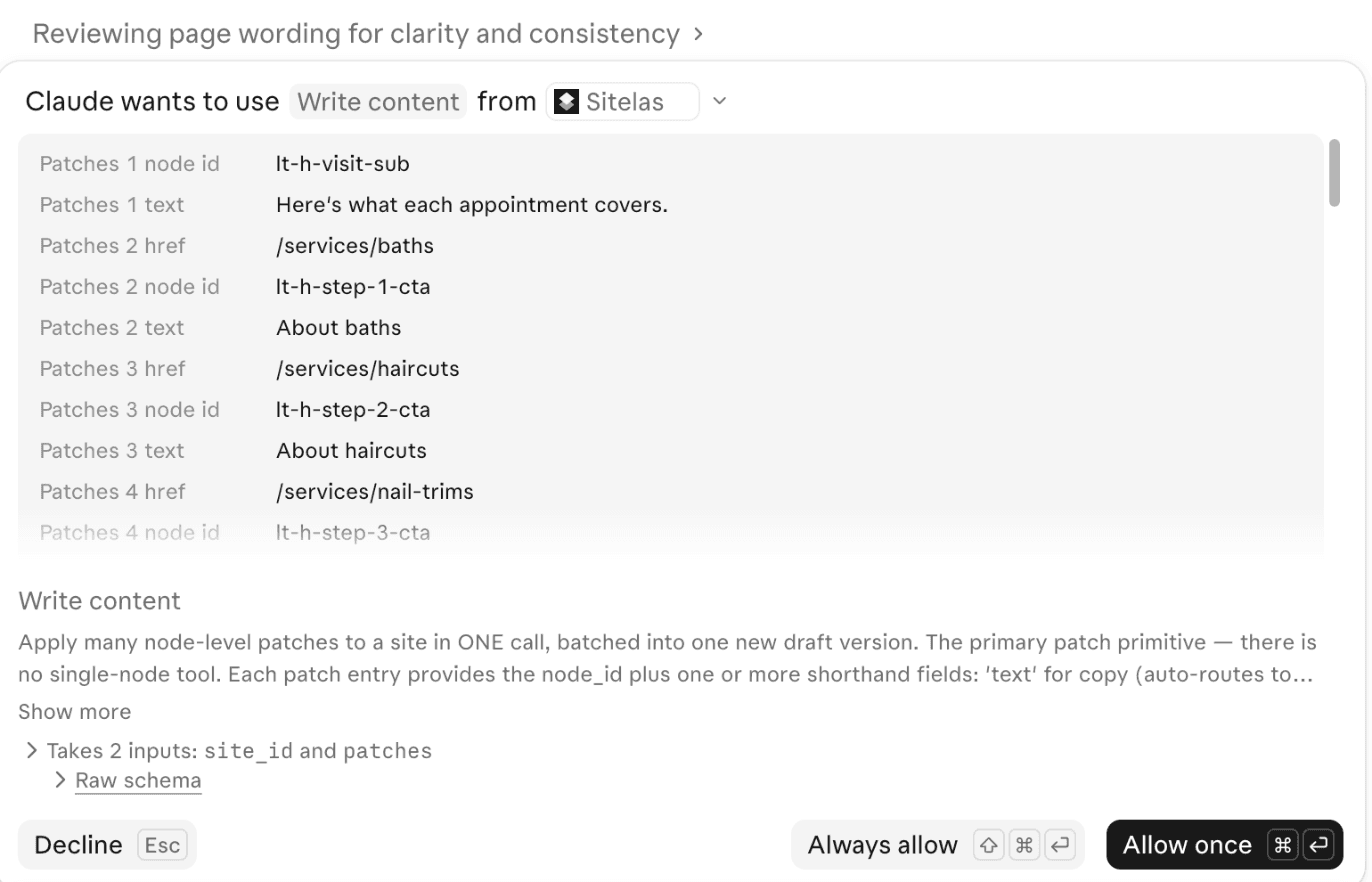
After I allowed it, Claude read the changed pages back and summed up what it had done:
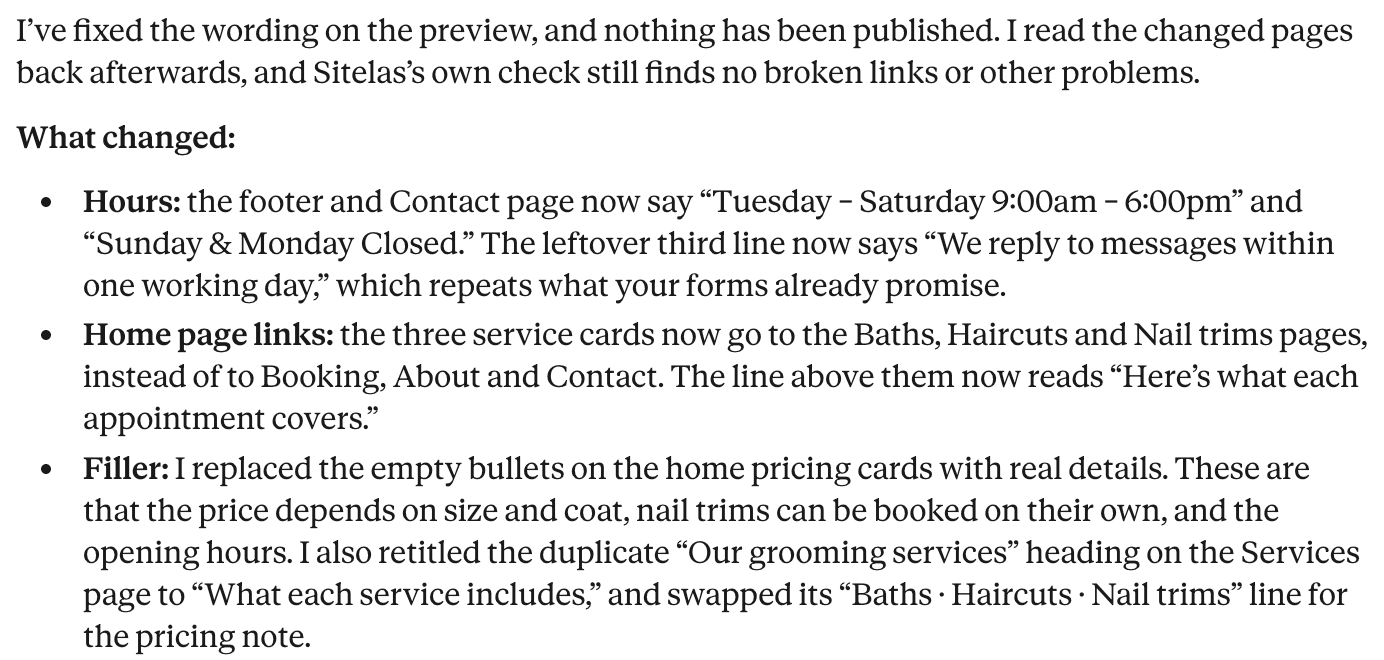
It also listed what it had left alone: the details I'd told it to keep, and a few problems that needed a layout change, not new wording.
The phone number was a made-up 555 number, because it's a demo site. On a real site, that one finding is worth the whole run. Nothing went live: the fixes sit on the preview until you publish. More in check your site before you publish.
9. A morning digest of new sign-ups
If your website collects sign-ups or enquiries, Cowork can read them each morning and tell you who's new. I set this up for a waitlist site in how to build a waitlist landing page. It uses the same Sitelas connector, on a schedule. On Free, Sitelas shows 5 messages a month in full; Pro shows 500.
Make any of these a scheduled task
Several jobs above come round again, like the Friday update. Click Scheduled in Claude's sidebar. Or tell Claude how often to run it: "Every Friday at 4pm, draft this week's update." Claude saves the instructions and runs them hourly, daily, on weekdays or weekly. They run in the cloud, so your computer can be asleep. A task that uses a folder on your computer needs it awake, with the desktop app open.
The Scheduled page also offers ready-made starting points:
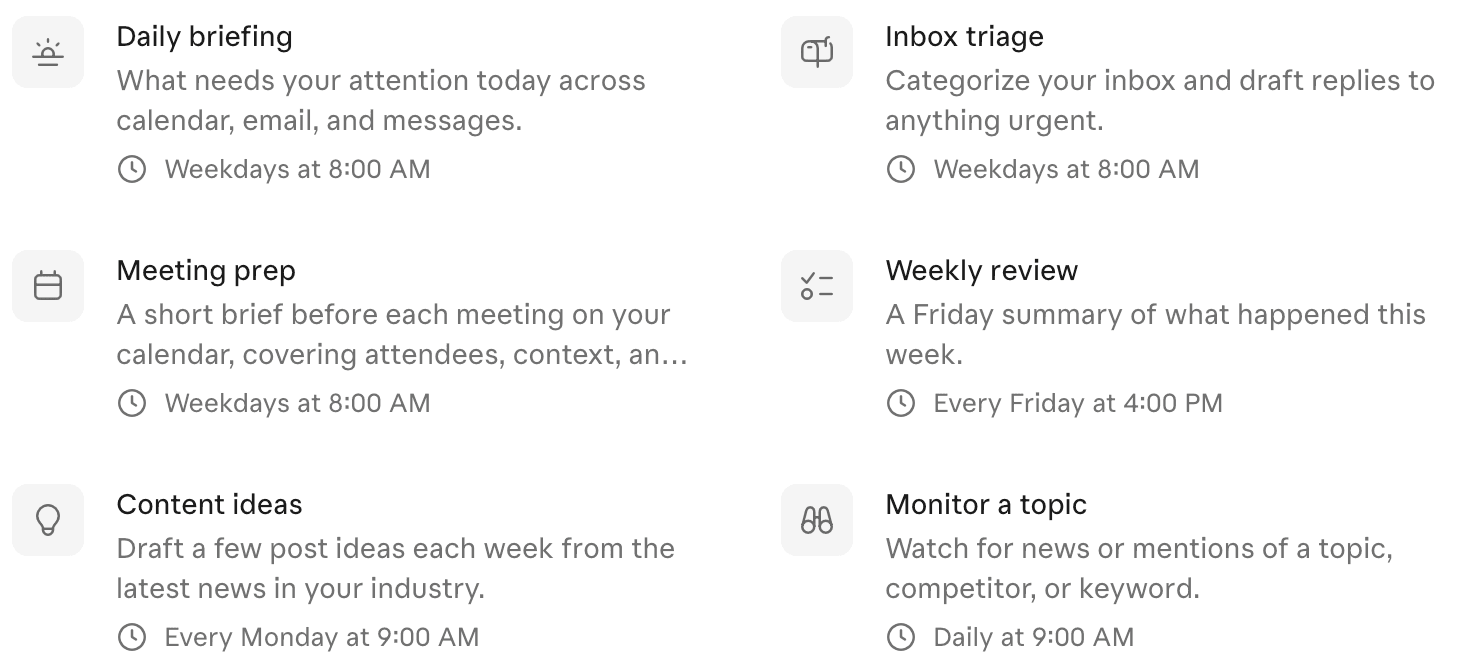
Claude's ready-made scheduled tasks, November 2026.
Where Cowork is the wrong tool
- A quick question. A Cowork task uses more of your plan than a quick question in chat. Ask quick things in a normal chat.
- Building software. Anthropic's own data shows developers use Claude Code for that, not Cowork.
- Anything with money or messages sent as you. Keep the Manual setting, where you approve each step. Auto mode runs a safety check on each action, but Anthropic says it can miss risky ones.
- Files on your computer need the desktop app open while the task runs.
Want Claude to do these jobs with your website? Sitelas builds and edits the site from the same chat. It also reads your form messages. Setup is in add Sitelas to Claude. More connectors worth adding are in what are Claude connectors.
Questions people ask
What can Claude Cowork do?
It takes a task with several steps and finishes it. It can read files, search the web, use your connected apps and save a finished file. Typical outputs are spreadsheets with formulas, slide decks, reports and draft replies.
Is Claude Cowork free?
No. Cowork needs a paid Claude plan: Pro, Max, Ultra, Team or Enterprise. Long tasks use more of your plan's usage than chat does.
Does my computer have to stay on?
Usually not. Cowork runs in the cloud and keeps going when your laptop is closed. Tasks that use files or the browser on your computer need the desktop app open.
What is the difference between Claude Cowork and Claude Code?
Both use the same agent underneath. Claude Code is built for writing software, in a terminal or an editor. Cowork works from the normal Claude message box, for office work.
Will Cowork send emails or delete files on its own?
Anthropic says it asks your permission before permanently deleting files and before sending email. On the Manual setting, it also stops to ask before using a connector tool set to Needs approval.

Usman Haider
Founder of Sitelas — the website builder for AI agents.