
Claude Artifacts vs a Real Website: What an Artifact Can Do, and When You Need a Site
What Claude artifacts are, how to make and share one, what each plan gets, and the point where a page you made in a chat needs to become a website customers can find, with real captures from claude.ai.

Usman Haider
Claude artifacts are the things Claude makes for you to keep. That can be a document, a slide deck, a chart, a small tool or a one-page website. They open in a panel beside the chat, and you can share them with a link. For a lot of jobs, that is all you need.
This guide covers what artifacts are, how to make and share one, and what each plan gets. Then it covers when a page made in a chat needs to become a website customers can find.
One note before we start: Sitelas, the website tool in the second half, is ours.
What are Claude artifacts?
Anthropic's help center describes artifacts as documents, code snippets, single-page websites, images, diagrams and flowcharts, dashboards and small interactive tools. Each one opens in a panel next to the chat. You see it while you ask for changes.
Since September 16, 2026, artifacts start from templates. Docs, Slides and Design come with each plan. Data, Sheets and Whiteboards start on Pro, and Motion is for Team and Enterprise. Artifacts made before that date are called legacy artifacts. They keep working, but you can't make new ones.
Making one: a café page
We asked Claude for a one-page site for a made-up café, Harbor Lane Coffee. We gave it the hours and a five-item menu.
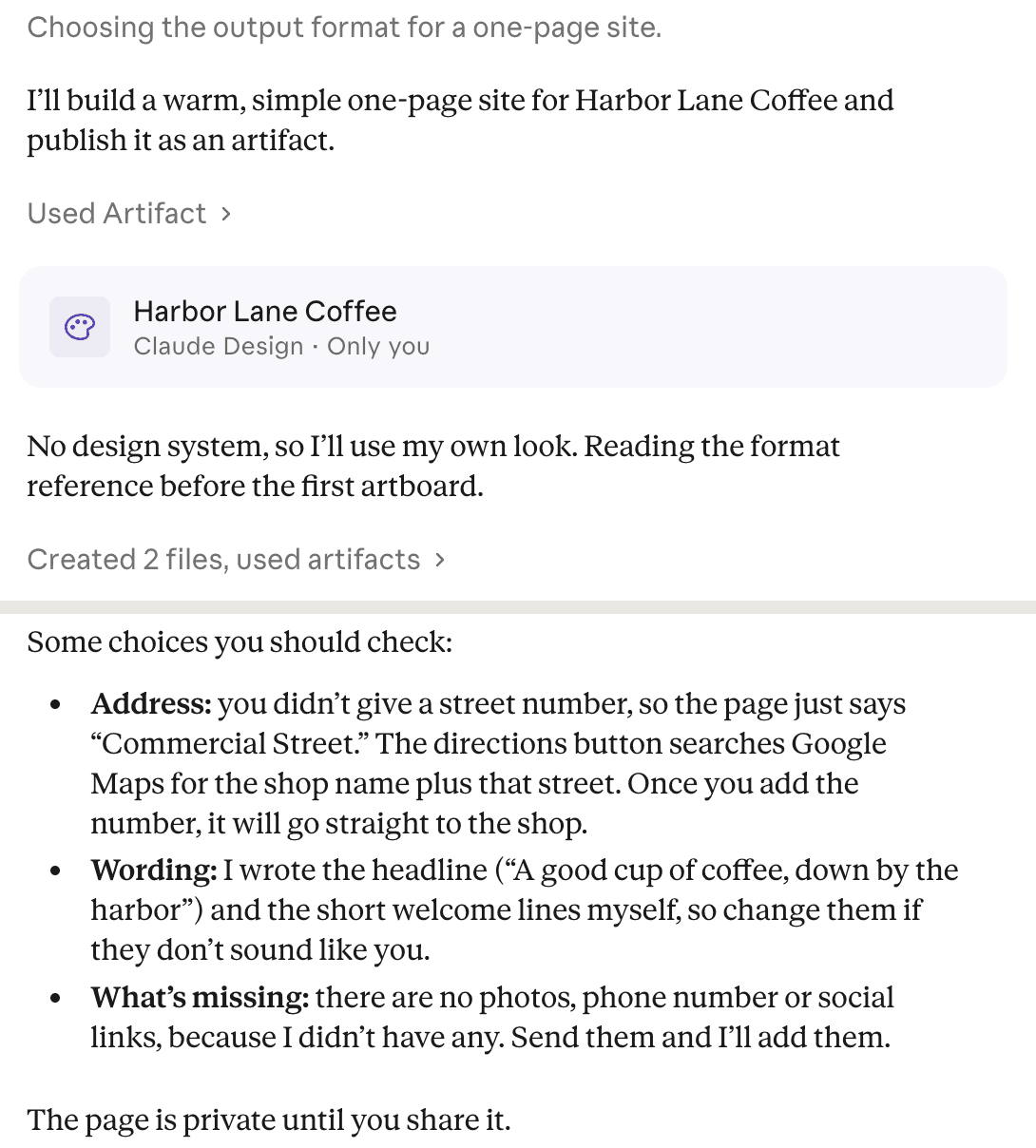
Claude making the artifact, November 2026 (the middle of the reply, a list of the page's sections, is trimmed).
Claude picked the Design template and built the page. It also told us what it had guessed: the headline, a missing street number, no photos.
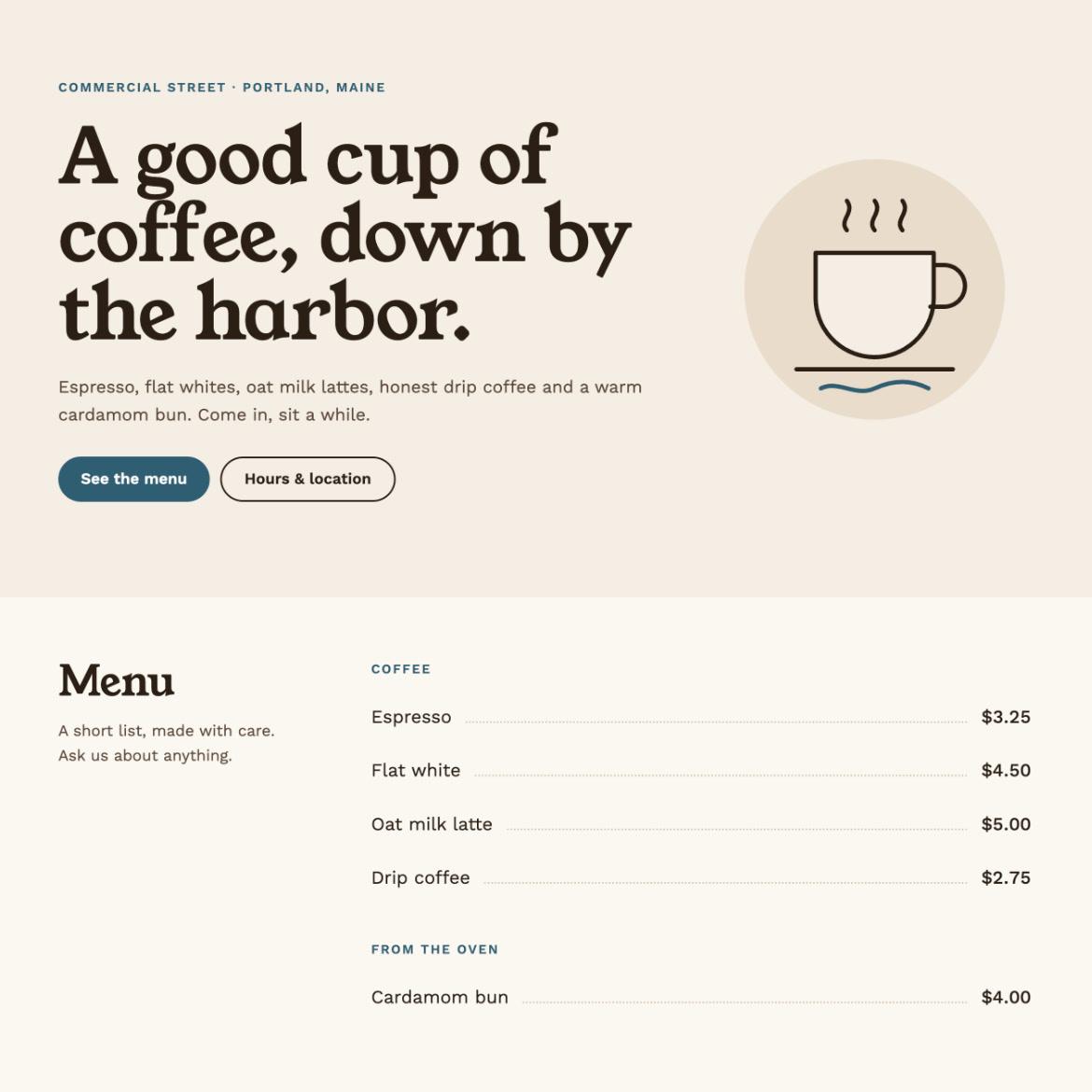
The top of the finished artifact, opened full size in its panel.
It looks like a website, and for a first draft it is a good one. You can click any text to edit it, or ask Claude for changes.
How to share or publish an artifact
Artifacts start private. Anthropic's help page says nothing is shared until you share it. From the Share button you choose who can open it.
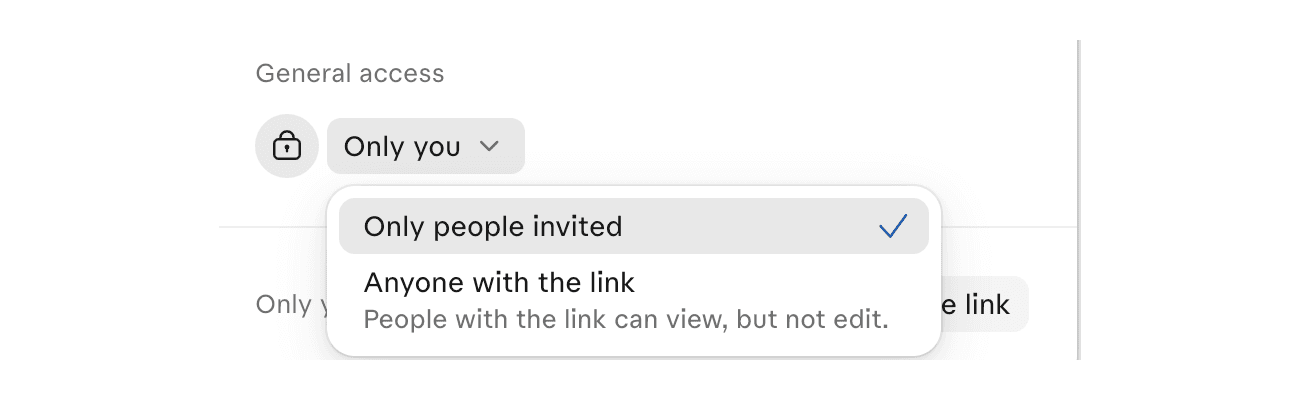
The access menu on the Share panel, on our Ultra account, November 2026.
On Pro, Max and Ultra, Anthropic's help page lists two choices: "Only you" or "Anyone with the link". With the second, anyone who has the link can view it. Most shared artifacts open without a Claude account; documents need a sign-in. On Team and Enterprise plans, links stay inside the organization unless an Owner turns on External sharing. To stop sharing, set it back to private.
Can you use Claude artifacts for free?
Yes. Every plan, Free included, can make artifacts in a chat. Free gets the Docs, Slides and Design templates. Connectors, saved data and the Data template start on Pro.
What artifacts are good at
- Drafts and prototypes. A page, a pitch deck or a dashboard you want to see before you build it properly.
- Small tools. A calculator, a quiz or a tracker for yourself or your team.
- Things that use Claude. An artifact can call Claude. People who use it sign in, and the usage counts against their own plan, not yours.
- Saved data. An artifact on a paid plan can keep data, either private to each person or shared by everyone. Anthropic's default limit is 100 MB or 25,000 saved records.
If the job is "show this to a few people", an artifact is the quickest route there is.
When you need a real website instead
Our café page looked finished. But a café needs a few things from its website that an artifact isn't built for. We read Anthropic's help pages on artifacts and sharing, and found nothing about these:
- Your own web address. You can embed a published legacy artifact in a site you already have. But the help pages show no way to serve an artifact at your own domain.
- Being found on Google. A shared artifact is a link you send. The help pages say nothing about search engines.
- Messages from customers. We found no way for a visitor to send you a question or a catering request.
- Changing it, then publishing. A website keeps a live version visitors see, and a draft you are changing. You publish when the draft is right.
That last one matters more than it sounds. A menu changes. Hours change for winter. You want to fix the page without the fix going public half-done.
Turning the café page into a website
So we asked Claude, in the same chat, for the website version. We added Sitelas to Claude first, and already had a Sitelas site for the café.
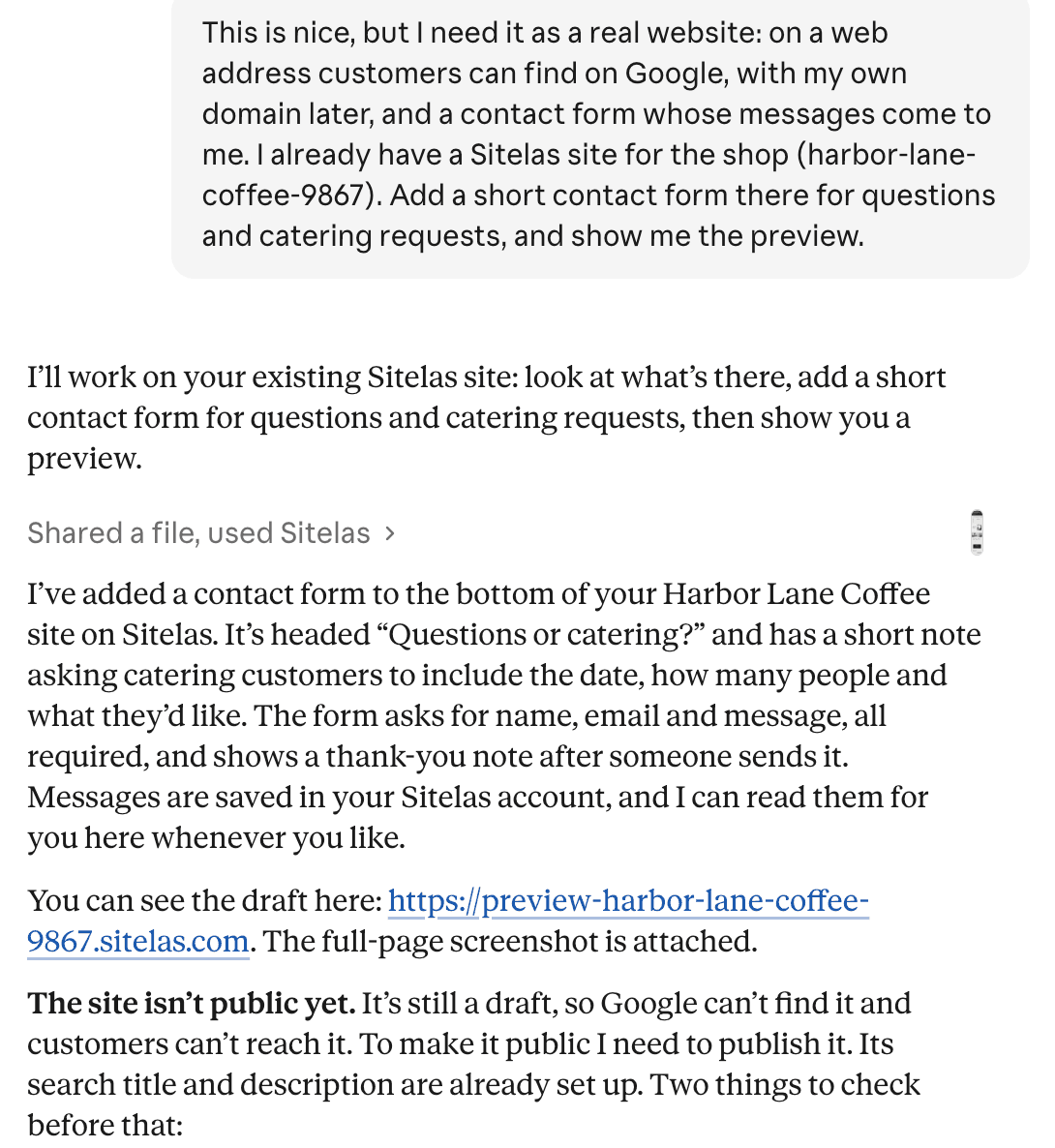
The same chat, using Sitelas, November 2026. The reply goes on to two checks before publishing.
Claude added a contact form to the café's site. Messages land in the Sitelas inbox, and Claude can read them to you later. (Where form messages go has the detail.)
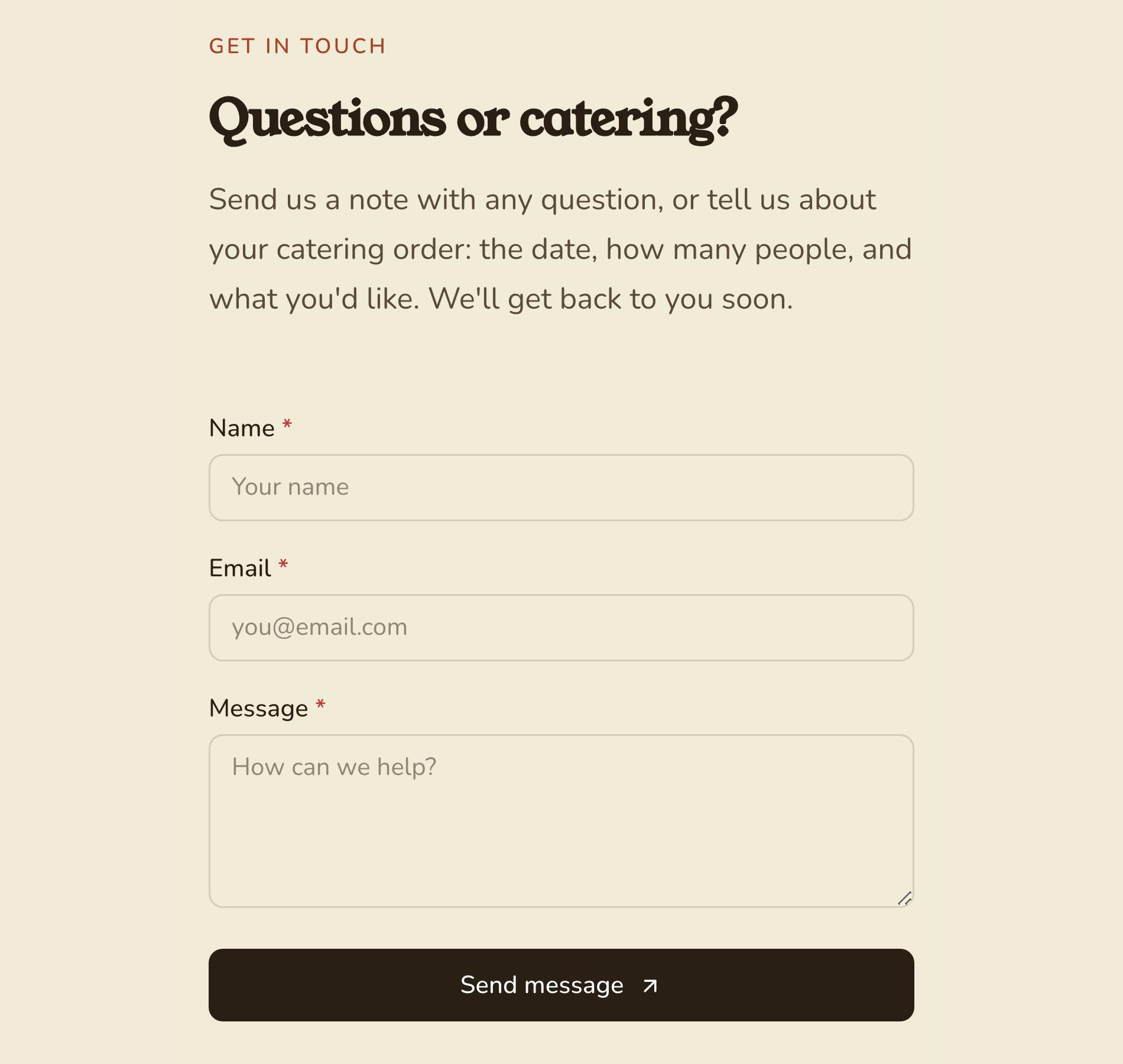
The form on the preview site, on a phone-sized screen.
Note what Claude said next: the site was still a draft. Google can't find it until you publish. After that, it lives on a sitelas.com address, and Pro adds your own domain (custom domains and SEO).
Costs: one live site is free. Pro is $9 a month or $90 a year per site. On Free you can read 5 form messages a month; Pro reads 500.
Which one should you use?
| You want to… | Use |
|---|---|
| Sketch a page and see it now | An artifact |
| Share a draft, a deck or a small tool | An artifact |
| Be found on Google under your own domain | A website |
| Get messages from customers | A website |
| Update prices and hours, then publish | A website |
You can do both: sketch it as an artifact, then build the site once the idea holds. To compare website tools that work from a Claude chat, see Claude website builders compared.
Questions people ask
What are Claude's artifacts? They are things Claude makes in a panel beside the chat: documents, decks, diagrams, dashboards, small tools and one-page sites. You can edit them, ask for changes and share them with a link.
Can you use Claude artifacts for free? Yes. Free plans can make artifacts with the Docs, Slides and Design templates. Saved data, connectors and the Data template need a paid plan.
What does it mean to publish an artifact in Claude? "Publish" is the button on legacy artifacts, made before September 16, 2026. It makes a public link anyone can view. New artifacts use Share and "Anyone with the link" instead. Viewers can't edit either kind.
Does Claude still have artifacts? Yes. Since September 16, 2026, new artifacts start from templates. Older ones keep working, but you can't make new ones of that kind.
Can a Claude artifact be a website? It can look like one, and you can share it by link. For your own domain, search visibility and customer messages, you need a website. Sitelas lets Claude build and run that website from the same chat (how it works).
Templates to start from
Build this with a ready-made design, then change anything.


Usman Haider
Founder of Sitelas — the website builder for AI agents.