

Chiropractic Website Design: What a Practice Site Needs
What a chiropractic website needs to show a new patient, page by page: conditions, the first visit, prices, the team, an FAQ and a request form. Then how to build one by asking Claude.

Usman Haider

Someone wakes up with back pain and searches for a chiropractor near them. They open three clinic websites on their phone. Most of them say "wellness journey" and hide the price. The one that gets the call answers three questions fast: can you help my back, what happens at the first visit, and what does it cost?
That is what good chiropractic website design does. It is less about looks than about answers. This guide lists what a practice site needs, page by page. It is useful whatever you build with. Then it shows how I built one for a made-up clinic by asking Claude, and how a later change took one sentence.
What new patients look for first
A new patient is often in pain and a little nervous. Many have never seen a chiropractor before. They want to know they are in the right place before they pick up the phone.
So the first screen of a chiropractic website should say four things:
- Who you help: the pain they have, in their words. "Low back pain, neck pain, sciatica" beats "holistic spinal care".
- Where you are: the town or neighborhood, so they know it is close.
- What to do next: one button to request a visit, and your phone number.
- Why you: one plain line, such as "an hour-long first visit, and the first half is listening".
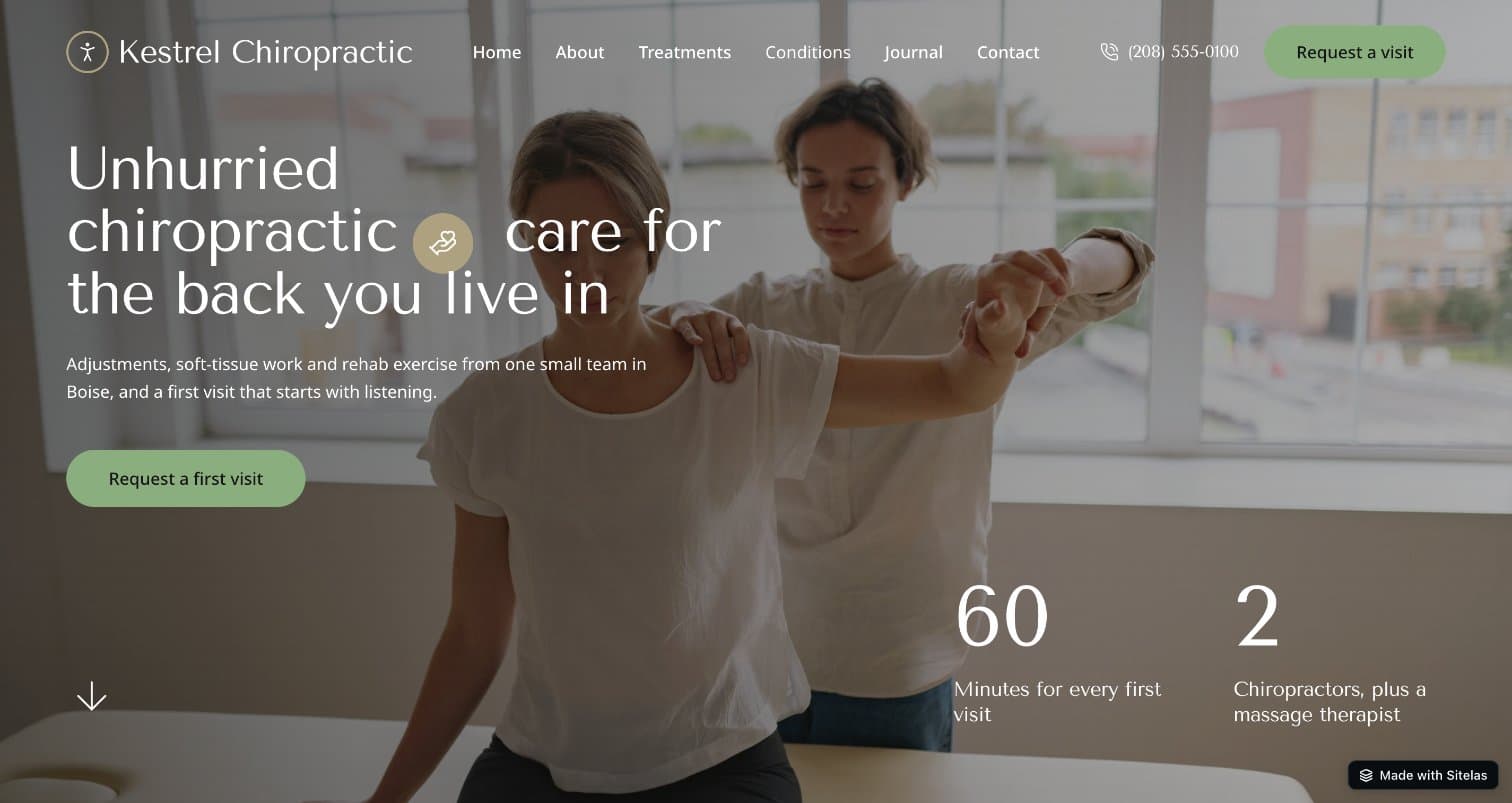
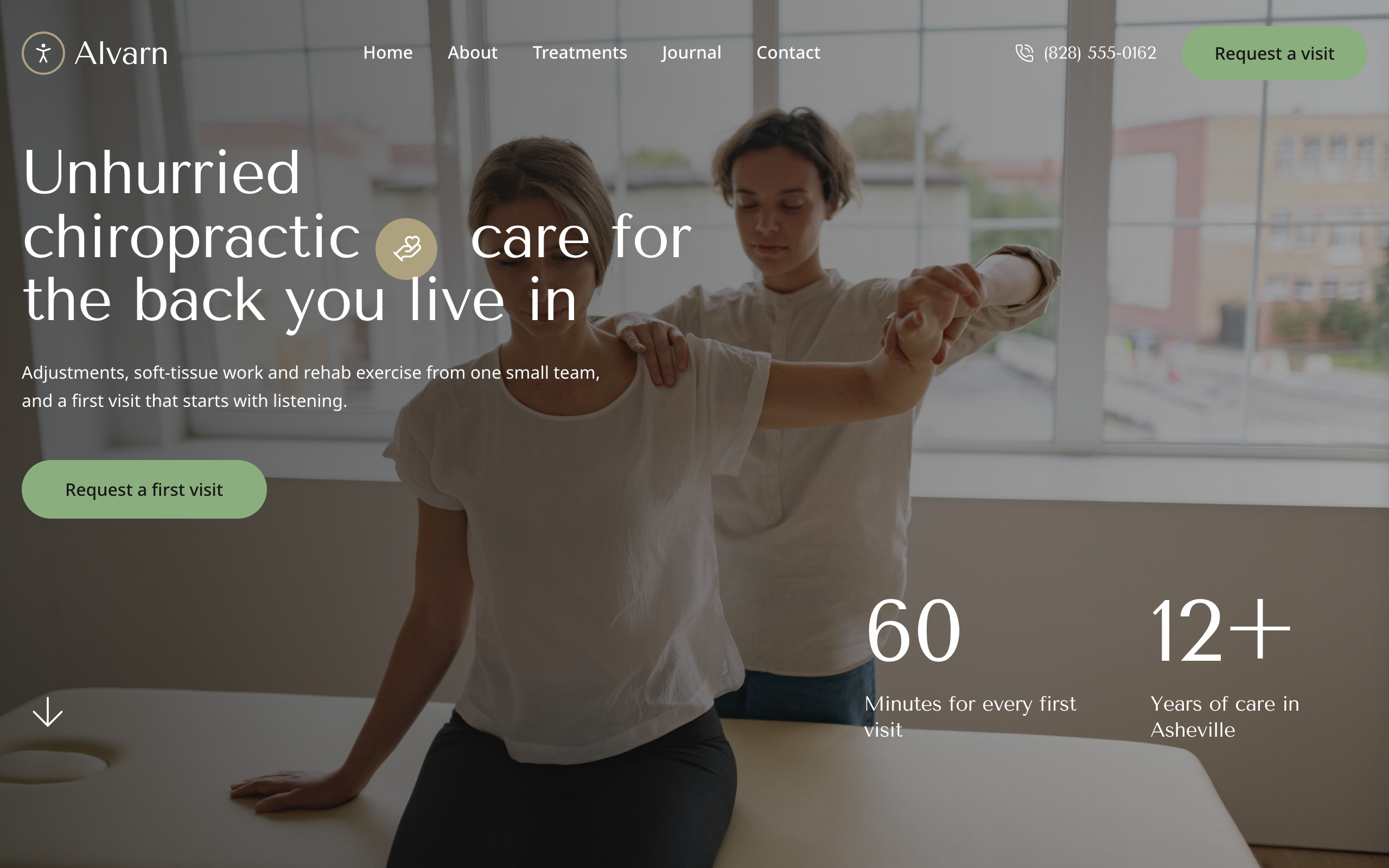
The demo clinic site built for this guide. The first screen says who it helps, where it is, and how to ask for a visit.
What a chiropractic website needs, page by page
1. A home page that answers the first three questions
Lead with the conditions you treat and a way to get in touch. Then explain the first visit, show a few reviews, and repeat the request button at the bottom. Keep it short. The details live on other pages.
2. The first visit, explained
This is the page nervous patients read twice. Say how long it lasts, what happens and what it costs. A typical flow is: questions about the pain, an examination, a plain explanation, and a first treatment if it is safe. If you sometimes refer people for a scan, say so. It builds trust.
3. One page per treatment, with its length and price
Adjustments, soft-tissue work, rehab exercise, massage: give each its own page. Say who it suits, how long a visit takes and what it costs. Patients compare prices before they call. A clinic that shows them saves itself the "how much is it?" phone calls.
One page per treatment also helps search. Each page can rank for its own phrase, such as "sports massage in Boise".
4. Pages for the conditions you treat
People search for their problem, not for your method. In the US, "can a chiropractor help with sciatica" is searched about 3,200 times a month. "How much does a chiropractor cost" is searched about 2,400 times (Ahrefs, October 2026). A short page for each condition, such as low back pain, neck pain and headaches, or sciatica, answers that search. It also says honestly when someone should see a doctor first.
5. The team, by name
Show each practitioner with a photo, their title (DC for a Doctor of Chiropractic) and one line on how they work. Patients are choosing a person to touch their spine. A face and a name help more than any slogan.
6. An FAQ for new patients
Answer the questions your front desk hears every day:
- Is a chiropractor a real doctor?
- How much does a visit cost without insurance?
- Do you take my insurance?
- How many visits will I need?
- Does an adjustment hurt?
Short, honest answers here cut phone time and calm first-time nerves.
7. A way to ask for an appointment
Most small clinics confirm visits by phone. A simple request form is enough: name, phone, email, what brings them in and which days suit them. Two rules matter:
- Don't ask for medical details on the form. Ask what brings them in, in a sentence. Medical history belongs in your intake process, not in a website form.
- If you use online scheduling software, link to it. Your practice software, or a Calendly page, can sit behind a "Book online" button.
8. Reviews, location and hours
Put real patient reviews on the home page, and ask happy patients to review you on Google too. Show your address, a map, parking notes and opening hours. Put your phone number in the header so it is one tap away on a phone.
9. Fast pages that read well on a phone
Most of your visitors arrive on a phone, often from a "near me" search. Big text, short paragraphs, a phone number that dials on tap, and pages that load fast matter more than animations.
How to build a chiropractic website by asking Claude
You can build all of the above with any website builder. Here is a faster way: describe the clinic to Claude, and let it build and run the site with Sitelas.
Sitelas is in Claude's connector directory. Adding it takes one click, and the same click creates your Sitelas account. It also works in ChatGPT as a plugin. How to build a website with ChatGPT shows that route.
Step 1: Describe your clinic in one message
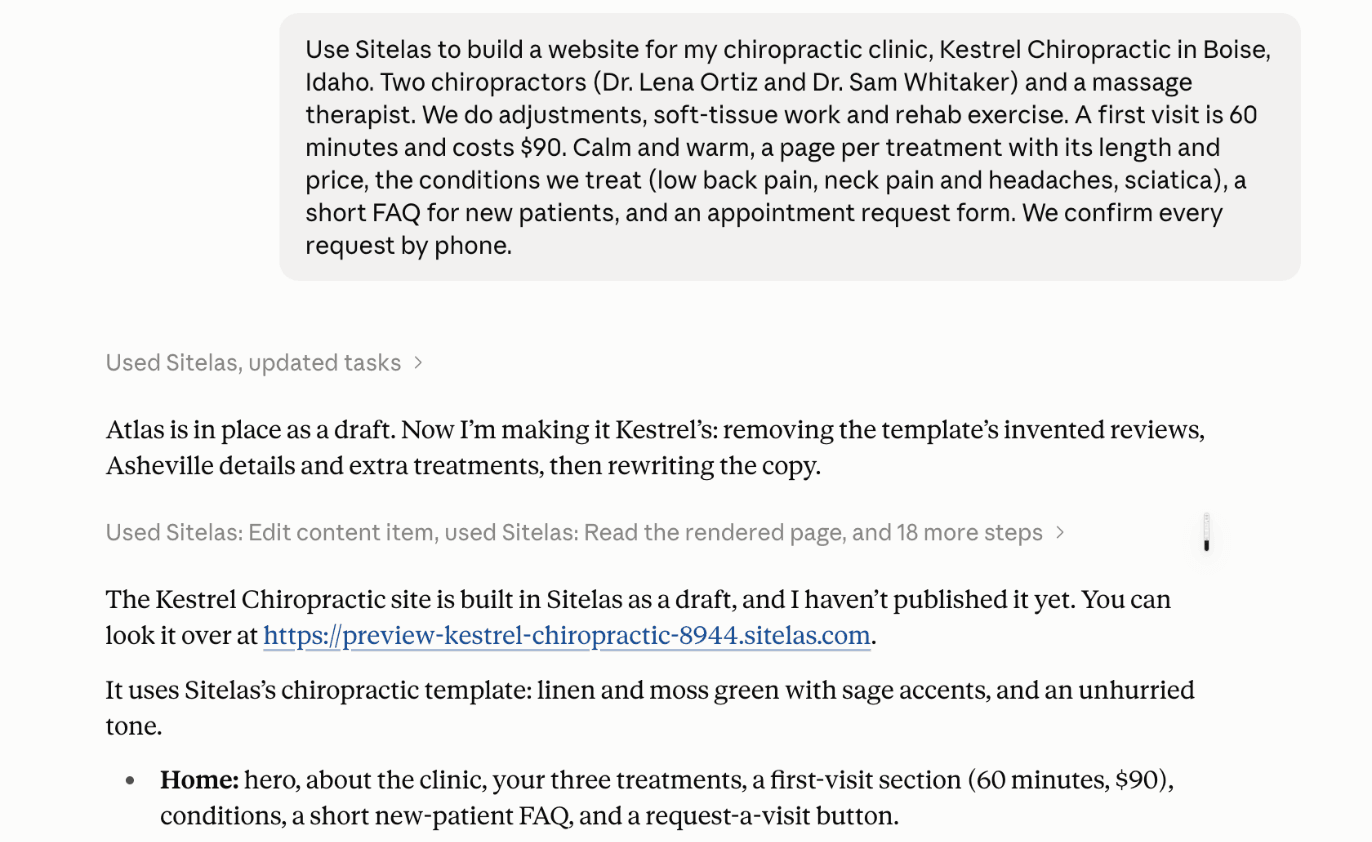
I made up a clinic, Kestrel Chiropractic in Boise. Then I sent Claude one message: who we are, what we do, the first-visit length and price, and the pages I wanted. The exact wording is in the screenshot below, and a fill-in version is at the end of this post.
Claude picked Sitelas's chiropractic template, Atlas, and rewrote it for Kestrel. It took about five minutes.
Step 2: Check the preview
Nothing went live. Claude built a private preview and sent me the link. It also said plainly what it could not know. The phone number and email were stand-ins. Two treatment prices came from the template. It asked me for the real ones before publishing.
That honesty matters on a clinic site. A wrong price or phone number costs you patients.
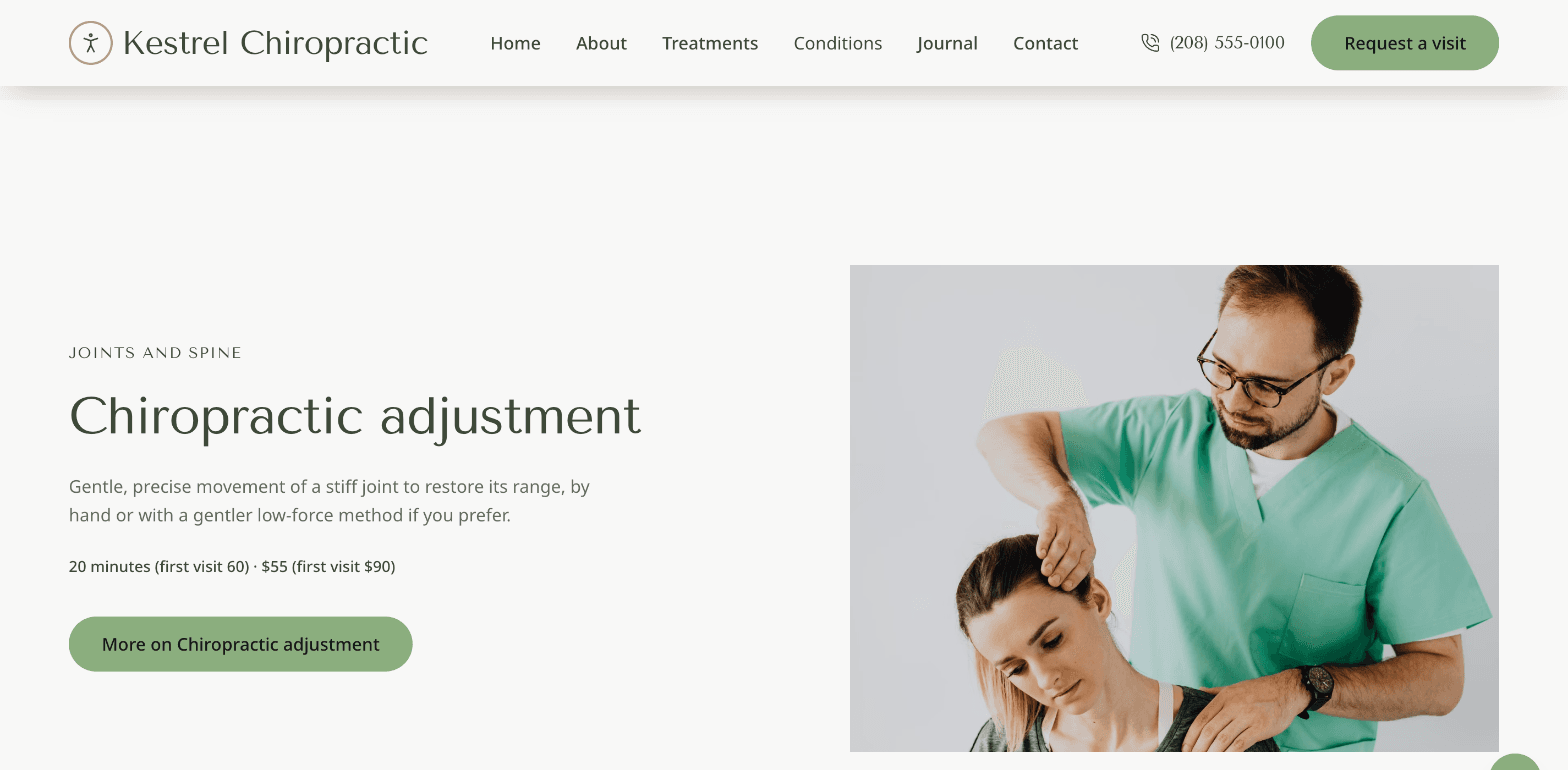
Each treatment got its own page with its length and price:
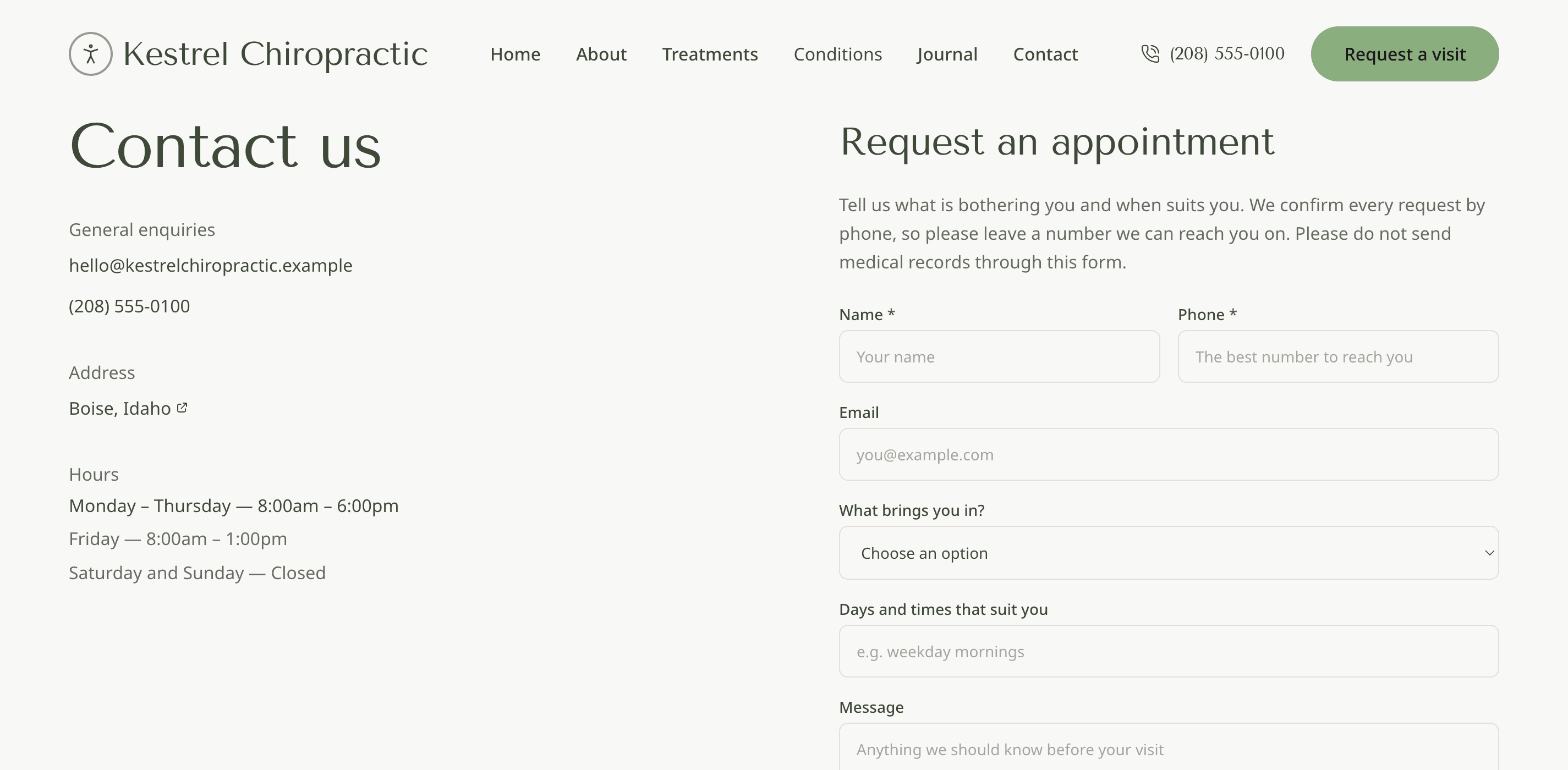
The contact page has the request form. It asks what brings the patient in and which days suit them. It also tells them not to send medical records.
Requests land in your Sitelas inbox, and you can read them from the same chat: "any new appointment requests?"
Step 3: Fill in the details in one sentence
Then I sent the details Claude had asked for, in one message:
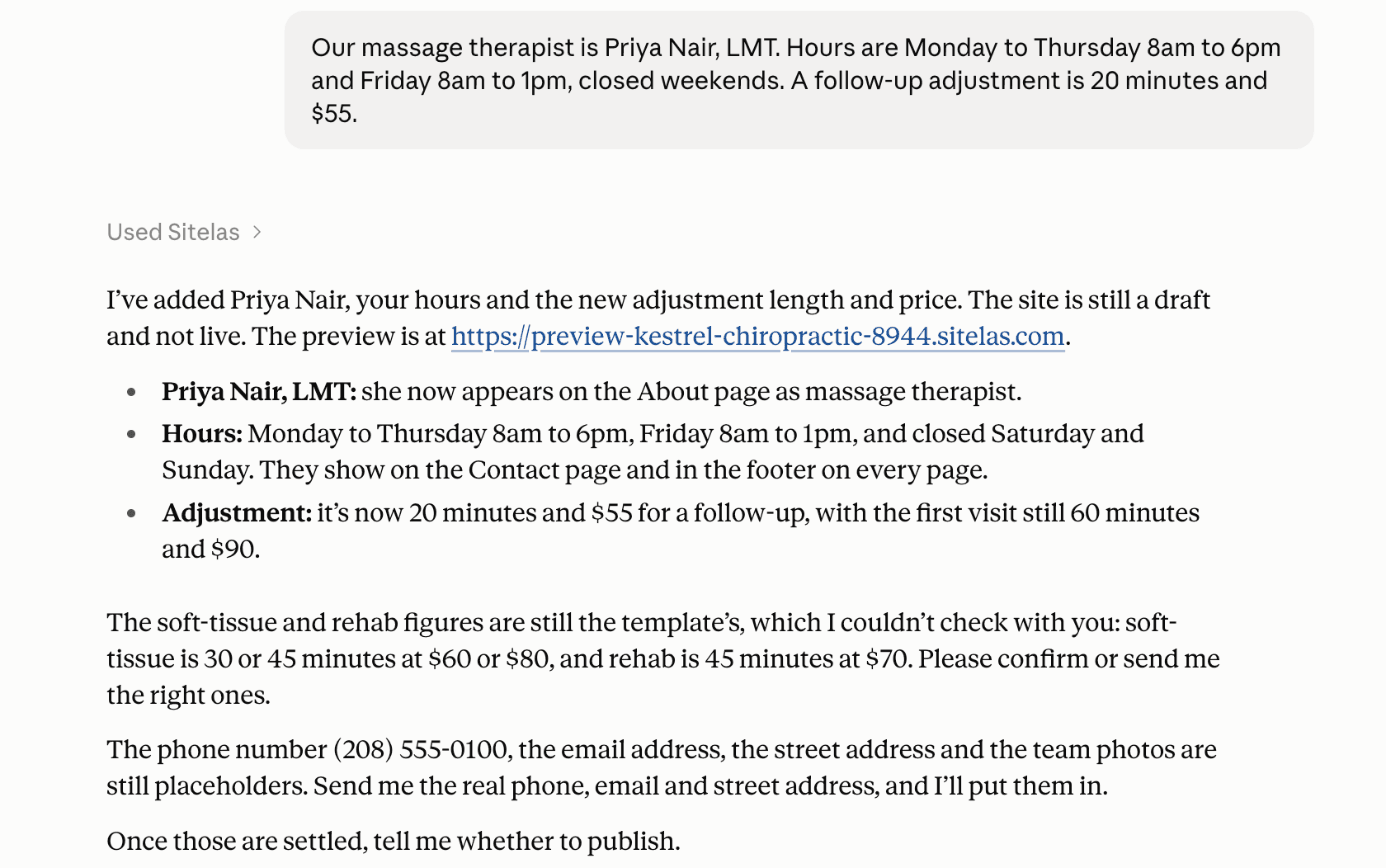
Claude updated the About page, the hours on the contact page and in the footer, and the adjustment price. That took about a minute. The live site stays as it was until you say "publish". This is how the site stays current: a new practitioner, a price change or holiday hours is one sentence.
It wasn't flawless. The new Conditions link in the menu came out grey and hard to read. I told Claude, and it fixed it in one more message. Check the preview before you publish.
Step 4: Publish
When the preview looks right, say "publish it". The site goes live on a sitelas.com address. To use your own domain, see custom domains and SEO.
What it can't do
Sitelas builds and runs the website. It does not book appointments into a calendar, take payments for visits, or hold patient records. There is no patient portal and no intake form for medical history. It does not manage your Google Business Profile or run ads. If you take bookings online, link to your scheduling software or embed a Calendly page.
Questions people ask
Which website builder is best for chiropractors? It depends on who will keep the site current. Practice marketing agencies build custom sites for a monthly fee. General builders like Wix and Squarespace have chiropractic templates you edit yourself. Sitelas lets you build and update the site by asking Claude or ChatGPT.
How much does a chiropractic website cost? Practice marketing agencies usually charge a setup fee plus a monthly fee. On Sitelas, one published site is free, on a sitelas.com address with a small Sitelas badge. Pro is $9 a month, or $90 a year, per site, and adds your own domain.
Can patients book online from the site? Not directly. Sitelas has no booking calendar. Patients can send an appointment request, which lands in your inbox. Or you can link to your scheduling software or embed a Calendly page.
What makes a good chiropractic website? Plain answers. Say who you help, what the first visit involves, what it costs and how to get in touch. Real photos of the clinic and the team help more than stock pictures of spines.
Can I collect intake forms on my website? Keep medical history off a website form. Use the form only for appointment requests, and take health details through your practice's intake process.
New to building by chat? Build a website from a Claude chat walks through the basics, and run your website from a Claude chat covers the updates after launch.
Try it
Copy this into a new Claude or ChatGPT chat after adding Sitelas. Swap in your own details first.
Use Sitelas to build a website for my chiropractic clinic, [clinic name] in [town].
[Your practitioners and what they do]. A first visit is [length] and costs [price].
A page per treatment with its length and price, the conditions we treat
([your list]), a short FAQ for new patients, and an appointment request form.
- Add to Claude: Sitelas in Claude's connector directory
- Add to ChatGPT: Sitelas in ChatGPT
- See the design we used: the Atlas chiropractor template
- Other clinic and local business designs: local business templates
Templates to start from
Build this with a ready-made design, then change anything.

Usman Haider
Founder of Sitelas — the website builder for AI agents.