

Tessel Small agency website template
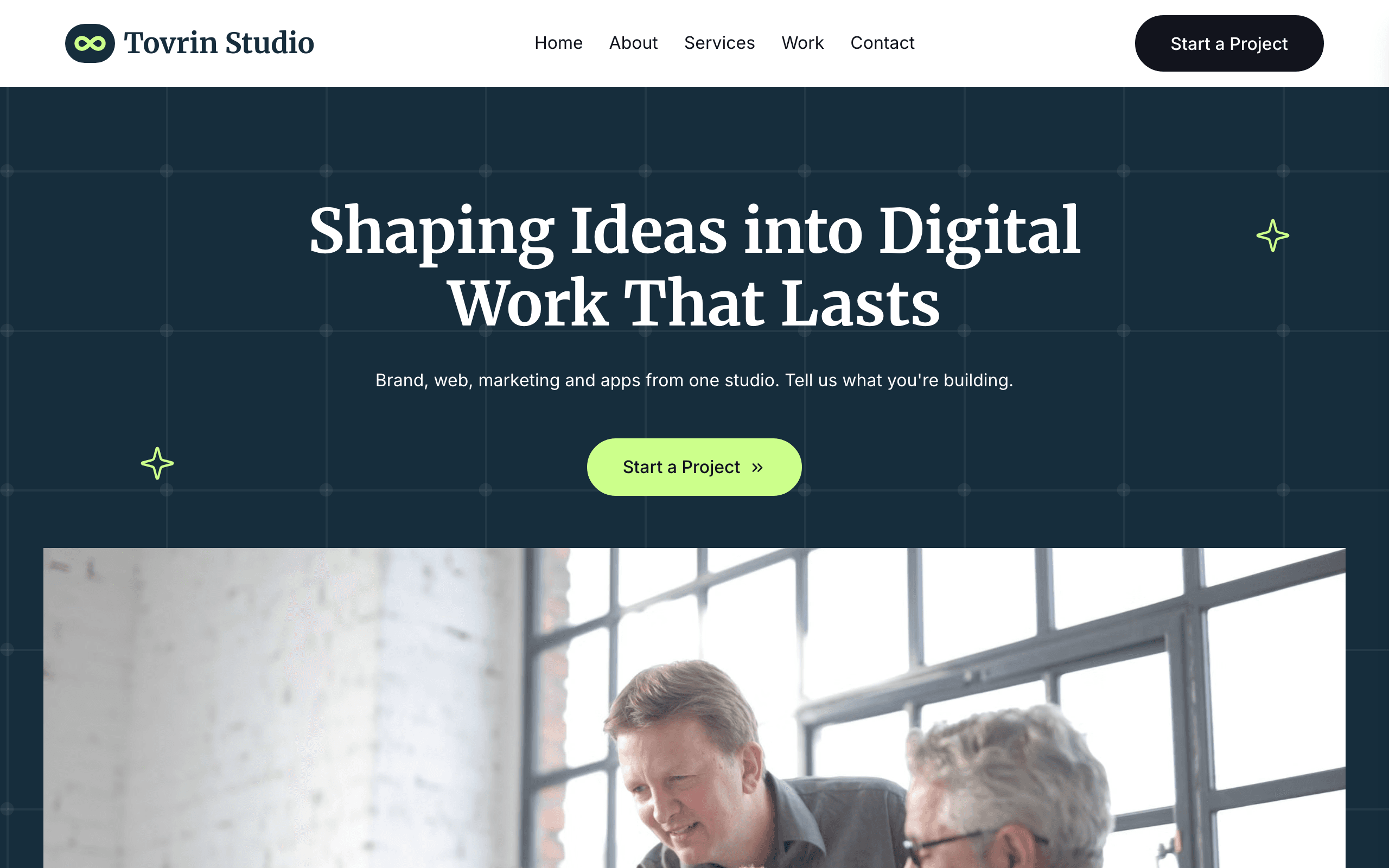
Tessel is built for small design, web and marketing agencies. The home page states the offer, lists your services, shows your projects, introduces the studio and closes on a client review.
Who Tessel is for
- Small digital agency selling brand, web, marketing and apps under one roof
- Branding and web design studio with a handful of case studies
- Web development studio that wants to show projects and a team
- Marketing agency with a small in-house team
- App design and development studio
- Creative studio that wants a bright, friendly agency site rather than a dark brochure
What’s included
- Pages
- 5 pages, written and laid out
- Grows with you
- 4 project entries at /work/ — add one and its index and detail page both update
- Enquiries
- A working form — messages land in your Sitelas inbox
- Fonts
- Merriweather and Inter · light theme
Build Tessel by asking your AI agent
- 1Connect Sitelas to Claude, ChatGPT or another AI agent that supports MCP. How to connect
- 2Ask for it in plain words: “Build my digital agency website with the Tessel template: we're Northfold, a five-person studio in Leeds doing branding, websites and paid social for local businesses, with our four best projects, the team and a contact form.”
- 3Open the preview link it sends back, ask for changes, and publish when it reads right.
Then keep changing it from the same chat
- Rewrite the copy“Rewrite the ‘About’ page with my details, in a warmer voice.”
- Change the design“Keep the layout, but swap Merriweather for another typeface and use my brand colours.”
- Add project entries“Add three project entries from these notes, each with its own page.”
- Swap the photos“Replace the photos on the ‘Services’ page with my own.”
Everything here can also be done by hand in the visual editor.
About the Tessel template
Built for a small web or marketing agency
Tessel is a bright, friendly site for small agencies that do brand, web, marketing or apps. It says what you offer, shows the work and introduces the people, without the heavy dark look of a big-agency site.
What's on the site
- Home with your offer, numbered services, selected projects, a studio introduction and a client review
- About, introducing the team, plus Services, Work and Contact
- A page for every project, filled from one entry
- A contact form, plus tap-to-call and tap-to-email links
Keeping it current
Projects feed the home grid, the Work page and their own detail pages at once. The service cards name real deliverables, so replace them with what you actually deliver.
When to pick something else
Tessel is the wrong template for these. Where there is a better one, it is linked.
- Creative agency wanting a dark, dramatic brochure
- Agency whose buyer wants dated engagements with named clients and results
- Studio leading with a showreel, a news journal and two office addresses — try Cornice
- Brand identity studio bought purely on imagery and mood — try Obsidian
- Classic photo-and-coral studio site with a full-bleed project mosaic, count-up figures and portrait team grid — try Spire
- Solo freelancer or agency-of-one — try Dossier
- Ecommerce
Free to use · No credit card required
Key Highlights
Questions about Tessel
Does each project get its own page?
Yes. Projects are a collection that fills the home grid, the Work index and a detail page for each, from one entry.
Can clients call or email from their phone?
Yes. The contact page has a form plus your address, and phone and email links that open the caller or mail app.
Who is Tessel for?
Tessel is for a small design, web and marketing agency that offers brand design, web development, digital marketing and app work under one roof. The home page states the offer, lists your services in numbered rows, shows your projects in a two-column grid and introduces the studio. An About page walks through your four-step process and the team, a Services page carries a note from the founder, each project has its own case page under Work, and the Contact page has a form that asks what the client needs, your address, phone and email, and an FAQ. There is no blog: a studio that publishes articles and sells retainers fits Obsidian, and one that leads with a showreel fits Cornice.
What pages come with Tessel?
5 pages, already written and laid out: Home, About, Services, Work and Contact. Add, rename or remove pages whenever you like.
Can Claude or ChatGPT build my site from Tessel?
Yes. Connect Sitelas to your AI agent and ask for a site that uses Tessel. It fills in your details, sends you a preview link, and publishes when you approve. The same chat can keep running the site afterwards.
Can I change Tessel without code?
Yes. The Merriweather and Inter type, all 5 pages and the project entries, every photo and every colour can be changed in the visual editor, or by asking your AI agent.
What does it cost?
Nothing to start, with no trial clock. A free site runs on a sitelas.com address; Pro is $9 a month per site ($90 a year) for your own domain, analytics and more room.
Guides that use Tessel
I Hired My First Engineer Without Leaving a Claude Chat
A careers page built and published, applications collected, a ranked shortlist and interview invites drafted, all from one Claude chat with the Sitelas, Gmail and Calendar connectors.
How to Clone a Website With AI — and Make It Your Own
How to clone a website with AI: paste a URL in Claude, get an editable Sitelas copy of the page, replace the words and images with your own, and publish only when it's yours.
Make Tessel yours
All 5 pages open in the editor already written, with 4 starter project entries. Make the words and photos yours, then publish.
Free to use · No credit card required
Related templates
All agencies & firms templates →
Lodestone
For advisory firms selling defined engagements, with services, published prices, articles and a contact form.

Obsidian
An editorial site for boutique creative agencies and brand studios, with projects, a blog and pricing.

Proviso
For a small firm of several attorneys: a page per practice area, a profile per lawyer, articles and a consultation form.

Shortlist
For staffing companies and temp agencies: a jobs board by job type, CV applications and a page per service.

Spire
For brand and web design studios: a full-width project mosaic, a team photo grid, a journal and an enquiry form.

Awning
For an independent insurance agency: a page per kind of cover, a quote form, a claims page and your license number.