

Nonprofit website design for charities, churches & campaigns
A nonprofit site has two jobs: show people what you do, and make it easy to give or help. These templates open with what you do and the one thing you most want a visitor to do next.
Programs, events, sermons, issues and news are entries you add as you go, each with its own page. Charity and church templates take gifts through your own Stripe Payment Links; the campaign template links out to your donation processor.
Templates in this category
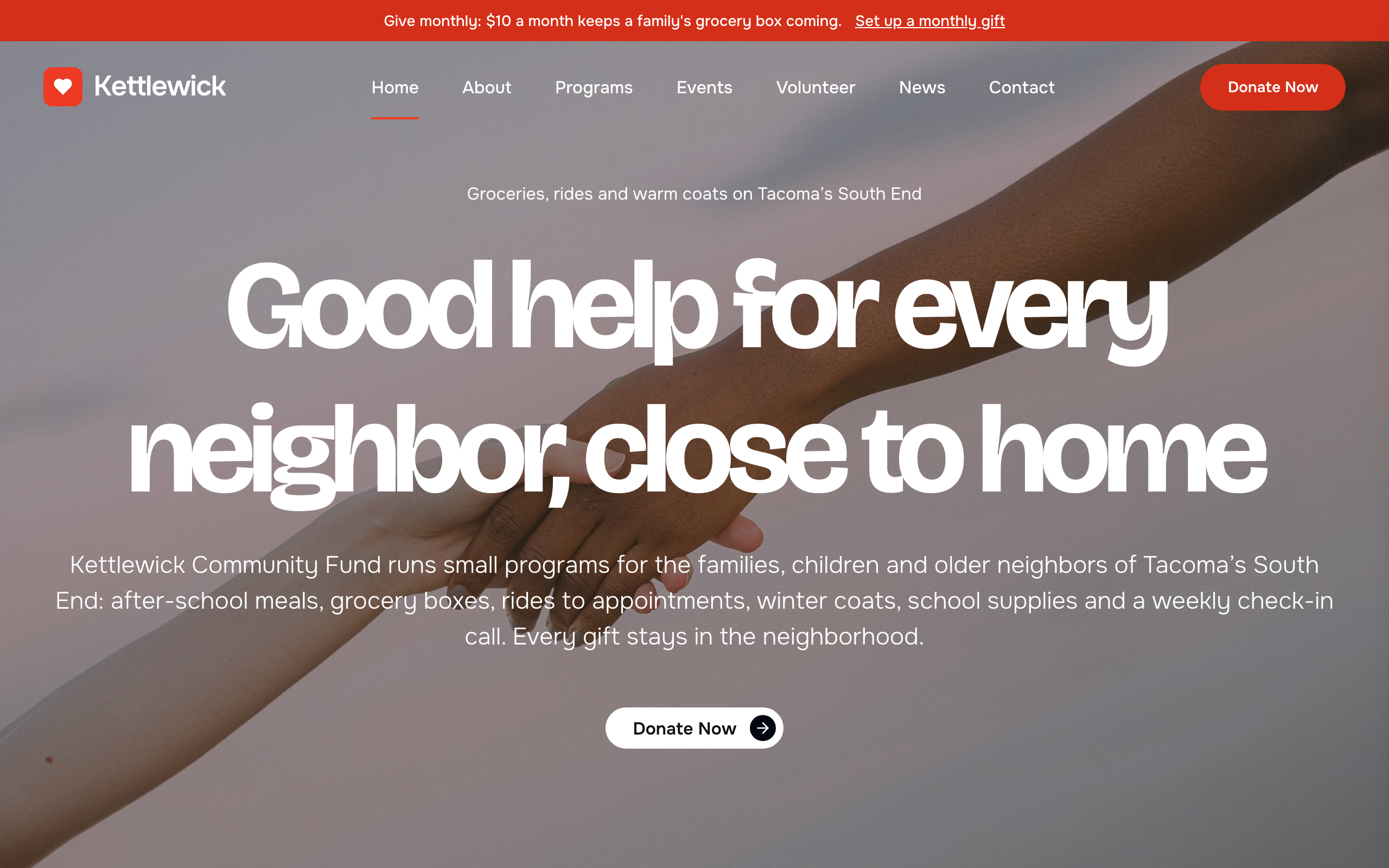
Almoner
For small charities: programs with goals and progress bars, donate buttons, volunteer sign-up, events and news.
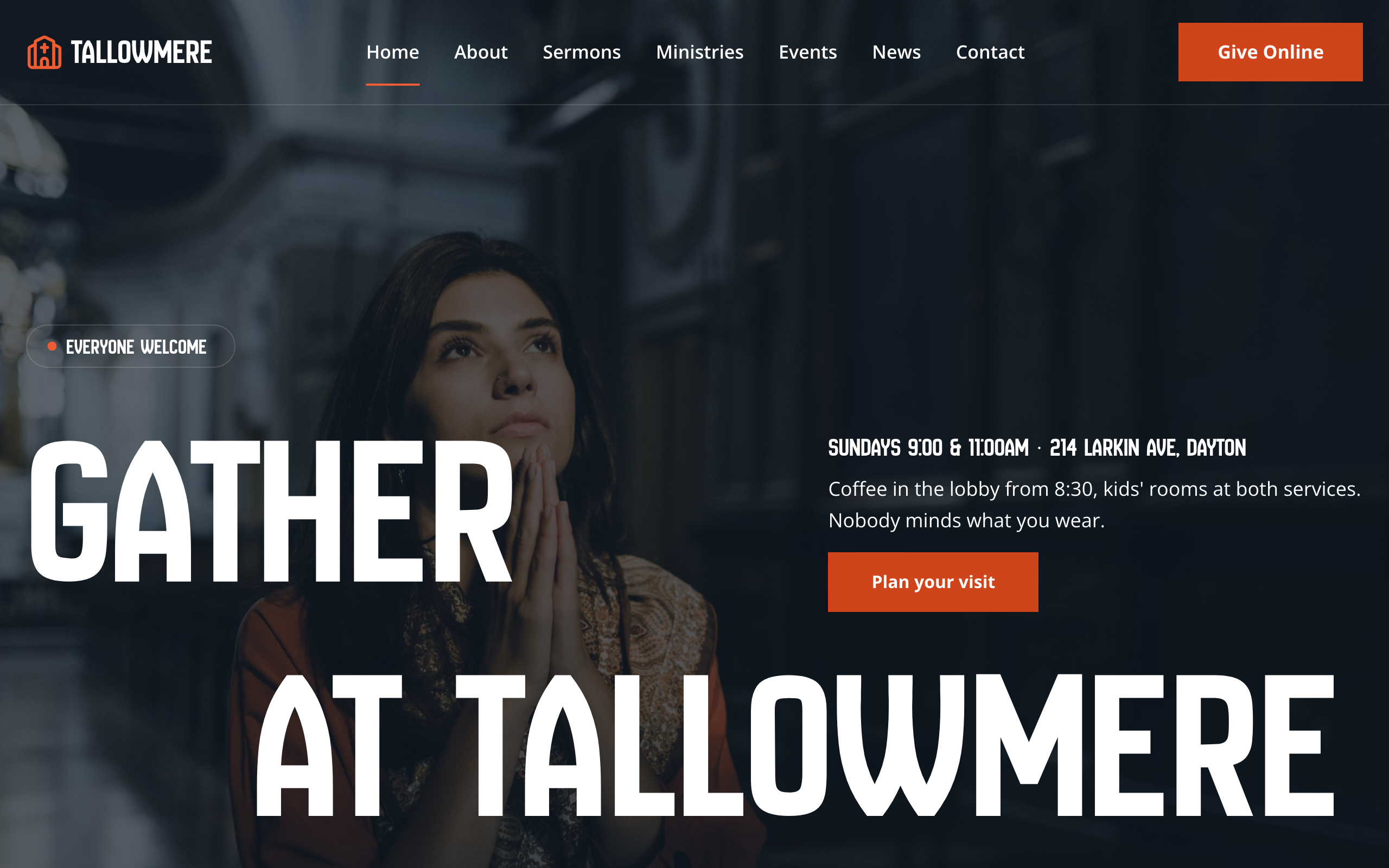
Narthex
For local churches: service times up front, sermons, ministries and events with their own pages, and online giving.
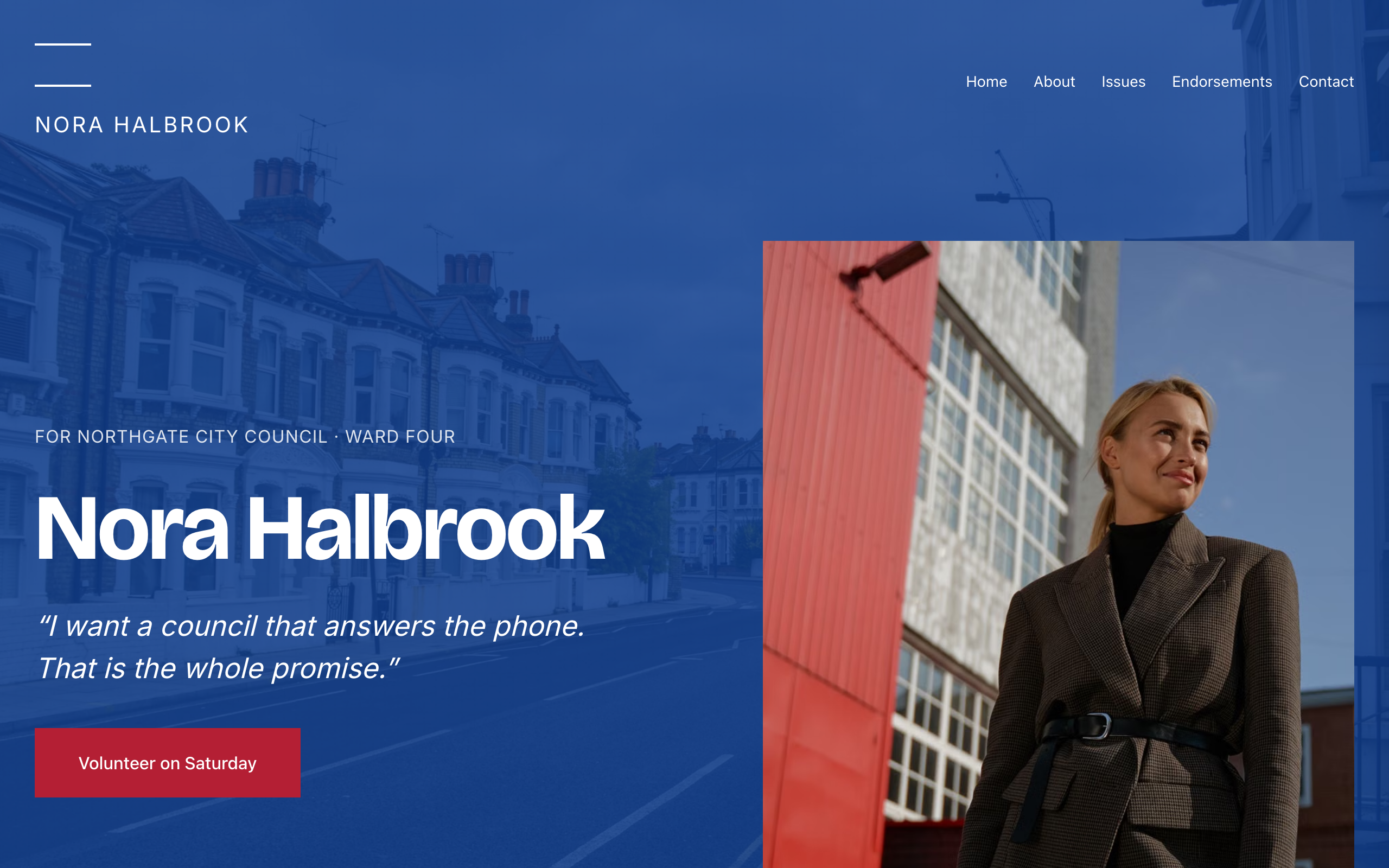
Quorum
For local candidates and campaigns: one strong statement per screen, issue pages, endorsements and a contact form.
Each template is an example of a website you can build with Sitelas. Sitelas sells the website builder, not the products or services these examples depict.
What people build with these
Each template was built and tested against a real kind of business. Between them, they cover:
- Small local charity with a few programs and a donate button
- Community fund or food bank asking for gifts and volunteers
- Nonprofit that shows a yearly goal and progress for each program
- Volunteer-run organization recruiting drivers, packers and helpers
- Charity that takes gifts through its own Stripe payment links, including monthly giving
- Youth, family or senior-support nonprofit with events and news
- Registered 501(c)(3) explaining other ways to give and tax receipts
- Local church or congregation with Sunday service times
- Modern non-denominational church that posts weekly sermons
- Parish or chapel with ministries, small groups and a youth group
- Church that lists community events like food drives and carol services
- Congregation that takes gifts online through its own payment link
- Church plant introducing its pastor and team to new visitors
- Church with a food pantry and volunteers to recruit
- Worshipping community counting down to Christmas or Easter
- Candidate running for local or municipal office
- School board or council campaign
- Ballot measure or referendum campaign
Build one by asking your AI agent
- 1Connect Sitelas to Claude, ChatGPT or another AI agent that supports MCP. How to connect
- 2Ask for it in plain words: “Build a website for a small local charity with a few programs and a donate button. Pick the template that fits best.”
- 3Open the preview link it sends back, ask for changes, and publish when it reads right.
Then keep changing it from the same chat
- Rewrite the copy“Rewrite every page in a warmer, friendlier voice.”
- Change the design“Make the colours earthier and use a serif for headings.”
- Add or remove pages“Add a Pricing page and remove the Blog.”
- Rearrange sections“Move the testimonials higher and add an FAQ.”
- Swap the photos“Replace the photos with ones that fit my business.”
- Run the site“Show me this week's form messages, then publish.”
Everything here can also be done by hand in the visual editor.
Questions
Can people donate on the site?
Yes, on the charity and church templates: each donate button opens a Stripe Payment Link you create, and Sitelas does not process or hold money. There is no donor login or recurring-billing dashboard. The campaign template links to your own compliant donation processor instead.
Can volunteers sign up?
Yes. Each template has a form that lands in your Sitelas inbox, and the charity template's volunteer page also asks which role suits them. You can forward submissions to your own tools by webhook.
What does it cost?
Nothing to start, with no trial clock. A free site runs on a sitelas.com address; Pro is $9 a month per site ($90 a year) for your own domain, analytics and more room.
Can I use my own domain?
Yes, on Pro. Point your domain at the site and the SSL certificate is issued and renewed for you.