

Atelier
A website template for a cohort-based course building a waitlist for the next intake
Atelier is for a cohort-based course building a waitlist for the next intake — a live creator course, a bootcamp, a writing cohort. Every other Sitelas waitlist sells software, a product, or property; atelier sells a place in a room with a teacher. The register is instructor-led editorial: warm paper, ink, a single plum accent, a bookish Newsreader serif against Inter. It reads like a course you'd actually enrol in, not a landing page.
Who Atelier is for
Built for these, and tested against them.
- Cohort-based course building a waitlist for the next intake
- Creator / expert launching a live course before enrolment opens
- Bootcamp or workshop capturing interest between cohorts
- Writing / design / business cohort with a named instructor
- Educator moving off a marketplace onto their own domain
What’s included
Everything below ships with the template, already filled in.
- Pages
- 1 page, written and laid out
- Enquiries
- A working form — messages land in your Sitelas inbox
- Type
- Newsreader and Inter · light theme
- Everywhere
- Built and checked at phone, tablet and desktop widths
- Yours to change
- Every colour, word and photograph — in the editor or by asking an AI agent
About This Template
The first course waitlist
Course-native signatures
The instructor is front-and-centre with a portrait, because on a cohort course the teacher is the product. A 'cohort at a glance' card answers the practical questions — format, duration, commitment, size, next date, price. A week-by-week syllabus shows exactly what six weeks looks like. Past-cohort testimonials with star ratings carry the proof. None of these belong on a software waitlist.
Newsletter-signup / next-cohort conversion
The page funnels to one waitlist form. Submissions land in the Sitelas inbox; add a webhook to forward them to your email tool so you can tell the list first when the next cohort opens.
When to pick something else
Atelier is the wrong template for these. Where there is a better one, it is linked.
Free to use · No credit card required
- 1Opens in the editor with the starter content in place
- 2Change the words and pictures to yours
- 3Publish to a sitelas.com address, or your own domain
Key Highlights
Questions about Atelier
Can I change how Atelier looks?
All of it. Colours, type, spacing, photographs and every word are yours to edit — in the visual editor, or by asking an AI agent to do it for you. Nothing is locked.
Do I need to know how to code to use Atelier?
No. You edit the page by clicking the thing you want to change. There is no code to write and nothing to install.
What does Atelier cost?
Nothing to start, and there is no trial clock. A free site runs on a sitelas.com address; Pro is $9 a month per site when you want your own domain, analytics and more room.
Can I use my own domain?
Yes, on Pro. Point your domain at the site and SSL is issued automatically — there is no certificate to buy or renew.
Make Atelier yours
It opens in the editor with every page already written. Change what you want, publish when it reads like you.
Free to use · No credit card required
Related Templates
Patchbay
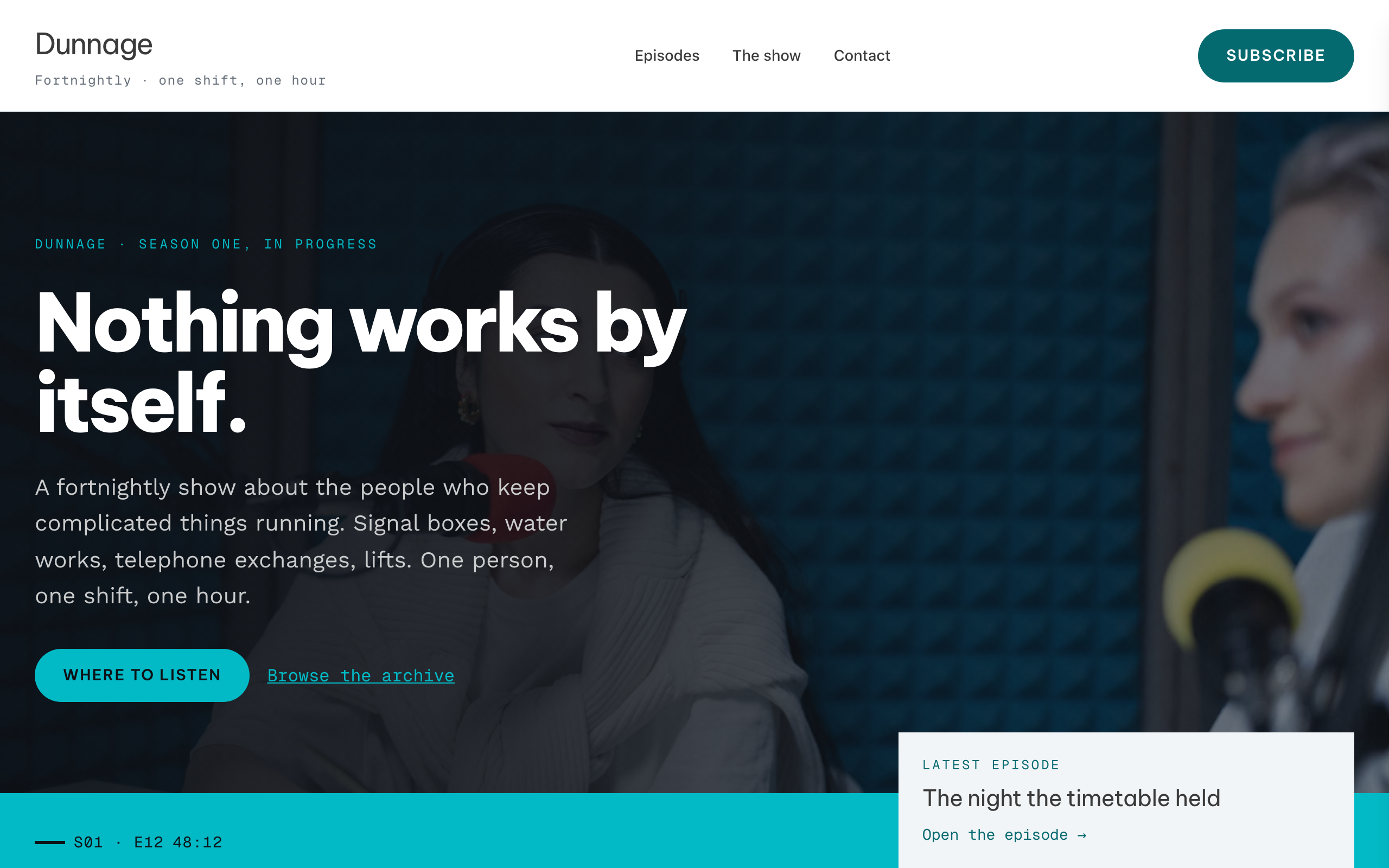
A podcast archive built on a timecode rail: every episode is a ruled row with its season, number and run time set in mono to the left of the title, so the page reads as a rack of labelled channels rather than a grid of cards. A full-bleed cyan transport bar carrying the newest episode overlaps the hero's bottom edge, and the same rail reappears on the archive and at the top of every episode page. Be Vietnam Pro over Work Sans with Geist Mono on the rail, a white ground, one ink band, and a bright cyan spent only on surfaces. Twelve starter episodes, a real search over the collection, and a subscribe page that answers the question app by app.
Prism
Playful-warm link-in-bio for lifestyle / travel creators — a faithful Linktree profile card. A deeper peach page gutter holds one elevated, fully-rounded ~600px centered card that carries the signature peach→coral sunset: peach across the link hub, warming to coral under the shop, about and subscribe blocks. No header, no footer. Deep-plum type, warm-coral accent, Fraunces + Poppins. Inside the card: circular avatar → 60px name → one-line bio → a capped stack of filled cream pill buttons (round leading icon tile + trailing arrow; the priority button filled coral) → a 44px social-icon row, then a stacked shop strip with Stripe buy buttons, a full-bleed about photo with its copy left-aligned beneath, and the newsletter capture the card ends on. The pill buttons ARE the conversion (subscribe-platform).
Rivet
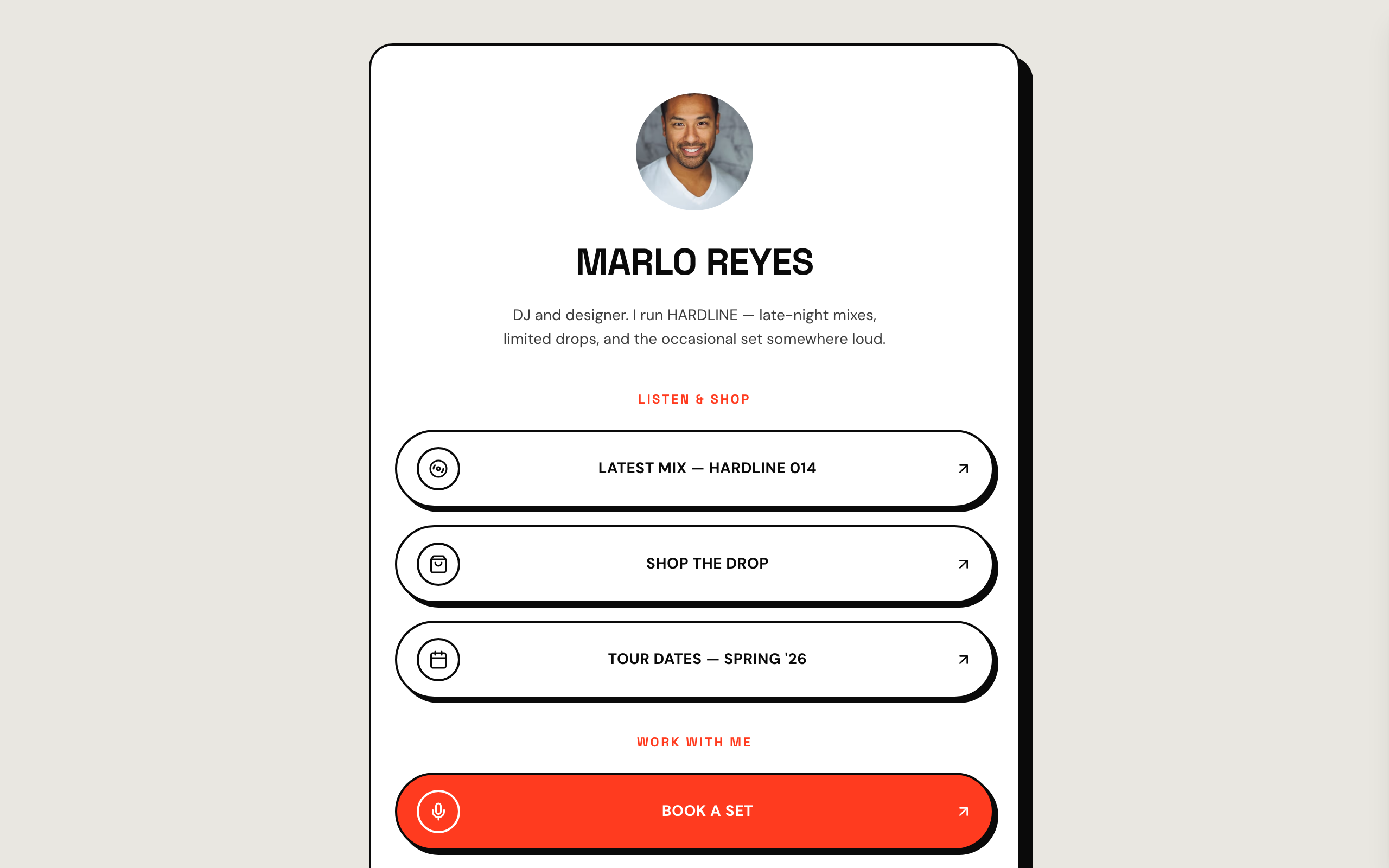
Neo-brutalist link-in-bio for high-energy creators — a faithful Linktree profile-card. A flat grey page gutter with one elevated, fully-rounded ~600px centered white card carrying a 2px ink border and a hard offset block-shadow. No header, no footer. Ink type, a hot vermilion accent, Space Grotesk + DM Sans. Inside the card: circular avatar → bold uppercase name → one-line bio → vertical stack of hard-shadow pill buttons (2px ink border, circular icon tile, trailing arrow; the priority button filled vermilion) → social-icon row, then a stacked drop strip with Stripe buy buttons, a short about block, and the inline list capture the card ends on. The buttons ARE the conversion (subscribe-platform).