

Kepler UX designer portfolio template
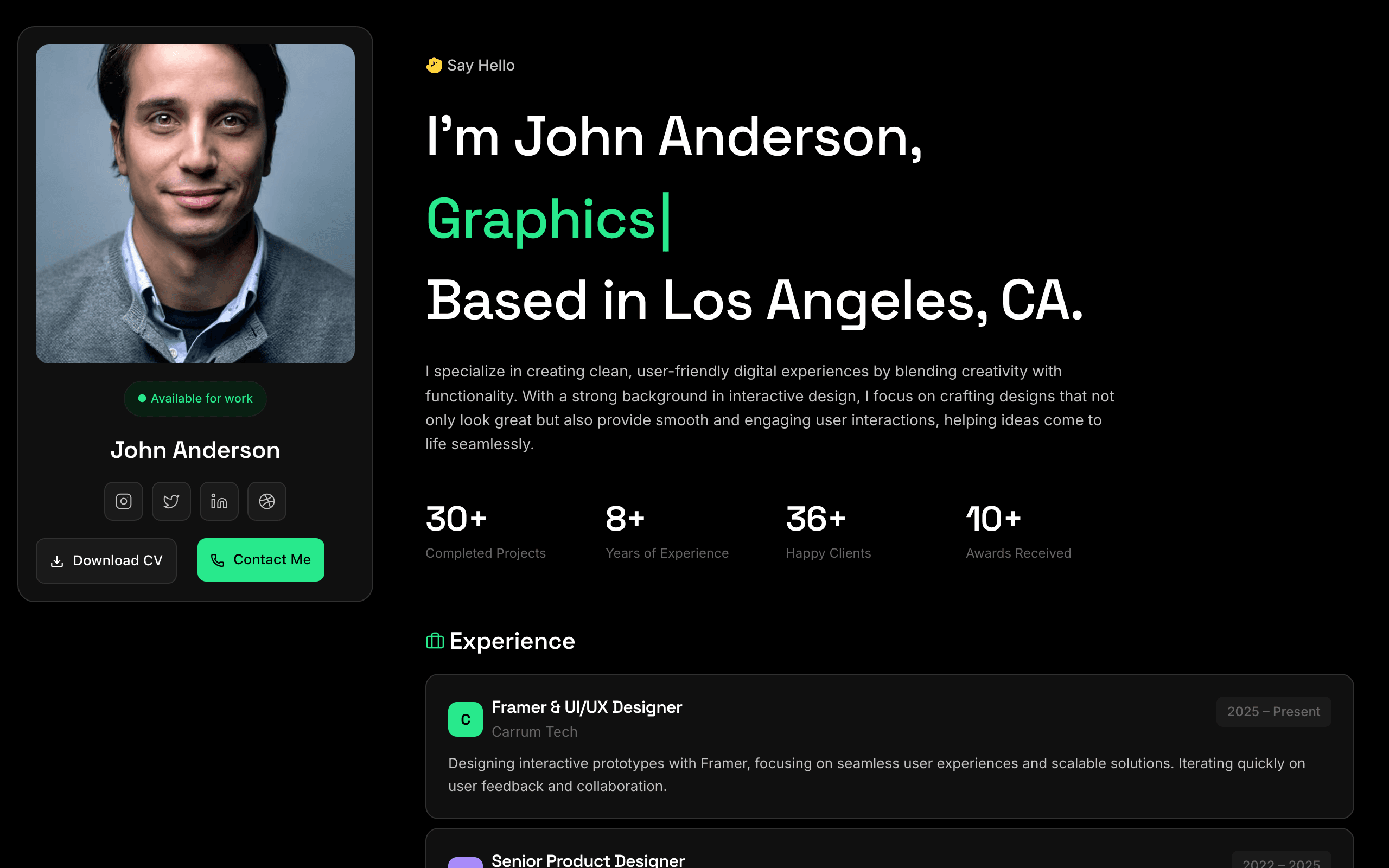
Kepler is a dark profile for designers, engineers and freelancers who want one link that says who they are, what they have shipped and how to reach them. A sticky profile card stays on the left while the story scrolls on the right.
Who Kepler is for
Built for these, and tested against them.
- Solo product / UI / UX designers
- Independent product engineers and developers
- Creative freelancers (motion, illustration, branding)
- Digital craftspeople with retainer clients
- Designer-engineers shipping side projects
What’s included
Everything below ships with the template, already filled in.
- Pages
- 2 pages, written and laid out
- Grows with you
- 6 project entries at /projects/ — add one and its index and detail page both update
- Enquiries
- A working form — messages land in your Sitelas inbox
- Fonts
- Space Grotesk and Inter · dark theme
- Everywhere
- Built and checked at phone, tablet and desktop widths
- Yours to change
- Every colour, word and photograph — in the editor or by asking an AI agent
Build Kepler by asking your AI agent
No editor required. The agent writes your copy, swaps the photos and publishes the site.
- 1Connect Sitelas to Claude, ChatGPT or another AI agent that supports MCP. How to connect
- 2Ask for it in plain words: “Build a website for a solo UI/UX designer CV/resume using the Kepler template.”
- 3Open the preview link it sends back, ask for changes, and publish when it reads right.
Then keep changing it from the same chat
- Rewrite the copy“Rewrite every page in a warmer, friendlier voice.”
- Change the design“Make the colours earthier and use a serif for headings.”
- Add or remove pages“Add a Pricing page and remove the Blog.”
- Rearrange sections“Move the testimonials higher and add an FAQ.”
- Swap the photos“Replace the photos with ones that fit my business.”
- Run the site“Show me this week's form messages, then publish.”
Everything here can also be done by hand in the visual editor.
About the Kepler template
Built for designers and engineers
Kepler suits people whose work is easier to show than describe. Visitors see your photo, links and a CV download at a glance, then scroll through your experience, projects, education and tools.
What's on the site
- Home with your story, experience stats, your tools and a contact form
- Projects, with a case study page for each
- A profile card with your photo, links and a CV download that stays in view on a laptop
Keeping it current
Add a project and its card, its archive entry and its case study appear together. Messages from the contact form land in your Sitelas inbox.
When to pick something else
Kepler is the wrong template for these. Where there is a better one, it is linked.
- Academic researcher CV — try Vitae or Tenure
- Agency or studio with multiple people — try Flagship or Obsidian
- Image-led photographer portfolio — try Cami or Pazari
- Warm/editorial portfolio — try Monograph or Biobricks
- Marketing landing page for a SaaS product — try Nimbus
- Single-page broadsheet narrative — try Narrative
Free to use · No credit card required
- 1Opens in the editor with the starter content in place
- 2Change the words and pictures to yours
- 3Publish to a sitelas.com address, or your own domain
Key Highlights
Questions about Kepler
Does each project get a case study?
Yes. Add a project and its card, the archive entry and its case study page appear together.
Can recruiters contact me directly?
Yes. An inline contact form sits on the page, and messages arrive in your Sitelas inbox.
Who is Kepler for?
Kepler is built for a solo UI/UX designer CV/resume, an independent product designer portfolio and a freelance designer-engineer one-pager. Not built for academic researcher CV — try Vitae or Tenure instead.
What pages come with Kepler?
2 pages, already written and laid out: Home and Projects. Add, rename or remove pages whenever you like.
Can Claude or ChatGPT build my site from Kepler?
Yes. Connect Sitelas to your AI agent and ask for a site that uses Kepler. It fills in your details, sends you a preview link, and publishes when you approve. The same chat can keep running the site afterwards.
Can I change Kepler without code?
Yes. Click any text, photo or colour to change it in the visual editor, or ask your AI agent to make the change. Nothing is locked.
What does it cost?
Nothing to start, with no trial clock. A free site runs on a sitelas.com address; Pro is $16 a month per site ($160 a year) for your own domain, analytics and more room.
Can I use my own domain?
Yes, on Pro. Point your domain at the site and the SSL certificate is issued and renewed for you.
Make Kepler yours
It opens in the editor with every page already written. Change what you want, publish when it reads like you.
Free to use · No credit card required
Related templates
All portfolios & résumés templates →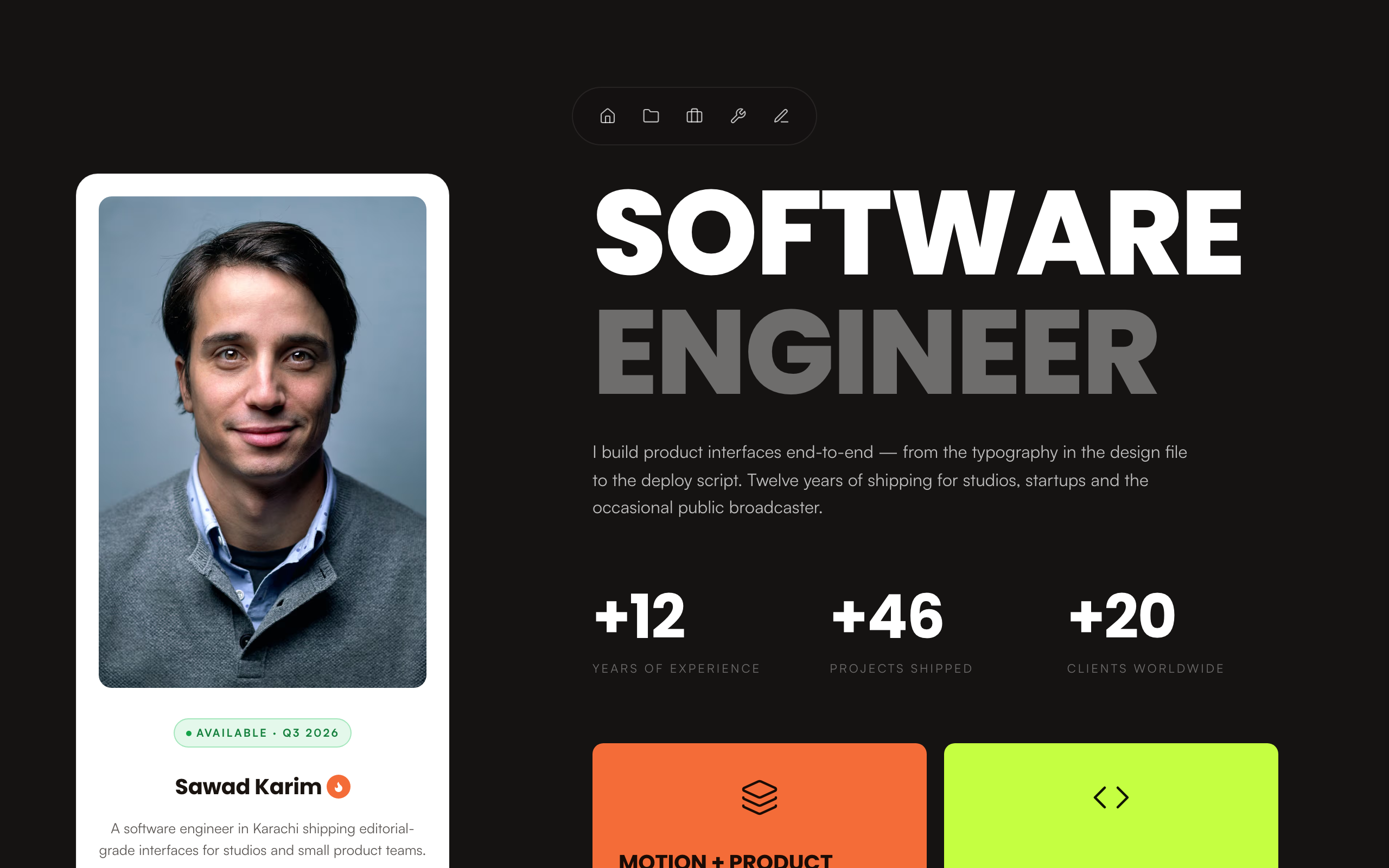
Sawad
A dark engineer portfolio with a sticky profile card, projects, experience, tools and a blog.
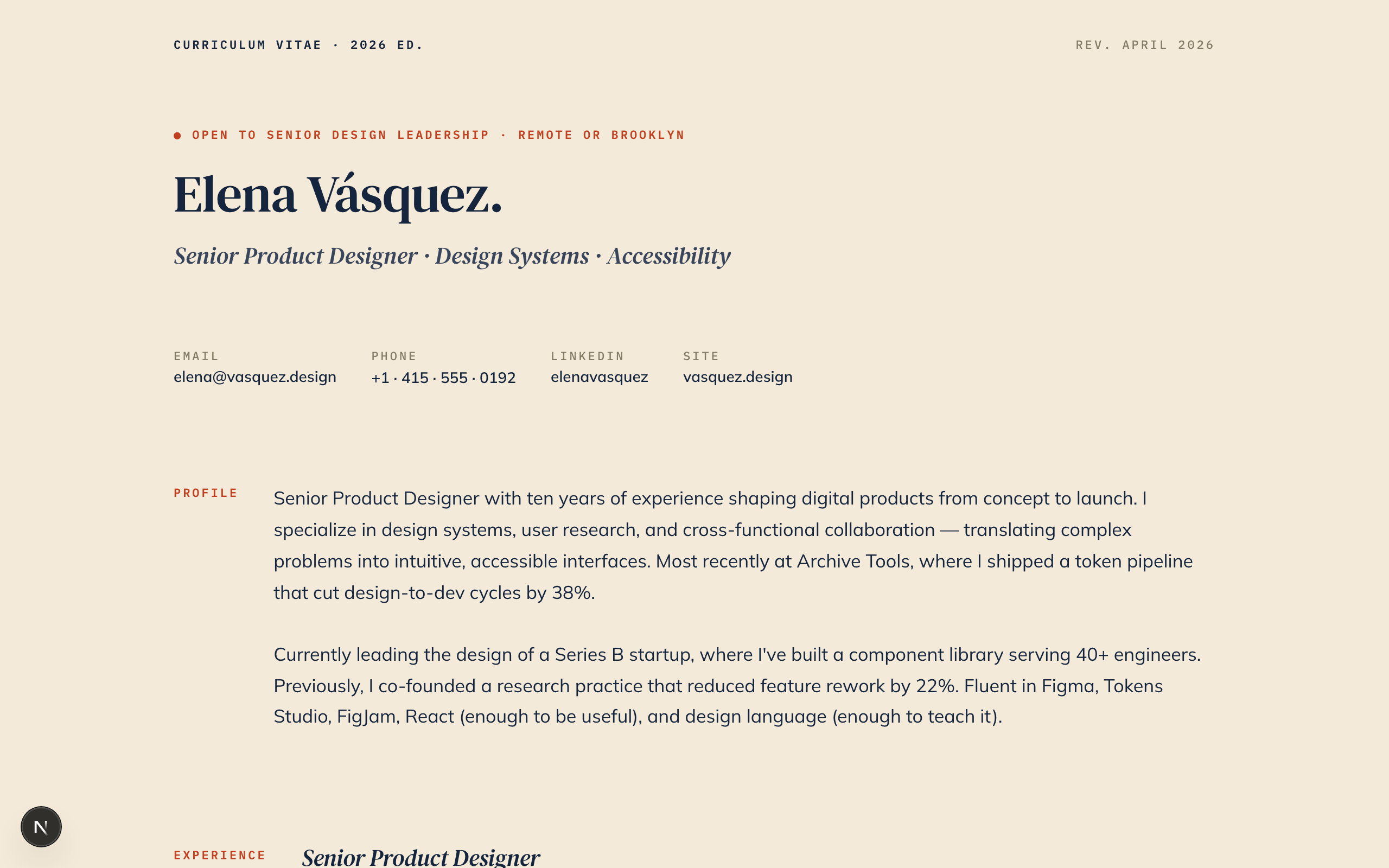
Vitae
A classic one-page CV: section labels on the left, experience, skills and education on the right.
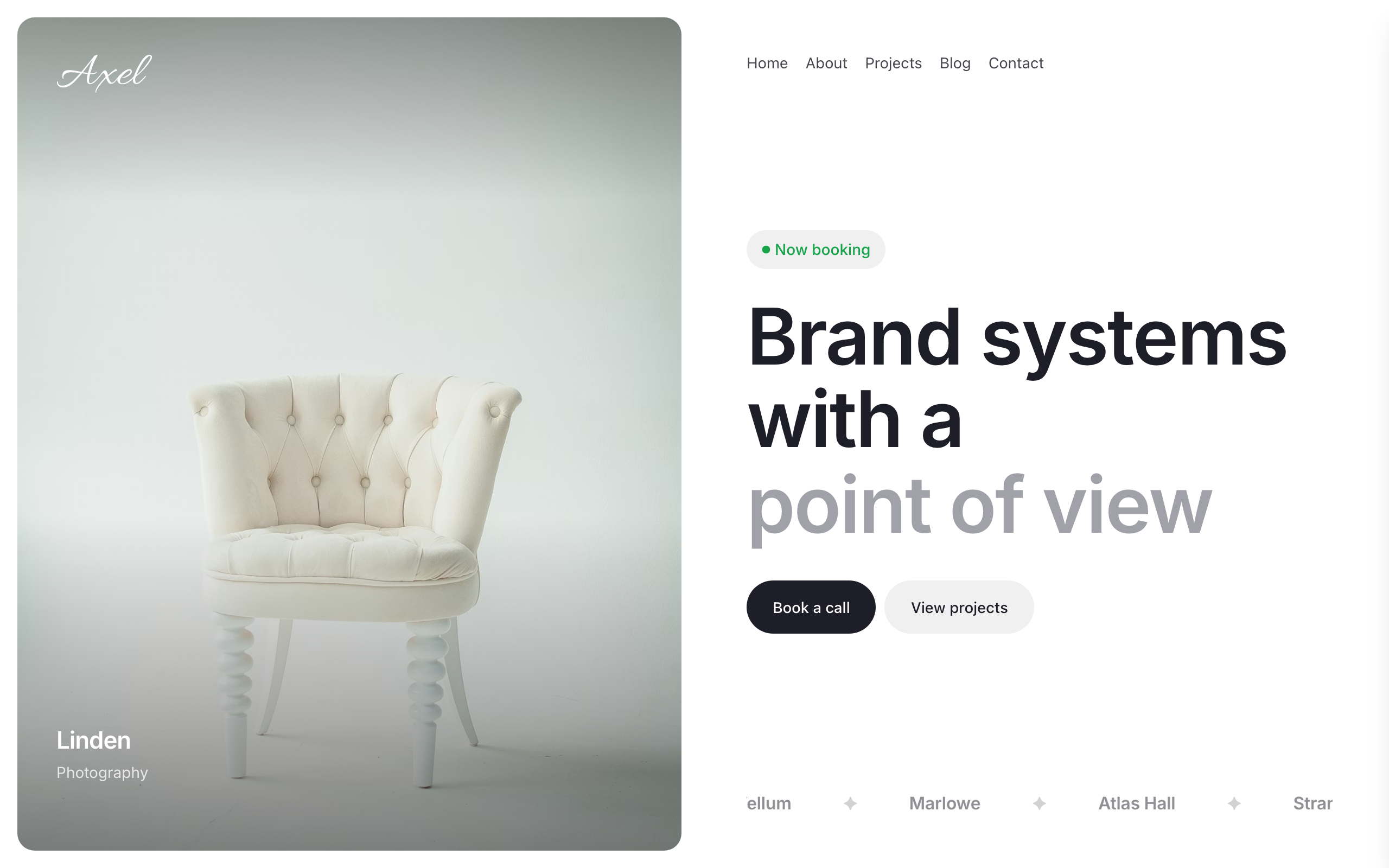
Axel
A split-screen portfolio: a full-bleed image beside your work, blog and a contact form with budget.
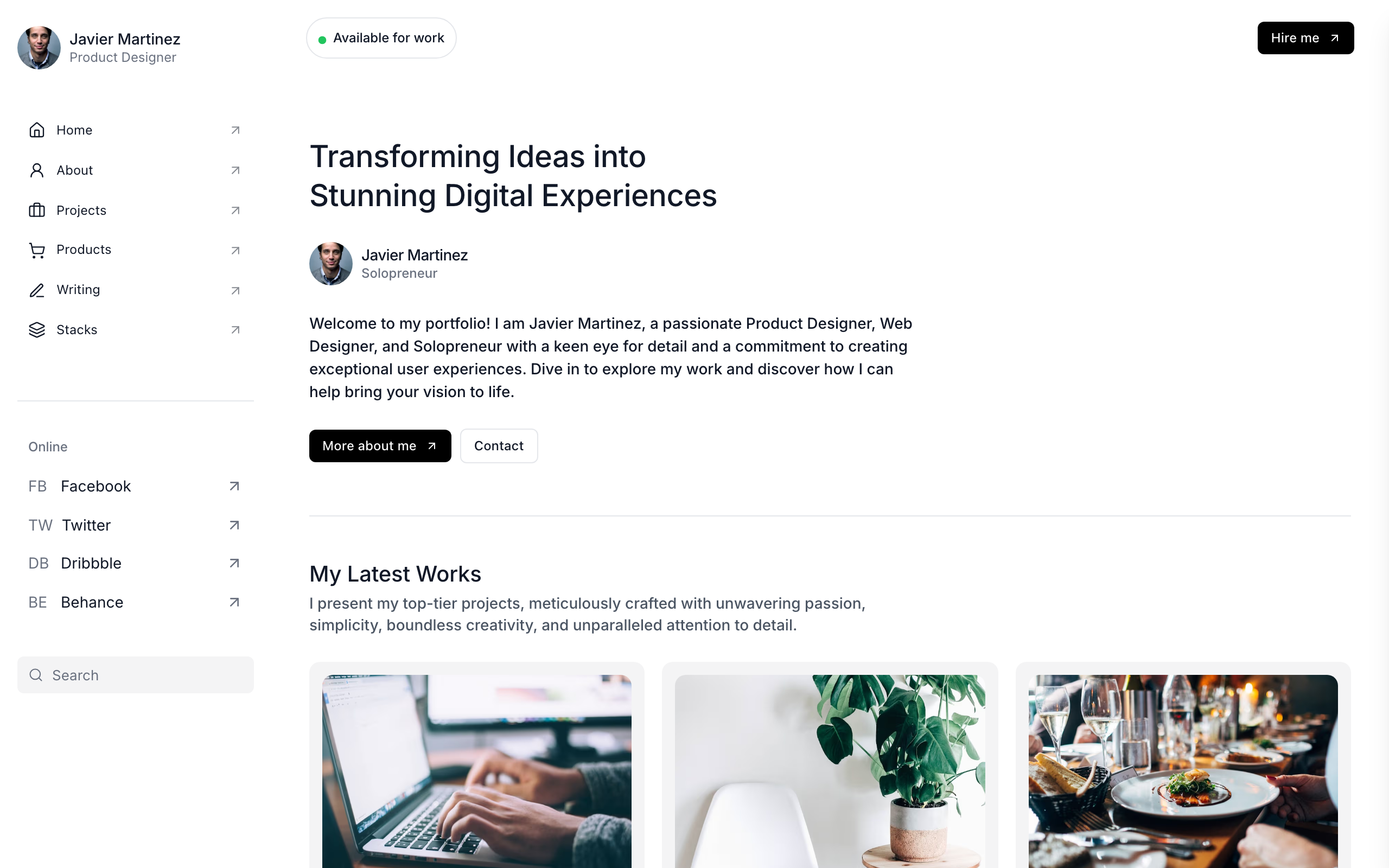
Biobricks
For solo product and web designers: work, services with prices, writing, products and a tools page.
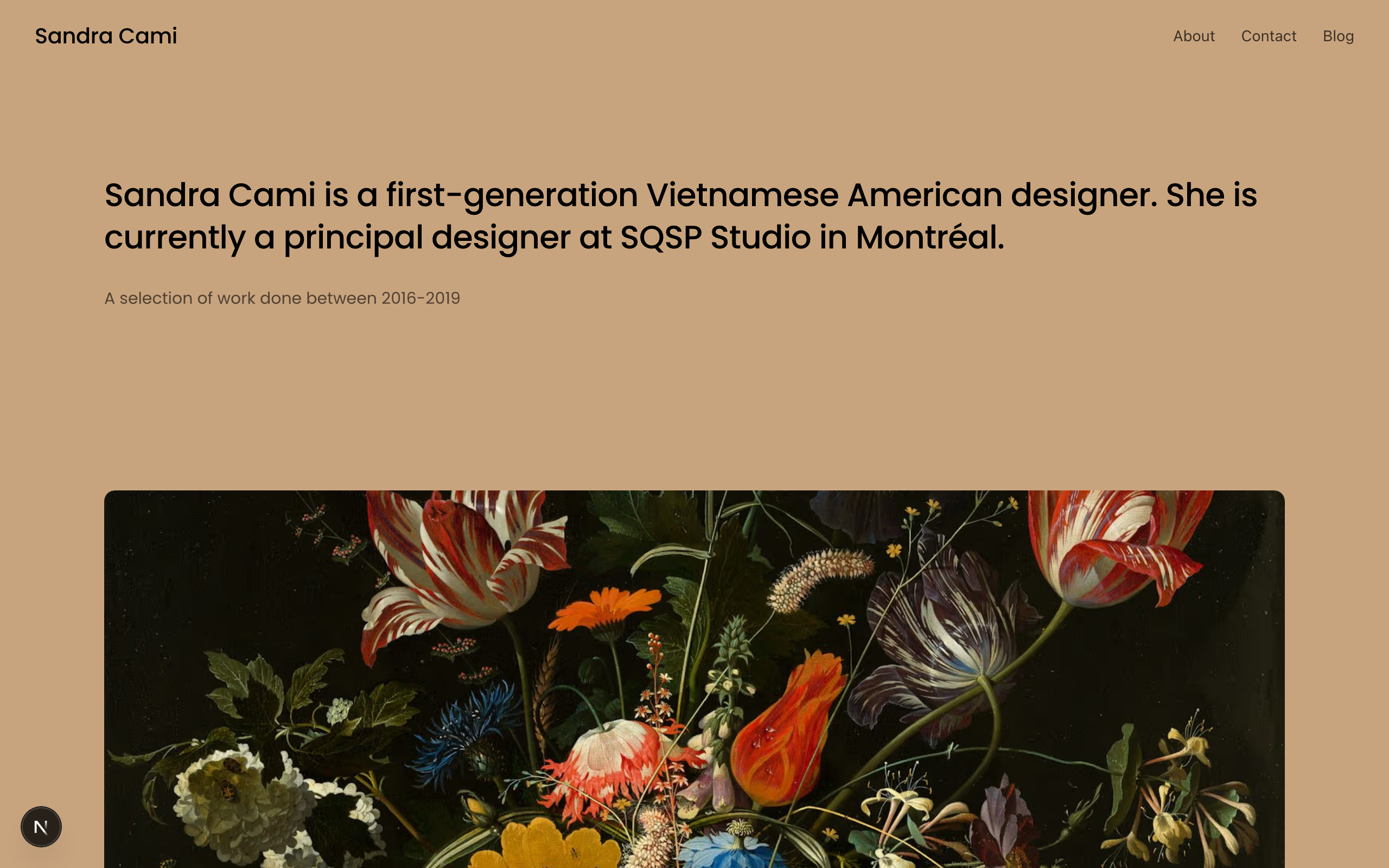
Cami
A warm, image-led portfolio where large project photos lead, with case-study pages and an enquiry form.
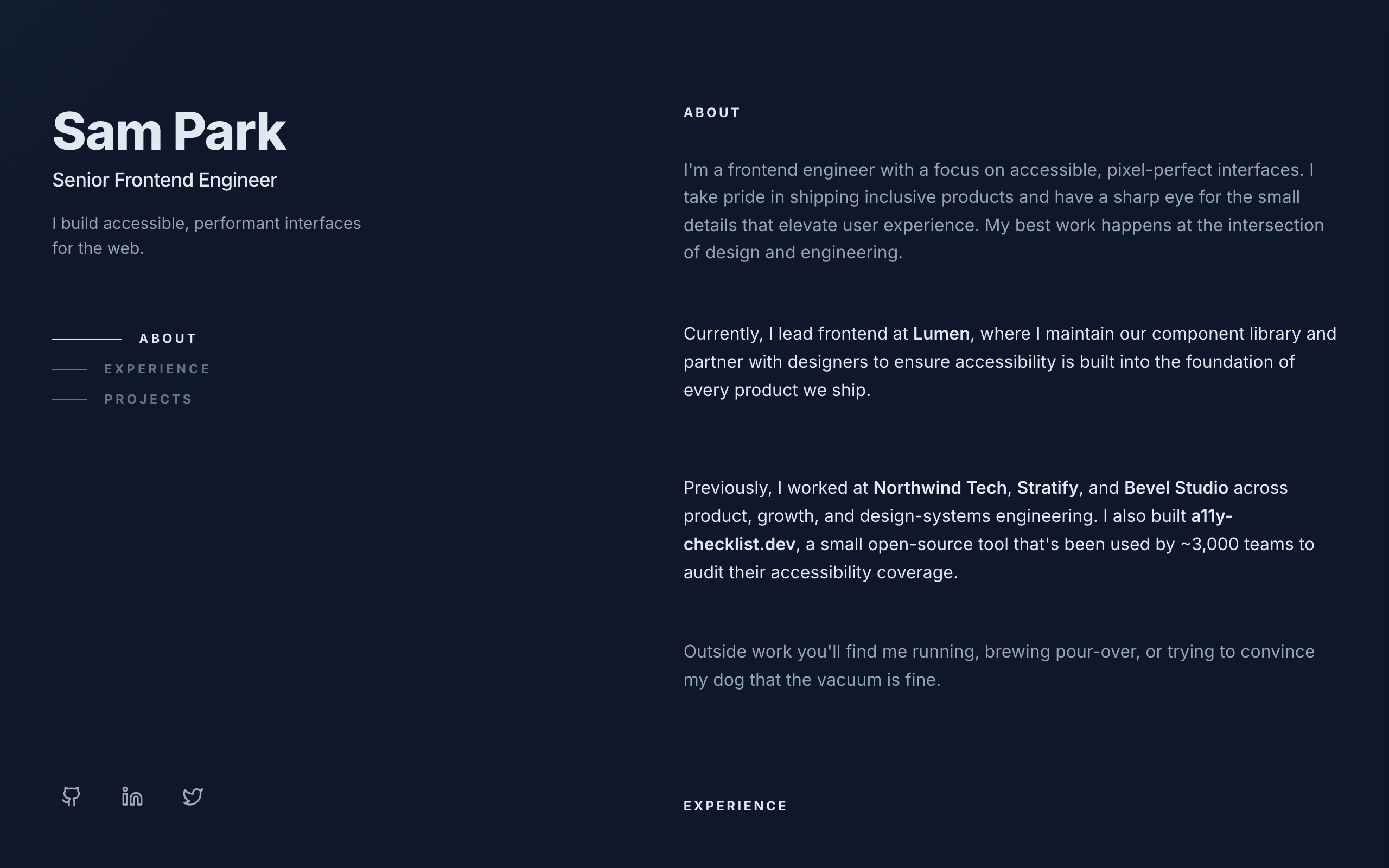
Console
A dark two-column developer portfolio: sticky intro on the left, experience and projects on the right.